Key Takeaways
- Rate limits are your biggest scaling bottleneck: Most AI search APIs enforce strict per-minute and per-day limits that can halt monitoring operations. Understanding provider-specific limits and implementing exponential backoff is critical.
- Caching cuts costs by 60-80%: Semantic caching and response deduplication eliminate redundant API calls. Tools like Redis or built-in gateway caching can reduce your monthly spend dramatically.
- Budget controls prevent runaway costs: Virtual keys, per-team spending limits, and tiered model routing ensure you never exceed your allocated budget while maintaining monitoring coverage.
- Multi-provider fallbacks ensure uptime: When one API hits rate limits or fails, automatic routing to backup providers keeps your monitoring pipeline running without manual intervention.
- Observability reveals hidden waste: Page-level cost tracking and per-model analytics surface exactly where your budget is going, enabling data-driven optimization decisions.
Understanding AI Search API Rate Limits in 2026
AI search monitoring at scale means calling multiple LLM APIs hundreds or thousands of times per day. Every major provider enforces rate limits to protect their infrastructure and ensure fair usage. These limits vary dramatically by provider, tier, and endpoint.
Common Rate Limit Structures
Most AI search APIs use a combination of:
- Requests per minute (RPM): How many API calls you can make in a 60-second window
- Tokens per minute (TPM): The total number of input + output tokens processed per minute
- Requests per day (RPD): Daily caps that reset at midnight UTC
- Concurrent requests: Maximum parallel calls allowed
For example, OpenAI's GPT-4 API on the basic tier allows 500 RPM and 10,000 TPM. Anthropic's Claude API starts at 50 RPM for new accounts. Google's Gemini API offers 60 RPM on the free tier. These limits scale with paid tiers, but even enterprise accounts hit ceilings when monitoring thousands of prompts daily.
Why Rate Limits Matter for AI Monitoring
When you're tracking brand visibility across ChatGPT, Perplexity, Claude, and other AI engines, you're not making one-off queries. You're running:
- Daily prompt tracking: Testing 50-500+ prompts per day across multiple models
- Competitor analysis: Querying the same prompts for 5-10 competitors
- Multi-region monitoring: Running prompts in different languages and geolocations
- Historical comparisons: Re-running prompts to track visibility changes over time
A single monitoring workflow can easily generate 5,000-10,000 API calls per day. Without proper rate limit handling, your pipeline will fail, data will be incomplete, and you'll burn through retry attempts.
The Real Cost of LLM Monitoring at Scale
API costs compound fast. Here's what a typical AI visibility monitoring operation looks like:
Example: Mid-sized brand tracking 200 prompts/day across 5 models
- 200 prompts × 5 models = 1,000 API calls/day
- Average cost per call: $0.03 (GPT-4o) to $0.10 (Claude 3.5 Sonnet)
- Monthly cost: $900 - $3,000 just for prompt monitoring
- Add competitor tracking (5 brands): $4,500 - $15,000/month
- Add multi-region (3 locations): $13,500 - $45,000/month
Without optimization, costs spiral out of control. The good news: most teams can cut these costs by 60-80% with the right architecture.
Cost Optimization Strategy 1: Semantic Caching
Caching is the single most effective cost reduction technique. Instead of calling the API every time, you store responses and return cached results for identical or semantically similar queries.
How Semantic Caching Works
Traditional caching matches exact query strings. If you ask "What are the best project management tools?" and later ask "What are the top project management tools?", you get two API calls.
Semantic caching uses embeddings to detect similar queries. It compares the semantic meaning of prompts and returns cached responses when similarity exceeds a threshold (typically 0.95+). This catches:
- Rephrased questions
- Minor wording variations
- Typos and formatting differences
Implementing semantic caching requires:
- Embedding model: Generate vector embeddings for each prompt (OpenAI's text-embedding-3-small costs $0.00002/1K tokens)
- Vector database: Store embeddings and responses (Redis, Pinecone, or Weaviate)
- Similarity threshold: Define when to return cached vs. fresh results
- TTL policy: Set expiration times based on content freshness requirements
Caching Implementation Example
Here's a simplified Python implementation:
import openai
import redis
import numpy as np
from sklearn.metrics.pairwise import cosine_similarity

class SemanticCache:
    def __init__(self, similarity_threshold=0.95, ttl=86400):
        self.redis_client = redis.Redis(host='localhost', port=6379)
        self.threshold = similarity_threshold
        self.ttl = ttl

    def get_embedding(self, text):
        response = openai.Embedding.create(
            model="text-embedding-3-small",
            input=text
        )
        return response['data'][0]['embedding']

    def check_cache(self, prompt):
        prompt_embedding = self.get_embedding(prompt)

        # Retrieve all cached embeddings
        cached_keys = self.redis_client.keys('embedding:*')

        for key in cached_keys:
            cached_embedding = np.array(eval(self.redis_client.get(key)))
            similarity = cosine_similarity([prompt_embedding], [cached_embedding])[0][0]

            if similarity >= self.threshold:
                response_key = key.replace('embedding:', 'response:')
                cached_response = self.redis_client.get(response_key)
                if cached_response:
                    return cached_response.decode('utf-8')

        return None

    def store_response(self, prompt, response):
        prompt_embedding = self.get_embedding(prompt)
        cache_id = hashlib.md5(prompt.encode()).hexdigest()

        self.redis_client.setex(
            f'embedding:{cache_id}',
            self.ttl,
            str(prompt_embedding)
        )
        self.redis_client.setex(
            f'response:{cache_id}',
            self.ttl,
            response
        )
Cache Hit Rate Optimization
To maximize cache effectiveness:
- Normalize prompts: Strip whitespace, convert to lowercase, remove special characters before caching
- Adjust TTL by content type: News-related prompts (1 hour), evergreen content (7 days), brand mentions (24 hours)
- Monitor hit rates: Track cache hits vs. misses to tune similarity thresholds
- Warm the cache: Pre-populate with common queries during off-peak hours
A well-tuned semantic cache typically achieves 65-75% hit rates, translating to 65-75% cost reduction.
Cost Optimization Strategy 2: Model Tiering and Routing
Not every query needs GPT-4. Model tiering routes requests to the most cost-effective model that meets quality requirements.
Tiering Strategy
Tier 1 - High-value queries (GPT-4o, Claude 3.5 Sonnet, Gemini Ultra):
- Competitive analysis
- New prompt discovery
- Content gap analysis
- High-stakes brand monitoring
Tier 2 - Standard queries (GPT-4o-mini, Claude 3 Haiku, Gemini Pro):
- Daily prompt tracking
- Historical comparisons
- Routine visibility checks
Tier 3 - Bulk operations (GPT-3.5-turbo, Llama 3, Mixtral):
- Data validation
- Simple classification
- Preliminary filtering
Cost comparison:
- GPT-4o: $5.00 / 1M input tokens, $15.00 / 1M output tokens
- GPT-4o-mini: $0.15 / 1M input tokens, $0.60 / 1M output tokens
- GPT-3.5-turbo: $0.50 / 1M input tokens, $1.50 / 1M output tokens
Routing 70% of queries to Tier 2/3 models cuts costs by 80-90% while maintaining acceptable quality for most use cases.
Implementing Cost-Aware Routing
AI gateways like Bifrost, LiteLLM, and Cloudflare AI Gateway provide built-in routing logic:
from litellm import Router

router = Router(
    model_list=[
        {
            "model_name": "gpt-4o",
            "litellm_params": {
                "model": "gpt-4o",
                "api_key": os.getenv("OPENAI_API_KEY"),
                "rpm": 500,
                "tpm": 10000
            }
        },
        {
            "model_name": "gpt-4o-mini",
            "litellm_params": {
                "model": "gpt-4o-mini",
                "api_key": os.getenv("OPENAI_API_KEY"),
                "rpm": 5000,
                "tpm": 200000
            }
        }
    ],
    routing_strategy="cost-based"
)

response = router.completion(
    model="gpt-4o-mini",  # Default to cheaper model
    messages=[{"role": "user", "content": prompt}]
)

Cost Optimization Strategy 3: Budget Controls and Spend Limits
Budget controls prevent runaway costs by enforcing hard limits at multiple levels.
Virtual Key Budgets
Create virtual API keys with spending limits for different teams, projects, or use cases:
- Marketing team: $500/month for brand monitoring
- Product team: $200/month for feature research
- Agency client A: $1,000/month for competitive intelligence
When a virtual key hits its limit, requests fail gracefully with a budget exceeded error instead of continuing to charge your account.
Per-Request Cost Caps
Set maximum costs per individual API call:
max_cost_per_request = 0.10  # $0.10 per call

if estimated_cost > max_cost_per_request:
    # Route to cheaper model or skip request
    response = router.completion(
        model="gpt-4o-mini",
        messages=messages,
        max_tokens=500  # Limit output length
    )
Real-Time Cost Tracking
Implement dashboards that show:
- Current spend vs. budget
- Cost per model
- Cost per team/project
- Projected monthly spend based on current usage
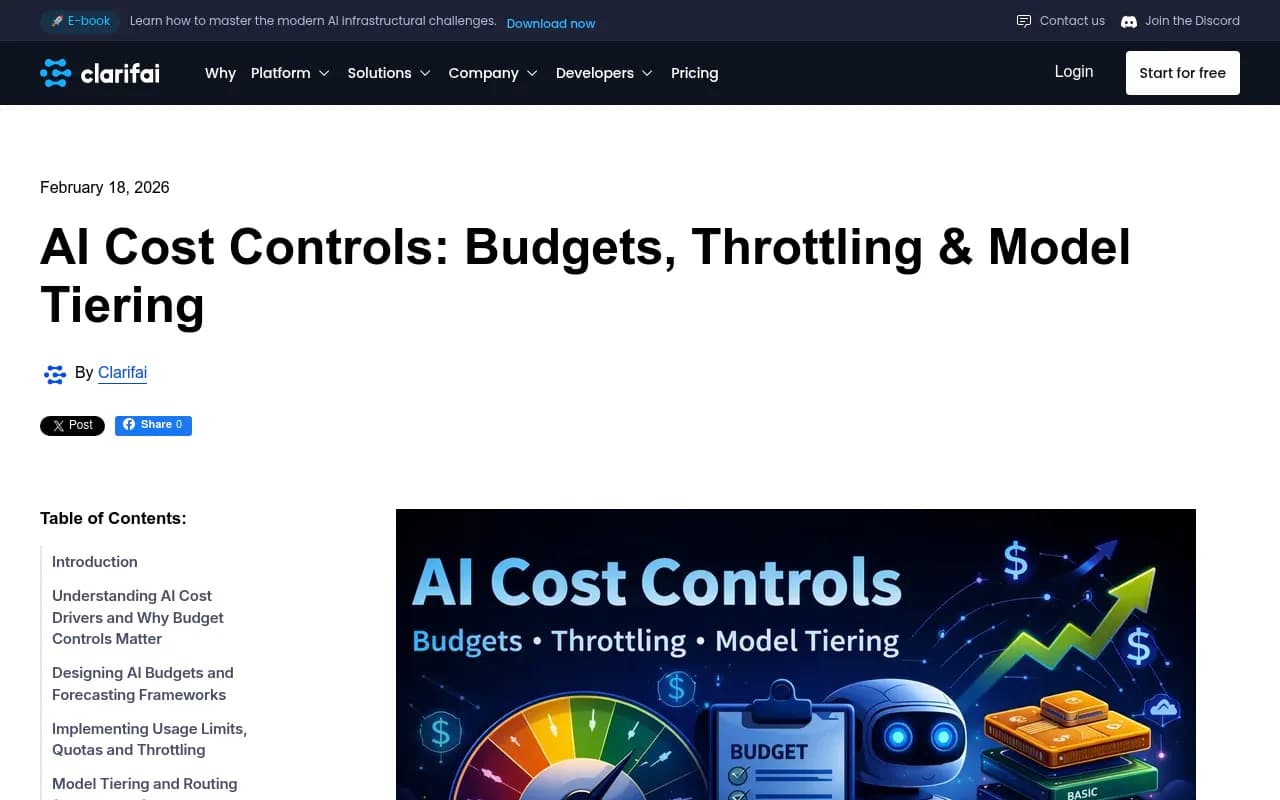
Tools like Promptwatch provide built-in cost tracking and attribution, showing exactly which prompts and pages are consuming your budget.
Rate Limit Handling Best Practices
When you hit rate limits, how you handle retries makes the difference between a robust system and a broken pipeline.
Exponential Backoff
Never retry immediately. Implement exponential backoff with jitter:
import time
import random

def call_api_with_retry(prompt, max_retries=5):
    for attempt in range(max_retries):
        try:
            response = openai.ChatCompletion.create(
                model="gpt-4o",
                messages=[{"role": "user", "content": prompt}]
            )
            return response
        except openai.error.RateLimitError as e:
            if attempt == max_retries - 1:
                raise

            # Exponential backoff: 1s, 2s, 4s, 8s, 16s
            wait_time = (2 ** attempt) + random.uniform(0, 1)
            print(f"Rate limit hit. Retrying in {wait_time:.2f}s...")
            time.sleep(wait_time)
Batch Processing and Queue Management
Instead of making 1,000 API calls simultaneously, use a queue system:
- Add requests to queue: Store prompts in Redis or RabbitMQ
- Process with rate limiting: Worker pulls requests at a controlled rate (e.g., 50 RPM)
- Distribute across time: Spread daily workload across 24 hours instead of peak hours
- Prioritize critical requests: VIP prompts jump the queue
import asyncio
from asyncio import Semaphore

async def process_with_rate_limit(prompts, rpm_limit=50):
    semaphore = Semaphore(rpm_limit)

    async def limited_call(prompt):
        async with semaphore:
            result = await call_api(prompt)
            await asyncio.sleep(60 / rpm_limit)  # Enforce RPM
            return result

    tasks = [limited_call(p) for p in prompts]
    return await asyncio.gather(*tasks)
Multi-Provider Fallbacks
When one provider hits rate limits, automatically fail over to alternatives:
providers = [
    {"name": "openai", "model": "gpt-4o", "rpm": 500},
    {"name": "anthropic", "model": "claude-3-5-sonnet", "rpm": 50},
    {"name": "google", "model": "gemini-pro", "rpm": 60}
]

def call_with_fallback(prompt):
    for provider in providers:
        try:
            return call_provider(provider, prompt)
        except RateLimitError:
            print(f"{provider['name']} rate limited, trying next...")
            continue

    raise Exception("All providers rate limited")
AI gateways handle this automatically. Bifrost, for example, supports 20+ providers with automatic failover when rate limits are hit.
Monitoring and Observability
You can't optimize what you don't measure. Comprehensive observability reveals where your budget is going and where to optimize.
Key Metrics to Track
Cost metrics:
- Total spend per day/week/month
- Cost per model
- Cost per prompt category
- Cost per team/project
- Average cost per API call
Performance metrics:
- API response time (p50, p95, p99)
- Error rate by provider
- Rate limit hit frequency
- Cache hit rate
- Retry success rate
Business metrics:
- Cost per brand mention tracked
- Cost per competitor analyzed
- ROI of monitoring spend vs. visibility gains
Tools for LLM Observability
Several platforms specialize in LLM monitoring:
- Langfuse: Open-source observability with prompt versioning and cost tracking
- Helicone: AI gateway with built-in logging and analytics
- Arize AI: End-to-end LLM observability for production systems
- Weights & Biases Weave: Track and evaluate LLM applications
For AI search visibility specifically, Promptwatch combines monitoring with cost attribution, showing exactly which prompts and pages are consuming your API budget while tracking visibility across ChatGPT, Perplexity, Claude, and 10+ other AI engines.
Advanced Optimization Techniques
Prompt Compression
Shorter prompts = lower token costs. Techniques include:
- Remove redundant context: Only include essential information
- Use abbreviations: "PM tools" instead of "project management tools"
- Structured formats: JSON or YAML instead of prose
- Prompt compression models: LLMLingua and similar tools reduce prompt length by 50-80% while preserving meaning
Response Streaming and Early Termination
For classification or yes/no queries, stop generation early:
response = openai.ChatCompletion.create(
    model="gpt-4o",
    messages=messages,
    max_tokens=10,  # Stop after 10 tokens for simple classification
    stream=True
)

for chunk in response:
    if "yes" in chunk.choices[0].delta.content.lower():
        # Got the answer, stop streaming
        break
Scheduled vs. Real-Time Monitoring
Not everything needs real-time tracking:
- Real-time (expensive): Brand crisis monitoring, competitive launches, high-value keywords
- Hourly (moderate): Standard brand mentions, product recommendations
- Daily (cheap): Historical trends, long-tail prompts, evergreen content
Shift 80% of monitoring to daily batches processed during off-peak hours when rate limits are less likely to be hit.
Intelligent Sampling
You don't need to track every prompt every day. Implement sampling strategies:
- High-priority prompts: Track daily (top 20% of traffic-driving prompts)
- Medium-priority: Track 3x/week
- Low-priority: Track weekly or monthly
- Rotating sample: Track different subsets each day to maintain coverage
This reduces API calls by 60-70% while maintaining statistical significance.
Choosing the Right AI Gateway
AI gateways centralize cost controls, caching, and rate limit handling. Here's how to choose:
For startups and small teams:
- Cloudflare AI Gateway: Free tier, 350+ models, edge caching
- LiteLLM: Open-source, self-hosted, 100+ providers
For mid-sized companies:
- Bifrost by Maxim AI: Semantic caching, virtual keys, 20+ providers, native observability
- Vercel AI SDK: Best for Next.js teams building frontend-first
For enterprises:
- Kong AI Gateway: Extends existing API governance to LLM workloads
- Bifrost: Full-stack cost ops with team budgets and fallback routing
All of these platforms address the core challenges: caching, fallbacks, budget controls, and observability. The right choice depends on your stack, team size, and whether you prefer managed services or self-hosted infrastructure.
Real-World Cost Optimization Case Study
Company: Mid-sized SaaS company tracking brand visibility across AI search engines
Initial setup:
- 500 prompts/day × 5 models = 2,500 API calls/day
- No caching, no rate limit handling
- Monthly cost: $8,500
- Frequent pipeline failures from rate limits
After optimization:
- Implemented semantic caching (70% hit rate)
- Routed 80% of queries to GPT-4o-mini and Claude Haiku
- Added exponential backoff and multi-provider fallbacks
- Set per-team budget limits
Results:
- Monthly cost: $1,200 (86% reduction)
- Zero pipeline failures
- 2x monitoring coverage (added 500 more prompts)
- Real-time cost visibility per team
The key: treating API costs as a first-class concern from day one, not an afterthought.
Common Pitfalls to Avoid
Pitfall 1: No Cache Invalidation Strategy
Caching stale data leads to incorrect visibility tracking. Implement TTLs based on content type and manual invalidation for critical updates.
Pitfall 2: Ignoring Token Limits
Rate limits measure both requests and tokens. A single request with 10K tokens counts as 10K TPM. Monitor both metrics.
Pitfall 3: No Cost Alerting
Set up alerts when spend exceeds thresholds:
- Warning at 70% of budget
- Critical at 90% of budget
- Automatic shutdown at 100%
Pitfall 4: Over-Engineering
Start simple: basic caching and retry logic. Add complexity only when needed. Premature optimization wastes engineering time.
Pitfall 5: Not Testing Failover
Regularly test your fallback logic. Simulate rate limits and provider outages to ensure your system degrades gracefully.
Building a Sustainable Monitoring Architecture
A production-ready AI monitoring system requires:
- Caching layer: Redis or similar with semantic similarity matching
- Queue system: RabbitMQ, Celery, or cloud-native queues for rate-limited processing
- Gateway or router: Centralized API management with fallbacks
- Observability: Real-time cost tracking and alerting
- Budget controls: Per-team limits and automatic shutoffs
- Retry logic: Exponential backoff with jitter
- Model tiering: Route queries to cost-appropriate models
This architecture scales from 1,000 to 1,000,000+ API calls per day without breaking your budget or hitting rate limits.
The Future of AI Search Monitoring Costs
As AI search engines mature, expect:
- Lower per-token costs: Competition drives prices down (already happening with GPT-4o-mini and Claude Haiku)
- Higher rate limits: Providers increase limits as infrastructure scales
- Native caching: More providers offer built-in semantic caching
- Specialized monitoring APIs: Purpose-built endpoints for brand tracking and visibility monitoring
- Usage-based pricing tiers: More granular pricing that rewards efficient usage
The teams that build cost-conscious architectures today will have a massive advantage as monitoring scales become the norm.
Conclusion
Scaling AI search monitoring without breaking your budget comes down to three principles:
- Cache aggressively: Semantic caching cuts costs by 60-80%
- Route intelligently: Use the cheapest model that meets quality requirements
- Control spending: Enforce budgets at every level before costs spiral
The tools exist today to monitor hundreds of prompts across dozens of AI engines for a fraction of what it cost a year ago. The difference between a $50,000/month monitoring bill and a $5,000/month bill isn't the scale of monitoring -- it's the architecture.
Start with caching and model tiering. Add budget controls and observability. Test your fallback logic. And remember: the goal isn't to minimize costs at all costs -- it's to maximize visibility per dollar spent.
For teams serious about AI search visibility, platforms like Promptwatch combine monitoring, cost tracking, and optimization in a single workflow. You see where you're invisible, generate content to fix it, and track both visibility improvements and the API costs required to measure them.
The AI search landscape is evolving fast. The brands that figure out sustainable, cost-effective monitoring today will dominate AI visibility tomorrow.