Key Takeaways
- FAQ pages are naturally aligned with voice queries — they directly answer the questions users ask aloud, making them ideal for voice search optimization
- Conversational language wins — write answers in natural, spoken language that mirrors how real people ask questions, not keyword-stuffed SEO copy
- Structure is everything — use clear question-answer pairs with schema markup, concise direct answers (40-60 words), and logical hierarchy
- AI assistants prioritize clarity over cleverness — straightforward, factual answers get cited; marketing fluff gets ignored
- Track what's working — monitor which questions get cited by AI models and which don't, then optimize based on real citation data
Why FAQ Pages Are Voice Search Gold in 2026
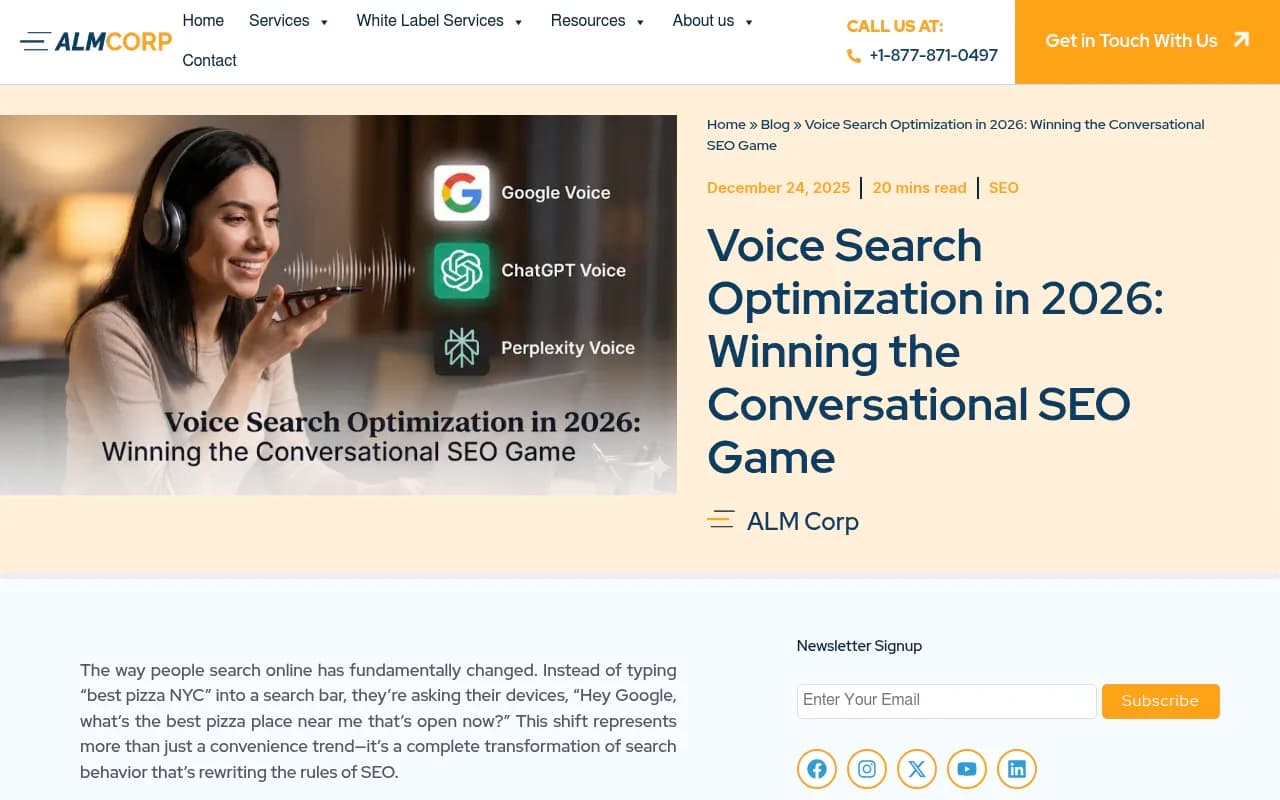
Voice search has fundamentally changed how people find information. Instead of typing fragmented keywords like "best pizza NYC," users now speak complete questions: "What's the best pizza place near me that's open now?" This shift toward conversational queries makes FAQ pages one of the most powerful assets in your content arsenal.
The numbers tell the story: voice search now accounts for approximately 30% of all web browsing sessions, with over 8.4 billion voice-enabled devices in use globally. When someone asks Alexa, Siri, Google Assistant, or ChatGPT a question, these systems need a clear, direct answer — exactly what well-optimized FAQ pages provide.
But here's what most businesses miss: FAQ optimization in 2026 isn't just about ranking in traditional search engines. AI assistants like ChatGPT, Claude, Perplexity, and Google's AI Overviews are becoming the new gatekeepers of information. These systems don't just crawl your content — they interpret it, synthesize it, and decide whether it's worth citing. Your FAQ page needs to speak their language.
The Anatomy of a Voice-Optimized FAQ Page
Start With Real Customer Questions
The foundation of any effective FAQ page is authenticity. Don't guess what questions people might ask — use actual questions from real customers. Here's where to find them:
- Customer support tickets and chat logs — mine your support history for recurring questions
- Sales team conversations — what do prospects ask before they buy?
- Social media comments and DMs — people ask questions everywhere, not just on your website
- Google's "People Also Ask" boxes — see what related questions Google surfaces
- Reddit and Quora threads — find unfiltered questions in your industry's communities
- Voice search query data — if you have access to search console data, look for question-based queries
The goal is to capture the exact phrasing people use when they speak. "How much does X cost?" is better than "Pricing information." "Can I use X with Y?" beats "Compatibility specifications."
Write Clear, Conversational Answers
Voice assistants and AI models prioritize answers that sound natural when read aloud. Here's the formula that works:
Lead with a direct answer (40-60 words): Give the core answer immediately, in one or two sentences. This is what voice assistants will read aloud and what AI models will cite.
Example (Good): "Yes, our software integrates with Salesforce, HubSpot, and Zapier through native connections. Setup takes about 5 minutes and requires admin access to your CRM. All data syncs automatically in real-time, so your teams always see the latest information."
Example (Bad): "Integration capabilities are a core component of our platform architecture. We've invested significant resources in building robust API connections that enable seamless data flow across multiple enterprise systems..."
The first answer is clear, specific, and conversational. The second is vague marketing copy that no voice assistant would ever cite.
Then add supporting details: After your direct answer, you can expand with additional context, step-by-step instructions, or related information. But always lead with the answer.
Structure Questions for Natural Language
Voice queries are longer and more conversational than typed searches. Structure your FAQ questions to match this pattern:
- Use complete questions: "How do I reset my password?" not "Password reset"
- Include natural language: "What's the difference between X and Y?" not "X vs Y comparison"
- Mirror spoken queries: "Can I cancel my subscription anytime?" not "Cancellation policy"
- Add context when needed: "How long does shipping take to the UK?" not "Shipping time"
Think about how someone would actually ask the question out loud to another person. That's your target.
Technical Optimization: Schema Markup and Structure
Implement FAQ Schema Markup
Schema markup is the language that tells search engines and AI systems exactly what your content represents. For FAQ pages, FAQPage schema is non-negotiable. It explicitly labels your questions and answers, making them easy for voice assistants to extract and cite.
Here's a basic example:
{
  "@context": "https://schema.org",
  "@type": "FAQPage",
  "mainEntity": [{
    "@type": "Question",
    "name": "How do I reset my password?",
    "acceptedAnswer": {
      "@type": "Answer",
      "text": "To reset your password, click the 'Forgot Password' link on the login page, enter your email address, and follow the instructions in the reset email. The link expires after 24 hours for security."
    }
  }]
}
Add this structured data to every FAQ page. Google's Rich Results Test tool can validate your implementation.
Page Speed and Mobile Optimization
Voice searches happen disproportionately on mobile devices. If your FAQ page loads slowly or displays poorly on mobile, you're invisible to voice search:
- Target page load under 2 seconds — voice users expect instant answers
- Use responsive design — your FAQ page must work perfectly on every screen size
- Optimize images — compress screenshots and graphics without losing quality
- Minimize JavaScript — heavy scripts slow mobile performance
- Enable AMP (optional) — Accelerated Mobile Pages can improve mobile speed, though they're not required
Use Google's PageSpeed Insights and Mobile-Friendly Test to identify issues.
Clean URL Structure and Internal Linking
Make your FAQ page easy for AI crawlers to discover and understand:
- Use a clear URL:
/faqor/frequently-asked-questions— avoid/page?id=12345 - Link from your homepage and main navigation — signal that this page is important
- Add contextual internal links — link to relevant FAQ questions from blog posts, product pages, and support articles
- Create anchor links for individual questions — let users (and AI systems) jump directly to specific answers
Content Strategies That Win AI Citations
The One-Sentence Answer Technique
AI models and voice assistants love answers that can stand alone. Practice writing one-sentence answers that fully address the question:
Question: "How long does it take to see results from SEO?"
One-sentence answer: "Most businesses see measurable SEO results within 3-6 months, though competitive industries may take 6-12 months to rank for high-value keywords."
That single sentence gives a complete answer. Everything after it is bonus context. This technique dramatically increases your chances of being cited by ChatGPT, Claude, Perplexity, and other AI systems.
Address Follow-Up Questions
Voice conversations are interactive. People ask follow-up questions. Anticipate these and address them in your FAQ:
Primary question: "What's included in your Basic plan?"
Follow-up questions to address:
- "Can I upgrade to Pro later?"
- "Is there a free trial?"
- "What happens when I hit my usage limit?"
By answering the natural follow-up questions, you increase the likelihood that AI assistants will cite your content for multiple related queries.
Use Comparison and Contrast
Many voice queries involve comparisons: "What's the difference between X and Y?" or "Should I choose A or B?" Create FAQ entries that directly address these:
Question: "What's the difference between monthly and annual billing?"
Answer: "Monthly billing costs $29 per month with no commitment, while annual billing costs $290 per year (saving you $58). Annual plans also include priority support and early access to new features. You can switch from monthly to annual anytime, but annual plans require a full year commitment."
This answer directly compares both options, explains the tradeoffs, and addresses the implicit question ("Which should I choose?").
Incorporate Local Intent
A significant portion of voice searches have local intent: "near me" queries, location-specific questions, and service area inquiries. If your business serves specific locations, create location-aware FAQ entries:
- "Do you offer same-day delivery in London?"
- "What are your office hours in the Manchester location?"
- "Do you service customers in Scotland?"
Include city names, neighborhoods, and regional terms naturally in your answers.
Optimizing for Specific AI Assistants
Google Assistant and AI Overviews
Google's AI systems prioritize content that:
- Appears in featured snippets — optimize for position zero by providing clear, concise answers
- Uses proper heading hierarchy — H2 for questions, clear answer paragraphs
- Includes relevant entities — mention specific products, places, people, and concepts that Google's Knowledge Graph recognizes
- Demonstrates E-E-A-T — show expertise, experience, authoritativeness, and trustworthiness through author bios, credentials, and citations
ChatGPT and OpenAI Systems
ChatGPT and other OpenAI models favor content that:
- Provides context and nuance — don't just give yes/no answers; explain why
- Uses clear structure — bullet points, numbered lists, and logical flow
- Cites specific details — numbers, dates, and concrete examples increase citation likelihood
- Avoids marketing fluff — factual, helpful content gets cited; sales pitches get ignored
Tools like Promptwatch can help you track which FAQ questions are being cited by ChatGPT and other AI models, so you can optimize based on real performance data.

Alexa and Amazon Systems
Amazon's voice assistant prioritizes:
- Concise answers — Alexa reads shorter responses more naturally
- Product-specific information — if you sell on Amazon, link your FAQ to product listings
- Skills integration — consider building an Alexa Skill that surfaces your FAQ content
Siri and Apple Intelligence
Apple's systems favor:
- Authoritative sources — content from established, trusted domains
- Privacy-focused answers — avoid requiring personal data to access FAQ content
- Apple ecosystem integration — if you have an iOS app, deep link FAQ answers
Advanced Tactics for 2026
Video FAQ Content
Video answers are increasingly cited by AI systems and featured in voice search results. Create short (60-90 second) video answers to your most common questions:
- Use clear thumbnails — show the question text on screen
- Provide transcripts — AI systems can parse video transcripts for citations
- Host on YouTube — Google's AI Overviews frequently cite YouTube content
- Embed on your FAQ page — give users the choice of reading or watching
Multi-Language FAQ Pages
Voice search is global. If you serve international markets, create FAQ pages in multiple languages:
- Use native speakers — don't rely on machine translation alone
- Implement hreflang tags — tell search engines which language version to show
- Adapt questions to local context — what people ask in the US differs from what they ask in Germany or Japan
FAQ Content Hubs
Instead of one massive FAQ page, consider creating a FAQ hub with category-specific pages:
/faq/billing— all billing and payment questions/faq/technical— technical support and troubleshooting/faq/account— account management and settings
This structure makes it easier for AI systems to find relevant answers and improves user experience.
Dynamic FAQ Content
Use structured data and dynamic content to personalize FAQ answers based on:
- User location — show location-specific answers automatically
- Product tier — display answers relevant to the user's subscription level
- User journey stage — show different FAQs to prospects vs. customers
Measuring Success: Tracking Voice Search Performance
Monitor Featured Snippet Wins
Featured snippets are the gateway to voice search visibility. Track:
- Which FAQ questions appear in featured snippets — use tools like Ahrefs, Semrush, or SE Ranking
- Position changes over time — are you gaining or losing featured snippets?
- Competitor featured snippets — what questions are competitors winning that you're not?
Track AI Citations
Monitoring how AI models cite your FAQ content is critical in 2026. Platforms like Promptwatch, Otterly.AI, and Search Party let you track when ChatGPT, Claude, Perplexity, and other AI systems reference your content.
Key metrics to watch:
- Citation frequency — how often are your FAQ answers cited?
- Citation context — are you cited as a primary source or supporting reference?
- Competitor comparison — who else is being cited for the same questions?
- Model-specific performance — which AI systems cite you most often?
Analyze Voice Search Traffic
Google Search Console provides limited voice search data, but you can infer voice traffic by analyzing:
- Question-based queries — queries starting with who, what, where, when, why, how
- Long-tail queries — 5+ word queries that sound conversational
- Mobile traffic spikes — voice searches happen primarily on mobile
- Featured snippet impressions — high impressions with low clicks often indicate voice search
User Engagement Signals
Track how users interact with your FAQ page:
- Time on page — are users finding answers quickly?
- Scroll depth — how far down the page do they read?
- Click-through to related content — are they exploring further?
- Search refinement — do they use your site search after visiting the FAQ?
Low engagement might indicate your answers aren't clear or comprehensive enough.
Common FAQ Optimization Mistakes to Avoid
Writing for Search Engines Instead of Humans
The biggest mistake is writing FAQ content that's optimized for keywords but sounds unnatural when read aloud. Voice assistants won't cite awkward, keyword-stuffed answers.
Bad: "Our SEO services pricing packages range from affordable SEO services to enterprise SEO solutions with competitive SEO pricing."
Good: "Our SEO services start at $1,500/month for small businesses and scale up to $10,000+/month for enterprise clients with complex needs."
Burying the Answer
Don't make users (or AI systems) hunt for the answer. Lead with it immediately:
Bad structure: "Many customers ask about our return policy. Returns are an important part of the customer experience. We've designed our return process to be simple and straightforward. Here's what you need to know..."
Good structure: "You can return any item within 30 days for a full refund, no questions asked. Here's how..."
Ignoring Mobile Experience
If your FAQ page requires horizontal scrolling, has tiny text, or loads slowly on mobile, you're invisible to voice search. Test on actual mobile devices, not just desktop browsers with responsive mode.
Using Jargon and Technical Language
Voice search users speak naturally. If your FAQ answers are full of industry jargon, acronyms, or technical terms, they won't match how people actually ask questions.
Bad: "Our SaaS platform leverages ML algorithms to optimize KPIs via automated workflows."
Good: "Our software uses artificial intelligence to automatically improve your key metrics without manual work."
Neglecting Updates
FAQ pages get stale. Products change, policies update, and new questions emerge. Review your FAQ page quarterly:
- Remove outdated questions — don't confuse users with old information
- Add new questions — monitor support tickets for emerging patterns
- Update answers — ensure all information is current and accurate
- Refresh schema markup — validate that structured data is still working
The Future of FAQ Optimization
Voice search and AI assistants will continue evolving rapidly. Here's what to prepare for:
Multimodal Answers
AI systems are increasingly combining text, images, and video in their responses. FAQ pages that include visual elements (diagrams, screenshots, infographics) alongside text answers will have an advantage.
Conversational Context
Future AI assistants will remember conversation history and ask clarifying questions. Your FAQ content should anticipate these follow-up questions and provide layered answers that work in multi-turn conversations.
Personalized Responses
AI systems will tailor answers based on user context — location, device, past behavior, and preferences. Consider how your FAQ content can be dynamically personalized while maintaining a single source of truth.
Cross-Platform Consistency
Users might start a question on one device (smart speaker) and continue on another (phone). Ensure your FAQ content is accessible and consistent across all platforms and devices.
Taking Action: Your FAQ Optimization Checklist
Ready to optimize your FAQ page for voice search and AI assistants? Here's your action plan:
Week 1: Audit and Research
- Analyze current FAQ page performance in Search Console
- Mine customer support tickets for common questions
- Research competitor FAQ pages and featured snippets
- Identify voice search keywords using question-based queries
Week 2: Content Optimization
- Rewrite questions in natural, conversational language
- Lead every answer with a clear, concise direct response (40-60 words)
- Add supporting details and context after the direct answer
- Remove marketing fluff and jargon
- Add comparison and contrast where relevant
Week 3: Technical Implementation
- Implement FAQPage schema markup
- Validate schema with Google's Rich Results Test
- Optimize page speed for mobile
- Create anchor links for individual questions
- Add internal links from related content
Week 4: Monitoring and Iteration
- Set up featured snippet tracking
- Monitor AI citations using tools like Promptwatch
- Track user engagement metrics
- Identify gaps and add new questions
- A/B test different answer formats
Voice search and AI assistants have fundamentally changed how people find information. FAQ pages that are optimized for conversational queries, structured for AI understanding, and focused on providing clear, direct answers will dominate this new landscape. The businesses that adapt now will own the voice search results of tomorrow.