Key Takeaways
- YouTube is now cited more frequently than Reddit in AI-generated answers, making video optimization critical for AI visibility
- AI search engines break prompts into multiple queries and match videos based on titles, descriptions, transcripts, and filenames
- Target one primary keyword per video, place it in the title and description opening, and answer questions directly in the first 30 seconds
- Structure descriptions with clear headings and consistent sections to help AI models extract and summarize your content
- Publish videos alongside SEO landing pages targeting the same keywords to maximize visibility across traditional and AI search
Why YouTube Now Dominates AI Search Citations
In early 2026, YouTube officially overtook Reddit as the most cited social platform in AI-generated answers. This shift fundamentally changes how brands should approach content distribution and AI visibility.
The reason is structural: YouTube videos include machine-readable transcripts, detailed metadata, and organized descriptions that AI models can easily parse and understand. Unlike Reddit threads (which require context and interpretation) or traditional blog posts (which may lack multimedia depth), YouTube content gives AI engines everything they need to extract, summarize, and cite information.
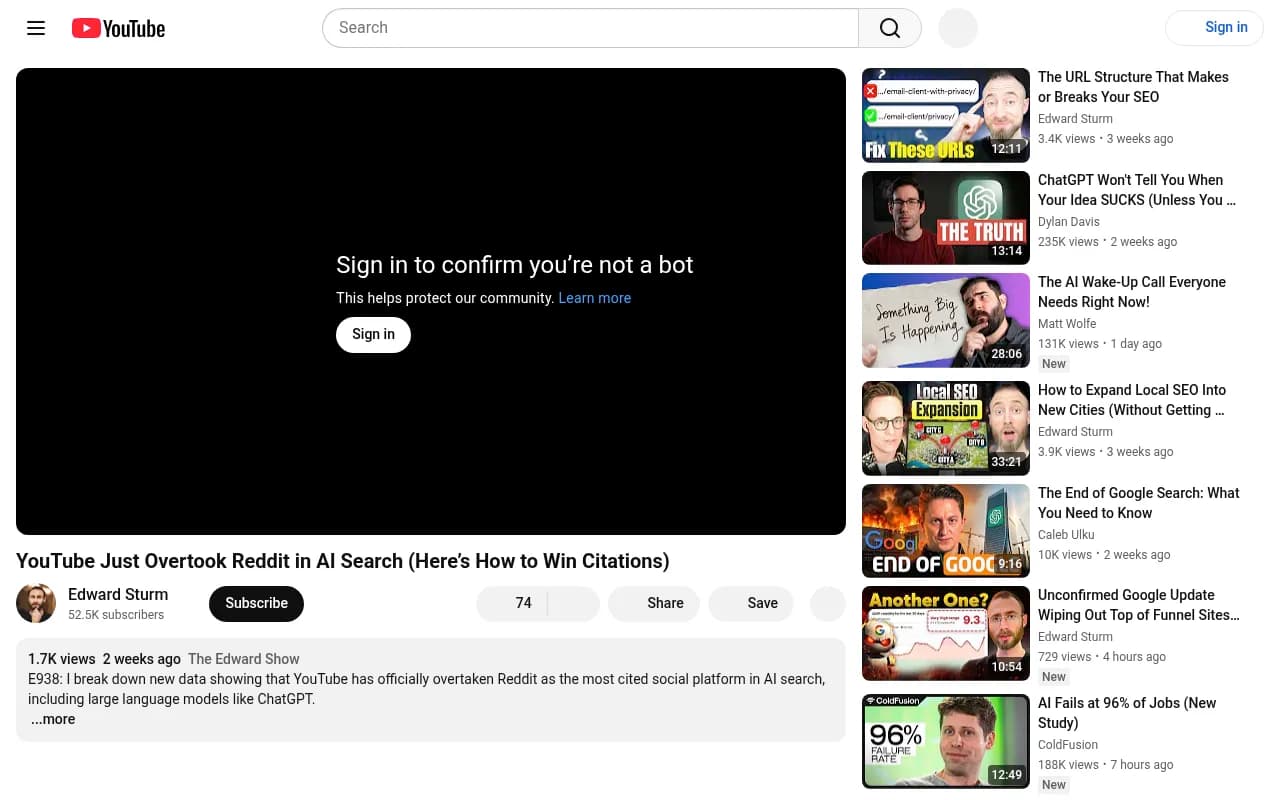
ChatGPT, Perplexity, Claude, and Google AI Overviews increasingly rely on YouTube for explanations, product reviews, comparisons, and how-to guides. If your brand isn't optimizing for YouTube visibility, you're invisible to the fastest-growing search channel.
How AI Search Engines Discover and Cite YouTube Videos
AI models don't watch videos the way humans do. They read transcripts, parse metadata, and match content against query patterns. Understanding this process is essential to optimization.
Query Decomposition and Matching
When a user asks an AI engine a question, the system breaks that prompt into multiple sub-queries. For example, "best project management tools for remote teams" might decompose into:
- "project management software features"
- "remote team collaboration tools"
- "project management tool comparisons"
- "best tools for distributed teams"
Your video needs to match at least one of these sub-queries to be considered for citation. This is why targeting a single, clear keyword per video is more effective than trying to cover multiple topics.
What AI Models Read
AI search engines analyze:
- Video title: The primary signal for topical relevance
- Description: The first 200-300 characters carry the most weight
- Auto-generated transcript: Every spoken word becomes searchable text
- Filename: The original file name before upload (e.g., "best-crm-software-2026.mp4")
- Chapters and timestamps: Structured sections help AI models extract specific answers
- Comments: High-quality comments reinforce topical relevance
Unlike traditional YouTube SEO (which optimizes for click-through rate and watch time), AI search optimization prioritizes clarity, structure, and direct answers.
The 6-Step Framework for AI-Optimized YouTube Videos
Step 1: Target One Primary Keyword Per Video
AI models favor specificity over breadth. Instead of creating a 20-minute video covering "everything about email marketing," create focused videos like:
- "How to write cold email subject lines that get opened"
- "Best email automation tools for SaaS companies in 2026"
- "How to segment email lists by customer behavior"
Each video should answer one question or solve one problem. This makes it easier for AI engines to understand what your video is about and when to cite it.
How to find AI-optimized keywords:
- Use YouTube autocomplete: Start typing your topic and note the suggested completions
- Check "People Also Ask" boxes in Google search results
- Analyze competitor videos that rank for your target topic
- Use tools like Promptwatch to see which prompts are driving AI citations in your industry

Step 2: Put the Keyword in Your Video Title
Your title should include the exact keyword or phrase people use when searching. Place it at the beginning of the title when possible.
Good titles for AI search:
- "How to Optimize YouTube Videos for AI Search Engines (2026 Guide)"
- "Best CRM Software for Small Businesses: Top 5 Picks in 2026"
- "ChatGPT Prompts for Content Marketing: 15 Examples That Work"
Bad titles for AI search:
- "You Won't Believe What Happened When I Tried This SEO Trick"
- "The Secret to Getting More Views (Revealed)"
- "My Favorite Marketing Tools"
Clickbait and vague titles work for human viewers scrolling YouTube, but they're invisible to AI search engines that need explicit topical signals.
Step 3: Front-Load Your Description with the Answer
AI models prioritize the first 200-300 characters of your description. This is where you should:
- Restate the question or topic
- Provide a direct, concise answer
- Include your primary keyword naturally
Example description opening:
"How to optimize YouTube videos for AI search engines: Target one keyword per video, place it in the title and description, answer the question in the first 30 seconds, and structure your description with clear headings. AI models like ChatGPT and Perplexity cite videos that provide direct, well-organized answers."
This gives AI engines everything they need to understand your video's value and cite it appropriately.
Step 4: Use the Keyword in Your Video Filename
Before uploading, rename your video file to include your target keyword. Use hyphens to separate words.
Examples:
youtube-seo-ai-search-optimization-2026.mp4best-crm-software-small-business.mp4chatgpt-content-marketing-prompts.mp4
This is a small signal, but it reinforces topical relevance when AI crawlers index your content.
Step 5: Answer the Question in the First 30 Seconds
AI models favor videos that provide immediate, direct answers. Don't bury your main point under 5 minutes of intro, backstory, or sponsorship messages.
Script structure for AI optimization:
- 0:00-0:10: State the question or problem
- 0:10-0:30: Provide the core answer or solution
- 0:30+: Expand with details, examples, and context
This structure works for both AI search (which extracts the answer from your transcript) and human viewers (who appreciate getting value quickly).
Step 6: Structure Your Description with Clear Headings
AI models extract information more easily from well-organized text. Use headings, bullet points, and consistent formatting in your video description.
Example structured description:
How to Optimize YouTube Videos for AI Search Engines

Key Steps:
- Target one keyword per video
- Place keyword in title, description, and filename
- Answer the question in the first 30 seconds
- Use chapters and timestamps
- Structure descriptions with headings

Tools Mentioned:
- Promptwatch (AI visibility tracking)
- VidIQ (YouTube SEO research)
- TubeBuddy (keyword analysis)

Timestamps:
0:00 - Introduction
1:30 - Why YouTube beats Reddit in AI search
4:15 - The 6-step optimization framework
12:40 - Tracking your AI visibility

Resources:
- Full guide: [link]
- Free keyword template: [link]
This format makes it easy for AI models to extract specific information and cite your video for relevant queries.
Advanced Strategies for Maximum AI Visibility
Use Intelligent Chapters and Timecodes
YouTube chapters (created by adding timestamps in your description) help AI models understand your video's structure and extract specific sections.
How to create AI-friendly chapters:
- Break your video into logical sections (3-8 chapters is ideal)
- Use descriptive chapter titles that include keywords
- Start with 0:00 as your first timestamp
- Make each chapter at least 10 seconds long
Example:
0:00 - Introduction to AI Search Optimization
2:15 - Why YouTube Citations Matter in 2026
5:30 - Step 1: Keyword Research for AI Search
9:45 - Step 2: Optimizing Video Titles
13:20 - Step 3: Writing AI-Friendly Descriptions
17:00 - Tracking Your AI Visibility
AI models can now cite specific sections of your video (e.g., "According to [Your Channel] at 5:30..."), making chapters a critical optimization factor.
Target Long-Tail Keywords for Higher Conversion
Long-tail keywords (3-5+ words) are easier to rank for and attract more qualified viewers. They also align better with how people prompt AI search engines.
Short-tail keyword: "SEO tools" Long-tail keyword: "best SEO tools for local businesses in 2026"
The long-tail version has:
- Lower competition (fewer videos targeting it)
- Higher intent (viewer knows exactly what they want)
- Better AI match (specific enough for precise citation)
Create a library of long-tail videos covering specific use cases, comparisons, and how-to scenarios in your niche.
Publish Videos Alongside SEO Landing Pages
The most effective AI visibility strategy combines YouTube with traditional web content. For each important topic:
- Create a comprehensive blog post or landing page
- Create a video covering the same topic
- Target the same primary keyword in both
- Embed the video on the page
- Link to the page in your video description
This dual-channel approach maximizes your chances of being cited, since AI models pull from both YouTube and web search results. Videos often rank faster than pages, giving you early visibility while your written content builds authority.
Optimize for Branded vs Non-Branded Keywords
Branded keywords (your company name + topic) are easier to rank for and convert better:
- "[Your Brand] tutorial"
- "[Your Brand] vs [Competitor]"
- "[Your Brand] review 2026"
- "How to use [Your Brand]"
Create a library of branded content that answers every question potential customers might ask AI engines about your product or service.
Non-branded keywords (generic topics) are harder to rank for but reach a wider audience:
- "best project management software"
- "how to write cold emails"
- "SEO tips for beginners"
Balance both strategies: branded content captures existing demand, non-branded content builds awareness and authority.
Build Topical Authority Through Consistency
AI models favor channels that demonstrate expertise in a specific domain. Publishing consistently on related topics signals authority and increases your citation rate.
How to build topical authority:
- Choose a narrow niche (e.g., "email marketing for SaaS" vs "digital marketing")
- Publish weekly or bi-weekly (consistency matters more than frequency)
- Cover related sub-topics systematically
- Encourage comments and engagement (signals relevance)
- Cross-reference your own videos in descriptions
Channels with 20+ videos on a specific topic get cited more frequently than channels with scattered content across multiple unrelated areas.
Tracking Your AI Visibility and Citations
Optimization without measurement is guessing. You need to track:
- Which AI engines cite your videos (ChatGPT, Perplexity, Claude, Gemini, etc.)
- Which prompts trigger citations (the exact questions users ask)
- How often you're cited vs competitors
- Which videos drive the most AI traffic
Tools like Promptwatch track your brand's visibility across 10+ AI search engines, showing exactly which prompts cite your content and where you have gaps. This data helps you prioritize which videos to create next.
Other platforms like Otterly.AI and Profound offer basic monitoring, but lack the content gap analysis and optimization tools needed to actually improve your visibility.
Common Mistakes That Kill AI Citations
Mistake 1: Treating YouTube Like Traditional SEO
Traditional YouTube SEO optimizes for:
- Click-through rate (CTR)
- Watch time and retention
- Engagement (likes, comments, shares)
AI search optimization prioritizes:
- Clarity and directness
- Structured, scannable content
- Explicit keyword targeting
You need both strategies, but they're not the same. A video with a clickbait title might get views but won't get AI citations.
Mistake 2: Burying the Answer
AI models extract answers from transcripts. If you spend 3 minutes on intro and sponsorships before getting to the point, AI engines will skip your video in favor of competitors who answer immediately.
State your main point in the first 30 seconds, then expand with details.
Mistake 3: Ignoring Descriptions
Many creators write minimal descriptions ("Check out this video!") or copy-paste generic text. AI models rely heavily on descriptions to understand context and extract key points.
Spend 10-15 minutes writing a detailed, well-structured description for every video. This is where you control how AI engines interpret and cite your content.
Mistake 4: Creating Generic Content
AI models favor specificity. A video titled "Marketing Tips" is too vague to cite. A video titled "How to Write LinkedIn Ads That Convert for B2B SaaS Companies" is specific enough to match precise queries.
Narrow your focus. One clear topic per video.
Mistake 5: Not Tracking Results
You can't improve what you don't measure. Set up tracking to see:
- Which videos get cited by AI engines
- Which prompts trigger those citations
- How your visibility compares to competitors
- Whether AI citations drive actual traffic
Use this data to refine your strategy and double down on what works.
Practical Workflow: Creating an AI-Optimized Video
1. Research the keyword (10 minutes)
- Use YouTube autocomplete to find search queries
- Check Google's "People Also Ask" for related questions
- Analyze top-ranking videos for the topic
2. Script the video (20 minutes)
- Write a direct answer for the first 30 seconds
- Outline 3-5 main points to expand on
- Plan chapter breaks for timestamps
3. Record the video (30-60 minutes)
- State the question clearly at the start
- Provide the answer immediately
- Expand with examples and details
- Speak clearly (AI transcription accuracy matters)
4. Edit (30-60 minutes)
- Add chapters and timestamps
- Include on-screen text for key points
- Keep editing simple (AI doesn't care about fancy transitions)
5. Optimize before upload (15 minutes)
- Rename file:
target-keyword-2026.mp4 - Write title: Include keyword at the start
- Write description: Front-load the answer, add headings and structure
- Add chapters: Use descriptive, keyword-rich titles
6. Publish and track (ongoing)
- Upload the video
- Share on relevant platforms
- Monitor AI citations using tracking tools
- Update description based on performance data
This workflow takes 2-3 hours per video but produces content optimized for both human viewers and AI search engines.
The Future of YouTube and AI Search
AI search is evolving rapidly. In 2026, we're seeing:
- Multi-modal citations: AI models cite both video and text sources in the same response
- Timestamp-level precision: AI engines link directly to specific moments in videos
- Shopping integration: ChatGPT and other platforms recommend products based on video reviews
- Voice search optimization: AI assistants pull answers from video transcripts for voice queries
The brands that win in this environment are those that:
- Publish consistently on YouTube
- Optimize every video for AI discoverability
- Track their visibility and adapt based on data
- Combine video with written content for maximum reach
YouTube is no longer just a video platform—it's a critical component of AI search visibility. If you're not optimizing for it, you're invisible to the fastest-growing search channel.
Getting Started Today
You don't need expensive equipment or daily uploads to succeed with AI-optimized YouTube content. Start with:
- Pick one high-value keyword in your niche
- Create one well-optimized video following the 6-step framework
- Track whether it gets cited by AI search engines
- Refine your approach based on results
- Repeat weekly or bi-weekly
Consistency and optimization beat production quality and posting frequency. A small library of well-optimized videos will outperform a large library of generic content.
The shift from Reddit to YouTube in AI citations is just the beginning. Video is becoming the preferred format for AI-generated answers, and the creators who optimize for this shift will dominate visibility in 2026 and beyond.