Key Takeaways
- Pricing varies dramatically: Buffer starts at $5-12/channel monthly, Hootsuite at $99/month for 10 accounts, Later at $25-80/month based on social sets, and Sprout Social at $199-499/user monthly
- Different tools excel at different use cases: Buffer is best for budget-conscious solopreneurs, Later for visual-first Instagram creators, Hootsuite for multi-platform management with listening, and Sprout Social for enterprise teams needing advanced analytics and customer service
- Free plans are limited: Only Buffer offers a meaningful free plan (3 channels), while others provide 14-30 day trials
- Platform support ranges from 8 to 11+ networks: Later supports 8 platforms, Buffer supports 11, Hootsuite covers 10+, and Sprout Social handles all major networks
- Analytics depth separates enterprise from budget tools: Sprout Social and Hootsuite offer robust reporting and social listening, while Buffer and Later focus on basic scheduling metrics
Introduction: Why Your Choice of Social Media Tool Matters in 2026
The average user is now active on 7.5 different social platforms, and businesses manage content across 8 platforms on average. With social media fragmentation at an all-time high, the challenge isn't just managing multiple accounts -- it's knowing where your audience actually is and what resonates on each platform.
Choosing the right social media management tool in 2026 isn't about finding one "best" solution. It's about matching your specific needs, budget, and team size to the right platform. A solo creator building an Instagram brand has completely different requirements than a 50-person marketing team managing customer service across Twitter, Facebook, LinkedIn, and Instagram.
This guide compares four leading platforms -- Hootsuite, Sprout Social, Buffer, and Later -- across the dimensions that actually matter: pricing structure, scheduling capabilities, analytics depth, team collaboration features, platform support, and ease of use.
Pricing Comparison: What You'll Actually Pay
Buffer: Channel-Based Pricing
Buffer uses a per-channel pricing model that makes costs predictable and scalable:
- Free Plan: 3 channels, 10 scheduled posts per channel, basic analytics
- Essentials: $5/channel monthly (billed annually) or $6/channel monthly
- Team: $10/channel monthly (billed annually) or $12/channel monthly
- Agency: $100/month for 10 channels
For a solo creator managing Instagram, Facebook, and Twitter, Buffer costs $15-18/month on the Essentials plan. A small team managing 5 channels pays $50-60/month.
Later: Social Set Pricing
Later structures pricing around "social sets" (one profile per platform):
- Free Plan: 1 social set (Instagram, Facebook, Twitter, LinkedIn, TikTok, Pinterest), 10 posts per profile
- Starter: $25/month for 1 social set, 30 posts per profile
- Growth: $45/month for 3 social sets, 150 posts per profile
- Advanced: $80/month for 6 social sets, unlimited posts
Later is optimized for visual content creators who prioritize Instagram and TikTok. The visual content calendar and drag-and-drop interface make it ideal for planning aesthetic feeds.

Hootsuite: Account-Based Pricing
Hootsuite charges based on the number of social accounts:
- Professional: $99/month for 10 social accounts, 1 user
- Team: $249/month for 20 social accounts, 3 users
- Enterprise: Custom pricing for 50+ accounts, unlimited users
Hootsuite gets expensive fast when you add team members. A 5-person team managing 15 accounts pays $249/month minimum, and costs scale quickly with additional users.

Sprout Social: Per-User Pricing
Sprout Social is the most expensive option with per-seat pricing:
- Standard: $199/user monthly
- Professional: $299/user monthly
- Advanced: $399/user monthly
- Enterprise: Custom pricing
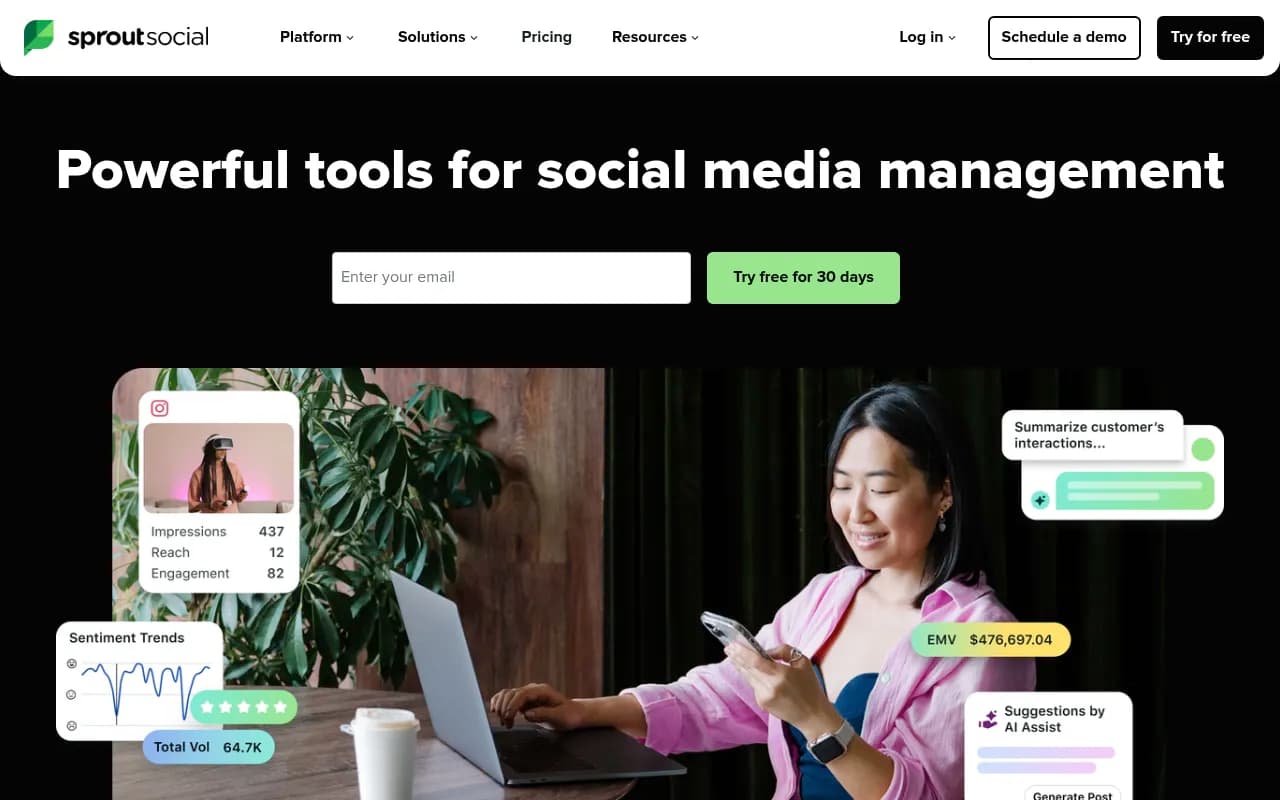
For a 3-person team, Sprout Social costs $597-1,197/month depending on the plan. However, Sprout includes advanced features out of the box that competitors charge extra for: social listening, sentiment analysis, competitive benchmarking, and robust reporting.
Pricing Reality Check
Buffer is the most affordable option for individuals and small teams. Later offers the best value for visual-first creators. Hootsuite sits in the middle for multi-platform management. Sprout Social is premium but feature-packed -- you're paying for enterprise-grade analytics, customer service tools, and team collaboration features that the others lack.
Scheduling and Content Planning
Buffer: Simple and Streamlined
Buffer's scheduling interface is clean and intuitive. You compose a post, select which channels to publish to, and choose a time slot. The queue system automatically distributes posts across your optimal posting times.
Strengths:
- AI caption generation suggests post copy based on your content
- Browser extension lets you share content from anywhere
- Clean, distraction-free interface
- Bulk upload via CSV
Limitations:
- No visual calendar view in lower tiers
- Limited post customization per platform
- Basic content library features
Later: Visual-First Planning
Later's drag-and-drop visual calendar is built for Instagram and TikTok creators who plan content aesthetically. You see exactly how your feed will look before publishing.
Strengths:
- Visual Instagram grid preview
- Media library with tagging and search
- Link in bio tool (Linkin.bio) included
- Best-time-to-post recommendations
- Hashtag suggestions and saved sets
Limitations:
- Less robust for text-heavy platforms like Twitter/LinkedIn
- Limited bulk scheduling options
- No native video editing
Hootsuite: Multi-Platform Command Center
Hootsuite's dashboard uses streams to monitor multiple feeds simultaneously. You can schedule posts, respond to messages, and track mentions all in one interface.
Strengths:
- Bulk scheduling via CSV upload
- Content library with approval workflows
- Post customization per platform
- RSS feed auto-publishing
- Streams for monitoring keywords and hashtags
Limitations:
- Interface feels dated compared to newer tools
- Steeper learning curve
- Mobile app is less intuitive than desktop
Sprout Social: Enterprise Content Workflows
Sprout Social's publishing tools are designed for teams managing high volumes of content with approval workflows.
Strengths:
- Visual content calendar with drag-and-drop
- Multi-level approval workflows
- Asset library with tagging and permissions
- Post labeling and categorization
- Optimal send time recommendations based on your audience data
- Message tagging for tracking campaign performance
Limitations:
- Overkill for solo creators or small teams
- Requires training to use effectively
Analytics and Reporting
Buffer: Basic but Actionable
Buffer's analytics focus on engagement metrics: likes, comments, shares, clicks, and reach. Reports are clean and easy to understand.
What you get:
- Post performance metrics
- Engagement rate tracking
- Top posts by engagement
- Audience growth over time
- Click tracking for shortened links
What's missing:
- No social listening or sentiment analysis
- Limited competitive benchmarking
- No custom report builder
- Basic demographic data only
Later: Visual Performance Insights
Later's analytics are optimized for Instagram and visual content performance.
What you get:
- Best time to post based on your audience
- Hashtag performance tracking
- Instagram Stories analytics
- Link in bio click tracking
- Top performing content by engagement
What's missing:
- Limited cross-platform comparison
- No social listening
- Basic reporting options
- Weak on non-visual platforms
Hootsuite: Comprehensive Monitoring
Hootsuite includes social listening and monitoring features that go beyond basic analytics.
What you get:
- Customizable analytics reports
- Social listening streams for keywords and hashtags
- Sentiment analysis
- Competitive benchmarking
- Team performance metrics
- Integration with Google Analytics
What's missing:
- Listening features require higher-tier plans
- Report customization can be complex
- Some advanced features locked behind add-ons
Sprout Social: Enterprise-Grade Intelligence
Sprout Social's analytics are the most robust, designed for data-driven marketing teams.
What you get:
- Advanced social listening across platforms
- Sentiment analysis and trend detection
- Competitive analysis and benchmarking
- Custom report builder with white-labeling
- Message performance and response time tracking
- Audience demographic and psychographic data
- Integration with CRM and marketing automation platforms
What's missing:
- Overwhelming for small teams who don't need this depth
- Requires time investment to set up properly
Sprout Social is the clear winner for analytics, but you're paying a premium for features that solo creators and small teams may never use. Buffer and Later provide enough data for most content creators to optimize their strategy without drowning in metrics.
Team Collaboration Features
Buffer: Basic Team Workflows
Buffer's team features are straightforward:
- Multiple team members can access the same account
- Draft posts for team review
- Comment on scheduled posts
- Team member permissions (admin, contributor, viewer)
Later: Collaboration for Content Teams
Later includes:
- Team workspaces with role-based permissions
- Content approval workflows
- Internal notes and comments on posts
- Media library sharing
Hootsuite: Multi-Team Management
Hootsuite supports complex team structures:
- Team and organization hierarchies
- Granular permissions by user and social account
- Approval workflows with multiple levels
- Team performance dashboards
- Assignment and task management
Sprout Social: Enterprise Collaboration
Sprout Social is built for large marketing teams:
- Smart Inbox for unified message management
- Task assignment and case management
- Collision detection (prevents multiple team members from responding to the same message)
- Team performance reporting
- Custom approval workflows
- Integration with Salesforce and other CRMs
For agencies and enterprise teams, Sprout Social's collaboration features justify the higher price. Solo creators and small teams will find Buffer or Later sufficient.
Platform Support and Integration
Buffer
Supports 11 platforms:
- Instagram (feed, Stories, Reels)
- Facebook (pages, groups)
- Twitter/X
- LinkedIn (profiles, pages)
- TikTok
- YouTube
- Mastodon
- Google Business Profile
- Shopify (via integration)
- Threads
Later
Supports 8 platforms:
- Instagram (feed, Stories, Reels, IGTV)
- Facebook (pages)
- Twitter/X
- LinkedIn (profiles, pages)
- TikTok
- YouTube
- Threads
Hootsuite
Supports 10+ platforms:
- Instagram (feed, Stories, Reels)
- Facebook (pages, groups)
- Twitter/X
- LinkedIn (profiles, pages)
- TikTok
- YouTube
- Threads
- Plus 150+ apps via integrations (Shopify, Mailchimp, Canva, etc.)
Sprout Social
Supports all major platforms:
- Instagram (feed, Stories, Reels)
- Facebook (pages, groups)
- Twitter/X
- LinkedIn (profiles, pages)
- TikTok
- YouTube
- WhatsApp Business
- Google Business Profile
- Plus deep integrations with Salesforce, HubSpot, Zendesk, and other enterprise tools
All four tools cover the essential platforms. Sprout Social and Hootsuite offer deeper integrations with business tools, while Buffer and Later focus on core social networks.
Ease of Use and Learning Curve
Buffer: Easiest to Start
Buffer wins for simplicity. New users can schedule their first post within 5 minutes. The interface is clean, intuitive, and free of clutter. The mobile app mirrors the desktop experience perfectly.
Later: Visual and Intuitive
Later's drag-and-drop calendar is immediately understandable for visual thinkers. The Instagram-first design makes it feel natural for content creators. However, users managing multiple text-heavy platforms may find it less intuitive.
Hootsuite: Steeper Learning Curve
Hootsuite's stream-based interface takes time to master. The abundance of features and options can overwhelm new users. However, once you understand the system, it becomes powerful for managing multiple accounts and monitoring conversations.
Sprout Social: Enterprise Complexity
Sprout Social requires the most training. The depth of features means a longer onboarding process. However, Sprout offers excellent documentation, tutorials, and customer support to help teams get up to speed.
Customer Support and Resources
Buffer
- Email support on all plans
- Priority support on Team and Agency plans
- Extensive help center and blog
- Active community forum
- No phone support
Later
- Email support on all plans
- Priority support on Growth and Advanced plans
- Help center with video tutorials
- Instagram-focused blog and resources
- No phone support
Hootsuite
- Email support on all plans
- Priority support on Team and Enterprise plans
- Phone support on Enterprise plans
- Hootsuite Academy with free certification courses
- Extensive help center and community forum
Sprout Social
- Email and chat support on all plans
- Phone support on Professional and Advanced plans
- Dedicated account manager on Enterprise plans
- Sprout Social University with training resources
- Excellent documentation and help center
Sprout Social offers the best support experience, which matters when you're paying $199+/user monthly. Buffer and Later provide adequate support for their price points.
Which Tool Should You Choose?
Choose Buffer if:
- You're a solo creator or small team on a tight budget
- You want the simplest, cleanest interface
- You manage 3-10 social channels
- You don't need advanced analytics or social listening
- You want a generous free plan to test the platform
Best for: Solopreneurs, freelancers, small businesses, content creators
Choose Later if:
- You're an Instagram or TikTok-first creator
- Visual content planning is your priority
- You want a drag-and-drop calendar with grid preview
- You need a link in bio tool included
- You're managing 1-6 social sets
Best for: Influencers, visual content creators, Instagram-focused brands, e-commerce businesses
Choose Hootsuite if:
- You manage 10+ social accounts across multiple platforms
- You need social listening and monitoring features
- You want bulk scheduling and RSS auto-publishing
- You're comfortable with a steeper learning curve
- You need mid-tier pricing between Buffer and Sprout Social
Best for: Marketing agencies, mid-size businesses, community managers, brands managing multiple properties
Choose Sprout Social if:
- You're an enterprise team with budget for premium tools
- You need advanced analytics and competitive intelligence
- Customer service via social media is critical
- You require robust team collaboration and approval workflows
- You want deep integrations with CRM and marketing automation platforms
- You need white-labeled reporting for clients or executives
Best for: Enterprise marketing teams, agencies serving large clients, brands with dedicated social media teams, companies using social for customer service
Final Verdict: No Single Winner
There's no universal "best" social media management tool in 2026. The right choice depends entirely on your specific situation:
Budget-conscious? Buffer offers the best value per dollar and the most generous free plan.
Visual-first creator? Later's Instagram-optimized interface and drag-and-drop calendar are unmatched.
Multi-platform manager? Hootsuite's streams and monitoring features excel at managing conversations across networks.
Enterprise team? Sprout Social's advanced analytics, customer service tools, and collaboration features justify the premium price.
The good news: all four platforms offer free trials. Test them with your actual workflow before committing. Schedule a week's worth of content, explore the analytics, and see which interface feels most natural for your team.
The social media management tool you'll actually use consistently is the one that fits your workflow, not the one with the most features or the lowest price. Choose accordingly.