Key Takeaways
- Brand consistency in transactional emails builds trust: Every automated message—from password resets to shipping confirmations—is an opportunity to reinforce your brand identity through consistent visual design, tone, and sender information
- Technical authentication is non-negotiable: Implement SPF, DKIM, DMARC, and BIMI to ensure deliverability and display your brand logo in inboxes, establishing immediate trust with recipients
- Choose the right platform for your needs: MailerSend excels at developer-friendly transactional delivery with built-in templates, Brevo offers affordable all-in-one marketing and transactional capabilities, while SendGrid provides enterprise-grade scalability and robust API infrastructure
- Design for mobile and accessibility: Over 60% of emails are opened on mobile devices—responsive design, clear CTAs, and proper HTML structure are essential for engagement and brand perception
- Monitor performance to improve continuously: Track open rates, click-through rates, bounce rates, and delivery metrics to identify issues and optimize your transactional email strategy over time
Why Brand Consistency Matters in Transactional Emails
Transactional emails are the workhorses of customer communication. They're triggered by specific user actions—account creation, password resets, order confirmations, shipping notifications, receipts. Unlike marketing emails that customers can ignore or unsubscribe from, transactional messages are expected, opened immediately, and read carefully.
This makes them incredibly powerful brand touchpoints. A well-designed transactional email reinforces trust, professionalism, and attention to detail. A poorly designed one—generic templates, inconsistent branding, confusing sender names—creates friction and erodes confidence in your product or service.
In 2026, with over 376.5 billion emails sent daily and AI-powered inbox filtering becoming more sophisticated, maintaining brand consistency across every automated message is no longer optional. It's a competitive advantage.
The Three Pillars of Brand-Consistent Transactional Emails
1. Visual Identity
Your transactional emails should be instantly recognizable as coming from your brand. This means:
- Logo placement: Include your logo in the header of every transactional email. It should be clear, properly sized for mobile screens, and link back to your homepage.
- Color palette: Use your brand's primary and secondary colors consistently across headers, buttons, and accent elements. Avoid generic blue links and gray text—make it yours.
- Typography: Stick to web-safe fonts that match your brand guidelines. If you use a custom font on your website, find the closest web-safe alternative for email.
- Layout structure: Maintain consistent spacing, alignment, and section hierarchy across all transactional email types. A password reset should feel like it comes from the same brand as an order confirmation.
2. Tone and Messaging
Brand voice matters just as much in automated emails as it does in marketing copy:
- Sender name: Use a recognizable brand name, not a generic email address. "Acme Support" or "Sarah at Acme" builds trust. "[email protected]" does not.
- Subject lines: Be clear and specific about the email's purpose, but inject personality where appropriate. "Your Acme order is on the way!" beats "Order #12345 shipped."
- Body copy: Match the tone your customers expect from your brand. If you're casual and friendly on your website, don't suddenly become formal and robotic in transactional emails.
- Microcopy: Pay attention to button text, footer links, and help text. "Track your package" is more engaging than "Click here."
3. Technical Infrastructure
Brand consistency breaks down if your emails don't reach the inbox or display incorrectly:
- Email authentication: Implement SPF, DKIM, and DMARC to prove your emails are legitimate and protect your domain from spoofing.
- BIMI implementation: Display your brand logo next to your sender name in supported email clients (Gmail, Yahoo, Apple Mail) by setting up Brand Indicators for Message Identification.
- Dedicated IP strategy: For high-volume senders, use dedicated IPs for transactional emails separate from marketing campaigns to protect deliverability.
- Responsive design: Ensure your emails render correctly on mobile devices, desktop clients, and webmail interfaces. Over 60% of emails are opened on mobile.
Platform Comparison: MailerSend vs Brevo vs SendGrid
MailerSend: Developer-Friendly Transactional Email
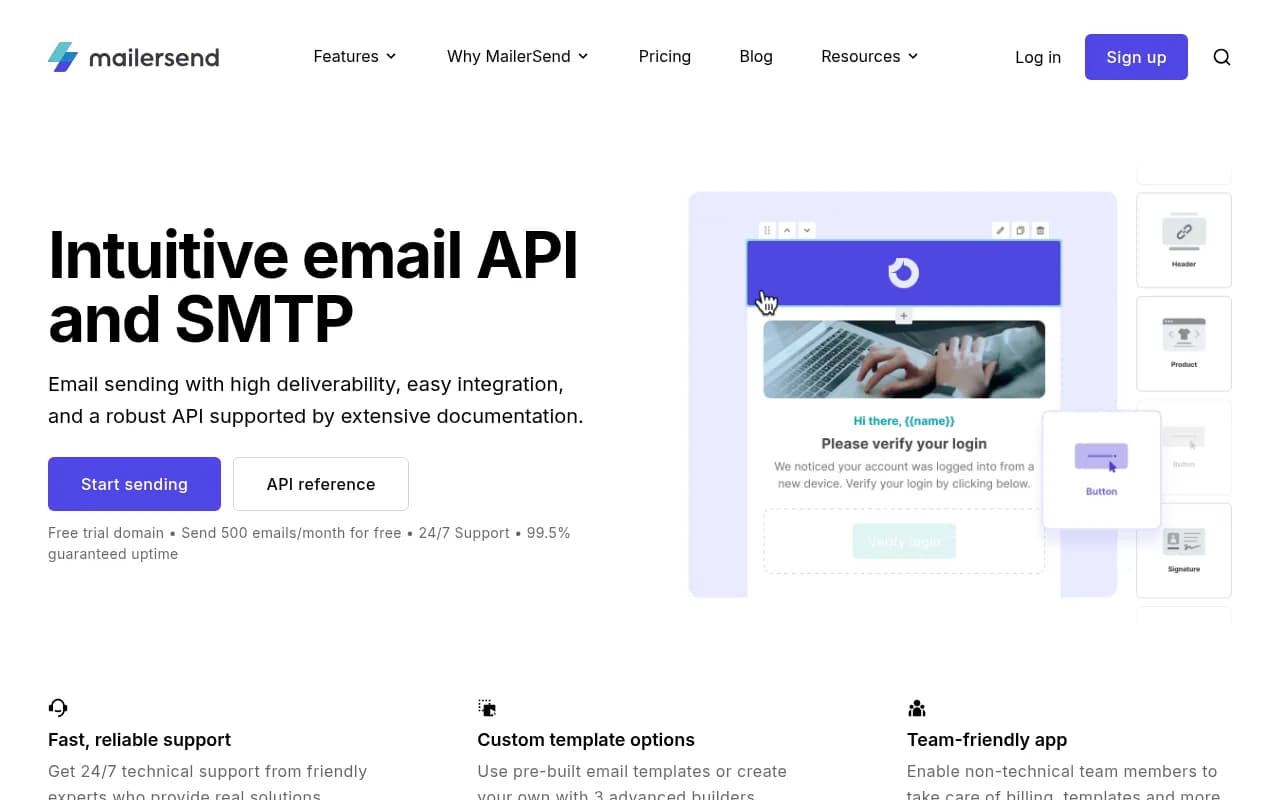
MailerSend is purpose-built for transactional email delivery with a developer-first approach. It offers:
- Pre-built templates: Drag-and-drop email builder with mobile-responsive templates designed specifically for transactional use cases (receipts, confirmations, notifications)
- Advanced personalization: Dynamic content blocks, conditional logic, and merge tags for highly customized messages
- Real-time analytics: Track opens, clicks, bounces, and spam complaints at the message level
- SMTP and API delivery: Choose the integration method that fits your tech stack
- Suppression management: Automatic handling of unsubscribes, bounces, and spam complaints to protect sender reputation
Best for: Development teams that want granular control over transactional email design and delivery without building infrastructure from scratch.
Pricing: Free tier includes 12,000 emails/month. Paid plans start at $25/month for 50,000 emails.
Brevo: All-in-One Marketing and Transactional Platform
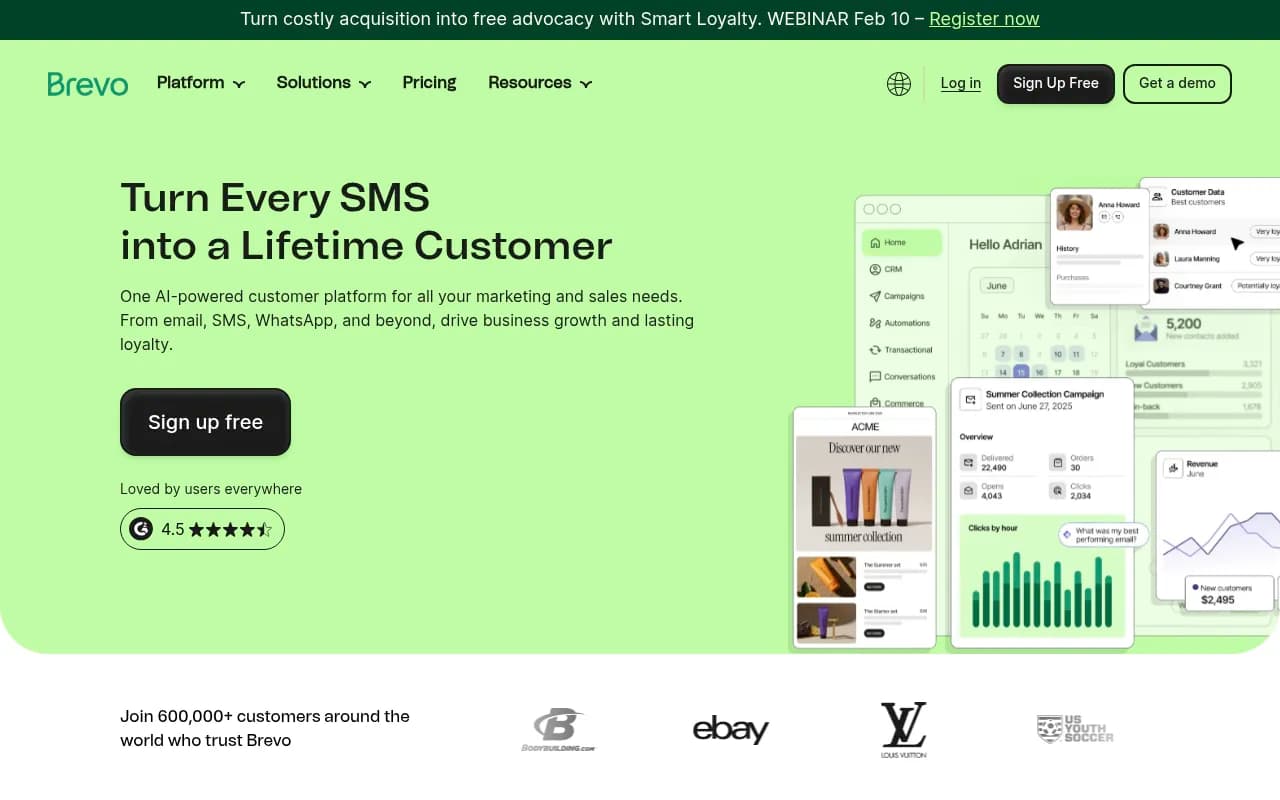
Brevo (formerly Sendinblue) combines marketing automation with transactional email capabilities:
- Unified platform: Manage both marketing campaigns and transactional emails from a single dashboard
- Visual email builder: Intuitive drag-and-drop interface with pre-designed blocks and templates
- Marketing automation: Trigger transactional emails as part of larger customer journeys and workflows
- SMS integration: Send transactional SMS messages alongside emails for critical notifications
- Contact management: Built-in CRM for managing customer data and segmentation
Best for: Small to mid-sized businesses that want to consolidate marketing and transactional email under one affordable platform.
Pricing: Free tier includes 300 emails/day. Paid plans start at $25/month with unlimited contacts.
SendGrid: Enterprise-Grade Email Infrastructure
SendGrid (a Twilio company) is the industry standard for high-volume transactional email:
- Massive scale: Delivers over 148 billion emails per month for customers like Uber, Airbnb, and Spotify
- Robust API: Comprehensive REST API with libraries for every major programming language
- Advanced deliverability tools: Real-time alerts, inbox placement testing, and dedicated IP warming
- Email validation: Built-in email verification to reduce bounces and protect sender reputation
- Expert support: Dedicated deliverability consultants for enterprise customers
Best for: High-volume senders and enterprises that need guaranteed uptime, advanced deliverability features, and white-glove support.
Pricing: Free tier includes 100 emails/day. Paid plans start at $19.95/month for 50,000 emails. Enterprise pricing available.

Technical Implementation: Authentication and Deliverability
Step 1: Implement SPF, DKIM, and DMARC
Email authentication protocols prove to receiving servers that your emails are legitimate:
SPF (Sender Policy Framework): Add a TXT record to your DNS that lists which mail servers are authorized to send email on behalf of your domain.
Example SPF record:
v=spf1 include:_spf.mailersend.net include:spf.brevo.com include:sendgrid.net ~all
DKIM (DomainKeys Identified Mail): Add a public key to your DNS that receiving servers use to verify your email signatures.
Your email service provider will generate the DKIM key. You add it as a TXT record:
default._domainkey.yourdomain.com TXT "v=DKIM1; k=rsa; p=MIGfMA0GCS..."
DMARC (Domain-based Message Authentication): Tell receiving servers what to do with emails that fail SPF or DKIM checks.
Example DMARC record:
v=DMARC1; p=quarantine; rua=mailto:[email protected]; pct=100; adkim=s; aspf=s
All three platforms (MailerSend, Brevo, SendGrid) provide step-by-step guides for setting up authentication. Follow them exactly—misconfigured DNS records will tank your deliverability.
Step 2: Implement BIMI for Brand Recognition
Brand Indicators for Message Identification (BIMI) displays your logo next to your sender name in Gmail, Yahoo, and Apple Mail:
- Create a verified mark certificate (VMC): Purchase from a certificate authority like DigiCert or Entrust. This proves you own your logo trademark.
- Host your logo: Upload an SVG version of your logo to a publicly accessible URL (e.g.,
https://yourdomain.com/bimi/logo.svg) - Add BIMI DNS record:
default._bimi.yourdomain.com TXT "v=BIMI1; l=https://yourdomain.com/bimi/logo.svg; a=https://yourdomain.com/bimi/certificate.pem"
BIMI requires strict DMARC enforcement (p=quarantine or p=reject), so make sure your authentication is rock-solid before implementing it.
Step 3: Use Dedicated IPs for High-Volume Sending
If you send more than 100,000 emails per month, consider dedicated IP addresses:
- Transactional emails: Use a separate dedicated IP for transactional messages to isolate them from marketing campaign reputation issues
- Marketing emails: Use different IPs for promotional campaigns so spam complaints don't affect critical transactional delivery
- IP warming: Gradually increase sending volume on new dedicated IPs over 4-6 weeks to build reputation with receiving servers
MailerSend, Brevo, and SendGrid all offer dedicated IP options on higher-tier plans. For most small to mid-sized businesses, shared IPs with proper authentication are sufficient.
Design Best Practices for Brand-Consistent Transactional Emails
Optimize Your Sender Name
Your sender name is the first thing recipients see. Make it count:
- Use your brand name: "Acme" or "Acme Team" is instantly recognizable
- Add personalization: "Sarah at Acme" or "Acme Support" adds a human touch
- Be consistent: Use the same sender name across all transactional email types
- Avoid generic addresses: Never use "noreply@" or "donotreply@"—it signals you don't want to hear from customers
Craft Clear, Actionable Subject Lines
Transactional email subject lines should be immediately clear about the email's purpose:
- Be specific: "Your Acme order #12345 has shipped" beats "Order update"
- Front-load key information: Mobile email clients truncate subject lines after 30-40 characters
- Use action words: "Confirm your email address" is clearer than "Email confirmation required"
- Avoid spam triggers: Don't use all caps, excessive punctuation, or words like "FREE" or "ACT NOW"
Leverage Preheader Text
The preheader (preview text) appears next to the subject line in most email clients. Use it to complement your subject line:
- Expand on the subject: If your subject is "Password reset requested," your preheader could be "Click the link below to create a new password"
- Add urgency: "Expires in 24 hours" or "Action required"
- Keep it short: Aim for 40-100 characters depending on the email client
In HTML, set the preheader using hidden text at the top of your email:
<div style="display:none;max-height:0px;overflow:hidden;">
  Click the link below to create a new password. Expires in 24 hours.
</div>
Design for Mobile First
Over 60% of emails are opened on mobile devices. Your transactional emails must be responsive:
- Single-column layout: Avoid complex multi-column designs that break on small screens
- Large, tappable buttons: CTAs should be at least 44x44 pixels for easy thumb tapping
- Readable font sizes: Body text should be at least 14-16px, headings 20-24px
- Optimized images: Use retina-ready images but compress them to reduce load times
All three platforms (MailerSend, Brevo, SendGrid) provide mobile-responsive templates out of the box. Test them on actual devices before deploying.
Use Clear Visual Hierarchy
Guide the reader's eye through your email with intentional design:
- Logo at the top: Establish brand identity immediately
- Headline summarizes the email: "Your order has shipped" or "Reset your password"
- Key information in the middle: Order details, tracking numbers, account information
- Primary CTA prominently placed: Use contrasting button colors and whitespace to make it stand out
- Footer with support links: Help center, contact information, unsubscribe (where legally required)
Maintain Consistent Branding Across Email Types
Create a design system for your transactional emails:
- Template library: Build reusable templates for each transactional email type (welcome, confirmation, receipt, notification, password reset)
- Shared header/footer: Use the same header and footer across all templates for consistency
- Color-coded categories: Consider using subtle color variations to distinguish email types (e.g., blue for account-related, green for orders, orange for alerts)
- Consistent button styles: Use the same button design, size, and placement across all emails
Content Guidelines for Transactional Emails
Be Concise and Scannable
Recipients open transactional emails to complete a task or get information. Don't make them hunt for it:
- Lead with the most important information: Put the order number, tracking link, or reset button at the top
- Use bullet points: Break up dense paragraphs into scannable lists
- Bold key details: Make critical information (amounts, dates, confirmation codes) stand out
- Avoid marketing fluff: Save promotional content for dedicated marketing emails
Include All Necessary Information
Transactional emails serve a functional purpose. Make sure they're complete:
Order confirmations should include:
- Order number
- Items purchased (with images)
- Quantities and prices
- Shipping address
- Estimated delivery date
- Link to track shipment
- Customer service contact information
Password reset emails should include:
- Clear explanation of why they received the email
- Prominent reset button or link
- Expiration time for the reset link
- Instructions for what to do if they didn't request the reset
- Link to contact support
Welcome emails should include:
- Confirmation that their account was created
- Next steps (verify email, complete profile, explore features)
- Links to key resources (help center, getting started guide)
- Contact information for support
Use Proper 'From' and 'Reply-To' Addresses
From address: This should be a recognizable email address from your domain:
- Good:
[email protected]or[email protected] - Bad:
[email protected]or[email protected]
Reply-To address: Set this to an address that's actually monitored:
- If customers reply to a shipping confirmation with a question, someone should receive and respond to it
- Consider using a help desk or ticketing system email address
- Never use a noreply address—it frustrates customers and damages your brand
Avoid 'No-Reply' Addresses
Using noreply@ addresses sends a clear message: "We don't want to hear from you." This is terrible for customer relationships:
- It blocks communication: Customers can't ask questions or report issues by replying
- It reduces trust: It signals that you're not interested in two-way conversation
- It hurts deliverability: Some spam filters flag noreply addresses as suspicious
Instead, use a monitored support address and set up auto-responders if needed to acknowledge receipt and provide self-service resources.
Monitoring and Optimization
Track Key Metrics
All three platforms provide analytics dashboards. Monitor these metrics:
- Delivery rate: Percentage of emails that reached the recipient's server (should be 99%+)
- Bounce rate: Percentage of emails that failed to deliver (keep under 2%)
- Open rate: Percentage of delivered emails that were opened (transactional emails typically see 40-80% open rates)
- Click-through rate: Percentage of recipients who clicked a link (varies by email type)
- Spam complaint rate: Percentage of recipients who marked your email as spam (keep under 0.1%)
- Unsubscribe rate: For transactional emails with marketing content, track opt-outs
Set Up Real-Time Alerts
Configure alerts for critical issues:
- Delivery failures: Get notified immediately if your sending is blocked or throttled
- Spike in bounces: Indicates a data quality issue or technical problem
- Spike in spam complaints: Suggests content or targeting issues
- Authentication failures: SPF, DKIM, or DMARC problems that need immediate attention
SendGrid and MailerSend offer webhook integrations for real-time event tracking. Brevo provides email and SMS alerts for critical metrics.
Implement Feedback Loops
Feedback loops (FBLs) notify you when recipients mark your emails as spam:
- Major ISPs: Gmail, Yahoo, Outlook, and others provide FBL programs
- Automatic suppression: Configure your platform to automatically suppress addresses that complain
- Root cause analysis: Review spam complaints to identify content or targeting issues
All three platforms handle FBL registration and suppression automatically when you authenticate your domain.
A/B Test Strategically
Even transactional emails can be optimized through testing:
- Subject lines: Test clarity vs. personality to see what drives higher opens
- CTA placement: Test button position and copy for better click-through rates
- Design elements: Test different header styles, color schemes, or layouts
- Content length: Test concise vs. detailed versions to see what performs better
Start with high-volume email types (order confirmations, shipping notifications) where you'll get statistically significant results quickly.
Advanced Strategies for 2026
Dynamic Content Personalization
Go beyond basic merge tags to create truly personalized experiences:
- Product recommendations: Include related products in order confirmations based on purchase history
- Location-based content: Show store locations, local events, or region-specific offers
- Behavioral triggers: Adjust content based on user actions (first-time buyer vs. repeat customer)
- Conditional blocks: Show/hide entire sections based on user attributes or preferences
MailerSend and SendGrid offer advanced personalization through their APIs. Brevo provides conditional content blocks in its visual editor.
Multi-Channel Coordination
Coordinate transactional emails with other channels:
- SMS notifications: Send critical updates (delivery arriving today) via SMS alongside email
- Push notifications: Trigger mobile app notifications for time-sensitive actions
- In-app messages: Display transactional information in your product interface
Brevo's unified platform makes multi-channel coordination straightforward. For MailerSend and SendGrid, you'll need to integrate with separate SMS or push notification services.
Accessibility Best Practices
Make your transactional emails accessible to all users:
- Semantic HTML: Use proper heading tags (h1, h2, h3) for screen readers
- Alt text for images: Describe all images, especially if they contain important information
- Sufficient color contrast: Ensure text is readable against background colors (minimum 4.5:1 ratio)
- Keyboard navigation: Make sure all interactive elements work without a mouse
- Plain text versions: Always include a plain text version alongside HTML
Compliance and Legal Requirements
Stay compliant with email regulations:
- CAN-SPAM (US): Include physical mailing address, clear unsubscribe mechanism, accurate from/subject lines
- GDPR (EU): Obtain proper consent, provide data access/deletion options, include privacy policy links
- CASL (Canada): Get explicit consent for commercial messages, include contact information
- Transactional exemptions: Pure transactional emails (order confirmations, password resets) are generally exempt from marketing consent requirements, but adding promotional content may change this
Consult with legal counsel to ensure your transactional email program complies with all applicable regulations.
Platform-Specific Implementation Tips
MailerSend Setup
- Domain verification: Add DNS records to verify your sending domain
- Template creation: Use the drag-and-drop builder or import HTML templates
- API integration: Install the SDK for your programming language (Node.js, Python, PHP, Ruby, etc.)
- Webhook configuration: Set up webhooks to receive real-time delivery events
- Suppression management: Configure automatic suppression for bounces and complaints
Brevo Setup
- Account configuration: Set up sender details and authenticate your domain
- Template library: Create templates for each transactional email type using the visual editor
- SMTP relay: Configure your application to send via Brevo's SMTP server
- Automation workflows: Build multi-step customer journeys that include transactional emails
- Contact management: Import customer data and set up segmentation rules
SendGrid Setup
- Sender authentication: Complete domain authentication and set up dedicated IPs if needed
- API key generation: Create API keys with appropriate permissions for your application
- Dynamic templates: Build templates using SendGrid's Handlebars-based template engine
- Event webhook: Configure webhooks to track delivery, opens, clicks, and other events
- Email validation: Enable real-time email verification to reduce bounces
Conclusion
Transactional emails are critical brand touchpoints that deserve the same attention to design, messaging, and technical infrastructure as your marketing campaigns. By implementing proper authentication, maintaining visual consistency, and choosing the right platform for your needs, you can turn routine automated messages into opportunities to build trust and reinforce your brand identity.
MailerSend offers the best developer experience with powerful APIs and pre-built templates. Brevo provides the most value for small businesses that want to consolidate marketing and transactional email under one affordable platform. SendGrid delivers enterprise-grade reliability and scale for high-volume senders.
Whichever platform you choose, focus on the fundamentals: clear sender information, mobile-responsive design, concise content, and continuous monitoring. Your customers will notice the difference—and your brand will benefit from the consistency.