Key takeaways
- Google Ads has no segmented reporting for ads shown inside AI Overviews. They're folded into your standard "Top Ads" metrics, with no filter to isolate them.
- You can't opt in or opt out of AI Overview ad placements. Any eligible Search, Shopping, Local, App, or Performance Max ad is automatically considered.
- Tracking has to be inferential: a mix of Google Search Console checks, UTM/landing page analysis, manual screenshotting, and third-party monitoring tools that capture the rendered SERP.
- Ad frequency inside AI surfaces swings wildly day to day. Promptwatch's own ChatGPT ad data ranged from 1.69% to 43.9% of responses in a single 90-day window, which is a strong argument against drawing conclusions from one manual check.
- As of October 2026, no mainstream SERP tool markets dedicated AI Overviews ad extraction the way some platforms now do for ChatGPT. This is a real gap, not a missing setting you forgot to enable.
Why this is harder than it should be
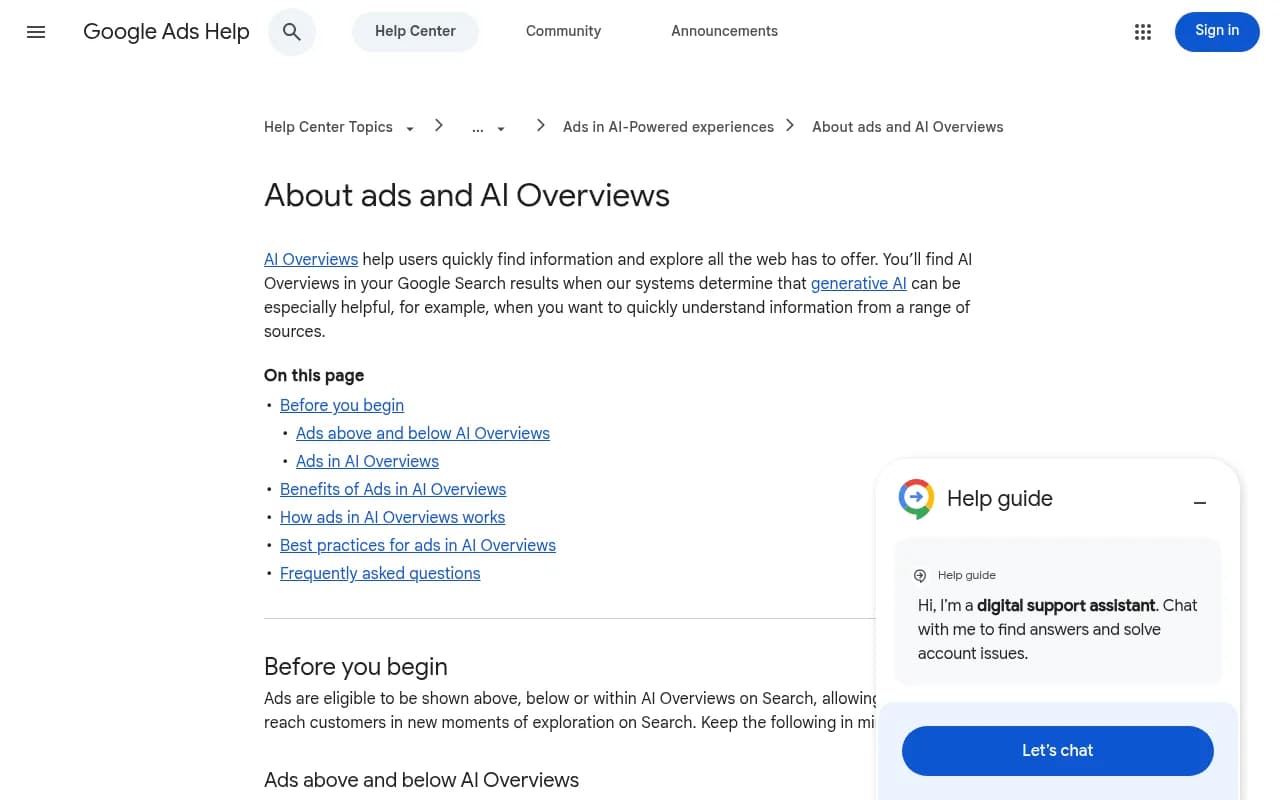
I'll say the quiet part first: there's no clean dashboard for this. If you've gone looking for an "AI Overviews ads" filter inside Google Ads, you've already found that it doesn't exist. Google's own help documentation says it plainly: "Google Ads currently doesn't offer segmented reporting when ads show within Search AI Overviews." Ads that appear inside, above, or below an AI Overview are lumped into your existing Top Ads reporting, indistinguishable from any other top-of-page placement.
That's a strange position for Google to be in. It's actively placing ads inside a surface it won't let advertisers measure separately, and it admits as much, describing the whole thing as "still in early stages" while it figures out what reporting should look like. So if you're trying to track these placements, you're not missing a setting. You're working around a genuine blind spot Google has built into the product.
What's actually eligible to show, and where
Before building a tracking setup, it helps to know what you're even looking for.
- Ads can show above, within, or below an AI Overview.
- Above/below placements are eligible in all 200+ markets where AI Overviews exist.
- Ads within the Overview itself are currently limited to English, on mobile and desktop, in 12 countries: the US, Australia, Canada, India, Indonesia, Kenya, Malaysia, New Zealand, Nigeria, Pakistan, the Philippines, and Singapore.
- Eligible formats are Text, Shopping, Local, and App ads running through Search, Shopping, Performance Max, AI Max for Search, or App campaigns. There's no new AI Overview ad type, it's a placement, not a format.
- Google requires three things before an ad can serve inside the summary: detected commercial intent in the query, sufficient relevant inventory, and relevance to the content of the AI-generated answer itself, not just the query. That last part is new. A pool-cleaning ad can win a placement on a vague question like "why is my pool green" if the AI Overview's answer happens to mention cleaning products, even though the query itself reads informational.
- You can't target placements specifically inside AI Overviews, and you can't set separate bids for them either. Auction mechanics (bid, Quality Score, ad relevance) stay the same as any other Search placement.
Method 1: Google Search Console, for organic context only
GSC won't show you paid placements, full stop, but it's worth setting up alongside your ad tracking because organic AI Overview citations and paid placements live on the same query. If your page is cited in an AI Overview, GSC reports that impression at position #1, inheriting the rank of the AIO block, and the impression only counts once the user scrolls the citation into view. That's your organic baseline. Use it to spot which queries are triggering Overviews at all, then layer your ad checks on top of the same query list.
Don't mistake a position #1 jump for an organic ranking win. It frequently means your page got cited inside a summary block, not that your blue link moved up.
Method 2: UTM and landing page analysis
Since Google Ads doesn't segment AIO clicks and GA4 can't separate them from standard organic or paid Google traffic either (there's no referral parameter for AI Overview placements, paid or organic), the next best move is building your own signal.
Set up a rolling log of:
- The exact queries you believe are triggering AI Overviews with ads (from manual checks, see below).
- The landing pages your ads point to for those queries.
- Weekly CTR and conversion rate for the ad groups running on those queries, compared against your account-wide averages.
This won't give you AIO-specific numbers, it gives you a proxy. If CTR or conversion rate on a cluster of AIO-triggering queries moves meaningfully against your baseline after you confirm an ad has started appearing inside Overviews for those terms, that's your signal. It's indirect, but it's the only lever Google currently gives you.
Method 3: Manual, scheduled SERP checks
This is unglamorous but necessary. Pick your highest-value commercial queries, the ones with clear buying intent where your campaigns are active, and check them manually, logged out, from a clean browser profile, across multiple days and at least two geographies if your account runs in more than one market.
Why multiple days matter: ad-serving decisions inside AI surfaces are not static. Promptwatch's ChatGPT ad tracking data, for example, shows ad frequency jumping from under 2% to nearly 44% of responses within a 90-day window, and that's on a platform Promptwatch checks daily. A single Tuesday-afternoon check tells you almost nothing. If you're going to do this manually, commit to a weekly cadence minimum, logged in a spreadsheet with the query, date, placement (above/within/below), advertiser, and screenshot.
Method 4: Third-party AIO monitoring tools
This is where most teams eventually land, because manual checks don't scale past a handful of keywords. A few categories exist:
- Citation and presence trackers: tools like [tool:se-ranking], [tool:accuranker], and [tool:nightwatch] expose whether an AI Overview triggered and which sources it cited, as structured data you can monitor over time.
- Visual/screenshot monitors: tools like [tool:visualping] take scheduled before/after screenshots of the rendered SERP, which is genuinely useful for catching new ad placements visually even when no API exists to pull the data cleanly.
- AI search visibility platforms: broader GEO tools such as Otterly.AI, [tool:otterly-ai], [tool:profound], and Promptwatch track brand presence and citation share across AI Overviews, AI Mode, ChatGPT, Perplexity, and other engines, going beyond simple presence detection into competitive citation analysis.

Worth being honest here: as of this writing, no mainstream tool markets dedicated ad extraction from inside AI Overviews the way some platforms now do for ChatGPT. Promptwatch's Ads Radar feature, launched in August 2026, currently extracts advertiser, creative, copy, and placement data for ads appearing across ChatGPT, Perplexity, Gemini, and other surfaces, with Google AI Overviews and AI Mode listed among its tracked engines, but a dedicated "AI Overviews ads over time" report, the kind already published for ChatGPT's ad rollout, hasn't shipped yet. That's a genuine gap in the market right now, not a feature you're failing to find in the settings menu.
If you're running paid media and want to see which competitors are winning placements against your target queries, not just whether an Overview exists, a tool with structured ad-record extraction (advertiser, domain, creative, triggering query, date) is the closest thing to a real answer available today. Check which plan tier actually includes this before buying; some platforms gate ad-tracking features behind higher plans despite general marketing copy implying broader access.
Comparison: approaches to tracking AIO ads
| Method | What it shows | What it misses | Effort |
|---|---|---|---|
| Google Search Console | Organic citation presence, query-level impressions | Any paid data at all | Low, free |
| UTM/landing page analysis | Indirect performance shifts on AIO-triggering queries | No direct confirmation an ad showed inside an AIO | Medium, free |
| Manual scheduled checks | Direct confirmation of placement, position, advertiser | Doesn't scale past a handful of queries; day-to-day variance | Medium, free |
| Visual SERP monitoring (Visualping) | Screenshot evidence of layout and ad changes over time | No structured ad data export | Low-medium, paid |
| AI visibility platforms (Promptwatch, Profound, Otterly.AI, SE Ranking) | Citation share, competitor presence, some ad tracking depending on platform | Dedicated AIO ad datasets still maturing | Medium, paid |
A practical weekly setup
Here's roughly what I'd run if I were managing paid search for a mid-size account right now:
- Monday: pull your top 20 commercial-intent queries by spend. Run each manually from a logged-out session, log whether an AI Overview triggered and whether any ad appeared above, within, or below it.
- Same day: cross-check the same queries in Search Console for organic AIO citation presence, to understand the full competitive picture for that query, not just the paid layer.
- Weekly: review CTR and conversion rate for ad groups tied to your highest-AIO-exposure queries against account baselines. Flag anything moving more than 15-20% off trend.
- Monthly: if you're using a GEO or AI visibility tool, pull a citation-share report for your core queries and compare against your manual logs. Use it to decide whether to expand monitoring into more queries or markets.
- Quarterly: reassess whether manual tracking is still worth the labor, or whether the query volume has grown enough to justify a dedicated tool subscription.
Common mistakes
Treating a single-day check as representative. Ad-serving inside AI surfaces fluctuates heavily day to day. Don't restructure a campaign based on one Tuesday's screenshot.
Assuming AIO ad clicks show up separately in Google Ads or GA4. They don't. They're blended into your Top Ads and organic Google traffic reporting with no referral distinction, the same attribution gap that already exists for organic AI Overview clicks.
Confusing AI Overviews with AI Mode. These are separate surfaces. AI Mode is the more conversational search experience, and Google has signaled it's testing ads there too, taking cues from the AI Overviews model but running its own rollout timeline. Don't assume what you learn about one transfers directly to the other.
Ignoring prevalence methodology differences. Third-party estimates of how often AI Overviews even appear vary enormously, from roughly 15% to nearly 50% of US queries depending on who's measuring and how. Sanity-check any ad-frequency figure you find against its methodology before using it to justify a budget decision.
Forgetting sensitive verticals are excluded from in-Overview placements. Google currently blocks ads from showing within AI Overviews for adult content, alcohol, gambling, finance, healthcare, and politics. These categories can still show above or below the Overview, just not inside it. If you're in one of these verticals, your tracking setup should reflect that you're only ever looking for above/below placements.
What's coming next
Google announced Conversational Discovery ads, Highlighted Answers, and Gemini-powered Shopping ad formats at Marketing Live in May 2026, alongside an expansion of its "Direct Offers" pilot for native checkout and travel deals. None of this changes the core reporting gap today, but it's a signal that Google is building more ad surfaces into AI search faster than it's building reporting for them. If you're setting up tracking now, build it with the expectation that the placement landscape will keep shifting under you, and that manual processes you build today will need revisiting every few months, not once a year.
If you manage AI visibility and paid placements across multiple AI surfaces, not just Google, it's worth browsing the broader directory of GEO software at bestgeosoftware.com to see which platforms are actively building out ad-tracking features versus just citation monitoring. The gap between the two is widening, and it's worth knowing which side of it a tool sits on before you commit a budget line to it.