Key takeaways
- Meta AI is a different surface from ChatGPT or Google AI Overviews, and it is easy to ignore because it lives inside apps (WhatsApp, Instagram, Facebook, the meta.ai site) rather than a search box.
- Promptwatch monitors Meta AI through its real user interface, so you track what people actually see, not just what an API returns. Confirm Meta AI is selected in your project, since paid plans let you pick a subset of engines per project.
- Meta's crawlers are the earliest signal you can measure today. Promptwatch Data shows Meta-WebIndexer going from about 2.2% to 37.8% of tracked AI crawler requests between mid-July and August 9, 2026.
- A good setup has four layers: prompts, engines, crawler logs, and referral traffic. Mentions alone tell you very little.
- Check robots.txt and your CDN rules first. Blocking Meta's bots may decide whether you are in its index at all.
Why Meta AI deserves its own tracking
Most brand monitoring in AI search starts and ends with ChatGPT. That made sense in 2024. In 2026 it leaves a gap, because Meta AI is built into apps that billions of people open every day, and answers there can recommend brands, products and local businesses without anyone visiting a search results page.
The problem is that Meta AI is harder to observe than other engines. There is no public ranking report, no webmaster console, and the answers vary by country, language and surface. If you check by hand a few times a month, you will get a noisy, anecdotal picture.
There is also a structural reason to pay attention now. Promptwatch Data recorded a sharp change in Meta's crawler behavior: Meta-WebIndexer was about 2.2% of all tracked AI crawler requests in mid-July 2026 and reached 37.8% on August 9. By then more than one in three AI crawler requests in the logs came from that single bot, the heaviest AI crawler in the dataset.
Why it happened is not confirmed. A post on August 6, 2026 by @levelsio said Meta staff told him Meta is "ALLEGEDLY" building its own web search index, and that the scraping set off load alerts on his servers. Treat that as reported, not announced. Still, the pattern is consistent with Meta AI no longer depending on Google or Bing for web answers, which would make being crawlable by Meta a real visibility question.
What you can and can't measure
Let me be direct about the limits, because most guides gloss over them.
- There is no public dataset of Meta AI citations or its share of AI referrals. Promptwatch Data does not currently have a Meta AI citation report, and I would not trust anyone quoting precise Meta AI citation percentages right now.
- Meta AI answers vary by surface and country, so a single check tells you very little. You need a repeated panel of prompts.
- Crawler data tells you whether Meta can read your site. It does not tell you whether Meta AI recommends you. You need both.
So the setup below combines three signals: what Meta AI says (prompt monitoring), whether Meta's bots can reach your content (crawler logs), and whether any of it sends people to you (visitor analytics).
Step 1: Pick the prompts your buyers ask
Start with prompts, not tools. A prompt panel is the foundation, and a weak one makes every metric downstream meaningless.
Build a first set of 30 to 50 prompts across four types:
- Category prompts, such as "best project management app for small agencies".
- Problem prompts, such as "how do I stop invoices going out late".
- Comparison prompts that name you and a competitor.
- Brand prompts, such as "is [your brand] any good" or "[your brand] pricing".
Meta AI is a conversational assistant used in messaging apps, so lean towards short, casual phrasing and "near me" queries if you have physical locations. People type into WhatsApp differently from the way they type into Google.
Promptwatch can help here because its Prompt Explorer suggests prompts from Search Console, People Also Ask and your own pages, and it shows monthly volumes and difficulty so you are not guessing which prompts matter.

Step 2: Set up your project and brand in Promptwatch
Create a project for the brand and add the details that decide what counts as a mention.
- Add your brand name plus aliases and common misspellings.
- Add competitors, or let auto-discovery find the brands that keep appearing next to yours.
- Fill in the Brand Book with positioning and facts, which keeps later content on message.
This step is boring and it matters. If your brand is called "Apex" and the alias list is empty, half your mentions will be missed or miscounted.
Step 3: Add Meta AI to your monitor
Monitors in Promptwatch are panels of prompts that run daily across the engines, countries and languages you choose. Promptwatch tracks the real user interfaces of the major AI platforms rather than relying only on APIs, which matters because what a person sees in an app can differ from API output.
Two practical notes:
- The free Explore plan tracks ChatGPT only. Every paid plan unlocks all active models, and plans differ in how many engines you can run per project. Check promptwatch.com/pricing for current limits.
- Before you build the monitor, open the model list in the app and confirm Meta AI is available and selected for your project. If you have to drop an engine to make room, Promptwatch's own guidance is to start with ChatGPT and Google's AI surfaces, then fill the rest by where your buyers are. If your audience lives in WhatsApp and Instagram, Meta AI should make the cut.
Then set your countries and languages. Meta AI results differ by market, so a US-only monitor tells you nothing about your Brazilian or Indian audience.
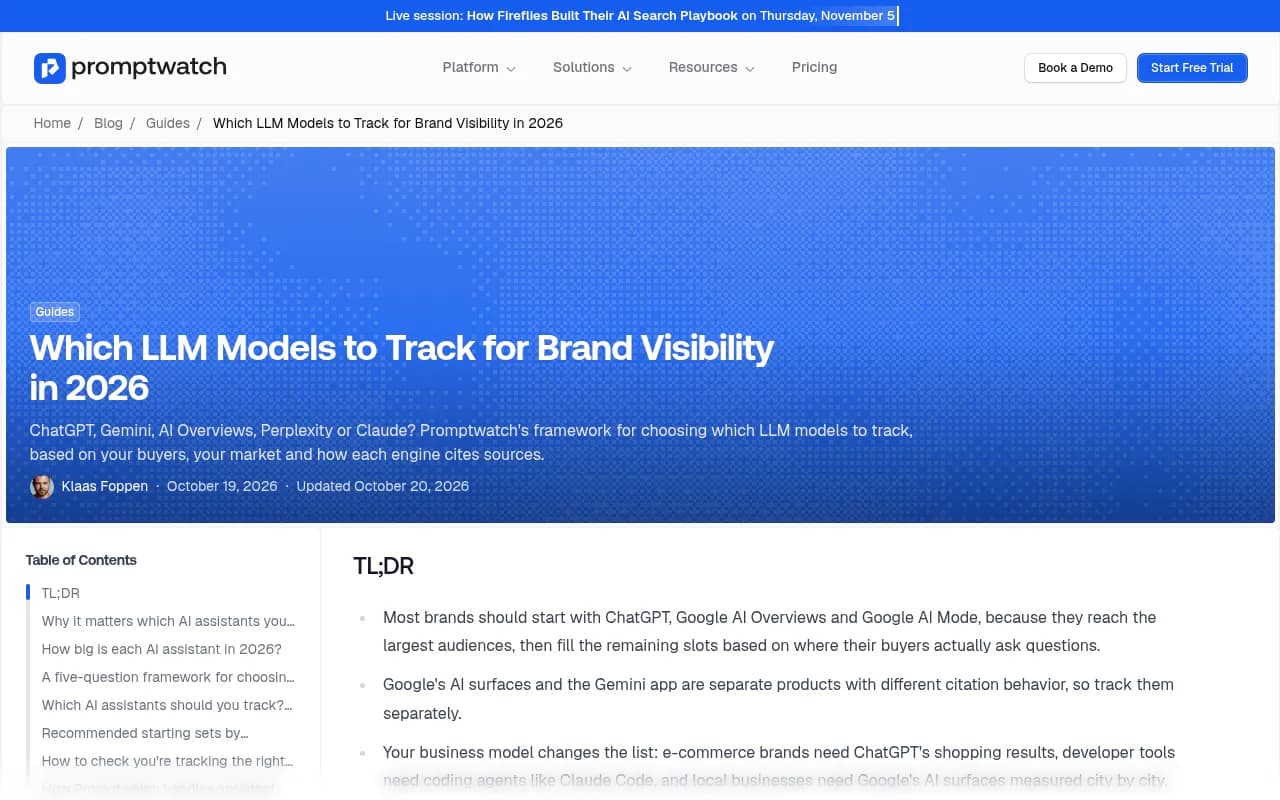
The framework in that guide is worth reading before you finalize your engine list. Its five questions cover where your buyers ask, which markets and languages you sell in, and how each engine cites sources.
Step 4: Read the metrics together
Once data comes in, resist the urge to stare at one number. Promptwatch reports a Visibility Score from 0 to 100, Share of Voice, position in the answer, and sentiment (around 50 is neutral). Each one points at a different problem:
| Symptom | Likely problem | First thing to check |
|---|---|---|
| Low Share of Voice | Coverage | Which prompts you are missing entirely |
| Mentioned late in the answer | Prominence | How strong your pages are against the cited ones |
| Mentions but no citations to your site | Content or crawlability | Crawler logs and site audit |
| Weak sentiment | Reputation | Which sources shape the description of you |
Compare Meta AI against your other engines in a heatmap. If you are strong in ChatGPT and weak in Meta AI, that is a useful and specific finding, because the two draw on different indexes and different sources.
Step 5: Turn on crawler logs for Meta's bots
This is the layer most people skip, and for Meta it is arguably the most informative one today.
Promptwatch's Agent Analytics shows IP-verified AI crawler requests, which pages they read, and what errors they hit. Spoofed bots are filtered out. The Meta user agents to look for are:
- meta-webindexer
- meta-externalagent
- meta-externalfetcher
- FacebookBot
To connect your logs, use whichever route fits your stack. Promptwatch supports Cloudflare (Logpush or an auto-deployed Worker), AWS CloudFront, Fastly, Vercel, Netlify, Akamai, Google Cloud CDN, a custom HTTP endpoint, or the official WordPress plugin.
Then ask three questions:
- Is Meta-WebIndexer visiting at all?
- Which pages is it reading, and are those your money pages or just old blog posts?
- Is it hitting errors such as 403s or timeouts?
The AI Crawler Traffic report from Promptwatch Data gives a useful sanity check. It covers weekly verified requests from OpenAI, Anthropic, Google, Perplexity and Mistral between June 8 and September 6, 2026. OpenAI fell from 94.8% of verified requests in the week of June 8 to 14 to 79.8% in the week of August 31 to September 6. I could not verify a Meta segment in that September report, so use the Meta-WebIndexer report for Meta's numbers. The general rule from Promptwatch still applies: if a provider has a large share in the benchmarks but sits near zero in your logs, you are probably blocked or unreachable for that provider.
Check robots.txt and your CDN first
Before you worry about anything else, open your robots.txt and your WAF or bot-management rules and look for blanket blocks on Meta's user agents. Many sites blocked Meta crawlers years ago to cut social scraping and never revisited it. Promptwatch's advice in the Meta report is that blocking these crawlers may decide whether your content is in Meta's index at launch, so make the block a deliberate choice rather than an accident.
If you run infrastructure that bills by request, also budget for sustained Meta crawl load. A bot taking over a third of AI crawler requests is not free.
Step 6: Track referral traffic
Mentions are not revenue. Install Promptwatch's visitor analytics (a script, the Google Tag Manager template, or the WordPress plugin) to see AI-referred visits and conversions by source.
Be realistic about what you will see. Meta AI traffic may be small or may arrive without a clean referrer, since a lot of activity happens inside apps. Treat any identifiable Meta AI visits as a floor, and keep an eye on the trend rather than the absolute number. If you already have a Google Analytics setup, it is worth creating a segment for referrers containing meta.ai so you have a second view.
Step 7: Find the gaps and fix them
This is where monitoring becomes useful. Three views do most of the work:
- Content gap analysis maps your pages against the prompts AI answers and scores coverage. Prompts where competitors are named and you are not are your first targets.
- Citation analytics shows which sources get cited for a prompt. If third-party pages and directories shape the answer, your fix may be an off-site mention, not a new blog post.
- The Action Board turns the data into a prioritized to-do list, and a discovery agent suggests evidence-backed actions each week.
For content work, the Content Agent on Business and Enterprise plans can plan, write and publish to WordPress, Webflow or Framer against your visibility gaps. Published pages are then tracked through crawls, citations and AI traffic, so you can see whether the fix worked.
One thing I would not do is rewrite everything for Meta AI specifically. The evidence for Meta-specific ranking factors is thin. Clear, factual pages that answer the prompt directly, backed by consistent third-party mentions, help across engines. Promptwatch Data on ChatGPT, for example, shows product pages are the most cited content type at 22.4% of citations (September 28 to October 4, 2026). That is ChatGPT data, not Meta data, but it is a reasonable hint about what answer engines tend to reuse.
Step 8: Build a weekly rhythm
A simple routine beats an elaborate one that nobody opens.
- Monday: read the weekly digest email and review new actions on the Action Board.
- Midweek: check Meta AI against your other engines in the heatmap view.
- Weekly: scan crawler logs for Meta bots, errors and newly read pages.
- Monthly: refresh your prompt panel, retire dead prompts, add new competitors.
Agent Chat helps with the grunt work. You can ask it for a 7-day GEO briefing or a competitor gap analysis, and schedule the output to land in Slack.
Alternatives and what they cover
Promptwatch is not the only way to monitor AI answers, and some alternatives are fine for a narrower job. I would still check any tool for two things: does it track the real Meta AI interface, and does it give you crawler logs?
| Tool | Typical strength | Gap to check |
|---|---|---|
| Promptwatch | Prompt tracking, crawler logs, visitor analytics and content actions in one place | Confirm Meta AI is selected in your project |
| Profound | Enterprise monitoring | Higher price, check agentic execution |
| Otterly.AI | Simple prompt tracking | No crawler logs or content generation |
| Peec AI | Lightweight visibility tracking | No crawler logs or visitor analytics |
| Semrush | Existing SEO suite users | Fixed prompt sets, shallow AI-specific data |
Profound
Otterly.AI


For a wider look at the category, the GEO software directory lists more options.
Common mistakes
- Treating Meta AI as one surface. WhatsApp, Instagram and the meta.ai site may behave differently, so keep notes on where your audience actually is.
- Checking only in one country. Results differ by market and language.
- Reading mentions without reading citations. A mention with no self-citation points to a content or crawlability problem.
- Blocking Meta bots by default and forgetting about it.
- Quoting numbers nobody can source. There is no reliable public Meta AI citation share yet. Be honest about that in reports to your team.
A short checklist
- Build 30 to 50 prompts across category, problem, comparison and brand types.
- Create the project, aliases and competitors.
- Confirm Meta AI is selected in your engine list, and set countries and languages.
- Connect crawler logs and check the four Meta user agents.
- Audit robots.txt and WAF rules for Meta blocks.
- Install visitor analytics and segment meta.ai referrals.
- Run content gap analysis, then work the Action Board.
- Review weekly and refresh the prompt panel monthly.
Meta AI visibility is still an early measurement problem. The sensible move is to start collecting data now, because the crawler numbers suggest Meta is putting real effort into reading the web, and a baseline taken today is something you cannot recreate later.