LTX Studio Review 2026
Comprehensive AI video creation platform that handles complete video production workflows from concept to final output with automated tools.
Key Takeaways:
- Enterprise-grade AI video platform with complete production workflow from script to final cut, used by 135,000+ creators and major brands
- Exceptional character and style consistency across scenes using proprietary AI models, plus precise camera control and keyframe animation
- Best for advertising agencies, filmmakers, and creative studios producing high-volume video content with brand consistency requirements
- Freemium model with paid plans starting around $49/mo based on credit system; free tier available for testing
- Notable limitations: Desktop-only (no mobile app), not open-source platform (though LTX-2 model is), learning curve for advanced features
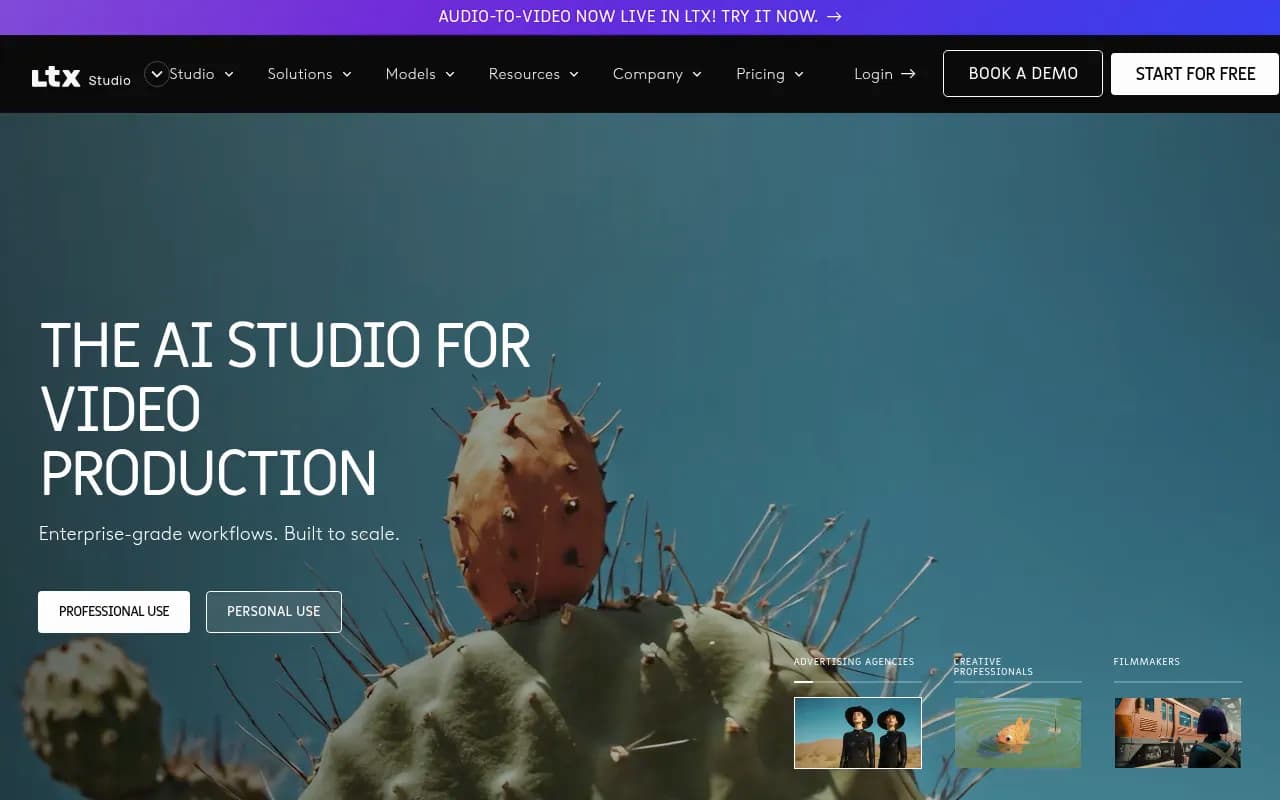
LTX Studio is an enterprise-focused AI video production platform developed by Lightricks, the company behind popular creative apps like Facetune and Videoleap. Launched in 2024, it positions itself as a comprehensive solution for professional video creation, handling everything from initial concept to final output. The platform has gained significant traction with over 135,000 users including major brands like McCann Paris, eToro, Google Cloud, and ElevenLabs. It's designed specifically for teams that need to produce high-quality video content at scale while maintaining brand consistency.
The target audience is clearly professional: advertising agencies managing multiple client campaigns, filmmakers developing storyboards and pitch decks, and creative studios producing branded content. This isn't a consumer tool for quick social media clips — it's built for production workflows where consistency, control, and collaboration matter. The platform has received endorsements from notable figures including Academy Award-winning filmmaker Taika Waititi, who praised its ability to accelerate the creative process.
Gen Space (Multi-Modal Generation)
The core generation workspace supports text-to-image, text-to-video, image-to-video, and video-to-video workflows. Unlike many AI video tools that only offer one generation mode, LTX Studio lets you mix and match inputs within a single project. You can start with a text prompt, generate an image, then animate that image into video, then use that video as a reference for another generation. The platform uses its proprietary LTX-2 model (which is open-source, though the platform itself is not) for video generation. Generation quality is competitive with tools like Runway and Pika, with particular strength in maintaining visual consistency across multiple shots. The workspace includes batch generation capabilities, letting you create multiple variations simultaneously — critical for agencies testing different creative directions.
Precision Control Tools
What separates LTX Studio from simpler AI video generators is the depth of control. The camera control system lets you define specific camera movements (pan, tilt, zoom, dolly) with precise parameters. You're not just prompting "camera zooms in" — you can set exact start and end positions, movement speed, and easing curves. The keyframe system allows frame-by-frame control over motion and transformations, similar to traditional animation software. You can set keyframes for object positions, scale, rotation, and opacity, then let the AI interpolate between them. The reference system lets you upload style references, composition guides, or character references that the AI uses to constrain its output. This is particularly valuable for maintaining brand guidelines or matching existing footage.
Style Presets and Consistency
The platform includes a library of preset visual styles ranging from photorealistic to cinematic to sketch to branded looks. These aren't just filters — they're trained style models that fundamentally change how the AI interprets your prompts. More importantly, you can save custom styles based on your own reference images, then apply that style consistently across an entire project. For brands with strict visual guidelines, this is essential. The style system works in conjunction with the Elements feature to maintain consistency.
Elements (Character and Asset Consistency)
This is where LTX Studio particularly shines for professional use. The Elements system lets you define characters, objects, logos, fonts, and other visual components that need to appear consistently throughout your project. You create an element once (either by generating it or uploading a reference), then the AI maintains that element's appearance across all scenes where it appears. For example, you can define a brand mascot character, then have that exact character appear in 20 different scenes with different actions, angles, and lighting — and it will look like the same character. This addresses one of the biggest pain points in AI video: the tendency for characters and objects to "drift" in appearance between generations. Competitors like Runway and Pika struggle with this; LTX Studio has made it a core feature. You can also create variations of elements (different poses, expressions, outfits) while maintaining the core identity.
Dynamic Storyboard
The storyboard feature is designed for pre-production and client presentations. You can upload a script or write one directly in the platform, and LTX Studio will automatically break it into scenes and generate storyboard frames. Each scene can be edited, regenerated, or manually adjusted. The storyboard isn't just static images — each frame can be expanded into a full video shot. You can add notes, camera directions, and dialogue to each frame. The storyboard can be exported as a PDF pitch deck or presentation, making it valuable for filmmakers seeking funding or agencies presenting concepts to clients. The platform includes a dedicated Pitch Deck Generator that formats your storyboard into a professional presentation with title cards, scene descriptions, and visual references.
Timeline Editor
Once you've generated your shots, the timeline editor lets you assemble them into a final video. This is a full non-linear editor with multi-track support for video, audio, text, and effects. You can trim clips, add transitions, layer multiple video tracks, and adjust timing. It's not as feature-rich as Premiere Pro or Final Cut, but it's far more capable than the basic editors in most AI video tools. The editor includes basic color correction, speed ramping, and compositing tools. Importantly, it's integrated with the generation tools — you can select a clip in the timeline, click "regenerate," adjust the prompt, and replace it without leaving the editor.
Sound Design Integration
LTX Studio includes AI-powered sound design tools. You can generate background music, sound effects, and voiceovers directly in the platform. The music generator creates original tracks based on mood, genre, and duration parameters. The voiceover system uses text-to-speech with multiple voice options and emotion controls. You can also upload your own audio files. The platform recently added audio-to-video generation, which creates video that matches the rhythm and mood of an audio track — particularly useful for music videos. The sound tools are integrated with the timeline editor, so you can see waveforms and sync visual elements to audio beats.
Flexible Starting Points
The platform supports four entry points: From Script (upload a screenplay or treatment and auto-generate scenes), With a Concept (describe an idea and let AI explore creative directions), From an Image (upload a single image and build a narrative around it), or From a Video (upload existing footage to expand, iterate, or repurpose). This flexibility is valuable for different workflows — agencies might start with a script, while social media creators might start with a concept or image.
Team Collaboration
LTX Studio includes robust collaboration features designed for agency and studio workflows. Multiple team members can work on the same project simultaneously. You can leave comments on specific frames or clips, assign tasks, and track revisions. The platform includes role-based permissions (admin, editor, viewer) and project sharing controls. You can share projects with clients via a view-only link for feedback without giving them edit access. The collaboration tools include version history, so you can revert to previous iterations if needed. Asset libraries can be shared across team members, ensuring everyone has access to approved brand elements, style presets, and character definitions.
Who Is It For
LTX Studio is built for advertising agencies managing multiple client campaigns who need to produce high-quality video ads quickly while maintaining brand consistency. It's ideal for agencies with 5-50 person creative teams that need collaborative workflows and client presentation tools. The platform particularly shines for agencies doing concept testing — you can generate 10 different creative directions in the time it would take to storyboard one traditionally.
Filmmakers and directors use it primarily for pre-production: storyboarding, pitch decks, and proof-of-concept videos. Independent filmmakers with limited budgets can create professional pitch materials to secure funding. The platform is less suitable for final production footage (AI-generated video still has quality limitations), but excellent for planning and visualization.
Creative studios and production companies producing branded content, explainer videos, or social media campaigns benefit from the batch generation and style consistency features. Studios producing 50-200 videos per month for multiple brands will see significant time savings.
Who should NOT use this: Individual creators making one-off social media videos will find it overkill (and expensive). The platform is designed for production workflows, not quick content creation. If you just need to generate a few TikTok videos, simpler tools like Runway or Pika are more appropriate. It's also not suitable for teams that need mobile access — LTX Studio is desktop-only.
Integrations & Ecosystem
LTX Studio is primarily a standalone platform with limited third-party integrations. You can export projects in standard video formats (MP4, MOV) for use in other tools. The platform doesn't currently integrate with tools like Adobe Creative Cloud, Final Cut Pro, or DaVinci Resolve, which may be a limitation for studios with established post-production workflows. There's no API for programmatic access. The platform does include browser-based access (no download required), which simplifies deployment for teams. The underlying LTX-2 video model is fully open-source with model weights and training framework available on GitHub, allowing developers to build custom implementations, though this is separate from the LTX Studio platform itself.
Pricing & Value
LTX Studio uses a credit-based pricing system. The platform offers a free tier for testing, then three paid plans: Lite (8,000 credits/month, approximately $49/mo based on typical credit pricing), Pro (28,000 credits/month, around $149/mo), and Enterprise (custom pricing with dedicated support). Credits are consumed based on generation type and duration — video generation costs more than image generation, longer videos cost more than shorter ones. The Pro plan includes 28,800 additional computing seconds for the first 3 months, which is a significant bonus for new users.
Compared to competitors: Runway Pro is $95/mo for 2,250 credits (roughly 225 seconds of video), Pika is $58/mo for 700 credits, and Synthesia is $89/mo for 120 minutes of video. LTX Studio's pricing is competitive for the feature set, particularly given the storyboarding, editing, and collaboration tools included. For agencies producing high volumes of content, the value proposition is strong. For individual creators, it's expensive compared to simpler alternatives.
The credit system can be confusing — you need to estimate how many generations you'll need per month, and different features consume credits at different rates. There's no unlimited plan, which may frustrate heavy users.
Strengths & Limitations
Strengths:
- Character and style consistency is best-in-class among AI video tools, critical for branded content
- Complete production workflow from script to final cut in one platform eliminates tool-switching
- Collaboration features are genuinely built for team workflows, not bolted on
- Storyboarding and pitch deck tools are unique and valuable for pre-production
- Precise control over camera, motion, and style exceeds most competitors
Limitations:
- Desktop-only — no mobile app or responsive mobile web experience limits flexibility
- Limited integrations with industry-standard tools like Adobe or Avid
- Credit system complexity makes it hard to predict monthly costs
- Learning curve for advanced features like keyframes and camera control
- Video quality is good but not yet at the level of traditional production (inherent AI limitation, not specific to LTX)
Bottom Line
LTX Studio is the right choice for advertising agencies, creative studios, and production companies that need to produce high-quality, brand-consistent video content at scale. If you're managing multiple client campaigns, need collaborative workflows, or spend significant time on storyboarding and client presentations, the platform delivers clear value. The character consistency and complete production workflow justify the premium pricing for professional use.
Best use case in one sentence: Advertising agencies producing 20+ branded video campaigns per month who need to maintain visual consistency across multiple clients while collaborating with distributed creative teams.
Tags:
Similar and alternative tools to LTX Studio