Maxim AI Review 2026
Complete prompt management solution with experimentation, evaluation, and observability features for optimizing AI model performance at scale.
Key Takeaways:
- End-to-end platform: Maxim covers the full AI development lifecycle from prompt experimentation to production monitoring, eliminating the need for multiple tools
- Speed advantage: Teams report 75% faster time-to-production and 5x faster iteration cycles compared to building custom evaluation pipelines
- Enterprise-ready: SOC 2 Type II, ISO 27001, HIPAA, and GDPR compliant with VPC deployment options for security-conscious organizations
- Framework-agnostic: Works with OpenAI, Claude, Gemini, LangChain, LangGraph, CrewAI, and other major AI frameworks without vendor lock-in
- Limitations: Newer platform (less mature than Langfuse or Weights & Biases), pricing not fully transparent on website, may be overkill for simple single-prompt applications
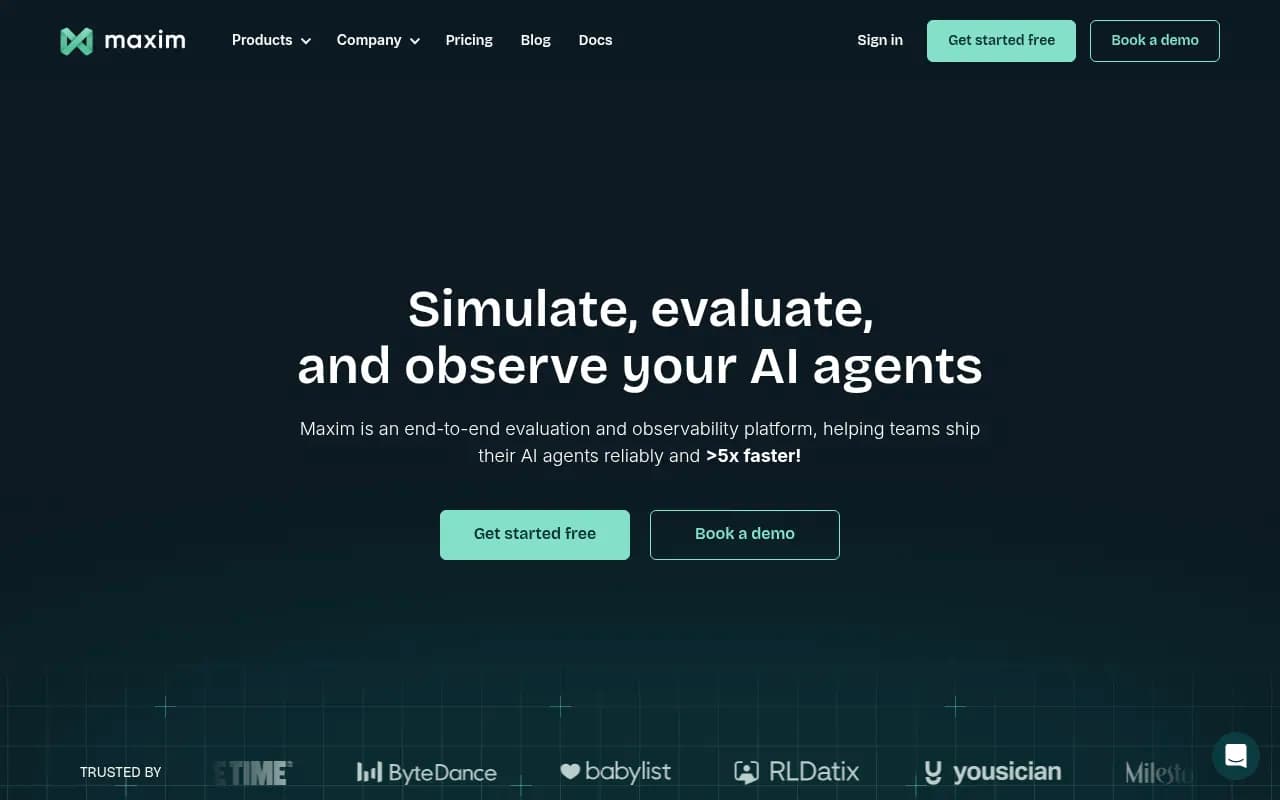
Maxim AI is an end-to-end evaluation and observability platform built specifically for teams shipping AI agents and LLM-powered applications. Founded by H3 Labs Inc and backed by enterprise customers including EY, Mindtickle, Atomicwork, ByteDance, and Thoughtful AI, Maxim addresses a critical gap in the AI development stack: the lack of systematic testing, evaluation, and monitoring infrastructure for generative AI systems. While traditional software has mature CI/CD pipelines and monitoring tools, AI applications have historically required teams to cobble together custom scripts, spreadsheets, and one-off evaluation frameworks. Maxim consolidates this entire workflow into a single platform that spans experimentation, evaluation, and production observability.
The platform launched with a clear thesis: AI teams waste hundreds of hours building and maintaining evaluation infrastructure when they should be focused on product development. According to customer testimonials, Mindtickle reduced their time to production by 75% after adopting Maxim, while Comm100's Senior Product Manager reports saving 1-2 days per prompt testing cycle by replacing custom scripts with Maxim's no-code interface. The company has raised funding and achieved SOC 2 Type II compliance, signaling serious enterprise traction.
Experimentation: Prompt IDE and Workflow Builder
Maxim's experimentation layer is built around a collaborative Prompt IDE that lets teams test and iterate on prompts, models, tools, and context without touching code. This is more than a playground -- it's a versioned prompt management system where product managers, engineers, and designers can work together on the same prompts in real-time. The Prompt IDE supports side-by-side comparison of different models (GPT-4, Claude 3.5, Gemini, etc.), parameter tuning, and A/B testing across prompt variations. Prompts are versioned and stored outside the codebase, which means non-technical team members can iterate independently without waiting for engineering deploys.
Prompt Chains is Maxim's low-code workflow builder for multi-step AI pipelines. You can visually construct agent workflows that involve multiple LLM calls, tool invocations, conditional logic, and data transformations -- then test the entire chain end-to-end before deploying. This is particularly useful for complex agentic systems where a single user request triggers a sequence of LLM interactions, API calls, and decision trees. Once a chain is tested and validated, you can deploy it with a single click using custom deployment rules (e.g. gradual rollout, A/B split, canary deployment) without code changes.
Prompt Deployment integrates directly with your application via SDKs (Python, TypeScript, Java, Go). Instead of hardcoding prompts in your application, you fetch them from Maxim at runtime, which means you can update prompts, switch models, or adjust parameters without redeploying your app. This decouples prompt iteration from release cycles -- a major unlock for teams that need to move fast.
Agent Simulation and Evaluation: Testing at Scale
Maxim's evaluation engine is where the platform really differentiates itself. The core idea: you can't ship reliable AI agents by manually testing a handful of examples. You need to simulate thousands of scenarios, measure performance across multiple dimensions, and catch edge cases before users do.
Simulations use AI-powered scenario generation to create diverse, realistic test cases. You define a persona (e.g. "frustrated customer trying to cancel a subscription"), a goal, and constraints, and Maxim generates hundreds of variations of that scenario -- different phrasings, edge cases, adversarial inputs, multilingual queries. This is far more comprehensive than static test datasets, which tend to overfit to known examples and miss real-world variability. Simulations can also incorporate runtime context from your data sources (documents, APIs, databases) to create scenarios grounded in actual user data.
Evaluations measure agent quality using a library of pre-built and custom metrics. Pre-built evaluators include:
- LLM-as-a-judge: Use GPT-4 or Claude to score outputs on dimensions like relevance, coherence, tone, factual accuracy
- Statistical metrics: BLEU, ROUGE, perplexity, embedding similarity
- Programmatic checks: Regex matching, JSON schema validation, length constraints, PII detection
- Human scorers: Route outputs to subject matter experts for manual review (with built-in annotation workflows)
You can combine multiple evaluators into a single evaluation suite and run it across thousands of test cases in parallel. Results are visualized in dashboards that show pass/fail rates, score distributions, and drill-down views into individual failures. This makes it easy to identify patterns (e.g. "the agent fails on multi-turn conversations involving refunds") and prioritize fixes.
Automations integrate evaluations into CI/CD pipelines via webhooks, CLI, or GitHub Actions. You can configure Maxim to automatically run evaluations on every pull request, block merges if quality thresholds aren't met, and post results as PR comments. This shifts evaluation left in the development process -- catching regressions before they reach production instead of discovering them in user complaints.
Last-mile Human Evaluation is a workflow tool for scaling human review. You can assign batches of outputs to annotators, define custom scoring rubrics, track inter-annotator agreement, and export labeled data for fine-tuning or further analysis. For high-stakes use cases (healthcare, legal, finance), human evaluation is often a regulatory requirement, and Maxim makes it operationally feasible to run at scale. On Enterprise plans, Maxim can manage the entire human evaluation process end-to-end, including recruiting and training annotators.
Analytics generates reports that track progress across experiments, compare model performance, and share results with stakeholders. You can export data to Looker Studio or access it via API for custom reporting.
Observability: Production Monitoring and Debugging
Once your AI agent is live, Maxim's observability layer provides real-time visibility into how it's performing in production.
Traces log and visualize complex multi-agentic workflows. Each user interaction is captured as a trace that shows the full sequence of LLM calls, tool invocations, retrieval steps, and intermediate outputs. Traces are displayed as interactive flowcharts that make it easy to understand what the agent did, why it made certain decisions, and where things went wrong. This is critical for debugging agentic systems, which are notoriously opaque -- you can't just read a stack trace when an LLM hallucinates or an agent gets stuck in a loop.
Debugging tools let you filter traces by error type, latency, cost, user feedback, or custom tags. You can replay individual traces, compare them to similar successful interactions, and identify root causes. For example, if users are reporting incorrect answers, you can filter for low-scoring traces, inspect the retrieved context, and discover that your RAG pipeline is surfacing outdated documents.
Online Evaluations run the same evaluation metrics you used in development on live production traffic. This is continuous quality monitoring -- Maxim automatically scores every agent interaction on dimensions like accuracy, relevance, toxicity, PII leakage, and custom business metrics. Scores are aggregated into dashboards that show trends over time, breakdowns by user segment or feature, and comparisons to baseline performance. This helps you detect regressions (e.g. "accuracy dropped 10% after we switched to GPT-4 Turbo") and validate that improvements in development actually translate to production.
Alerts implement quality and safety guardrails using real-time notifications. You can configure alerts to trigger when:
- Error rates exceed a threshold
- Latency spikes above acceptable levels
- Evaluation scores drop below baseline
- Specific failure patterns emerge (e.g. repeated tool call errors)
- Cost per interaction exceeds budget
Alerts can be sent via Slack, email, PagerDuty, or webhooks, and you can configure escalation policies for critical issues.
Unified Library: Evaluators, Tools, Datasets, Data Sources
Maxim provides a shared library of reusable components that work across experimentation, evaluation, and observability:
Evaluators: Pre-built metrics for common evaluation tasks (hallucination detection, toxicity scoring, RAG relevance, tool call correctness) plus support for custom evaluators written in Python or TypeScript. You can use the same evaluators in development and production, ensuring consistency.
Tools: Native support for tool definitions (function calling) and structured outputs. You can create tools that call external APIs or execute code, test them in the Prompt IDE, and deploy them alongside your prompts. Tools can be versioned and shared across projects.
Datasets: Synthetic and custom multimodal dataset support with easy import/export. Maxim can generate synthetic datasets from seed examples, augment existing datasets with variations, and continuously evolve datasets based on production traffic. Datasets are versioned and can be shared across teams.
Data Sources: Support for documents, APIs, databases, and runtime context. You can connect Maxim to your knowledge base, CRM, or internal APIs, and use that data to create realistic simulations or provide context for evaluations. For example, you can simulate customer support scenarios using real customer data (anonymized) to ensure your agent handles actual edge cases.
Integrations and Developer Experience
Maxim is framework-agnostic and integrates with the entire AI stack:
Model Providers: OpenAI, Anthropic Claude, Google Gemini, Mistral, AWS Bedrock, and any OpenAI-compatible API
Frameworks: LangChain, LangGraph, CrewAI, Agno, LiteLLM, OpenAI Agents SDK, LiveKit
Observability: Single-line SDK integration for automatic tracing (Python, TypeScript, Java, Go). Maxim also offers a LiteLLM Proxy integration for zero-code observability.
CI/CD: GitHub Actions, webhooks, CLI for automated evaluation in pipelines
Reporting: Looker Studio integration, REST API for custom dashboards
The SDKs are designed for minimal friction -- most integrations require 2-3 lines of code. For example, with LangChain, you wrap your chain with a Maxim decorator and all traces, evaluations, and metrics are automatically captured. The platform also supports no-code integration via webhooks for teams that don't want to modify their codebase.
Who Is Maxim For?
Maxim is built for AI engineering teams at product companies -- specifically those building customer-facing AI agents, chatbots, copilots, or LLM-powered features. Primary personas include:
AI/ML Engineers building and optimizing agent pipelines, RAG systems, or multi-step workflows. These teams need systematic evaluation and observability to move from prototype to production without sacrificing quality. Maxim replaces the custom evaluation scripts and monitoring dashboards they would otherwise build in-house.
Product Managers who own AI features and need to iterate on prompts, test new models, and measure user-facing quality metrics without waiting for engineering. Maxim's no-code UI democratizes prompt development -- PMs can run experiments, analyze results, and make data-driven decisions independently.
Engineering Managers and CTOs at companies where AI is a core product differentiator. These leaders need confidence that their AI systems are reliable, safe, and improving over time. Maxim provides the infrastructure to enforce quality standards, track regressions, and demonstrate ROI to stakeholders.
Team size: Maxim is best suited for teams of 5-50 people at Series A-C startups or mid-market companies. Smaller teams (1-3 people) may find the platform overkill if they're only managing a few simple prompts. Larger enterprises (500+ employees) are also a fit, especially those with multiple AI products or strict compliance requirements -- Maxim offers VPC deployment, SSO, and dedicated support for these customers.
Industries: SaaS, fintech, healthcare, e-commerce, customer support, HR tech, legal tech -- any vertical where AI quality and reliability directly impact revenue or compliance. Notable customers include EY (consulting), Mindtickle (sales enablement), Atomicwork (IT service management), Clinc (conversational AI), and Rise Science (sleep coaching).
Who should NOT use Maxim: Teams building simple, single-prompt applications (e.g. a basic chatbot with one static prompt) probably don't need Maxim's full feature set. Similarly, research teams focused on model training or fine-tuning (rather than application development) would be better served by tools like Weights & Biases or MLflow. Maxim is optimized for the application layer, not the model layer.
Pricing and Value
Maxim offers a free tier and three paid plans:
Free Tier: Includes basic experimentation and evaluation features, suitable for individual developers or early-stage prototypes. Limitations on number of evaluations, traces, and team members.
Professional Plan: $29 per seat per month. Includes unlimited evaluations, advanced simulation features, CI/CD integrations, and standard support. Best for small teams (5-10 people) shipping their first AI product.
Business Plan: $49 per seat per month. Adds online evaluations, alerts, advanced analytics, priority support, and higher usage limits. Best for teams with multiple AI products in production.
Enterprise Plan: Custom pricing. Includes VPC deployment, SSO, role-based access controls, dedicated support, and managed human evaluation services. Best for large companies with strict security or compliance requirements.
Seat-based pricing is a double-edged sword. On one hand, it's predictable and aligns cost with team size. On the other hand, it can get expensive for larger teams -- a 20-person team on the Business plan would pay $11,760/year. Competitors like Langfuse offer unlimited users with usage-based pricing, which may be more cost-effective for some teams.
Value proposition: Maxim's pricing is competitive with building and maintaining custom evaluation infrastructure in-house. According to customer testimonials, teams save 100+ hours of development time by not having to build their own evaluation pipelines, tracing systems, and monitoring dashboards. The ROI is strongest for teams that are currently using spreadsheets, custom scripts, or duct-taped solutions -- Maxim consolidates all of that into a single platform with a professional UI and enterprise-grade reliability.
Strengths
End-to-end coverage: Maxim is one of the few platforms that spans the entire AI development lifecycle from experimentation to production monitoring. Most competitors focus on one piece (e.g. Langfuse for observability, PromptLayer for prompt management, Humanloop for evaluation) but don't integrate them into a cohesive workflow.
No-code accessibility: The platform is genuinely usable by non-engineers. Product managers and designers can run experiments, analyze results, and deploy prompts without writing code or waiting for engineering. This democratization of AI development is a major unlock for cross-functional teams.
Simulation and synthetic data generation: Maxim's AI-powered scenario generation is more sophisticated than static test datasets. It helps teams discover edge cases and adversarial inputs they wouldn't have thought to test manually.
Enterprise-grade security: SOC 2 Type II, ISO 27001, HIPAA, and GDPR compliance out of the box, plus VPC deployment for customers who can't send data to third-party SaaS. This is table stakes for selling to large enterprises, and Maxim has it covered.
Framework-agnostic: Works with all major LLM providers and frameworks without vendor lock-in. You can switch from OpenAI to Claude or migrate from LangChain to LangGraph without changing your Maxim setup.
Limitations
Newer platform: Maxim is less mature than competitors like Langfuse (which has a larger open-source community) or Weights & Biases (which has been around since 2017). This means fewer integrations, less community-contributed content, and potentially more bugs or missing features.
Pricing transparency: The website doesn't provide detailed pricing information upfront -- you have to sign up or book a demo to see the full pricing page. This lack of transparency can be frustrating for teams trying to budget or compare options.
Overkill for simple use cases: If you're building a basic chatbot with one or two prompts, Maxim's full feature set is probably more than you need. Simpler tools like PromptLayer or even manual testing might be sufficient.
Bottom Line
Maxim AI is the best choice for AI engineering teams at product companies who need a comprehensive, enterprise-ready platform for evaluating and monitoring AI agents. It's particularly strong for teams that are currently struggling with fragmented tooling (spreadsheets for evaluation, custom scripts for tracing, manual testing for quality assurance) and want to consolidate everything into a single, collaborative platform. The no-code UI makes it accessible to product managers and non-engineers, while the SDKs and API provide the flexibility engineers need for custom workflows.
Best use case in one sentence: Mid-sized AI teams (10-50 people) at Series A-C startups building customer-facing AI agents who need to ship faster without sacrificing quality or compliance.
Tags:
Similar and alternative tools to Maxim AI