SurveyMonkey Review 2026
Create surveys, polls, and forms to gather customer insights. Analyze responses with built-in reporting tools and integrations.
Key Takeaways:
• Best for: Teams and organizations of all sizes needing professional survey tools with AI assistance, advanced analytics, and enterprise integrations • Standout features: AI survey builder, 335M+ global audience panel, automated insights analysis, 200+ integrations, real-time collaboration • Pricing: Free plan (25 responses per survey), paid plans from $30/user/month for teams, custom enterprise pricing • Limitations: Free plan is restrictive, advanced features require higher-tier plans, can get expensive for large teams • Bottom line: Industry-leading survey platform that balances ease of use with enterprise-grade capabilities -- ideal for anyone from solo researchers to Fortune 500 companies
What SurveyMonkey Is and Who Built It
SurveyMonkey has been the dominant player in online survey software for over two decades, serving 260,000+ organizations worldwide including major brands like Greyhound, Adobe, and Tweezerman. The platform processes billions of survey responses annually, making it one of the largest repositories of feedback data globally. What started as a simple survey tool has evolved into a comprehensive feedback management platform with AI-powered creation, a massive respondent panel, and enterprise-grade analytics.
The platform targets everyone from individual researchers and small business owners to marketing teams at Fortune 500 companies. Whether you're a freelance UX researcher validating design concepts, an HR manager measuring employee engagement across 5,000 employees, or a market research agency running studies for clients, SurveyMonkey positions itself as the Swiss Army knife of survey tools -- capable enough for professionals, accessible enough for beginners.
In 2024-2025, SurveyMonkey doubled down on AI capabilities, adding prompt-based survey generation, automated insight extraction, and intelligent question recommendations. This positions it directly against newer AI-native competitors like Typeform and Formbricks while maintaining its lead in enterprise features and respondent reach.
Core Features Breakdown
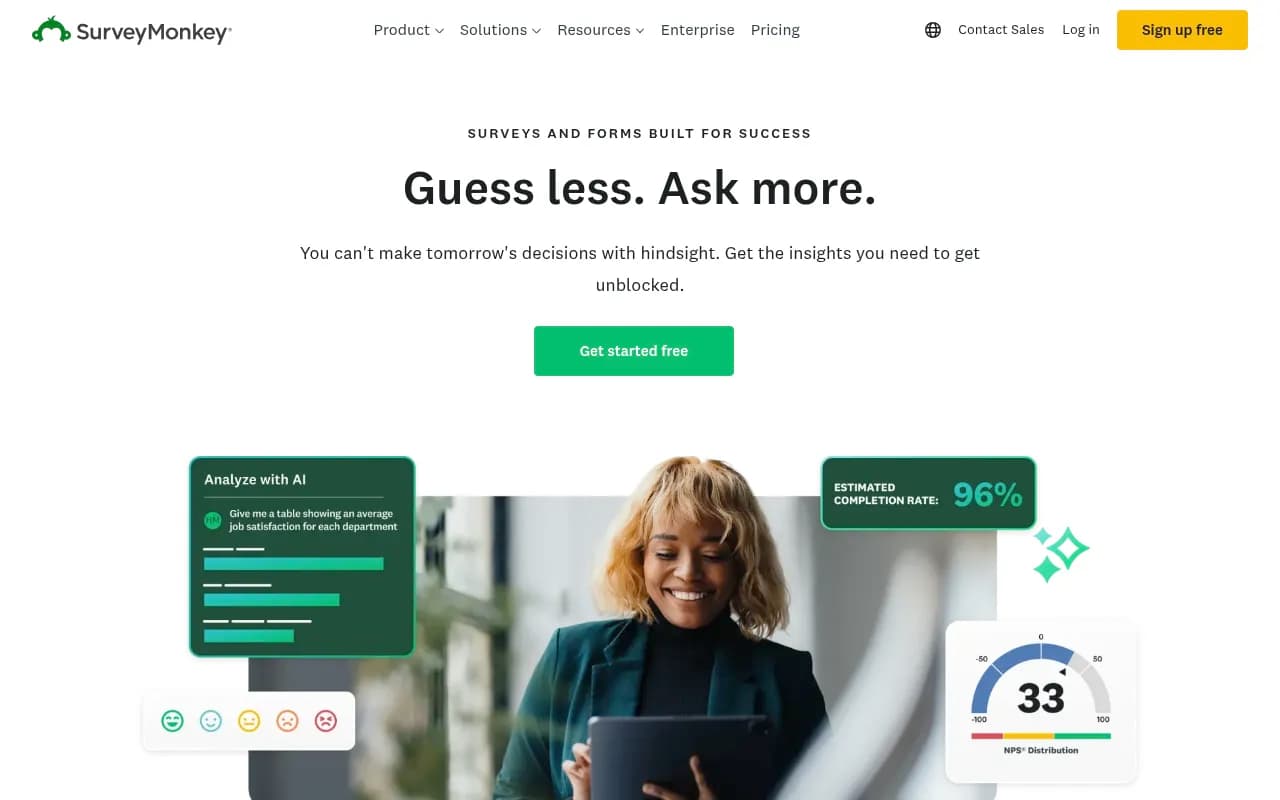
AI Survey Builder: Type a prompt like "customer satisfaction survey for SaaS product" and SurveyMonkey's AI generates a complete survey with methodologically sound questions, logic flows, and answer formats. The AI pulls from millions of survey templates and best practices to create surveys that actually get completed. You can refine questions, adjust tone, or regenerate sections. This is dramatically faster than building from scratch -- what used to take 30-45 minutes now takes 2-3 minutes. Competitors like Typeform have AI features, but SurveyMonkey's training data (20+ years of survey responses) gives it an edge in question quality. The AI also suggests improvements to existing surveys, flagging leading questions, confusing wording, or survey fatigue risks.
500+ Expert Templates: Pre-built surveys for every use case -- NPS, employee engagement, customer satisfaction, market research, event feedback, registration forms, academic research, healthcare surveys. Each template is designed by survey methodologists and includes recommended question types, skip logic, and analysis frameworks. Templates are organized by industry (retail, healthcare, education, tech) and function (HR, marketing, product, sales). You can preview response data from similar surveys to set benchmarks. This template library is significantly larger than Typeform (100+ templates) or Google Forms (minimal templates), though Qualtrics offers comparable depth for academic and enterprise research.
Audience Panel (335M+ Respondents): Need 500 responses from "US-based software developers earning $100K+ who use project management tools"? SurveyMonkey Audience lets you buy responses from their global panel of 335M+ people across 130+ countries. You set demographic filters (age, income, location, job title, interests, behaviors), sample size, and launch. Responses typically arrive within hours to days depending on targeting specificity. Pricing is transparent -- you see cost per response upfront based on your targeting criteria. This is a massive differentiator vs competitors. Typeform has no panel. Google Forms has no panel. Qualtrics has panels but they're more expensive and harder to access for small teams. Only dedicated market research platforms like Pollfish or Cint offer comparable reach, but they lack SurveyMonkey's survey building and analysis tools.
AI-Powered Analysis: Once responses come in, SurveyMonkey's AI automatically identifies key themes, sentiment patterns, and statistically significant findings. It generates executive summaries highlighting what matters most -- "45% of respondents mentioned 'slow customer support' as a pain point" or "NPS dropped 12 points among users aged 25-34." You get word clouds from open-ended responses, cross-tabulation suggestions ("compare satisfaction by customer segment"), and anomaly detection ("response rate dropped 30% after question 8"). The AI also flags data quality issues like straight-lining (respondents selecting the same answer repeatedly) or speeders (completing too fast to be genuine). This is more advanced than Typeform's basic analytics and on par with Qualtrics' Text iQ, though Qualtrics offers deeper statistical modeling for researchers.
Question Types and Logic: 15+ question types including multiple choice, rating scales, matrix tables, ranking, file upload, image choice, and open-ended text. You can add skip logic ("if they answer 'No' to question 3, jump to question 7"), piping (insert previous answers into later questions), randomization (prevent order bias), and quotas (stop collecting after 100 responses from a demographic). A/B testing lets you test different question wordings or survey flows. Custom variables let you pass data from your CRM or website into surveys for personalization. This flexibility matches Typeform and exceeds Google Forms, though Qualtrics offers more complex logic for academic research (conjoint analysis, MaxDiff, etc.).
Real-Time Collaboration: Multiple team members can edit surveys simultaneously (like Google Docs), leave comments on questions, and track changes. You can set permissions (viewer, editor, admin) and create shared folders for team surveys. Response data updates in real-time, so your team sees new responses instantly. You can create shared dashboards that auto-refresh, export scheduled reports to Slack or email, and set up alerts when responses hit thresholds ("notify me when NPS drops below 40"). This collaboration layer is stronger than Typeform (limited multi-user editing) and Google Forms (basic sharing), though Qualtrics offers more granular permission controls for enterprise teams.
200+ Integrations: Native integrations with Salesforce, HubSpot, Marketo, Slack, Microsoft Teams, Google Workspace, Mailchimp, Zapier, Tableau, Power BI, and 190+ other tools. You can automatically push survey responses to your CRM, trigger surveys based on customer actions ("send NPS survey 30 days after purchase"), sync data to data warehouses, and embed surveys in websites or apps. Webhooks and API access (on higher plans) let developers build custom integrations. This integration ecosystem is far more mature than Typeform or Google Forms and comparable to Qualtrics, though Qualtrics' API is more powerful for complex enterprise workflows.
Branding and Customization: Upload your logo, set brand colors, customize fonts, add custom CSS (on higher plans), and create branded survey URLs (surveys.yourcompany.com). You can remove SurveyMonkey branding entirely, add custom thank-you pages with redirects, and embed surveys in iframes or pop-ups. White-label options are available on enterprise plans. This is more flexible than Google Forms (minimal branding) and on par with Typeform, though Typeform's design aesthetic is often considered more modern.
Mobile Optimization and Offline Collection: All surveys are mobile-responsive by default. The SurveyMonkey mobile app (iOS/Android) lets you collect responses offline (at events, in-store, in the field) and sync when you reconnect. You can also use kiosk mode to lock devices to a single survey. This offline capability is critical for field research, retail feedback, and event surveys -- something Typeform and Google Forms don't handle well.
Security and Compliance: SOC 2 Type II certified, GDPR compliant, HIPAA compliance available on enterprise plans, data encryption at rest and in transit, SSO (SAML, OAuth), two-factor authentication, IP restrictions, and audit logs. Enterprise plans include data residency options (store data in specific regions) and custom data retention policies. This security posture is enterprise-grade and matches Qualtrics, far exceeding Typeform or Google Forms.
Who Is It For
SurveyMonkey serves an incredibly broad audience, but it particularly shines for three groups:
Mid-market companies (50-500 employees) running customer experience or employee engagement programs. Think SaaS companies tracking NPS across 10,000 customers, retail chains measuring in-store satisfaction across 200 locations, or HR teams at 300-person companies running quarterly engagement surveys. These teams need more than Google Forms (too basic) but don't want Qualtrics' complexity or price tag. SurveyMonkey's Team Advantage plan ($30/user/month) gives them professional tools, collaboration features, and enough responses to run ongoing programs without breaking the budget.
Market research agencies and consultants managing client projects. Agencies need to spin up surveys quickly, brand them for clients, buy targeted responses, and deliver polished reports. SurveyMonkey's audience panel, white-label options, and export capabilities (PowerPoint, PDF, Excel) make it ideal for this workflow. The ability to create separate workspaces for each client and manage permissions keeps projects organized. Competitors like Qualtrics are overkill (and too expensive) for most agency work, while Typeform lacks the panel and enterprise features agencies need.
Individual researchers, product managers, and marketers running ad-hoc studies. Solo users who need to validate a product idea, test messaging, gather user feedback, or run a quick poll. The free plan (25 responses per survey) is enough for small projects, and the Individual plans ($39-$119/month) unlock unlimited responses and advanced features without requiring a team license. This is a sweet spot SurveyMonkey owns -- Typeform is more expensive for individuals, Google Forms is too limited for professional work, and Qualtrics doesn't cater to solo users.
Who should NOT use SurveyMonkey: Academic researchers running complex experimental designs (Qualtrics is better), teams that prioritize design aesthetics over functionality (Typeform is prettier), organizations with zero budget (Google Forms is free with unlimited responses), or developers building custom survey experiences (open-source tools like LimeSurvey or Formbricks offer more control).
Integrations and Ecosystem
SurveyMonkey's integration ecosystem is one of its biggest strengths. Native integrations include:
• CRM and Marketing: Salesforce, HubSpot, Marketo, Mailchimp, Constant Contact, ActiveCampaign -- automatically sync responses to contact records, trigger surveys based on customer lifecycle stages, and segment audiences based on survey data • Collaboration: Slack, Microsoft Teams, Google Workspace -- get response notifications, share results, and collaborate on surveys without leaving your communication tools • Analytics and BI: Tableau, Power BI, Google Data Studio, Looker -- connect survey data to dashboards and combine with other data sources for deeper analysis • Productivity: Zapier (connect to 5,000+ apps), Microsoft Power Automate, Integromat -- build custom workflows without coding • Event Management: Eventbrite, Cvent -- automatically send post-event surveys to attendees • Payment Processing: PayPal, Stripe -- collect payments through registration forms
The API (available on Team Premier and Enterprise plans) is RESTful, well-documented, and supports creating surveys, sending invitations, and retrieving responses programmatically. Webhooks let you trigger actions in real-time when responses are submitted. Developer documentation includes SDKs for Python, JavaScript, and Ruby.
Browser extensions for Chrome and Firefox let you create surveys and view responses without opening the full app. Mobile apps (iOS/Android) support offline data collection and real-time response monitoring.
Pricing and Value
SurveyMonkey's pricing is tiered and can get confusing:
Basic (Free): Unlimited surveys, 10 questions per survey, 25 responses per survey, basic question types, SurveyMonkey branding. Good for personal projects or one-off polls, but the 25-response limit makes it impractical for anything serious.
Individual Plans: • Standard: $39/month (annual) or $49/month (monthly) -- unlimited questions and responses, custom branding, data exports, skip logic, A/B testing • Advantage: $39/month (annual) or $119/month (monthly) -- adds AI features, advanced question types, white-label surveys, custom themes • Premier: $119/month (annual) -- adds audience panel credits, advanced analytics, HIPAA compliance
Team Plans: • Team Advantage: $30/user/month (3+ users, annual) -- shared asset library, team collaboration, admin controls, phone support • Team Premier: $75/user/month (3+ users, annual) -- adds advanced logic, custom variables, API access, SSO
Enterprise: Custom pricing (typically $50K-$500K+ annually depending on seats and features) -- adds data residency, dedicated support, custom contracts, advanced security, unlimited responses, volume discounts on audience panel
Value assessment: For individuals, the Standard plan ($39/month annual) is competitive with Typeform ($29/month) and far more capable than Google Forms. For teams, the $30/user/month entry point is reasonable if you need collaboration and admin tools, but it adds up quickly (10 users = $300/month). The audience panel is priced per response (typically $1-$5 per response depending on targeting), which is fair for market research but can get expensive for large studies.
Compared to Qualtrics (typically $3K-$10K+ per year for basic licenses), SurveyMonkey is a bargain for most use cases. Compared to Typeform ($29-$99/month), SurveyMonkey offers more features but less design polish. Compared to Google Forms (free), SurveyMonkey is worth paying for if you need professional features, branding, or advanced analytics.
Strengths
• Audience panel is unmatched: 335M+ respondents across 130+ countries gives you access to virtually any demographic for market research -- no other survey tool comes close • AI features are genuinely useful: Prompt-based survey creation and automated insights save hours of work and improve survey quality • Integration ecosystem is mature: 200+ native integrations plus API/webhooks mean you can fit SurveyMonkey into any workflow • Scales from solo users to enterprises: The pricing and feature tiers accommodate everyone from freelancers to Fortune 500 companies • Proven reliability: 20+ years in business, billions of responses processed, trusted by major brands -- you're not taking a risk on an unproven tool
Limitations
• Pricing can get expensive for teams: At $30-$75/user/month, costs add up quickly for larger teams -- a 20-person team on Team Advantage pays $7,200/year • Design aesthetics lag behind Typeform: SurveyMonkey surveys look professional but not particularly modern or engaging -- if visual design is critical, Typeform is prettier • Free plan is too restrictive: 25 responses per survey makes the free tier almost useless for real projects -- you're forced to upgrade quickly • Learning curve for advanced features: While basic surveys are easy, mastering skip logic, custom variables, and API integrations takes time -- not as intuitive as Typeform • Audience panel responses can be inconsistent: While the panel is massive, response quality varies -- you'll occasionally get speeders or inattentive respondents despite screening
Bottom Line
SurveyMonkey is the industry standard for a reason: it combines ease of use with enterprise-grade capabilities, offers the largest respondent panel in the market, and integrates with virtually every tool in your stack. It's the best choice for teams and organizations that need professional survey tools without Qualtrics-level complexity or cost.
Buy SurveyMonkey if: You're running ongoing feedback programs (customer NPS, employee engagement, market research), need to buy targeted responses, want AI-powered survey creation and analysis, or require enterprise features like SSO and compliance certifications. It's ideal for marketing teams, HR departments, product managers, and research agencies.
Skip SurveyMonkey if: You're on a tight budget (Google Forms is free), prioritize design over functionality (Typeform is prettier), need academic research features (Qualtrics is more powerful), or want open-source flexibility (LimeSurvey or Formbricks).
Best use case in one sentence: Mid-market companies and agencies that need to collect, analyze, and act on customer or employee feedback at scale with professional tools and access to a global respondent panel.
Similar and alternative tools to SurveyMonkey