CannyWizard Review 2026
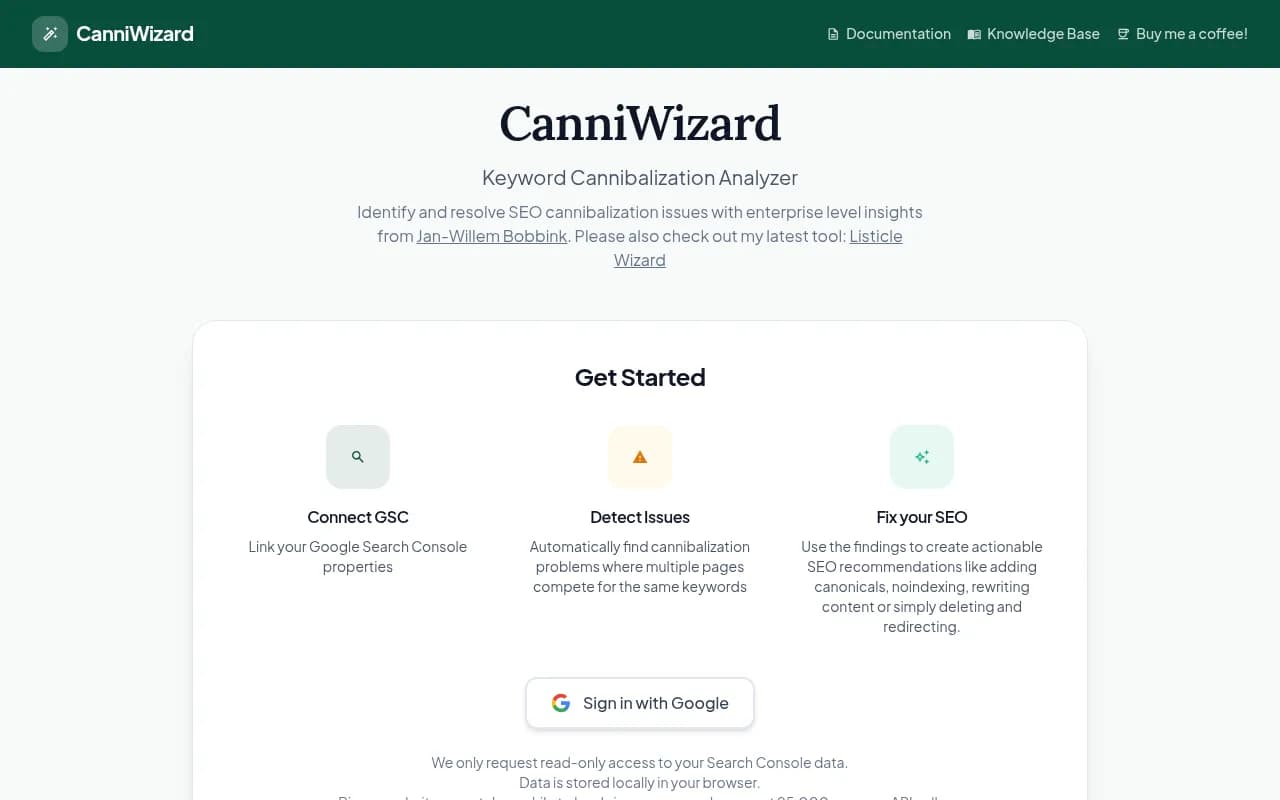
CanniWizard is a free, browser-based SEO tool that connects to Google Search Console to automatically detect keyword cannibalization problems where multiple pages compete for the same search terms. Created by enterprise SEO consultant Jan-Willem Bobbink, it analyzes your GSC data locally to surface
Key Takeaways:
• Free GSC-powered analysis: Connects directly to Google Search Console for unlimited keyword cannibalization detection without credit limits or subscription fees • Privacy-first architecture: All data processing happens locally in your browser -- nothing is sent to external servers • Actionable recommendations: Surfaces specific fixes like canonical tags, noindex directives, content rewrites, or page consolidation • Best for: SEO consultants, in-house marketing teams, and agencies managing multiple client sites who need quick cannibalization audits without expensive enterprise tools • Limitation: Requires manual interpretation of results and lacks advanced features like automated prioritization or historical trend analysis
CanniWizard is a specialized SEO analysis tool built to solve one specific problem: keyword cannibalization. Created by Jan-Willem Bobbink, an enterprise SEO consultant known for his work at NotProvided.eu, the tool emerged from years of client work where cannibalization issues consistently undermined organic search performance. Unlike bloated SEO suites that bury cannibalization detection under dozens of other features, CanniWizard does one thing exceptionally well -- it connects to your Google Search Console, analyzes your actual search performance data, and shows you exactly where multiple pages are competing for the same keywords.
The tool launched as a free, open-access resource for the SEO community. There's no freemium upsell, no credit system, no feature gating. You sign in with Google, grant read-only access to your Search Console properties, and start analyzing. The entire interface runs in your browser with local data processing, meaning your GSC data never touches external servers. For agencies managing sensitive client data or enterprises with strict data governance policies, this privacy-first architecture is a significant advantage over cloud-based alternatives.
How Keyword Cannibalization Actually Works
Before diving into the tool itself, it's worth understanding what cannibalization means in practice. When you have multiple pages targeting the same keyword or search intent, Google has to choose which one to rank. The result is often that both pages rank lower than a single, authoritative page would. Your click-through rate drops because searchers see multiple similar results from your domain and assume they're duplicates. Your internal linking gets diluted. Your content team wastes resources maintaining redundant pages.
CanniWizard surfaces these issues by analyzing your GSC query data. It looks for patterns where the same search query triggers impressions and clicks across multiple URLs on your site. The tool then flags these as potential cannibalization cases and provides the raw data you need to make informed decisions about consolidation, canonicalization, or content differentiation.
Core Features and How They Work
Google Search Console Integration The tool uses OAuth to connect directly to your GSC properties with read-only permissions. You select which property to analyze, and CanniWizard pulls query-level performance data through the GSC API. The interface shows all your connected properties in a dropdown, making it easy to switch between client sites or different domains you manage. One technical limitation: GSC's API caps requests at 25,000 rows per call, so larger sites with hundreds of thousands of indexed pages may take several minutes to fully load. The tool handles this by batching requests, but you'll see a loading indicator while it works through the data.
Cannibalization Detection Algorithm Once your GSC data loads, CanniWizard runs its analysis locally in your browser. It groups queries by keyword and identifies cases where multiple URLs receive impressions or clicks for the same search term. The tool doesn't just flag every instance of overlap -- it applies thresholds to filter out noise. For example, if two pages each got one impression for a long-tail query with 50 words, that's probably not meaningful cannibalization. But if two pages are splitting 5,000 impressions for a high-value commercial keyword, that's a clear problem.
The results display in a sortable table showing the query, the competing URLs, impression counts, click counts, average position, and CTR for each URL. You can sort by total impressions to prioritize high-traffic keywords or by the number of competing URLs to find the worst offenders.
Actionable Recommendations This is where CanniWizard moves beyond just showing you data. For each cannibalization case, the tool suggests specific remediation strategies:
• Canonical tags: When pages have similar content but serve slightly different purposes (e.g., category page vs. subcategory page), point the weaker page to the stronger one with a canonical tag • Noindex directives: For pages that shouldn't rank at all (like thank-you pages or internal search results), add a noindex meta tag to remove them from Google's index • Content consolidation: When multiple thin pages target the same keyword, merge them into one comprehensive resource and 301 redirect the old URLs • Content differentiation: If both pages deserve to exist, rewrite them to target different search intents or keyword variations • 301 redirects: For outdated or redundant pages, redirect them to the current authoritative page
The tool doesn't automatically implement these fixes -- it's up to you to interpret the data and decide which strategy makes sense for each case. This manual step is both a strength and a limitation. Experienced SEOs appreciate the control and context-awareness required for good decisions. Junior marketers or non-technical users may struggle without more prescriptive guidance.
Local Data Processing All analysis happens in your browser using JavaScript. Your GSC data is fetched via API, processed locally, and never sent to CanniWizard's servers (because there are no servers -- it's a static site). This architecture has three implications: (1) your data stays private, (2) the tool works offline once data is loaded, and (3) you can't save or share reports unless you manually export the data. There's no dashboard, no historical tracking, no team collaboration features. It's a single-session analysis tool.
Who Is CanniWizard For
CanniWizard is purpose-built for SEO professionals who already understand keyword cannibalization and need a fast, free way to audit sites. The ideal user is an SEO consultant or agency account manager who's onboarding a new client and wants to quickly identify low-hanging fruit. You connect their GSC, run the analysis, and within 10 minutes you have a prioritized list of cannibalization issues to fix. This is especially valuable for agencies that charge by the project or retainer -- you're not burning budget on expensive enterprise tools for a one-time audit.
In-house SEO teams at mid-sized companies (50-500 employees) also benefit. You might have a Semrush or Ahrefs subscription for keyword research and backlink analysis, but those tools' cannibalization features are often buried in site audit modules and require complex setup. CanniWizard gives you instant results without navigating through dozens of settings.
Freelance SEOs and solopreneurs find it particularly useful because there's no subscription cost. If you're managing 5-10 client sites and only need to check for cannibalization once per quarter, paying $99-$199/month for an enterprise SEO suite doesn't make sense. CanniWizard lets you run unlimited analyses for free.
Who Should NOT Use This Tool
Enterprise SEO teams managing sites with millions of pages will hit limitations. The GSC API's 25,000-row cap means you're only seeing a sample of your data, not the full picture. Large e-commerce sites, news publishers, and marketplaces need enterprise-grade tools like Botify, Conductor, or seoClarity that can process server logs and handle massive datasets.
Non-technical marketers without SEO experience may struggle to interpret the results. The tool shows you the data but doesn't explain why cannibalization is happening or how to prioritize fixes. If you don't know the difference between a canonical tag and a 301 redirect, you'll need to pair CanniWizard with SEO training or hire a consultant to implement the recommendations.
Teams that need historical tracking, automated alerts, or collaborative workflows should look elsewhere. CanniWizard is a point-in-time analysis tool with no persistence layer. You can't track whether your fixes improved rankings over time or set up alerts when new cannibalization issues emerge.
Integrations and Ecosystem
CanniWizard integrates exclusively with Google Search Console via OAuth. There's no API, no Zapier connection, no webhook support. It's a standalone tool designed for manual, ad-hoc analysis. You can't pipe the results into a reporting dashboard or automate the workflow.
The tool is built by Jan-Willem Bobbink, who also created Listicle Wizard (a content optimization tool for listicle-style articles). Both tools share a similar philosophy: free, browser-based, privacy-first, and focused on solving one specific SEO problem really well.
Pricing and Value
CanniWizard is completely free. No trial period, no credit card required, no feature limits. You sign in with Google and start analyzing. The only "cost" is the time it takes to load data for large sites (due to GSC API rate limits) and the manual effort required to interpret and act on the findings.
Compared to alternatives:
• Ahrefs Site Audit ($129/mo starting price): Includes cannibalization detection as part of a broader site audit, but requires crawl credits and setup time. CanniWizard is faster for one-off checks. • Semrush Position Tracking ($139.95/mo starting price): Can identify cannibalization through position tracking reports, but you need to manually configure keyword lists. CanniWizard pulls data directly from GSC without setup. • Screaming Frog SEO Spider (Free up to 500 URLs, £149/year for unlimited): Can detect cannibalization by analyzing on-page elements and rankings, but requires technical setup and doesn't use GSC data. CanniWizard is more accessible for non-technical users. • SurferSEO Content Audit ($89/mo starting price): Focuses on content optimization and can flag cannibalization, but is primarily a content tool, not a dedicated cannibalization analyzer.
For agencies running quick audits or freelancers on a budget, CanniWizard delivers exceptional value. For enterprises needing ongoing monitoring and automation, the lack of advanced features limits its usefulness.
Strengths
• Zero cost with unlimited use: No subscription, no credit limits, no upsells. Run as many analyses as you want across as many sites as you want. • Privacy-first architecture: Local data processing means sensitive client data never leaves your browser. Critical for agencies with strict data governance requirements. • Fast setup: Connect GSC, select a property, and get results in minutes. No crawl configuration, no keyword list setup, no learning curve. • GSC-native data: Uses actual search performance data from Google, not third-party estimates. You're analyzing real impressions, clicks, and positions. • Actionable recommendations: Suggests specific fixes (canonicals, noindex, redirects) rather than just flagging problems.
Limitations
• No historical tracking: Can't monitor trends over time or measure the impact of fixes. You'd need to manually re-run the analysis and compare results. • Limited to GSC data: Only analyzes the last 16 months of GSC data (Google's limit). Can't incorporate server logs, crawl data, or third-party keyword research. • Manual interpretation required: The tool shows you the data but doesn't prioritize issues or explain root causes. You need SEO expertise to act on the findings. • No team collaboration: Can't share reports, assign tasks, or track who's working on which fixes. It's a solo tool. • Large site limitations: GSC API's 25,000-row cap means you're only seeing a sample of data for sites with hundreds of thousands of pages.
Bottom Line
CanniWizard is the best free tool for quickly identifying keyword cannibalization issues using your own Google Search Console data. It's perfect for SEO consultants, agencies, and in-house teams who need fast, actionable insights without the overhead of enterprise SEO platforms. The privacy-first, browser-based architecture makes it ideal for handling sensitive client data, and the zero-cost model means you can run unlimited analyses across all your sites.
However, it's a point-in-time diagnostic tool, not an ongoing monitoring solution. If you need historical tracking, automated alerts, or team collaboration features, you'll need to pair it with a more comprehensive SEO platform. But for ad-hoc audits and quick wins, CanniWizard delivers exceptional value.
Best use case in one sentence: SEO agencies and consultants who need to quickly audit client sites for keyword cannibalization without burning budget on enterprise tools.
Similar and alternative tools to CannyWizard