Dripify Review 2026
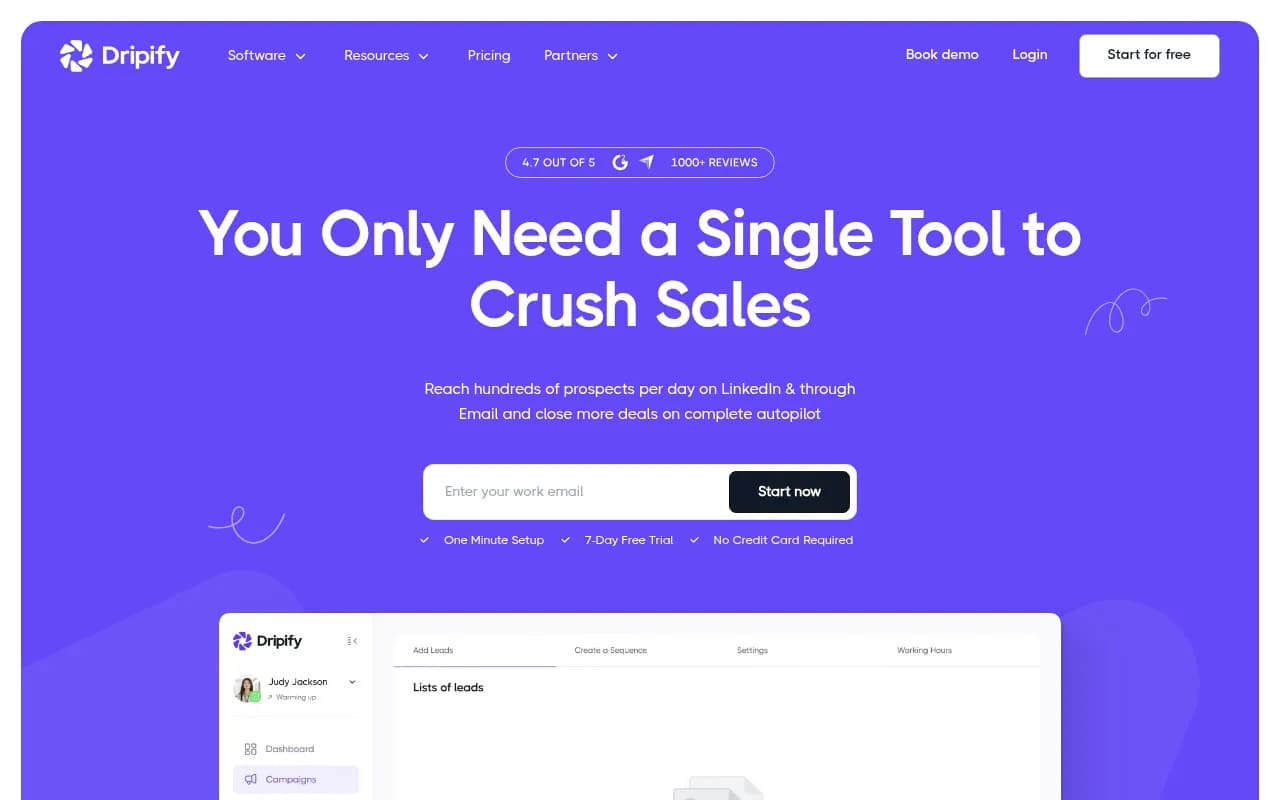
Dripify is a cloud-based sales automation platform that helps businesses automate LinkedIn prospecting and email outreach at scale. With drag-and-drop campaign builders, hyper-personalization using 20+ variables, built-in email finder, and team management features, it's designed for sales teams, age
Summary
Dripify is a LinkedIn and email automation platform used by 40,000+ businesses to run cold outreach campaigns on autopilot. It combines LinkedIn prospecting, email outreach, lead enrichment, and team analytics in one tool. Users can reach up to 9,000 leads per month, automate follow-ups across both channels, and personalize messages at scale using 20+ dynamic variables. The platform is cloud-based (no browser extension required), offers native CRM integrations, and includes A/B testing, advanced analytics, and a dedicated inbox for managing conversations. Pricing starts at $39/month with a 7-day free trial.
Key strengths: Dual-channel automation (LinkedIn + email), hyper-personalization with 20+ variables, built-in email finder with verified addresses, cloud-based operation (safer than browser extensions), team management and analytics, native integrations with Salesforce, HubSpot, Pipedrive, and 1,000+ tools via Zapier.
Key limitations: No phone/SMS outreach, A/B testing feature still in development, pricing can add up for larger teams, LinkedIn automation always carries some platform risk despite cloud-based approach.
Best for: B2B sales teams, digital marketing agencies, recruiters, and founders who need to scale LinkedIn prospecting and email outreach without hiring more SDRs.
Dripify launched as a LinkedIn automation tool and has evolved into a full sales engagement platform. The company serves businesses in 72+ countries and claims users achieve a 182% increase in close rates and 10x productivity gains. Unlike browser-based tools like Dux-Soup or Linked Helper, Dripify runs entirely in the cloud, which the company positions as safer and more reliable since it doesn't require keeping your browser open or installing extensions that LinkedIn might flag.
The platform targets four main user groups: sales teams at B2B companies, digital marketing agencies managing multiple client accounts, recruiters filling open positions, and founders who want to automate prospecting so they can focus on closing deals. The sweet spot seems to be small to mid-sized teams (5-50 people) running high-volume outbound campaigns.
LinkedIn Automation (Core Feature)
Dripify's LinkedIn automation handles the full prospecting workflow: profile visits, connection requests, messages, InMails, profile endorsements, and follow-ups. You build campaigns using a visual drag-and-drop sequence builder where each step can have conditional logic (if they accept, send message A; if they don't respond in 3 days, send follow-up B). The platform mimics human behavior with randomized delays between actions to avoid LinkedIn's spam filters.
Daily limits are configurable but the platform recommends staying under LinkedIn's unofficial caps: 100-150 connection requests per week, 200-300 messages per day. Dripify automatically throttles activity and spreads actions throughout the day to look natural. This is safer than tools that blast through limits, but you're still automating LinkedIn activity, which technically violates their terms of service. The cloud-based approach reduces detection risk compared to browser extensions, but the risk isn't zero.
The sequence builder supports complex workflows: you can add time delays (hours, days, weeks), conditional branches based on prospect actions, and alternative message paths. For example, if someone views your profile but doesn't accept your connection request, you can trigger a different follow-up sequence. This level of logic is more advanced than simpler tools like Expandi or Zopto.
Email Outreach (Dual-Channel Campaigns)
Dripify added email automation in 2024, turning it into a true multi-channel platform. You can now run LinkedIn and email sequences in parallel or use email as a fallback when LinkedIn connection requests aren't accepted. The email finder tool (powered by third-party data providers) pulls verified business email addresses for your LinkedIn prospects, enriching your lead list automatically.
Email sequences work similarly to LinkedIn: drag-and-drop builder, personalization variables, automated follow-ups, and A/B testing (coming soon). You can send emails directly through Dripify or connect your own SMTP server (Gmail, Outlook, SendGrid, etc.) for better deliverability. The platform tracks opens, clicks, and replies, and automatically pauses sequences when a prospect responds.
The dual-channel approach is the main differentiator vs pure LinkedIn tools like Phantombuster or Waalaxy. You're not putting all your eggs in the LinkedIn basket -- if someone ignores your connection request, you can still reach them via email. This increases total touchpoints and response rates without manually managing two separate tools.
Hyper-Personalization (20+ Variables)
Dripify supports 20+ dynamic variables you can insert into messages: first name, last name, company name, job title, location, industry, mutual connections, recent posts, profile URL, and more. These pull directly from LinkedIn profile data, so every message is automatically customized. For example: "Hi {{firstName}}, I noticed you're leading {{jobTitle}} at {{companyName}} in {{location}}. I help companies like yours..."
The platform also offers "Alternative Message" backup -- if a variable is empty (e.g. the prospect didn't list their company), Dripify automatically swaps in a fallback message so you don't send broken text. This is a small but important detail that prevents embarrassing automation fails.
Data cleaning is built in: Dripify removes unnecessary symbols, extra spaces, and formatting issues from enriched data before inserting it into messages. This matters because LinkedIn profile data is messy -- job titles might include emojis, company names might have "Inc." or "LLC" inconsistently, etc. The platform normalizes this automatically.
An AI-powered personalization feature is listed as "coming soon" -- this would presumably generate unique opening lines or message variations based on prospect data, similar to what tools like Lemlist or Smartlead offer. Right now, personalization is variable-based, not AI-generated.
Lead Enrichment & Email Finder
The built-in email finder pulls verified business email addresses for LinkedIn prospects. Dripify claims these are "pre-verified" to reduce bounce rates, though the exact data sources aren't disclosed (likely a combination of providers like Hunter.io, Snov.io, or similar). You can enrich leads in bulk or automatically as they enter a campaign.
This is a major convenience vs using separate tools like Apollo or ZoomInfo. You find prospects on LinkedIn, enrich them with emails inside Dripify, then launch dual-channel campaigns without exporting/importing CSV files. The email finder is included in all paid plans, though there may be usage limits depending on your tier (the website doesn't specify exact quotas).
Enriched data can be exported to CSV or pushed to your CRM via native integrations or webhooks. This is useful for agencies managing client lead lists or sales teams syncing with Salesforce/HubSpot.
Team Management & Analytics
Dripify includes team features for agencies and sales managers: add multiple users, assign campaigns, view individual performance, and manage LinkedIn accounts from a central dashboard. You can switch between LinkedIn accounts with a few clicks, which is critical for agencies running campaigns for multiple clients.
Analytics cover both LinkedIn and email activity: connection acceptance rates, message reply rates, email open/click rates, campaign performance over time, and team member productivity. You can see which messages are performing best, which prospects are engaging, and where drop-offs happen in your sequences. This data helps you optimize campaigns instead of guessing.
The dashboard shows aggregate metrics (9,000 leads reached per month, 550 replies received, etc.) as well as granular per-campaign and per-user breakdowns. Agencies can generate client reports directly from the platform. The analytics are more detailed than basic LinkedIn tools but not as deep as dedicated sales engagement platforms like Outreach.io or SalesLoft.
Dedicated Inbox
Dripify includes a unified inbox for managing LinkedIn conversations. All replies from prospects land here, and you can respond manually or set up automated replies. The inbox helps you stay organized when running multiple campaigns -- you're not digging through LinkedIn's native messaging interface to find active conversations.
The inbox doesn't yet support email replies (those still go to your regular email client), so it's not a true omnichannel inbox like Front or Hiver. But for LinkedIn-only conversations, it's a cleaner experience than LinkedIn's UI.
A/B Testing (Coming Soon)
The website heavily promotes A/B testing as a feature, but it's marked "coming soon" and requires signing up for a waitlist. When launched, it will let you test up to 4 versions of each message (connection requests, LinkedIn messages, emails) and automatically optimize delivery based on performance. This is table stakes for email tools like Mailshake or Reply.io, so it's surprising Dripify doesn't have it live yet.
The promise is 40% higher ROI from split testing, which is plausible if you're currently sending the same message to everyone. But until the feature ships, you're manually testing variants by running separate campaigns.
Integrations & Ecosystem
Dripify integrates natively with major CRMs: Salesforce, HubSpot, Pipedrive, Zoho, ActiveCampaign, and others. You can push leads, sync campaign activity, and trigger workflows based on Dripify events. There's also a Zapier integration for connecting to 1,000+ other tools (Slack, Asana, ClickUp, Monday.com, Excel, Intercom, Zendesk, etc.).
Webhooks are available for custom integrations if you have a dev team. The platform also supports CSV import/export for bulk lead management. No public API is mentioned, so custom integrations are limited to webhooks and Zapier.
No mobile app is listed, so campaign management and monitoring happen on desktop only. This is fine for most users since you're not actively managing campaigns throughout the day, but it would be nice to check analytics or respond to messages on mobile.
Who Is It For
Dripify is built for four main personas:
Sales teams at B2B companies (5-50 reps): You're doing outbound prospecting on LinkedIn and need to scale without hiring more SDRs. Dripify automates the grunt work (connection requests, follow-ups, data enrichment) so reps can focus on conversations and demos. The team management features let managers track performance and optimize campaigns across the team. Best fit: SaaS companies, consulting firms, B2B service providers selling to mid-market or enterprise.
Digital marketing agencies: You're managing LinkedIn campaigns for multiple clients and need to switch between accounts easily, run white-label campaigns, and generate client reports. Dripify's multi-account management and analytics make this possible without juggling separate tools per client. The email finder and dual-channel campaigns add value for clients who want comprehensive outreach. Best fit: agencies with 5-20 clients, each running 1-3 active campaigns.
Recruiters and talent acquisition teams: You're sourcing candidates on LinkedIn and need to reach hundreds of people per week. Dripify automates connection requests, InMails, and follow-ups, so you can fill open roles faster. The personalization features help you stand out in crowded inboxes. Best fit: agency recruiters, in-house TA teams at fast-growing companies, executive search firms.
Founders and solopreneurs: You're wearing all the hats and don't have time for manual prospecting. Dripify puts lead generation on autopilot so you can focus on product, fundraising, or closing deals. The 7-day free trial and $39/month entry price make it accessible for bootstrapped founders. Best fit: B2B SaaS founders, consultants, coaches, freelancers selling high-ticket services.
Who should NOT use Dripify: B2C companies (LinkedIn is a B2B platform), businesses selling low-ticket products (the effort doesn't justify the ROI), teams that need phone/SMS outreach (Dripify is LinkedIn + email only), or anyone uncomfortable with the risk of LinkedIn automation (even cloud-based tools can trigger account restrictions if LinkedIn detects patterns).
Pricing & Value
Dripify offers three paid plans:
Basic: $39/month (billed annually) or $59/month (monthly). Includes LinkedIn automation, email outreach, 1 user, basic analytics, and integrations. Good for solopreneurs or small teams testing the platform.
Pro: $79/month (annual) or $99/month (monthly). Adds team management, advanced analytics, priority support, and higher usage limits. Best for small sales teams (2-5 reps) or agencies with a few clients.
Advanced: $99/month (annual) or $129/month (monthly). Includes everything in Pro plus dedicated account manager, custom integrations, and white-label options. Best for larger teams (5-10+ reps) or agencies managing many clients.
All plans include a 7-day free trial with no credit card required. Annual billing saves 20-30% vs monthly. The website mentions "10 people or more? Get a personalized introduction" -- this suggests custom enterprise pricing for larger teams, though details aren't public.
How pricing compares: Dripify is mid-priced vs competitors. Expandi and Phantombuster are cheaper ($99-$199/month) but offer fewer features. Lemlist and Smartlead are similar ($59-$99/month) but focus more on email than LinkedIn. SalesLoft and Outreach.io are enterprise platforms ($100-$150/user/month) with deeper features but much higher cost. For small teams and agencies, Dripify offers good value -- you get LinkedIn + email automation, team management, and integrations at a price point accessible to bootstrapped businesses.
Strengths
Dual-channel automation: Combining LinkedIn and email in one platform is rare and valuable. You're not duct-taping together separate tools or manually coordinating sequences.
Cloud-based operation: Safer and more reliable than browser extensions. You don't need to keep your computer on or worry about LinkedIn detecting a Chrome extension.
Hyper-personalization: 20+ variables, alternative message backup, and automatic data cleaning make messages feel human, not robotic.
Team management: Multi-account switching, performance analytics, and centralized campaign management are critical for agencies and sales teams.
Built-in email finder: Enriching leads with verified emails inside the platform saves time and money vs using separate tools.
Limitations
A/B testing not live yet: The feature is heavily promoted but still "coming soon." This is a gap vs competitors like Lemlist or Mailshake that have had split testing for years.
LinkedIn automation risk: Even cloud-based tools can trigger LinkedIn account restrictions if the platform detects automation patterns. Dripify mitigates this with human-like behavior and throttling, but the risk isn't zero.
No phone/SMS outreach: If your sales process includes cold calling or texting, you'll need a separate tool like Orum or Salesloft Dialer.
Pricing adds up for teams: At $79-$99/user/month, a 10-person sales team would pay $790-$990/month. Larger teams might find better value in enterprise platforms with volume discounts.
Bottom Line
Dripify is a strong choice for B2B sales teams, agencies, and recruiters who want to automate LinkedIn prospecting and email outreach without juggling multiple tools. The dual-channel approach, hyper-personalization, and team management features make it more capable than basic LinkedIn automation tools, while the $39-$99/month pricing keeps it accessible to small teams and bootstrapped businesses. The cloud-based architecture is safer than browser extensions, though LinkedIn automation always carries some platform risk. If you're doing high-volume outbound on LinkedIn and need to scale without hiring more SDRs, Dripify is worth testing. Just be aware that A/B testing isn't live yet, and you'll need separate tools for phone/SMS if those are part of your sales motion. Best use case in one sentence: B2B sales teams and agencies running 500-2,000 LinkedIn connection requests per month who want to add email outreach and team analytics without switching tools.
Tags:
Frequently asked questions
What is Dripify and what does it do?
How much does Dripify cost?
Does Dripify offer a free plan or free trial?
Who is Dripify best for?
What are the key features of Dripify?
Is Dripify cloud-based or does it require a browser extension?
How many leads can you reach with Dripify per month?
Does Dripify integrate with CRM systems?
What are the limitations of Dripify?
How is Dripify different from other LinkedIn automation tools?
Similar and alternative tools to Dripify