Kissmetrics Review 2026
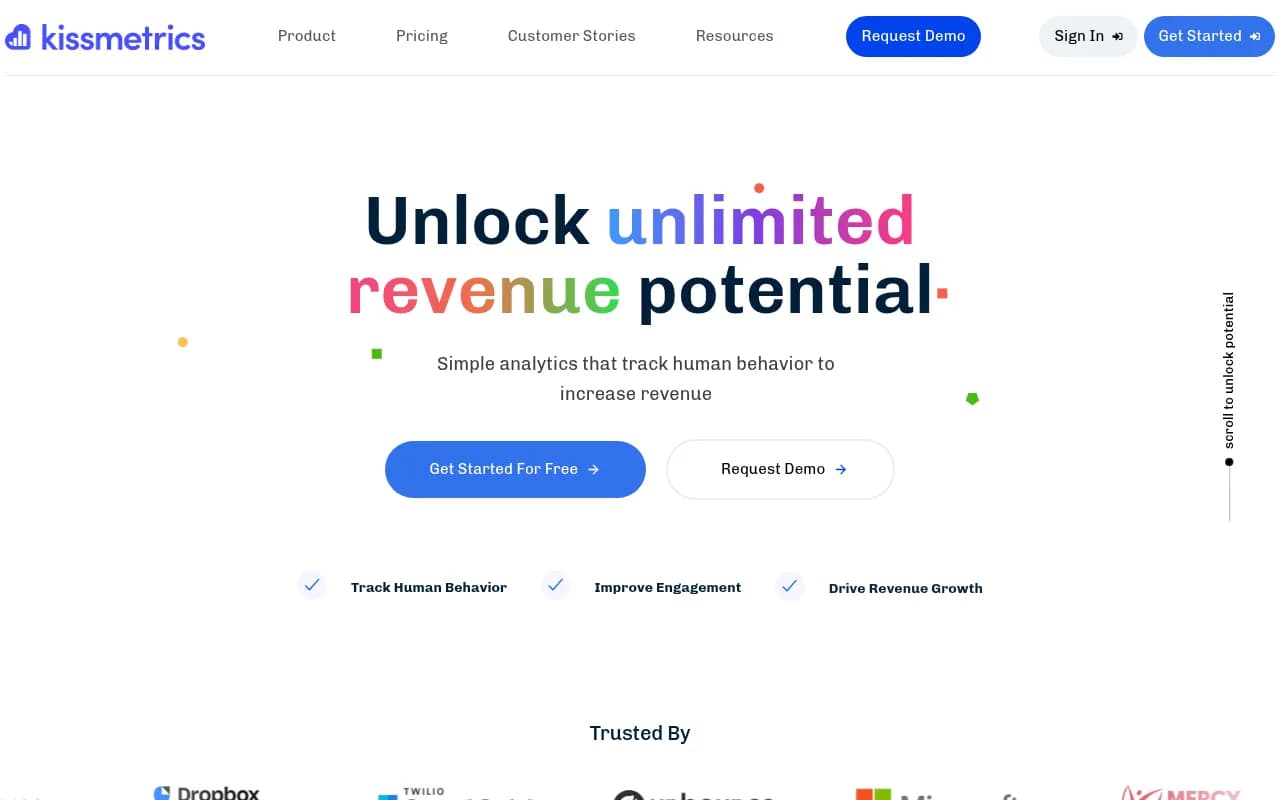
Kissmetrics is a behavioral analytics platform that tracks individual customer journeys across web and mobile to help SaaS companies, e-commerce businesses, and digital marketers reduce churn and increase conversions. Unlike session-based tools, it ties every action to a human, enabling multi-channe
Summary
- Best for: SaaS companies, e-commerce businesses, and digital marketing teams (5-50+ people) who need to understand individual customer behavior across the entire lifecycle -- from first touch to conversion to retention
- Core strength: Person-centric tracking that follows individual users across devices and sessions, making it possible to see the complete customer journey and attribute revenue to specific touchpoints
- Key limitation: Higher price point than basic analytics tools and steeper learning curve for teams used to session-based analytics like Google Analytics
- Bottom line: If you're serious about understanding why customers convert (or churn) and need actionable insights tied to real people rather than anonymous sessions, Kissmetrics delivers where traditional analytics fall short
Kissmetrics is a behavioral analytics platform built around a simple but powerful idea: track people, not sessions. Founded in 2010, it's been used by over 10,000 companies -- including Carvana, Dropbox, Microsoft, and Unbounce -- to process billions of events and analyze $10 billion+ in transaction volume. The platform is designed for SaaS companies, e-commerce businesses, and digital marketing teams who need to understand the complete customer journey and tie specific actions to revenue outcomes.
The core difference from tools like Google Analytics is that Kissmetrics creates a persistent identity for each user. When someone visits your site, signs up for a trial, abandons a cart, returns three weeks later from a different device, and finally converts, Kissmetrics stitches all those actions together into a single customer timeline. This person-centric approach makes it possible to answer questions like "Which marketing channel brings users who actually stick around?" or "What do customers who upgrade to paid plans do differently in their first week?" -- questions that session-based analytics can't answer reliably.
Person-Centric Event Tracking Every action -- page views, button clicks, form submissions, purchases, feature usage -- is tied to an individual user ID. Kissmetrics automatically tracks users across devices and sessions using cookies, email addresses, or custom identifiers you provide. This means you can see the complete story: a user discovers you via a Facebook ad, reads three blog posts over two weeks, signs up for a trial from their phone, logs in from their laptop to explore features, and converts to a paid plan. All of this appears as a single unified timeline, not fragmented sessions. The platform handles identity resolution automatically, merging anonymous visitors with known users once they identify themselves (e.g., by signing up or logging in). This is critical for understanding multi-touch attribution and long sales cycles.
Multi-Channel Attribution Kissmetrics tracks every touchpoint in the customer journey -- organic search, paid ads, social media, email campaigns, direct traffic, referrals -- and shows you which channels contribute to conversions. Unlike last-click attribution models, you can see the full sequence: maybe a user first found you via a blog post (organic), returned later via a Facebook ad (paid social), and finally converted after clicking an email (email marketing). The platform supports first-touch, last-touch, and multi-touch attribution models, so you can understand which channels deserve credit for driving revenue. This is especially valuable for SaaS companies with long sales cycles where customers interact with multiple channels before converting.
Funnel Reports Build custom funnels to visualize drop-off points in any user flow -- signup funnels, onboarding sequences, checkout processes, feature adoption paths. You define the steps (e.g., "Visited pricing page → Started trial → Activated feature → Upgraded to paid"), and Kissmetrics shows you conversion rates at each stage, where users drop off, and how long it takes to move between steps. You can segment funnels by traffic source, user properties, or behavior (e.g., "users who came from Google Ads vs. organic search" or "users who watched the onboarding video vs. those who didn't"). This makes it easy to identify bottlenecks and test improvements. For example, if 60% of trial users drop off before activating a key feature, you know exactly where to focus your onboarding efforts.
Cohort Analysis Group users by shared characteristics or behaviors and track how those cohorts perform over time. You might create cohorts based on signup date ("all users who signed up in January 2026"), acquisition channel ("users from Facebook Ads"), or behavior ("users who completed onboarding in under 10 minutes"). Kissmetrics then shows you retention rates, revenue per cohort, feature usage, and churn patterns. This is invaluable for SaaS companies testing product changes or marketing campaigns -- you can see whether users who experienced the new onboarding flow have better retention than those who went through the old one. One customer (Pagerduty) reported a 25% boost in trial engagement after using cohort reports to validate a redesigned trial wizard.
A/B Testing Insights While Kissmetrics doesn't run A/B tests for you, it integrates with testing tools (Optimizely, VWO, Google Optimize) and tracks the results. You can segment reports by test variant to see which version drives better outcomes -- not just clicks or conversions, but long-term metrics like retention, lifetime value, and revenue. For example, if you're testing two different pricing pages, Kissmetrics can show you which variant attracts users who stick around longer and spend more, even if the initial conversion rate is similar. This goes beyond surface-level metrics to reveal the true business impact of design and copy changes.
Revenue Tracking Kissmetrics lets you track revenue events (purchases, subscriptions, upgrades, renewals) and tie them to specific users and campaigns. You can see total revenue, revenue per user, revenue by cohort, and revenue by acquisition channel. This makes it possible to calculate metrics like Customer Lifetime Value (LTV), Customer Acquisition Cost (CAC), and ROI for each marketing channel. For e-commerce businesses, this means understanding which products drive repeat purchases and which customer segments are most profitable. For SaaS companies, it means knowing which trial users are likely to convert to paid plans based on their behavior in the first few days.
Populations (Segmentation) Populations are saved user segments based on properties or behaviors. You might create populations like "Active trial users who haven't activated Feature X", "Customers who upgraded in the last 30 days", or "Users from enterprise companies (based on email domain)". Once defined, you can apply these populations to any report to see how different groups behave. This is more powerful than basic filtering because populations update automatically as users meet or stop meeting the criteria. You can also use populations to trigger actions outside Kissmetrics -- for example, syncing a population of "high-value users at risk of churn" to your CRM or email tool for targeted outreach.
Integrations Kissmetrics integrates with 50+ tools across marketing, sales, and product categories. Key integrations include Salesforce, HubSpot, Marketo (CRM and marketing automation), Stripe, Shopify, WooCommerce (payment and e-commerce), Segment, Zapier (data routing), Optimizely, VWO (A/B testing), Slack (notifications), and Google Analytics (complementary tracking). The platform also offers a JavaScript library, REST API, and server-side SDKs (Ruby, Python, PHP, Node.js) for custom event tracking. Data can be exported to data warehouses or BI tools for deeper analysis. The integrations are generally straightforward to set up, though some require developer assistance for custom event tracking.
Privacy and Data Security Kissmetrics is designed with privacy in mind. Customer data is encrypted in transit and at rest, and the platform is GDPR-compliant with features for data deletion requests and consent management. Unlike some analytics tools that share data with third parties, Kissmetrics keeps all customer information private and confidential. You control what data is tracked and can anonymize or exclude sensitive information (e.g., personally identifiable information like email addresses or IP addresses) if needed. This is important for companies in regulated industries or those handling sensitive customer data.
Who Is It For
Kissmetrics is built for SaaS companies (5-500+ employees) with subscription models, e-commerce businesses with repeat customers, and digital marketing teams managing multi-channel campaigns. It's particularly strong for companies with long sales cycles or complex customer journeys where understanding individual behavior is critical. For example, a B2B SaaS company selling to enterprise customers might have a 90-day sales cycle involving multiple touchpoints (webinars, demos, email nurture sequences, retargeting ads). Kissmetrics can track all of this and show which combination of touchpoints leads to closed deals.
It's also a good fit for product teams optimizing onboarding flows, growth teams running experiments, and customer success teams trying to reduce churn. One customer (Smart Insights) reported a 120% increase in monthly revenue after switching from Google Analytics to Kissmetrics because they could finally make "actionable decisions" based on individual user behavior.
Kissmetrics is NOT ideal for content publishers or media companies focused on pageviews and ad impressions (Google Analytics is better for that), small businesses with simple funnels and low traffic (the price point is too high), or teams that need real-time dashboards for operational monitoring (Kissmetrics is optimized for analysis, not real-time ops).
Pricing
Kissmetrics offers three main pricing tiers:
- Silver: $299/month for up to 2 million events, 2 user seats, 1 domain tracked, 5 populations. Includes all core reports, expert onboarding, and customer support.
- Gold: $499/month for up to 5 million events, 5 user seats, 3 domains tracked, 10 populations. Same features as Silver with higher limits.
- Platinum: Custom pricing for 5 million+ events, unlimited user seats, unlimited domains, unlimited populations. Designed for agencies, large teams, and enterprises.
All plans include funnel reports, cohort analysis, revenue tracking, integrations, and customer support. There's also a Bronze tier at $25.99/month for very small teams (mentioned in pricing search results but not prominently featured on the main site). Annual agreements receive discounts. A free trial is available to test the platform before committing.
Compared to competitors like Mixpanel (which can get expensive at scale) or Amplitude (which has a generous free tier but charges heavily for advanced features), Kissmetrics sits in the mid-to-high price range. The value proposition is that you're paying for person-centric tracking and actionable insights, not just raw event data.
Strengths
- Person-centric tracking: The ability to follow individual users across devices and sessions is a game-changer for understanding customer journeys and attribution.
- Revenue focus: Unlike tools that stop at conversions, Kissmetrics ties everything back to revenue, making it easy to calculate ROI and LTV.
- Cohort analysis: Best-in-class cohort reports that make it easy to compare user groups and measure the impact of product or marketing changes.
- Ease of use: Despite being powerful, the interface is cleaner and more intuitive than competitors like Mixpanel or Amplitude. Non-technical marketers can build reports without SQL or heavy data wrangling.
- Customer support: Multiple users mention expert onboarding and responsive support as standout features.
Limitations
- Price: At $299/month minimum, it's more expensive than Google Analytics (free) or entry-level plans from Mixpanel or Amplitude. Small businesses or early-stage startups may find it hard to justify.
- Learning curve: While easier than some competitors, there's still a learning curve for teams used to session-based analytics. Understanding how to set up events, define populations, and interpret person-centric data takes time.
- Real-time limitations: Kissmetrics is optimized for analysis and reporting, not real-time operational dashboards. If you need instant alerts or live monitoring, you'll need a complementary tool.
- Limited product analytics features: Compared to dedicated product analytics tools like Amplitude or Heap, Kissmetrics has fewer advanced features for things like user path analysis, retention curves, or predictive analytics.
Bottom Line
Kissmetrics is the right choice for SaaS companies, e-commerce businesses, and marketing teams that need to understand individual customer behavior and tie it to revenue outcomes. If you're frustrated by Google Analytics' session-based approach and want to see the complete customer journey -- from first touch to conversion to retention -- Kissmetrics delivers. It's especially valuable for companies with long sales cycles, multi-channel marketing strategies, or complex onboarding flows where understanding the details matters. The price point means it's best suited for teams with meaningful traffic and revenue where a 10-20% improvement in conversion or retention would easily justify the cost. Best use case in one sentence: SaaS companies with 1,000+ monthly signups who need to reduce trial-to-paid conversion drop-off and improve retention by understanding exactly what high-value users do differently.
Tags:
Frequently asked questions
What is Kissmetrics and what does it do?
Who is Kissmetrics best for?
How much does Kissmetrics cost?
How is Kissmetrics different from Google Analytics?
Does Kissmetrics offer a free plan?
What are the key features of Kissmetrics?
What are the limitations of Kissmetrics?
Can Kissmetrics track users across multiple devices?
Similar and alternative tools to Kissmetrics