EngageBay Review 2026
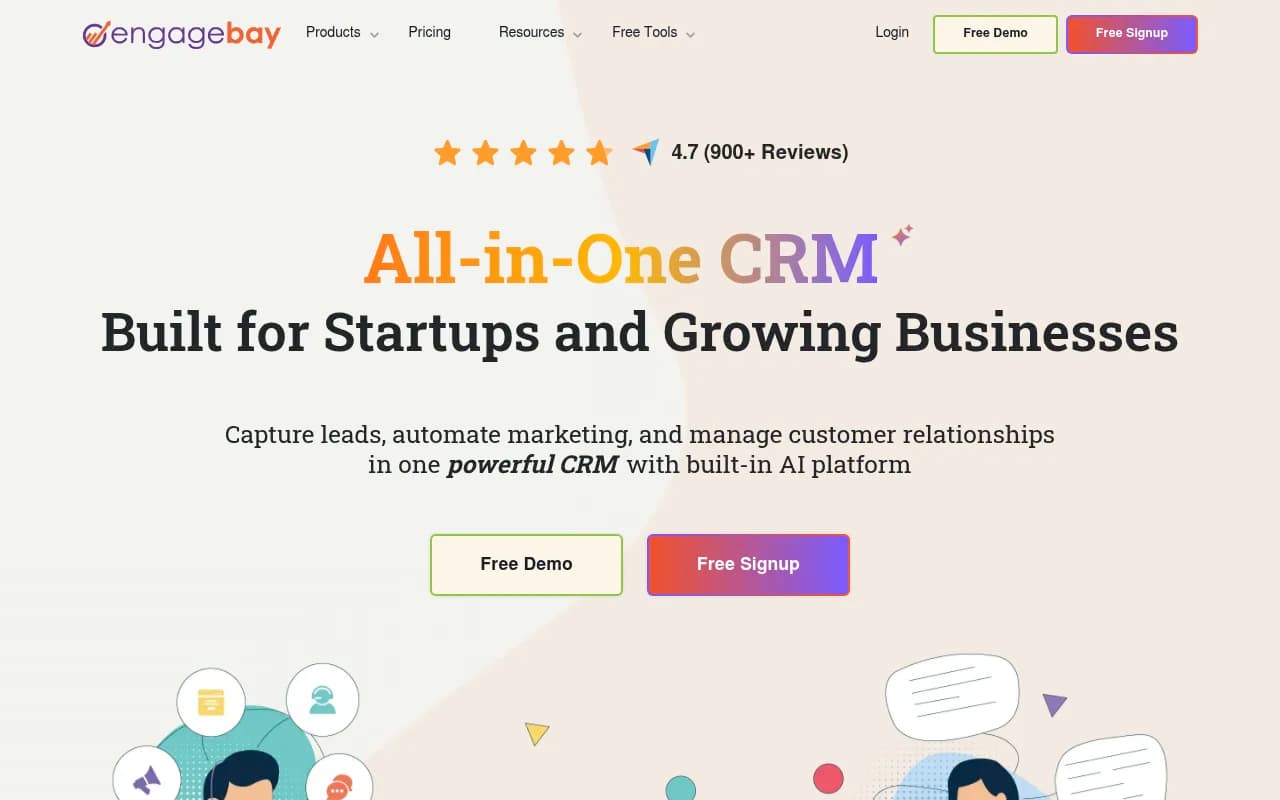
EngageBay is an all-in-one CRM platform built for small businesses and startups. It combines marketing automation, sales CRM, helpdesk, live chat, and AI tools in one affordable platform — free for up to 15 users, paid plans from $12.74/user/month.
Key takeaways
- EngageBay packs CRM, email marketing, marketing automation, live chat, helpdesk, and appointment scheduling into a single platform — genuinely useful for small teams that don't want to manage five separate subscriptions
- The free plan covers up to 15 users with no credit card required, which is rare at this price point
- Paid plans start at $12.74/user/month, making it one of the most affordable full-featured CRM alternatives to HubSpot on the market
- The platform has real depth — 30+ features including lead scoring, A/B testing, SMS broadcast, and an AI chatbot — but some advanced capabilities feel less polished than dedicated point solutions
- Best suited to small businesses and early-stage startups; teams that have outgrown basic tools but can't justify HubSpot's pricing
EngageBay launched in 2017 with a straightforward premise: small businesses shouldn't have to choose between affordability and functionality. The founders watched companies pay $800/month or more for HubSpot's marketing hub, then stitch together separate tools for helpdesk, live chat, and sales pipelines. EngageBay's answer was to build everything into one platform and price it for teams of 5 to 50 people.
Seven years later, the platform claims 46,000+ businesses worldwide and has earned G2's "Leader" badge in the Small Business CRM category, with 900+ reviews averaging 4.7 out of 5. That's a meaningful signal. G2 reviews skew toward real users, and the consistent praise around pricing, ease of setup, and customer support suggests EngageBay has found genuine product-market fit in the budget-conscious SMB segment. The platform is headquartered in Wilmington, Delaware, and has been covered by Forbes, TechCrunch, and Inc. as a notable HubSpot alternative.
Key features
All-in-one CRM with contact and deal management
The CRM core lets you store contacts, track interactions, manage deals through a visual pipeline, and log calls and emails automatically. Contact records pull in activity history, notes, and associated deals in a single view. Deal management includes drag-and-drop pipeline stages, deal value tracking, and milestone tracking to flag where deals are stalling. For a small sales team managing 50-500 active deals, this is genuinely functional — not a stripped-down version of something bigger.
- Custom fields on contact and company records
- Lead scoring based on behavior and demographics
- Company management to group contacts by organization
- Sales proposals built directly inside the CRM
Marketing automation workflows
This is where EngageBay earns its "HubSpot alternative" positioning most convincingly. The visual workflow builder lets you trigger sequences based on contact behavior — form submissions, email opens, page visits, tag changes. You can branch logic, add delays, and chain actions across email, SMS, and internal notifications.
- Trigger-based automation (behavior, date, tag, form submission)
- Multi-step drip sequences with branching conditions
- Workflow templates for common use cases (lead nurturing, re-engagement, onboarding)
- Integration with the CRM so automation can update deal stages and contact properties
Email marketing with 1,000+ templates
EngageBay includes a drag-and-drop email builder with over 1,000 pre-built HTML templates. You can send one-off broadcasts or set up automated sequences. The template library covers a wide range of use cases — newsletters, promotional campaigns, onboarding emails, event invites. Templates are mobile-responsive and customizable without touching code.
- A/B testing for subject lines and content
- Email broadcast for one-time campaigns
- Email sequences for automated drip campaigns
- Deliverability tools including SendGrid, Mailgun, Amazon SES, and Mandrill integrations
Helpdesk and live chat
The Service Bay includes a full helpdesk ticketing system and live chat widget. Tickets can be assigned to team members, tagged, and tracked through resolution. The live chat widget installs on your site and routes conversations to the right agent. This is a real differentiator — most CRMs at this price point don't include a functional helpdesk. EngageBay also recently launched Reacho, a separate free live chat and helpdesk product specifically for eCommerce.
- Ticket assignment, tagging, and priority levels
- Canned responses for common queries
- Live chat with visitor tracking
- Integration with the CRM so support conversations appear on contact records
AI chatbot
EngageBay's AI chatbot can be trained on your own knowledge base, uploaded files, and URLs. It handles common customer queries 24/7 and escalates to a human agent when needed. The training interface is straightforward — you point it at your help docs or paste in content, and it learns from that material. This reduces ticket volume for repetitive questions without requiring a dedicated AI team to set it up.
Appointment scheduling
Built-in scheduling lets contacts book meetings directly from a link, with automatic calendar sync and confirmation emails. It avoids double-booking and sends reminders. For service businesses, consultants, or any team that books demos, this removes the back-and-forth of manual scheduling. It's comparable to Calendly's core functionality, but it's included in the platform rather than requiring a separate subscription.
Landing pages and web forms
The landing page builder uses a drag-and-drop interface with pre-built templates. Pages can include forms that feed directly into the CRM. A/B testing is available for landing pages, letting you test different headlines, layouts, or CTAs. Web forms can be embedded on external sites or hosted on EngageBay's domain.
Social suite and SMS broadcast
EngageBay includes social post scheduling across major platforms and a social suite for monitoring. SMS broadcast lets you send bulk text messages to segmented contact lists. Push notifications round out the multi-channel reach. These features are more basic than dedicated tools like Hootsuite or Attentive, but for a small team that wants everything in one place, they're functional.
Web analytics and custom reporting
Built-in web analytics tracks visitor behavior on your site. Custom reporting lets you build dashboards from CRM, marketing, and support data. For teams that don't want to set up Google Analytics separately or pay for a BI tool, this covers the basics.
Who is it for
EngageBay fits best with early-stage startups and small businesses in the 5-50 employee range that are actively outgrowing spreadsheets or a basic email tool. A typical user might be a SaaS founder who's been using Mailchimp for email and a free CRM for contacts, and is now hitting the limits of both — but can't justify $800/month for HubSpot. EngageBay gives them a path forward without the sticker shock.
Service businesses — agencies, consultants, coaches, professional services firms — get particular value from the combination of CRM, appointment scheduling, and helpdesk in one place. A marketing agency managing 20-30 client relationships can use EngageBay to track deals, automate follow-up sequences, and handle client support tickets without switching between tools. The free plan's 15-user limit means small teams can get started without any financial commitment.
eCommerce businesses are another strong fit, especially with the Shopify integration and the recently launched Reacho product for live chat. A Shopify store owner can connect their store, segment customers by purchase behavior, and run automated email sequences for cart abandonment or post-purchase follow-up.
Who should probably look elsewhere: enterprise teams with complex CRM requirements, companies that need deep Salesforce-level customization, or teams that rely heavily on native integrations with niche industry tools. EngageBay's 250+ integrations cover the common cases, but if your workflow depends on a specific tool that isn't in the list, you'll be routing through Zapier. Also, teams that need best-in-class at any specific function — say, a dedicated email deliverability platform or a sophisticated marketing attribution system — will find that EngageBay's breadth comes at some cost to depth.
Integrations and ecosystem
EngageBay connects with 250+ tools, with native integrations for the most common business software:
- Email delivery: SendGrid, Mailgun, Amazon SES, Mandrill
- Payments and billing: Stripe, QuickBooks, Xero
- Communication: Twilio (SMS), JustCall (calling), Voxvalley, BulkSMS
- Forms and data: JotForm, Digioh
- E-signatures: DocuSign
- Social: LinkedIn (via Zapier)
- Automation hub: Zapier (connects EngageBay to thousands of additional tools including Shopify, Stripe, QuickBooks, and more)
The Zapier integration is the main bridge to the broader ecosystem. If a native integration doesn't exist, Zapier usually covers it. The platform also has a REST API for custom integrations, though documentation depth varies.
EngageBay has iOS and Android mobile apps available on the App Store and Google Play, covering CRM and contact management on the go. The apps are functional for checking deal status and logging calls but don't replicate the full desktop experience.
There's a GitHub presence (github.com/engagebay), though the public repositories are limited — this isn't an open-source platform.
Pricing and value
EngageBay's pricing is structured across four product areas: All-in-One, Marketing, CRM & Sales Bay, and Service Bay. The All-in-One plan is the most relevant for most buyers.
Free plan: CRM, email marketing, live chat, and helpdesk for up to 15 users. No credit card required. Contact limit applies (250 contacts on the free tier). This is a genuinely usable free plan, not a crippled trial.
Basic (All-in-One): $12.74/user/month (billed annually). Increases contact limits, adds email templates, web forms, landing pages, and basic automation.
Growth: Higher tier with advanced automation, A/B testing, push notifications, and custom reporting. Pricing scales with user count.
Pro: Full feature access including advanced reporting, custom domain, and priority support.
Marketing-only and CRM-only plans start at $11.04/user/month, which makes sense if you only need one part of the platform. Service Bay (helpdesk only) has a free tier.
Annual billing saves 8% compared to monthly. The pricing is genuinely competitive — HubSpot's Marketing Hub starts at $800/month for comparable automation features, and even mid-market tools like ActiveCampaign or Zoho CRM cost more per user for equivalent functionality. For a 10-person team, EngageBay's Growth plan would likely run $150-250/month total, compared to $800+ for HubSpot.
Strengths and limitations
What EngageBay does well:
- Price-to-feature ratio: It's hard to find another platform that bundles CRM, marketing automation, helpdesk, live chat, and appointment scheduling at this price point. The free plan alone is more generous than most competitors.
- Ease of setup: Most users report being operational within a day. The onboarding flow is guided, and the support team is responsive. G2 reviewers consistently mention fast implementation as a differentiator.
- Genuine all-in-one coverage: Unlike tools that call themselves "all-in-one" but require third-party integrations for basic functions, EngageBay's core features actually work together. A contact's email activity, support tickets, and deal history all appear in one record.
- Free plan generosity: 15 users with no credit card is unusual. Most competitors cap free plans at 1-2 users or 14-day trials.
- Customer support quality: Multiple G2 reviews specifically call out the support team's responsiveness, which matters a lot for small businesses without dedicated IT staff.
Where it falls short:
- Depth vs. dedicated tools: The marketing automation is solid for basic workflows, but it doesn't match the sophistication of ActiveCampaign or Klaviyo for complex behavioral sequences. The helpdesk is functional but lacks the advanced routing and SLA management of Zendesk or Freshdesk.
- Reporting limitations: Custom reporting exists but isn't as flexible as what you'd get from a dedicated BI tool or even HubSpot's reporting suite. Teams that need granular attribution or multi-touch reporting will hit walls.
- UI consistency: Some parts of the platform feel more polished than others. The email builder and CRM are clean; some of the social and analytics sections feel less refined. This is a common growing pain for platforms that have expanded quickly.
Bottom line
EngageBay is the right call for small businesses and startups that need a real CRM with marketing automation, helpdesk, and live chat — and don't want to pay HubSpot prices or manage five separate tools. The free plan for 15 users is a genuine starting point, and the paid tiers are priced fairly for what you get.
Best use case: A 10-30 person company replacing a patchwork of Mailchimp, a basic CRM, and a separate helpdesk tool with one platform that handles all three for under $200/month total.
Frequently asked questions
What is EngageBay?
Is EngageBay really free?
How does EngageBay compare to HubSpot?
What are EngageBay's paid plan prices?
What integrations does EngageBay support?
Who is EngageBay best suited for?
Similar and alternative tools to EngageBay