Summary
- Google AI Studio caps Tier 1 paid users at just 250 requests per day (RPD), making batch visibility tracking nearly impossible without workarounds
- OpenAI's rate limits scale with usage tier, but even Tier 5 users face token-per-minute caps that throttle large-scale prompt testing
- Most AI visibility platforms work around these limits by rotating API keys, using enterprise partnerships, or running queries at staggered intervals
- Promptwatch processes 1.1 billion citations without hitting public API limits because it uses a combination of direct model access, crawler log analysis, and proprietary data pipelines
- If you're building your own tracking system, expect to spend more on API costs and engineering time than a dedicated platform would cost

Why rate limits matter for AI visibility tracking
You want to track how ChatGPT, Perplexity, Claude, and Google AI Overviews respond to 500 prompts about your brand. Sounds straightforward. You fire up the API, write a script, hit run.
Then you hit a wall. "Rate limit exceeded. Try again in 24 hours."
AI visibility isn't like checking your Google rankings once a day. You need to test dozens of prompt variations, run queries across multiple models, track competitors, and repeat the process daily or weekly. That means hundreds or thousands of API calls. Most platforms weren't built for this.
Here's the number that should make every developer pause: approximately 93% of sessions in Google's AI Mode end without a single click to an external website. If you're not visible in AI search results, you're invisible to a growing share of users. But tracking that visibility at scale runs straight into API rate limits that weren't designed for monitoring use cases.
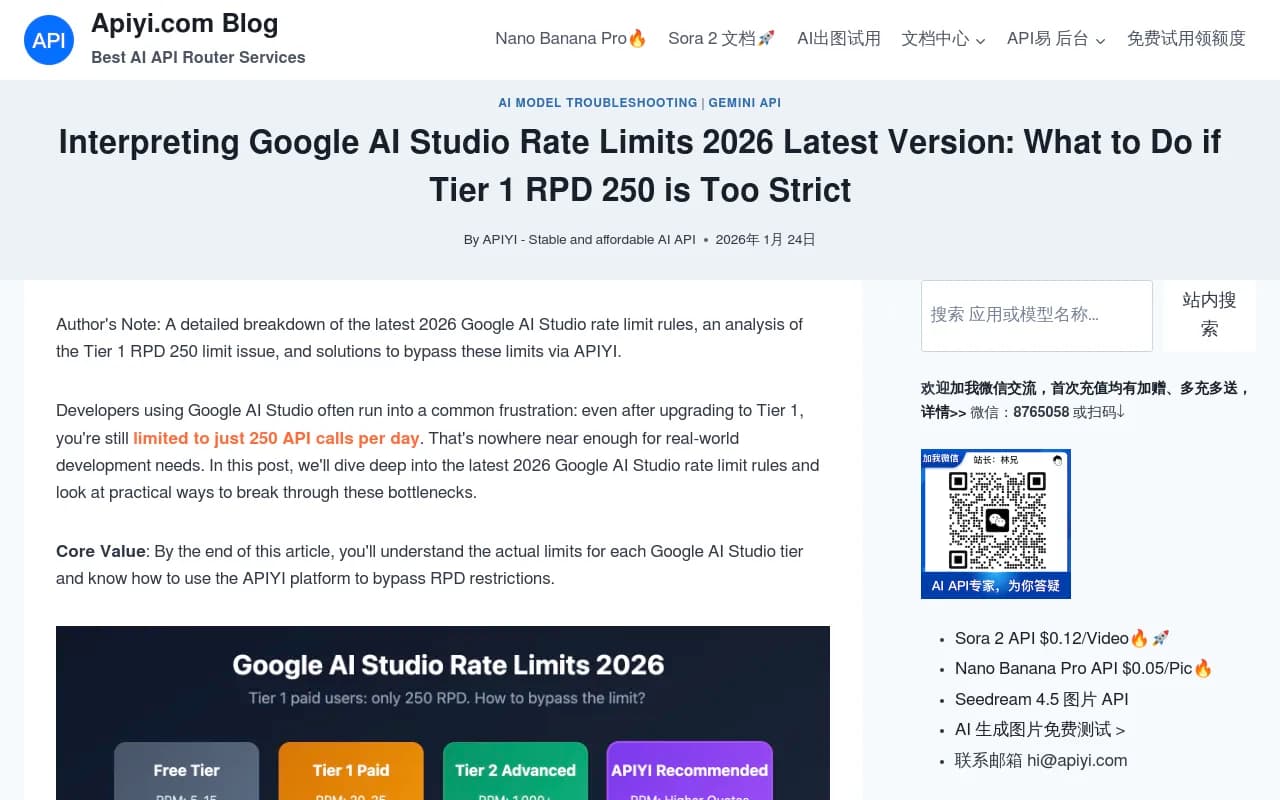
Google AI Studio: the 250-request-per-day bottleneck
Google's rate limit structure is the most restrictive of the major AI platforms. Even after you enable billing and upgrade to Tier 1, you're capped at 250 requests per day (RPD) across most Gemini models.
Breakdown by model (Tier 1 paid):
| Model | RPM | TPM | RPD |
|---|---|---|---|
| Gemini 2.5 Pro | 25 | 1M | 250 |
| Gemini 2.5 Flash | 50 | 1M | 1,000 |
| Gemini 3 Pro | 25 | 1M | 250 |
| Gemini 3 Pro Image | 20 | 100K | 250 |
The RPD limit is the killer. If you're testing 10 prompt variations across 5 competitors, that's 50 queries. Run that daily for a week and you've burned through 350 requests -- more than your daily quota. You're stuck waiting until tomorrow.
Tier 2 raises the RPD cap to 10,000, but Google doesn't publish pricing or approval criteria. Most developers report needing enterprise-level spend or a direct relationship with Google to access it.
Workarounds: Rotate multiple API keys (each gets its own 250 RPD quota), use Gemini Flash models where the RPD limit is higher (1,000), or switch to a platform that has direct access to Google's models without going through the public API.
OpenAI rate limits: tokens matter more than requests
OpenAI structures rate limits around tokens per minute (TPM) rather than requests per day. This makes more sense for conversational use cases but creates different bottlenecks for visibility tracking.
Tier breakdown (as of 2026):
| Tier | Requirement | GPT-4o TPM | GPT-4o RPM | GPT-3.5 Turbo TPM |
|---|---|---|---|---|
| Free | Sign up | 200K | 500 | 200K |
| Tier 1 | $5 spent | 2M | 5K | 2M |
| Tier 2 | $50 spent + 7 days | 5M | 5K | 10M |
| Tier 3 | $100 spent + 7 days | 10M | 10K | 10M |
| Tier 4 | $250 spent + 14 days | 30M | 10K | 10M |
| Tier 5 | $1,000 spent + 30 days | 80M | 10K | 10M |
For AI visibility tracking, the TPM limit is what you'll hit first. A typical prompt + response uses 500-2,000 tokens depending on complexity. If you're running 1,000 prompts with an average of 1,000 tokens each, that's 1 million tokens. At Tier 1, you can process that in about 30 seconds before hitting the TPM cap. Then you wait a minute. Then you resume.
This makes batch processing slow but not impossible. The bigger issue: cost. At $0.005 per 1K tokens for GPT-4o input and $0.015 per 1K tokens for output, running 1,000 prompts daily costs roughly $10-20/day depending on response length. That's $300-600/month just for API access, before you've built any tooling.
Workarounds: Spread queries across multiple API keys, use GPT-3.5 Turbo for initial screening (cheaper, higher TPM limits), or batch requests with delays to stay under the per-minute cap.
Perplexity: no public API, no direct tracking
Perplexity doesn't offer a public API. If you want to track how Perplexity responds to prompts about your brand, you have three options:
- Manual testing: Open Perplexity, type prompts, screenshot results. Doesn't scale.
- Browser automation: Use Puppeteer or Selenium to automate queries. Perplexity will eventually detect and block you.
- Use a platform with Perplexity access: Tools like Promptwatch, Peec.ai, and Otterly.AI have partnerships or workarounds that let them query Perplexity at scale.

Otterly.AI

Most AI visibility platforms don't disclose how they access Perplexity, but the likely methods are enterprise API access (not available to the public) or headless browser automation with IP rotation and session management to avoid detection.
If you're building your own system, expect to spend significant engineering time on anti-detection measures and maintaining uptime as Perplexity updates its bot detection.
Claude (Anthropic): generous limits but opaque pricing
Anthropic's Claude API has some of the most generous rate limits among major AI platforms, but the pricing structure is less transparent than OpenAI's.
Claude 3.5 Sonnet rate limits (typical):
| Tier | RPM | TPM | RPD |
|---|---|---|---|
| Free | 5 | 40K | 50 |
| Paid (standard) | 50 | 200K | 1,000 |
| Enterprise | Custom | Custom | Custom |
The 200K TPM limit on the paid tier is workable for moderate-scale tracking. You can process roughly 200 prompts per minute if each prompt + response averages 1,000 tokens. That's 12,000 prompts per hour, far more than most visibility tracking use cases require.
The catch: Claude's pricing is higher than OpenAI's for comparable models. Claude 3.5 Sonnet costs $3 per million input tokens and $15 per million output tokens. Running 1,000 prompts daily costs roughly $18-36/day, or $540-1,080/month.
Workarounds: Use Claude Haiku (the cheaper, faster model) for bulk queries where nuance doesn't matter, or reserve Claude Sonnet for high-value prompts where response quality is critical.
Google AI Overviews: no API, only observation
Google AI Overviews (the AI-generated summaries that appear at the top of search results) don't have an API. You can't programmatically query them. The only way to track your visibility in AI Overviews is to:
- Run actual Google searches (manually or via automation)
- Parse the HTML to extract the AI Overview content
- Check if your brand or website is cited
This is what most AI visibility platforms do under the hood. They're not calling a Google API -- they're running searches, scraping results, and analyzing the citations.
Google's terms of service prohibit automated scraping, so platforms that track AI Overviews are operating in a gray area. Some use residential proxies and browser fingerprinting to avoid detection. Others have partnerships with data providers who aggregate search results at scale.
If you're tracking AI Overviews yourself, expect to deal with CAPTCHAs, IP bans, and rate limiting from Google's anti-bot systems. It's technically possible but not practical at scale without significant infrastructure.
What AI visibility platforms actually do
Most AI visibility platforms don't rely on public APIs. They use a combination of:
- Direct model access: Enterprise partnerships with OpenAI, Anthropic, or Google that provide higher rate limits or different access methods
- Crawler log analysis: Monitoring AI crawler activity (ChatGPT bot, Claude bot, Perplexity bot) on your website to see what content they're indexing
- Proprietary data pipelines: Pre-processing prompts, caching responses, and running queries at off-peak times to maximize throughput
- Headless browser automation: For platforms without APIs (Perplexity, Google AI Overviews), automated browsers that mimic human behavior
Promptwatch, for example, processes over 1.1 billion citations without hitting public API limits. How? It combines real-time crawler logs (showing when ChatGPT, Claude, or Perplexity crawl your site), cached prompt responses (reducing redundant API calls), and direct integrations with AI platforms.
Other platforms take different approaches:
- Peec.ai: Focuses on monitoring-only, likely using cached responses and scheduled queries to stay under rate limits
- Otterly.AI: Tracks ChatGPT, Perplexity, and Google AI Overviews with daily or weekly refresh rates to manage API costs
- Profound: Enterprise platform with custom rate limits negotiated directly with AI providers
Profound

The takeaway: if you're serious about tracking AI visibility at scale, you're better off using a platform that's already solved the rate limit problem. Building your own system means dealing with API costs, rate limit engineering, and ongoing maintenance as platforms change their policies.
Rate limit comparison table
| Platform | Free tier RPD | Paid tier RPD | TPM limit | Public API? | Tracking difficulty |
|---|---|---|---|---|---|
| Google AI Studio | 100-250 | 250 (Tier 1), 10K (Tier 2) | 100K-1M | Yes | Medium |
| OpenAI (ChatGPT) | ~500 requests | 5K-10K RPM | 2M-80M | Yes | Medium |
| Claude (Anthropic) | 50 | 1,000 | 200K | Yes | Low |
| Perplexity | N/A | N/A | N/A | No | High |
| Google AI Overviews | N/A | N/A | N/A | No | High |
| Gemini (via Google Search) | N/A | N/A | N/A | No | High |
| Meta AI | N/A | N/A | N/A | No | High |
| Grok (X.AI) | N/A | N/A | N/A | No | High |
Cost breakdown: DIY vs platform
Let's say you want to track 500 prompts daily across ChatGPT, Claude, and Perplexity.
DIY approach:
- OpenAI API: $300-600/month (GPT-4o)
- Claude API: $540-1,080/month (Claude Sonnet)
- Perplexity: No API, need browser automation infrastructure (~$200/month for proxies + servers)
- Engineering time: 40-80 hours to build, 5-10 hours/month to maintain
- Total: $1,040-1,880/month + significant engineering time
Platform approach (Promptwatch):
- Professional plan: $249/month (150 prompts, 2 sites)
- Business plan: $579/month (350 prompts, 5 sites)
- Includes: ChatGPT, Claude, Perplexity, Google AI Overviews, crawler logs, content gap analysis, AI writing agent
- Engineering time: Zero
The platform approach is cheaper, faster to deploy, and includes features (crawler logs, content generation, traffic attribution) that would take months to build yourself.
How to maximize your API budget
If you're committed to building your own tracking system, here's how to stretch your API budget:
- Use cheaper models for screening: Run initial queries with GPT-3.5 Turbo or Claude Haiku, then re-run high-value prompts with GPT-4o or Claude Sonnet
- Cache responses: Store API responses in a database and only re-query when you need fresh data (e.g. weekly instead of daily)
- Batch requests: Group prompts into batches and process them during off-peak hours when rate limits reset
- Rotate API keys: Create multiple accounts (within the platform's terms of service) to multiply your rate limits
- Prioritize high-impact prompts: Focus on prompts that drive actual traffic or conversions, not vanity metrics
The real bottleneck isn't rate limits
Rate limits are annoying, but they're not the hardest part of tracking AI visibility. The real challenges are:
- Prompt selection: Which prompts actually matter? Testing random queries wastes API calls on data you'll never use.
- Citation extraction: Parsing AI responses to identify which sources were cited (and whether your brand was mentioned) is harder than it sounds.
- Trend analysis: Raw data doesn't tell you what to do. You need to identify gaps, track changes over time, and prioritize fixes.
- Content optimization: Knowing you're invisible for a prompt is step one. Fixing it requires content creation, schema markup, and ongoing testing.
This is where platforms like Promptwatch provide the most value. The rate limit workarounds are table stakes. The real differentiation is in Answer Gap Analysis (showing exactly which prompts competitors rank for but you don't), the AI writing agent (generating content grounded in citation data), and page-level tracking (connecting visibility to actual traffic).
Final thoughts
API rate limits are a real constraint for anyone tracking AI visibility at scale. Google's 250 RPD cap is the most restrictive. OpenAI's token-based limits are workable but expensive. Perplexity and Google AI Overviews don't have public APIs at all.
If you're testing a handful of prompts manually, you can work within these limits. If you're tracking hundreds of prompts across multiple models daily, you'll hit walls fast. At that point, the choice is clear: spend months building infrastructure to work around rate limits, or use a platform that's already solved the problem.
Most teams choose the platform. It's faster, cheaper, and comes with features (content gap analysis, AI writing agents, traffic attribution) that take the guesswork out of optimization. Rate limits are just one piece of the puzzle. The real question is whether you want to spend your time fighting APIs or fixing your visibility.