Key Takeaways
- Workflow automation bridges the gap between AI visibility tracking and your existing marketing stack -- connecting data from platforms like Promptwatch to your CRM, analytics, content systems, and team workflows
- Zapier leads for cross-team orchestration with 7,000+ app integrations and AI-native features, making it the default choice for marketing teams connecting AI search data to HubSpot, Salesforce, Slack, and other tools
- Enterprise teams handling sensitive data should consider Mulesoft or Boomi for API-level control, compliance requirements, and legacy system integration that consumer-grade tools can't handle
- Developer-led teams benefit from n8n's self-hosted flexibility or Tray's centralized IT control, especially when custom logic or data residency requirements matter
- The real value isn't just connecting tools -- it's creating feedback loops where AI visibility insights automatically trigger content creation, alert sales teams to new opportunities, and update dashboards without manual work
Why AI Visibility Data Needs Automation
Tracking how your brand appears in ChatGPT, Perplexity, Claude, and other AI search engines is only half the battle. The real challenge is getting that data into the hands of people who can act on it -- content teams who need to fill gaps, sales teams who should know when competitors are mentioned instead of you, and executives who want visibility metrics in their existing dashboards.
Most AI visibility platforms, including Promptwatch, provide APIs and webhooks. But raw data sitting in a platform doesn't change behavior. You need automation to:
- Route insights to the right people: Alert content teams when answer gap analysis reveals missing topics, notify sales when a competitor gets cited more often, ping executives when visibility scores drop
- Trigger content workflows: Automatically create tasks in Asana or ClickUp when new content opportunities are identified, generate draft outlines in Google Docs, or queue articles in your CMS
- Update dashboards and reports: Push AI visibility metrics into Looker Studio, Tableau, or HubSpot dashboards so stakeholders see the full picture without switching tools
- Connect visibility to revenue: Send citation data to your CRM so sales teams understand which content is driving AI-powered recommendations, or track which pages are being cited alongside conversion events in Google Analytics
Workflow automation platforms make these connections possible without writing code. The right tool depends on your stack, team structure, and how much control you need over data flow.
The 8 Best Workflow Automation Tools for AI Visibility Data
1. Zapier: Best for Cross-Team AI Orchestration

Zapier remains the default choice for marketing teams connecting AI visibility data to their existing stack. With 7,000+ app integrations and AI-native features like ChatGPT integration and AI-powered field mapping, it handles the most common use cases without requiring developer support.
Why it works for AI visibility workflows:
- Promptwatch → Slack: Send daily visibility score updates to your marketing channel, or alert the team when a competitor gets cited more than you in a key prompt category
- Promptwatch → HubSpot: Create contact properties or company records based on which brands are mentioned alongside yours in AI responses, helping sales teams understand competitive context
- Promptwatch → Google Sheets: Log citation data over time for custom analysis, or build a simple dashboard that non-technical stakeholders can access
- Promptwatch → Asana/ClickUp: Automatically create content tasks when answer gap analysis reveals topics your competitors rank for but you don't
Zapier's strength is speed. Non-technical marketers can build functional workflows in minutes. The tradeoff is cost at scale -- once you're processing thousands of tasks per month, pricing jumps quickly.
Best for: Marketing teams that need to connect AI visibility data to 5-10 core tools (CRM, project management, Slack, analytics) without writing code.
2. Make (formerly Integromat): Best for Complex Logic and Visual Workflows
Make offers more granular control than Zapier with a visual workflow builder that handles conditional logic, data transformation, and multi-step processes more elegantly. If your AI visibility workflows require branching logic -- "if visibility score drops below X, do Y; otherwise do Z" -- Make's interface makes this clearer than Zapier's linear approach.
AI visibility use cases:
- Multi-condition alerts: Send different Slack messages to content, sales, and executive channels based on which AI model shows visibility changes and by how much
- Data enrichment pipelines: Pull citation data from Promptwatch, enrich it with traffic data from Google Analytics, then push combined insights to your data warehouse
- Content prioritization workflows: Score content opportunities based on prompt volume, difficulty, and current visibility, then route high-priority items to senior writers and low-priority items to junior staff
Make's pricing is more predictable than Zapier's for high-volume workflows, but the learning curve is steeper. Teams comfortable with flowcharts and logic diagrams adapt quickly.
Best for: Marketing ops teams that need complex conditional logic and data transformation between AI visibility platforms and downstream tools.
3. n8n: Best for Self-Hosting and Developer Control
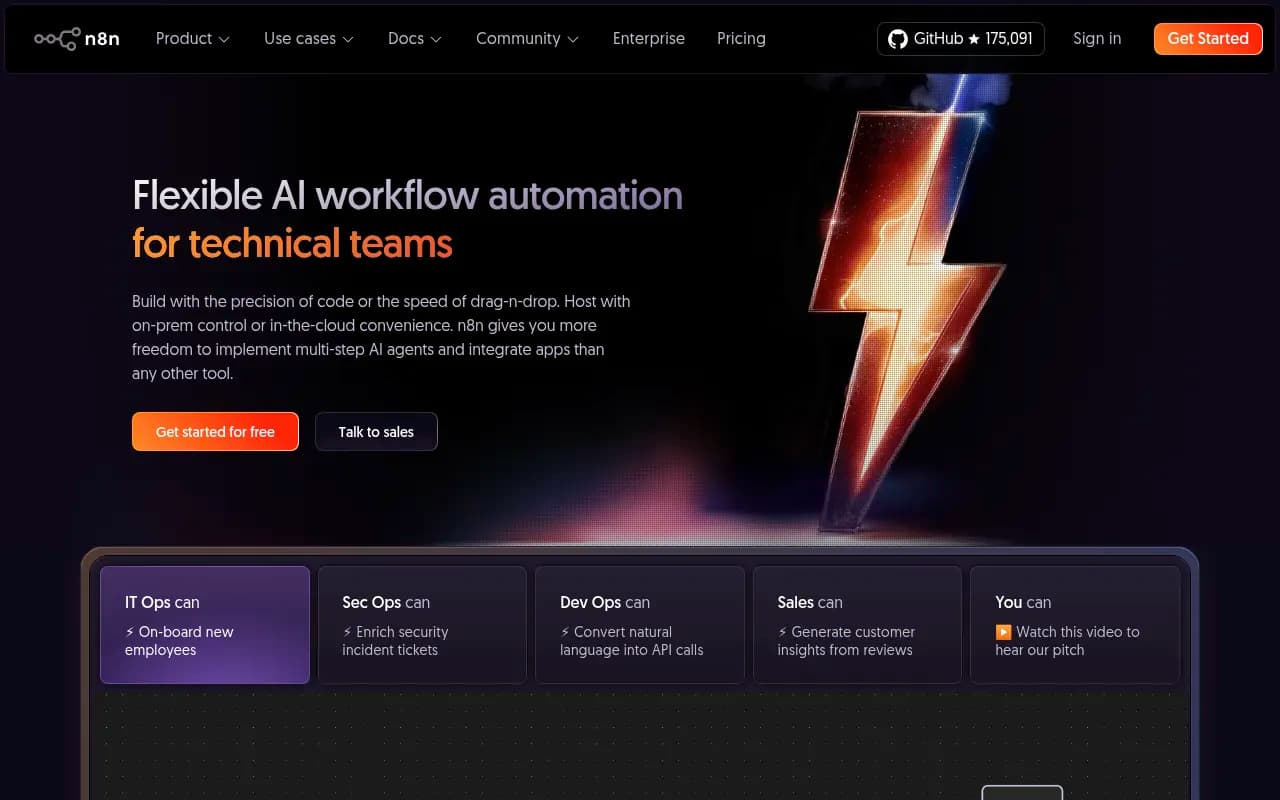
n8n is an open-source workflow automation platform that you can self-host or run in the cloud. For teams with data residency requirements, compliance constraints, or a preference for owning their infrastructure, n8n offers full control over where data flows and how it's processed.
Why self-hosting matters for AI visibility data:
- Data residency: Keep citation data, prompt volumes, and competitive intelligence on your own servers instead of passing it through third-party infrastructure
- Custom integrations: Build direct connections to internal tools, proprietary databases, or legacy systems that don't have public APIs
- Cost control: Pay for server resources instead of per-task pricing, which matters when you're processing thousands of AI visibility data points daily
n8n's visual workflow builder is similar to Make's, with nodes for HTTP requests, data transformation, conditional logic, and loops. The platform includes 400+ pre-built integrations, but the real value is the ability to connect anything with an API.
AI visibility workflow examples:
- Promptwatch API → Internal Data Warehouse: Pull citation data, transform it to match your schema, then load it into Snowflake or BigQuery for unified reporting
- Custom alerting logic: Build multi-step workflows that check visibility scores, compare them to historical baselines, calculate statistical significance, then send alerts only when changes are meaningful
- Content generation pipelines: Trigger AI content creation tools when answer gap analysis reveals opportunities, then route drafts through your editorial workflow
The tradeoff is operational overhead. Someone needs to maintain the server, handle updates, and troubleshoot when things break. For teams without DevOps resources, cloud-hosted n8n or a managed alternative makes more sense.
Best for: Developer-led teams with data residency requirements or complex custom integrations that justify the operational overhead of self-hosting.
4. Tray.io: Best for Enterprise Teams with Centralized IT Control
Tray positions itself as the enterprise automation platform, offering the visual workflow building of Make with enterprise-grade governance, security, and IT controls. If your organization requires approval workflows, audit logs, and centralized management of who can connect which systems, Tray delivers.
Enterprise features that matter for AI visibility workflows:
- Role-based access control: Marketing can build workflows connecting Promptwatch to HubSpot, but IT controls which APIs are accessible and what data can be shared
- Audit trails: Track every workflow execution, data transformation, and system connection for compliance and troubleshooting
- Reusable components: Build standardized connectors for Promptwatch data that multiple teams can use without rebuilding logic
- Error handling and monitoring: Enterprise-grade alerting when workflows fail, with detailed logs for debugging
Tray's pricing reflects its enterprise positioning -- expect to pay significantly more than Zapier or Make. The value proposition is governance and scale, not cost savings.
AI visibility use cases:
- Multi-brand visibility tracking: Route AI search data for different brands or product lines to separate teams, dashboards, and reporting systems while maintaining centralized control
- Compliance-aware workflows: Ensure citation data containing customer information or competitive intelligence flows only to approved systems and users
- Cross-functional orchestration: Connect AI visibility insights to sales enablement platforms, content management systems, and executive dashboards with approval gates at each step
Best for: Enterprise marketing teams (500+ employees) that need centralized IT governance over workflow automation while empowering individual teams to build their own integrations.
5. Boomi: Best for Legacy Systems and On-Premises Integration
Boomi specializes in connecting modern cloud applications to legacy on-premises systems -- ERP platforms, mainframes, and proprietary databases that don't have REST APIs or webhook support. If your marketing stack includes older systems that need AI visibility data, Boomi handles the translation layer.
Why this matters for AI visibility:
Most AI visibility platforms (Promptwatch included) are cloud-native SaaS tools with modern APIs. But many enterprise marketing organizations still run critical systems on-premises -- content management systems, customer data platforms, or analytics warehouses that predate the API economy.
Boomi acts as middleware, connecting cloud-based AI visibility data to these legacy systems through:
- Database connectors: Direct integration with Oracle, SQL Server, and other enterprise databases
- File-based transfers: SFTP, FTP, and batch file processing for systems that don't support real-time APIs
- Message queues: Integration with enterprise service buses and message brokers
AI visibility workflow examples:
- Promptwatch → On-Premises Content Repository: Push citation data and content gap analysis into your legacy CMS to inform editorial planning
- AI Visibility Metrics → Enterprise Data Warehouse: Load daily visibility scores, prompt volumes, and competitor data into your existing analytics infrastructure for unified reporting
- Citation Alerts → Legacy CRM: Update account records in on-premises Salesforce or Microsoft Dynamics when AI models start citing competitors instead of you
Boomi's pricing and complexity make it overkill for teams running fully cloud-native stacks. But for enterprises with significant legacy infrastructure, it's often the only practical option.
Best for: Large enterprises with legacy on-premises systems that need to consume AI visibility data alongside modern cloud applications.
6. Mulesoft: Best for Handling Sensitive Data (Banking, Healthcare)
Mulesoft, now owned by Salesforce, is the enterprise integration platform for organizations with strict data governance requirements. If you're in banking, healthcare, or another regulated industry where citation data, competitive intelligence, or customer information requires special handling, Mulesoft provides the security and compliance controls you need.
Key capabilities for AI visibility workflows:
- Data encryption and tokenization: Protect sensitive information as it flows between AI visibility platforms and downstream systems
- Compliance frameworks: Built-in support for GDPR, HIPAA, SOC 2, and other regulatory requirements
- API management: Centralized control over which systems can access AI visibility data, with rate limiting, authentication, and monitoring
- Hybrid deployment: Run integration workflows in the cloud, on-premises, or both depending on data sensitivity
AI visibility use cases in regulated industries:
- Healthcare: Track how AI models cite your medical content while ensuring patient data and proprietary research never leaves approved systems
- Financial services: Monitor AI visibility for financial products while maintaining strict controls over competitive intelligence and customer data
- Enterprise SaaS: Connect AI visibility insights to customer success platforms without exposing sensitive account information
Mulesoft's pricing is enterprise-only, and implementation typically requires professional services. The platform makes sense when compliance risk outweighs cost considerations.
Best for: Regulated industries (banking, healthcare, government) that need enterprise-grade security and compliance controls for AI visibility data workflows.
7. Microsoft Power Automate: Best for Microsoft 365 Environments
If your organization runs on Microsoft 365 -- Teams, SharePoint, Dynamics 365, Power BI -- Power Automate is the natural choice for workflow automation. It's deeply integrated with the Microsoft ecosystem and included in many enterprise licensing agreements, making it effectively free for teams already paying for Microsoft services.
AI visibility workflows in Microsoft environments:
- Promptwatch → Microsoft Teams: Post daily visibility updates, competitor alerts, or content gap analysis to dedicated Teams channels
- AI Visibility Data → Power BI: Push citation metrics, prompt volumes, and visibility scores into Power BI dashboards for executive reporting
- Content Opportunities → SharePoint: Create document libraries with AI-generated content briefs when answer gap analysis reveals topics to cover
- Citation Alerts → Dynamics 365: Update CRM records when AI models start recommending competitors, triggering sales enablement workflows
Power Automate's strength is Microsoft integration depth. The weakness is limited support for non-Microsoft tools -- while it technically connects to thousands of apps, the experience is optimized for Microsoft's own products.
AI-native features:
Power Automate includes AI Builder, which adds document processing, sentiment analysis, and predictive models to workflows. For AI visibility use cases, this means you can:
- Analyze citation text to determine sentiment (positive, neutral, negative mentions)
- Extract structured data from unstructured AI responses
- Predict which content opportunities are most likely to improve visibility based on historical patterns
The platform works best when your entire stack is Microsoft-centric. Teams with diverse SaaS tools should consider Zapier or Make instead.
Best for: Enterprise teams running Microsoft 365 that want workflow automation included in existing licensing agreements.
8. Workato: Best for Recipe-Based Automation at Scale
Workato combines workflow automation with a marketplace of pre-built "recipes" -- templates for common integration patterns that you can customize for your needs. For teams connecting AI visibility data to standard marketing tools, recipes provide a faster starting point than building workflows from scratch.
AI visibility recipe examples:
- AI Visibility Alerts to Slack: Pre-built template for posting Promptwatch visibility changes to Slack channels, with customizable thresholds and formatting
- Citation Data to Google Sheets: Ready-made workflow for logging daily citation counts, visibility scores, and competitor mentions in a spreadsheet
- Content Gap Analysis to Project Management: Template for creating Asana or Monday.com tasks when answer gap analysis reveals new content opportunities
Workato's recipe marketplace includes 500,000+ pre-built integrations and workflows. The platform also offers enterprise features like centralized governance, audit logs, and role-based access control, positioning it between Zapier (simple but limited) and Tray (powerful but complex).
Pricing and scale:
Workato's pricing is task-based like Zapier, but with better volume discounts for high-throughput workflows. Teams processing tens of thousands of AI visibility data points monthly often find Workato more cost-effective than Zapier once they exceed starter tier limits.
Best for: Mid-market and enterprise teams that want pre-built templates for common integrations while maintaining the flexibility to build custom workflows.
Choosing the Right Automation Platform for Your AI Visibility Stack
The best workflow automation tool depends on your existing stack, team structure, and how much control you need:
Start with Zapier if:
- Your marketing team is non-technical and needs to build workflows without developer support
- You're connecting AI visibility data to 5-10 mainstream SaaS tools (HubSpot, Salesforce, Slack, Google Workspace)
- Speed matters more than cost -- you need workflows running today, not next quarter
Choose Make if:
- Your workflows require complex conditional logic, data transformation, or multi-step processes
- You're processing high volumes of AI visibility data and need more predictable pricing than Zapier's task-based model
- Your team is comfortable with visual workflow builders and technical concepts
Consider n8n if:
- Data residency or compliance requirements prevent using cloud-based automation platforms
- You have DevOps resources to maintain self-hosted infrastructure
- You need custom integrations with internal tools or legacy systems without public APIs
Evaluate Tray if:
- You're an enterprise team (500+ employees) that needs centralized IT governance over workflow automation
- Multiple teams want to build their own integrations while IT maintains control over security and compliance
- You need reusable components and audit trails for regulatory or operational reasons
Look at Boomi if:
- Your marketing stack includes legacy on-premises systems (ERP, mainframes, proprietary databases)
- You need to connect cloud-based AI visibility data to systems that don't support modern APIs
- Your organization has significant investment in existing infrastructure that isn't going away
Investigate Mulesoft if:
- You're in a regulated industry (banking, healthcare, government) with strict data governance requirements
- Citation data or competitive intelligence requires encryption, tokenization, or special handling
- Compliance risk outweighs cost considerations
Default to Power Automate if:
- Your entire organization runs on Microsoft 365 (Teams, SharePoint, Dynamics 365, Power BI)
- Workflow automation is included in your existing Microsoft licensing agreement
- You primarily need to connect AI visibility data to Microsoft tools, not third-party SaaS platforms
Try Workato if:
- You want pre-built templates for common AI visibility integrations
- Your team is between "non-technical marketers" and "full developer resources" -- comfortable with technical concepts but not writing code
- You're processing high volumes of data and need better pricing than Zapier's starter tiers
Real-World AI Visibility Automation Workflows
Here are practical examples of how marketing teams connect AI visibility data to their existing stack:
Content Team: Automated Gap Analysis → Task Creation
The problem: Answer gap analysis from Promptwatch reveals dozens of topics competitors rank for but you don't. Manually creating content briefs and assigning tasks takes hours.
The workflow:
- Promptwatch API sends daily answer gap analysis to Zapier
- Zapier filters for high-priority opportunities (high prompt volume, low difficulty, competitors cited 3+ times)
- For each opportunity, Zapier creates an Asana task with:
- Title: "Write content for [prompt]"
- Description: Competitor citations, prompt volume, current visibility score
- Assignment: Content team lead
- Due date: 2 weeks from creation
- Zapier posts summary to #content-opportunities Slack channel
Result: Content team starts each week with prioritized tasks instead of manual analysis.
Sales Team: Competitor Visibility Alerts → CRM Updates
The problem: Sales teams don't know when AI models start recommending competitors instead of your brand, missing opportunities to address objections or reposition.
The workflow:
- Promptwatch tracks competitor mentions across key product comparison prompts
- When a competitor's citation count increases 20%+ week-over-week, Promptwatch webhook triggers Make workflow
- Make looks up affected accounts in HubSpot (companies in same industry/segment)
- Make creates task for account owner: "Competitor [X] gaining AI visibility in [category] -- review positioning"
- Make logs event in account timeline for future reference
Result: Sales teams get proactive alerts about competitive threats instead of discovering them during lost deal reviews.
Executive Team: Visibility Metrics → Dashboard Updates
The problem: Executives want AI visibility metrics in their existing dashboards (Looker Studio, Tableau, Power BI), not another login to remember.
The workflow:
- Promptwatch API sends daily visibility scores, citation counts, and prompt volumes to n8n
- n8n transforms data to match dashboard schema (aggregations, date formatting, metric calculations)
- n8n loads data into BigQuery or Snowflake
- Looker Studio/Tableau/Power BI pulls from data warehouse for unified reporting
Result: AI visibility metrics appear alongside SEO rankings, paid search performance, and revenue data in one place.
Marketing Ops: Citation Data → Attribution Modeling
The problem: You're tracking AI visibility, but can't connect it to actual traffic or revenue. Are citations driving business outcomes?
The workflow:
- Promptwatch tracks which pages are cited by AI models
- Google Analytics tracks traffic to those pages with UTM parameters or referrer data
- Zapier pulls both datasets daily
- Zapier merges data in Google Sheets: pages cited by AI models vs. traffic/conversions from AI-referred visitors
- Zapier calculates correlation between citation frequency and conversion rates
Result: Marketing ops can prove (or disprove) that AI visibility drives measurable business outcomes.
Common Mistakes When Automating AI Visibility Workflows
1. Automating too early
Before building workflows, manually process AI visibility data for 2-4 weeks. Understand what insights matter, which alerts are actionable, and how your team actually uses the information. Automating broken processes just makes them fail faster.
2. Alert fatigue
Sending every visibility change to Slack creates noise, not signal. Set thresholds (20%+ change, competitor cited 3+ times, visibility score drops below X) so alerts are meaningful. Most teams start with too many alerts, then dial back.
3. Ignoring data quality
AI visibility platforms track hundreds of prompts across multiple models. Not all data points are equally reliable or actionable. Filter for high-volume prompts, verified citations, and statistically significant changes before routing data downstream.
4. Building workflows without stakeholder input
Marketing ops teams often build automation based on what they think content or sales teams need, not what they actually use. Interview stakeholders first: what decisions would this data inform? What format is most useful? How often do they want updates?
5. Forgetting to close the loop
Automation should create feedback loops, not one-way data dumps. If you're sending content opportunities to Asana, track completion rates. If you're alerting sales about competitor mentions, measure whether they act on it. Workflows that don't drive behavior change are just noise.
The Future of AI Visibility Automation
Workflow automation for AI visibility data is still early. Most teams are connecting basic metrics (visibility scores, citation counts) to simple destinations (Slack, spreadsheets). The next wave will be more sophisticated:
Predictive workflows: Instead of alerting when visibility drops, predict which prompts are at risk based on content freshness, competitor activity, and model behavior patterns. Trigger content updates before visibility declines.
Closed-loop optimization: Automatically test content variations, measure impact on AI citations, then scale what works. Today this requires manual experimentation; tomorrow it's an automated feedback loop.
Cross-platform orchestration: Connect AI visibility data not just to marketing tools, but to product roadmaps (what features do AI models recommend competitors for?), customer success (which accounts are researching competitors via AI?), and R&D (what questions can't AI models answer about our category?).
Agentic workflows: AI agents that don't just route data, but take action -- generating content drafts when gaps are identified, updating documentation when citations drop, or A/B testing messaging based on which angles AI models prefer.
The platforms covered in this guide provide the infrastructure for these future workflows. Teams that start building automation now will have the data, processes, and organizational muscle memory to scale when more sophisticated capabilities arrive.
Getting Started: Your First AI Visibility Automation Workflow
If you're new to workflow automation for AI visibility data, start simple:
Week 1: Manual baseline
- Export AI visibility data from Promptwatch (or your tracking platform) daily
- Manually review citation changes, competitor mentions, and content gaps
- Note which insights you act on vs. which you ignore
Week 2: First automation
- Choose one high-value workflow (e.g., daily visibility summary to Slack)
- Build it in Zapier or Make using the platform's free tier
- Run it alongside manual process to verify accuracy
Week 3: Expand and refine
- Add conditional logic (only alert on significant changes)
- Connect to second destination (e.g., create tasks in project management tool)
- Gather feedback from stakeholders on alert frequency and format
Week 4: Scale
- Build 2-3 additional workflows for different teams (content, sales, executives)
- Set up error monitoring and alerting
- Document workflows so others can maintain them
The goal isn't to automate everything immediately. It's to build a foundation where AI visibility insights flow automatically to the people who can act on them, creating a feedback loop that improves over time.
Workflow automation turns AI visibility tracking from a monitoring exercise into an operational advantage. The platforms exist. The data is available. The only question is whether your team will build the connective tissue that turns insights into action.