Zapier Review 2026
Automation platform that connects thousands of apps and AI tools to streamline workflows, saving startups time on repetitive marketing tasks.

Key Takeaways:
- Zapier connects 8,000+ apps and 400+ AI tools, making it the most comprehensive no-code automation platform available in 2026
- Used by 3 million+ businesses including Fortune 500 companies like Nvidia, Meta, Disney, and Okta for mission-critical workflows
- Offers AI Workflows, AI Agents, AI Chatbots, Tables, Forms, and Canvas—a complete toolkit for building automation systems
- Enterprise-grade security with SOC 2 Type II, SOC 3, GDPR, and CCPA compliance, plus 99.99% uptime SLA
- Pricing starts at $29.99/month for the Professional plan with 750 tasks; free tier available for basic automations
Zapier has been the gold standard in no-code automation since its launch in 2011, and in 2026 it's evolved far beyond simple app integrations. Founded by Wade Foster, Bryan Helmig, and Mike Knoop, the platform now processes over 1.1 billion automated tasks and has become the backbone of operations for everyone from solo founders to Fortune 500 enterprises. What started as a tool to connect a few dozen apps has grown into a full AI orchestration platform that's reshaping how businesses handle everything from customer support to sales operations.
The platform's reach is staggering: 3 million+ businesses use Zapier daily, and it's trusted by household names like Nvidia, Airbnb, Meta, Lowe's, Disney, Samsung, Mastercard, and Siemens. It even made it to the Super Bowl in 2025—a first for an automation platform. But beyond the impressive client roster, what makes Zapier genuinely valuable is how it democratizes automation. Teams that would normally need months of engineering work can now build sophisticated workflows in hours, no coding required.
AI Workflows: Advanced Automation Without the Complexity
Zapier's AI Workflows are where the platform truly shines in 2026. These aren't just simple if-this-then-that triggers—they're multi-step automations that can include conditional logic, data transformations, AI processing, and complex branching. You can build workflows that pull data from Google Forms, enrich it with AI analysis using Claude or ChatGPT, route it to your CRM based on specific criteria, generate follow-up emails, and log everything to a database—all without writing a single line of code.
The workflow builder uses a visual canvas where you drag and drop triggers, actions, and logic branches. Each step can be configured with filters ("only proceed if X condition is met"), delays ("wait 3 days before sending"), and paths ("if lead score > 80, route to sales; otherwise, nurture"). The platform supports webhooks, custom API calls, and even JavaScript code snippets for power users who need more control.
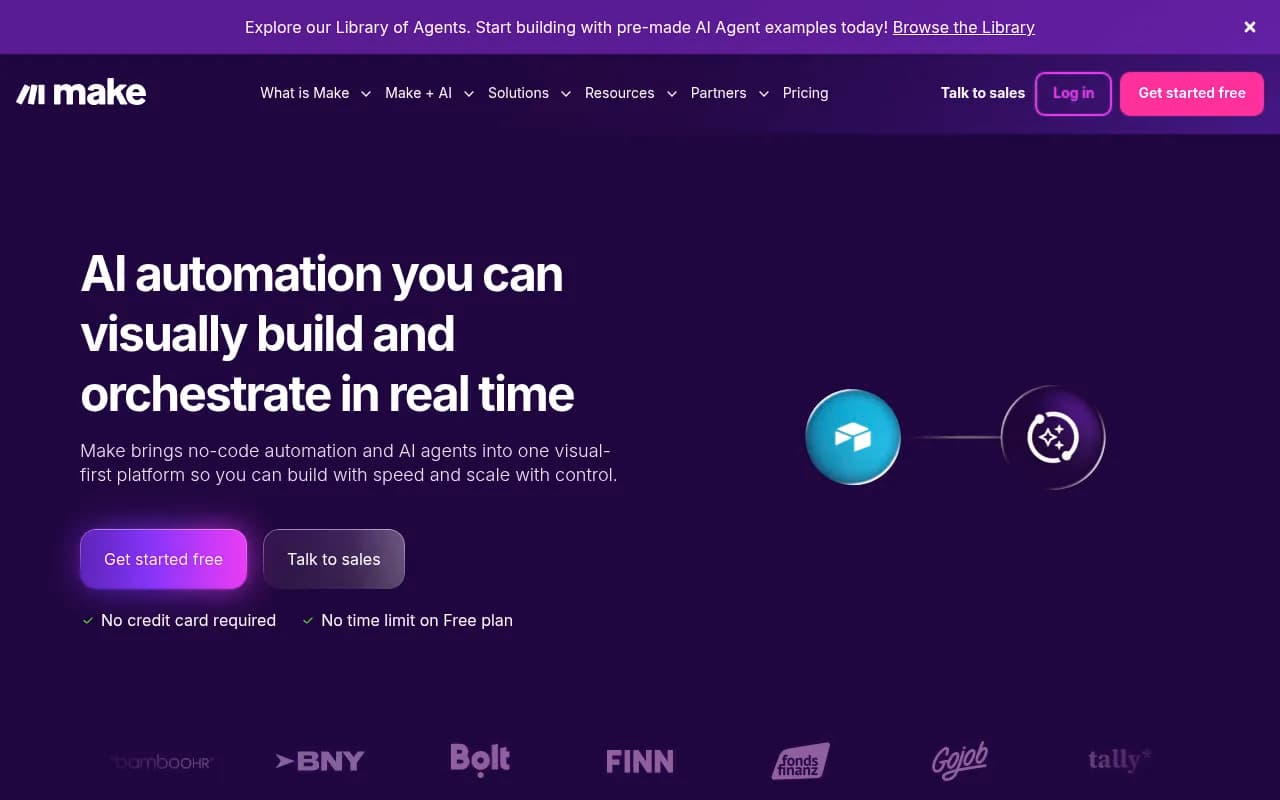
What sets Zapier apart from competitors like Make (formerly Integromat) or n8n is the sheer breadth of pre-built integrations. With 8,000+ apps supported, you're almost guaranteed to find the tools your team already uses. Each integration is maintained by Zapier or the app vendor, so you're not dealing with broken connections or outdated API calls. Popular integrations include Google Workspace, Slack, Salesforce, HubSpot, Airtable, Notion, Asana, Jira, Shopify, Stripe, Mailchimp, and hundreds of AI tools like OpenAI, Anthropic, Google Gemini, and Perplexity.
AI Agents: Autonomous Workers That Handle Tasks While You Sleep
AI Agents are Zapier's answer to the question "what if automation could make decisions on its own?" These are autonomous workflows that can monitor data sources, analyze information, make decisions based on context, and take actions without human intervention. Think of them as digital employees that work 24/7.
For example, you can build an AI Agent that monitors your support inbox, categorizes tickets by urgency and topic using natural language processing, automatically resolves common questions by pulling from your knowledge base, escalates complex issues to the right team member, and logs everything to your project management tool. Toyota of Orlando uses Agents to manage 30,000+ lead records and save 20+ hours per week—the system flags anomalies, answers questions in plain language, and surfaces insights the team didn't even know to look for.
Agents can be configured with custom instructions, data sources (like Google Sheets, Airtable, or Zapier Tables), and specific actions they're allowed to take. You can set guardrails to ensure they only operate within defined parameters, and you get full visibility into every decision and action through audit logs. The platform supports multi-step reasoning, so Agents can break down complex tasks into subtasks and execute them sequentially.
Compared to building custom AI agents with LangChain or AutoGPT, Zapier Agents require zero coding and come with built-in monitoring, error handling, and security. You're not managing API keys, prompt engineering, or infrastructure—you're just defining what you want done and letting the platform handle the rest.
AI Chatbots: Customer Support That Actually Solves Problems
Zapier's AI Chatbots are embeddable conversational interfaces that can be deployed on your website, in Slack, or via other channels. Unlike basic chatbots that follow rigid scripts, these are powered by large language models and can understand natural language, pull information from your knowledge base, and take actions across your tech stack.
You can build chatbots for employee onboarding (answering HR questions, provisioning accounts, scheduling training), IT support (troubleshooting common issues, creating tickets, escalating to humans when needed), lead qualification (asking discovery questions, scoring leads, routing to sales), customer service (answering FAQs, processing returns, updating order status), and more. The chatbot can access data from Notion, Google Drive, Confluence, or any other connected app, so it's always working with up-to-date information.
Configuration is straightforward: you define the chatbot's personality and tone, upload your knowledge sources, specify which actions it can take (like creating Jira tickets or updating Salesforce records), and set escalation rules for when it should hand off to a human. The chatbot learns from interactions and can be fine-tuned based on feedback. You get analytics on common questions, resolution rates, and user satisfaction.
Tables, Forms, and Canvas: The Complete Automation Toolkit
Zapier Tables is a built-in database that stores the data your automations need. Instead of relying on external tools like Airtable or Google Sheets, you can keep everything in Zapier. Tables support relationships, lookups, rollups, and formulas, so you can build sophisticated data models. This is particularly useful for lead databases, inventory tracking, project management, and any scenario where your workflows need to read and write structured data.
Zapier Forms lets you create custom forms that feed directly into your automations. Need to collect lead information, process support requests, or gather employee feedback? Build a form in minutes, embed it on your site or share a link, and have responses automatically trigger workflows. Forms support conditional logic (show/hide fields based on previous answers), file uploads, payment collection via Stripe, and custom branding.
Zapier Canvas is the newest addition—an AI-powered tool that turns natural language descriptions into fully functional automation systems. You describe what you want ("I need a system that captures leads from multiple sources, enriches them with company data, scores them, and routes high-value leads to sales"), and Canvas generates the workflows, tables, forms, and agents needed to make it happen. It's like having an automation consultant that builds everything for you.
Who Is Zapier For?
Zapier serves an incredibly broad audience, from solo entrepreneurs to Fortune 500 enterprises, but it particularly excels for specific personas:
Operations and RevOps teams managing 5-50 person companies are the sweet spot. These are teams that need to move fast, don't have dedicated engineering resources, and are drowning in manual tasks. They use Zapier to build lead routing systems, automate data entry between CRM and marketing tools, sync customer data across platforms, and create custom reporting dashboards. Vendasta, a marketing platform, used Zapier to recover $1 million in pipeline and eliminate 282 days per year of manual work.
Marketing teams at SaaS companies and agencies use Zapier to automate lead capture from ads, webinars, and content downloads; enrich leads with firmographic data; sync leads to CRM and marketing automation tools; trigger personalized email sequences; and track attribution across channels. Slate Magazine uses Zapier to capture 2,000+ new leads per month and save 100+ hours, allowing their small team to scale content partnerships without adding headcount.
Customer support and success teams build AI-powered helpdesks, automate ticket routing and escalation, sync customer data between support and product tools, trigger proactive outreach based on usage patterns, and generate reports on support metrics. Okta automated 13% of support escalations with Zapier, saving 10 minutes per escalation and freeing up their team to focus on complex issues.
IT and internal operations teams use Zapier for employee onboarding and offboarding, provisioning and deprovisioning accounts, automating IT support tickets, syncing data between HR and IT systems, and monitoring system health. Remote, a global HR platform, automated 2,200+ days of work per month and solved 28% of IT tickets automatically, making their team of three feel like a team of ten.
Sales teams automate lead enrichment and scoring, sync data between sales tools (Salesforce, HubSpot, Outreach, Gong), trigger follow-up sequences based on buyer behavior, generate call prep guides from CRM data, and create reports on pipeline health. Arden Insurance uses Zapier to automate 34,000+ work hours and help collect $150 million in payments annually.
Zapier is less ideal for teams that need real-time, sub-second automation (Zapier's polling intervals are typically 1-15 minutes depending on plan), highly complex data transformations that require custom code (though Zapier does support JavaScript and Python), or workflows that require on-premise data sources (Zapier is cloud-based). For those scenarios, tools like n8n (self-hosted, open-source) or custom-built solutions might be better fits.
Integrations and Ecosystem
With 8,000+ app integrations, Zapier's ecosystem is unmatched. Major categories include:
CRM and Sales: Salesforce, HubSpot, Pipedrive, Zoho CRM, Copper, Close, Freshsales Marketing: Mailchimp, ActiveCampaign, ConvertKit, Google Ads, Facebook Ads, LinkedIn Ads, Unbounce, Typeform Project Management: Asana, Trello, Monday.com, ClickUp, Jira, Basecamp, Notion, Airtable Communication: Slack, Microsoft Teams, Discord, Gmail, Outlook, Zoom, Google Meet E-commerce: Shopify, WooCommerce, BigCommerce, Stripe, PayPal, Square AI Tools: OpenAI (ChatGPT), Anthropic (Claude), Google Gemini, Perplexity, Jasper, Copy.ai, Midjourney, Stable Diffusion Data and Analytics: Google Sheets, Excel, Airtable, Snowflake, BigQuery, Tableau, Looker Developer Tools: GitHub, GitLab, Jira, Linear, Sentry, Datadog
Zapier also offers a robust API and webhooks for custom integrations, a CLI for building private integrations, and a developer platform where third-party vendors can publish their own Zapier integrations. The platform supports multi-step workflows with unlimited apps, so you can chain together as many tools as needed.
Browser extensions are available for Chrome and Firefox, allowing you to trigger workflows from any webpage. Mobile apps for iOS and Android let you monitor workflows, view logs, and trigger automations on the go. The platform also supports email triggers (send an email to a custom Zapier address to start a workflow) and SMS triggers via Twilio integration.
Pricing and Value
Zapier's pricing is based on tasks (each action in a workflow counts as one task) and features:
Free Plan: 100 tasks per month, single-step Zaps (one trigger, one action), 5 Zaps, 15-minute update intervals. Good for testing the platform or very light usage, but most teams quickly outgrow this.
Professional Plan: Starts at $29.99/month (billed annually) for 750 tasks. Includes multi-step Zaps, conditional logic, custom logic with Code steps, premium apps, faster update intervals (2-5 minutes), unlimited Zaps, and email support. This is the entry point for most small businesses and teams.
Team Plan: Starts at $103.50/month for 2,000 tasks. Adds shared workspaces, user roles and permissions, shared folders, priority support, and advanced admin controls. Designed for teams of 5-20 people collaborating on automations.
Enterprise Plan: Custom pricing based on usage and requirements. Includes everything in Team plus SSO (SAML), SCIM provisioning, dedicated support, premier onboarding, SLA guarantees, advanced security features, and custom contracts. This is for organizations running mission-critical workflows at scale.
Task pricing scales as usage grows—750 tasks for $29.99/month, 2,000 tasks for $73.50/month, 10,000 tasks for $299/month, and so on. High-volume users can negotiate custom pricing. AI features (AI Agents, AI Chatbots) have separate pricing based on usage.
Compared to competitors, Zapier is premium-priced but offers significantly more integrations and reliability. Make (formerly Integromat) starts at $9/month for 10,000 operations, making it cheaper for high-volume workflows, but has fewer pre-built integrations. n8n is open-source and free to self-host, but requires technical expertise and infrastructure management. Workato is enterprise-focused and more expensive than Zapier, but offers more advanced data transformation capabilities.
For most teams, Zapier's pricing is justified by the time saved and the breadth of integrations. If you're automating tasks that would otherwise take 10+ hours per week, even the Professional plan pays for itself immediately. The free trial (14 days for paid plans) lets you test workflows before committing.
Strengths and Limitations
Strengths:
- Unmatched integration breadth: 8,000+ apps means you can connect virtually any tool your team uses, without custom development
- Enterprise-grade reliability: 99.99% uptime, SOC 2 Type II compliance, GDPR/CCPA compliance, and robust error handling make Zapier suitable for mission-critical workflows
- No-code accessibility: Anyone can build automations without technical skills, democratizing automation across the organization
- AI-native platform: Deep integration with 400+ AI tools and built-in AI features (Agents, Chatbots, Canvas) make it the best platform for AI orchestration
- Comprehensive toolkit: Workflows, Agents, Chatbots, Tables, Forms, and Canvas provide everything needed to build complete automation systems without switching tools
Limitations:
- Task-based pricing can get expensive: High-volume workflows can quickly consume tasks, making costs unpredictable. A workflow that runs 100 times per day with 5 steps uses 15,000 tasks per month ($299/month on Professional plan)
- Polling intervals limit real-time use cases: Most triggers check for new data every 1-15 minutes, so Zapier isn't suitable for workflows that need instant responses
- Limited data transformation capabilities: While Zapier supports basic transformations and custom code, complex data manipulation is easier in tools like Make or custom scripts
- Learning curve for advanced features: Simple automations are easy, but building complex workflows with conditional logic, error handling, and data lookups requires time to master
Bottom Line
Zapier is the best no-code automation platform for teams that want to move fast without engineering resources. If you're a marketing team drowning in manual lead routing, an operations team syncing data between 10+ tools, a support team handling repetitive tickets, or a sales team trying to keep your CRM updated, Zapier will save you dozens of hours per week and pay for itself immediately. The platform's combination of breadth (8,000+ integrations), reliability (99.99% uptime), and AI capabilities (Agents, Chatbots, AI Workflows) make it the clear leader in 2026.
Best use case in one sentence: Teams of 5-50 people at SaaS companies, agencies, or fast-growing startups who need to automate workflows across multiple tools without waiting on engineering.
Tags:
Similar and alternative tools to Zapier