Synthesia Review 2026
Synthesia transforms text into studio-quality videos using AI avatars and voiceovers in 160+ languages. Built for enterprise teams in L&D, sales enablement, and internal comms who need to produce training and marketing videos at scale without cameras, actors, or editing skills.
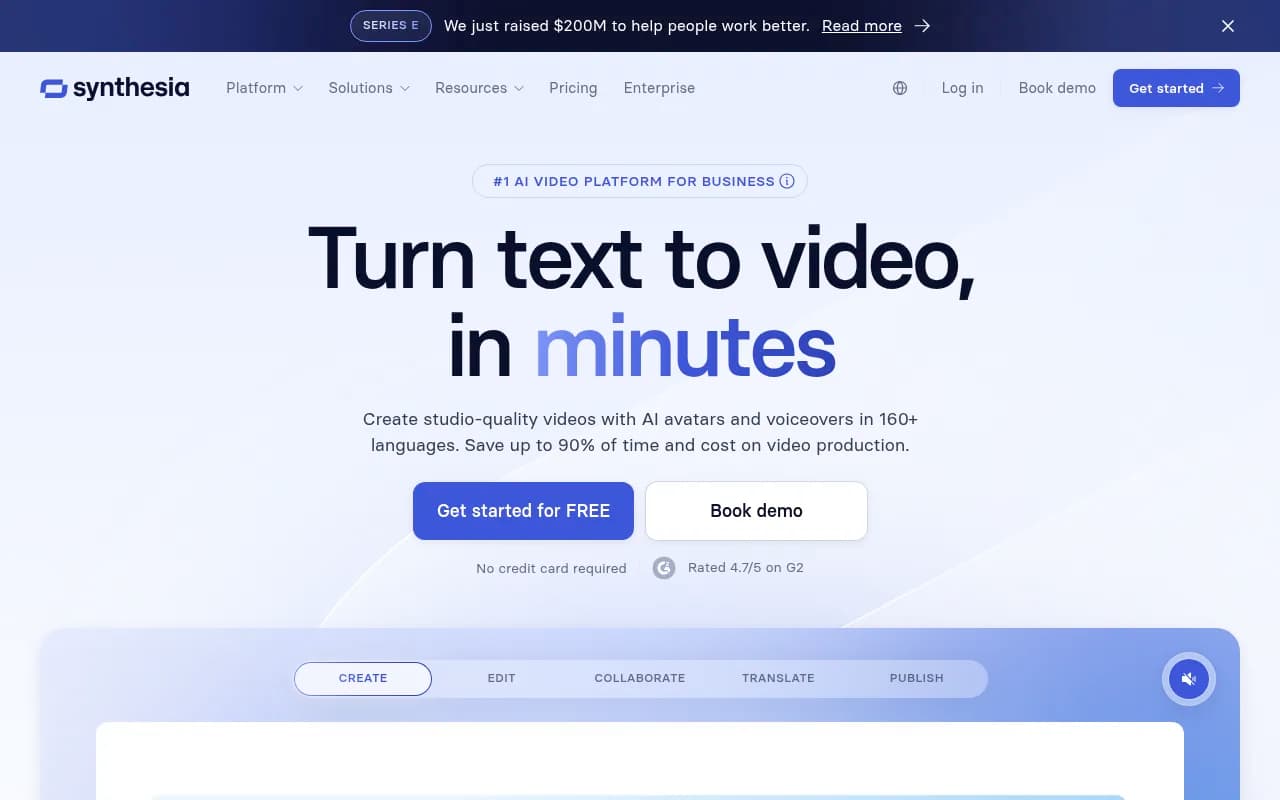
Synthesia is an AI video generation platform that converts text scripts into professional videos featuring realistic AI avatars and natural-sounding voiceovers. Founded in 2017 and backed by $200M in Series E funding announced in 2025, the London-based company has positioned itself as the enterprise standard for AI video creation, serving over 50,000 companies including SAP, Heineken, Moody's, and Merck.
The platform targets learning and development teams, sales enablement professionals, internal communications departments, and marketing teams at mid-to-large enterprises who need to produce high volumes of video content quickly. Rather than coordinating shoots, hiring actors, or learning complex video editing software, users simply type or paste their script, select an avatar and voice, and generate a polished video in minutes. The use case is particularly strong for companies that need to create training materials, product demos, or internal announcements in multiple languages or update content frequently.
AI Avatars and Custom Avatars
Synthesia offers a library of 230+ pre-built AI avatars representing diverse ages, ethnicities, and professional styles. These avatars deliver your script with realistic lip-sync, natural gestures, and appropriate facial expressions. The platform's standout feature is Custom Avatar creation, where users can create a digital twin of themselves or company spokespeople by recording 5-10 minutes of footage. The custom avatar then becomes available for unlimited video generation, allowing executives or trainers to "appear" in hundreds of videos without recording each one individually. Companies like Booz Allen Hamilton use this to scale training content that previously required instructor time. The avatar quality has improved significantly with recent updates, though very close inspection still reveals subtle uncanny valley effects that competitors like HeyGen also struggle with.
Voice and Language Capabilities
The platform supports 160+ languages with AI voiceovers that sound increasingly natural. Users can select from 1,000+ voice options across different accents, ages, and tones. The Voice Cloning feature (available on higher tiers) lets you create a custom AI voice that matches your own or a brand spokesperson's voice, maintaining consistency across all videos. Mondelez reported translating 100 hours of training content in just 10 minutes using Synthesia's translation features. The system handles right-to-left languages like Arabic and supports pronunciation customization through phonetic spelling, though complex technical terms sometimes require multiple attempts to get right.
Video Templates and Branding
Synthesia provides 65+ professionally designed video templates for common business scenarios: product announcements, training modules, how-to guides, company updates, and sales pitches. Each template includes pre-designed layouts, transitions, and placeholder text that users customize with their content. The Brand Kit feature allows teams to upload logos, define brand colors, select approved fonts, and save custom templates, ensuring every video matches corporate identity guidelines. This is particularly valuable for enterprises with strict brand standards. Users can also start from scratch with a blank canvas and build custom layouts.
Screen Recording and Media Integration
The platform includes built-in screen recording to capture software demonstrations, which can then be combined with AI avatar narration. This is heavily used for software training and product tutorials. Users can upload images, video clips, and audio files to incorporate alongside AI-generated content. The media library supports common formats and integrates with stock media providers. OpenText reported creating technical training content 50% faster by combining screen recordings with AI avatars rather than coordinating live recording sessions.
Interactive Video Features
Synthesia recently introduced interactive video capabilities that let viewers click buttons, answer quiz questions, and navigate branching scenarios within videos. This transforms passive training videos into engaging learning experiences with measurable completion and comprehension data. Boldyn Networks specifically cited interactive video as "redefining training" for their organization. The feature includes quiz templates, clickable hotspots, and branching logic, though it's not as sophisticated as dedicated interactive video platforms like Articulate.
Collaboration and Workflow Tools
The platform includes team collaboration features: shared workspaces, commenting on drafts, approval workflows, and role-based permissions. Multiple team members can work on video projects simultaneously, with version history tracking changes. The approval workflow is particularly important for regulated industries where compliance teams need to review content before publication. Brink's mentioned being able to push training updates without touching their LMS, suggesting strong workflow integration.
Integrations and API
Synthesia integrates with major learning management systems (LMS) including Articulate Rise, iSpring, and others, allowing videos to be embedded directly into training courses. It connects with collaboration tools like Slack and Microsoft Teams for notifications and sharing. The platform offers an API for developers who want to automate video generation at scale or integrate Synthesia into custom applications. Videos can be exported in multiple formats or hosted on Synthesia's platform with embed codes. The API documentation is solid, though some users report it's less flexible than building with open-source alternatives.
Who Is It For
Synthesia is purpose-built for enterprise learning and development teams managing training programs for 500+ employees, especially those dealing with frequent content updates or multilingual requirements. A pharmaceutical company updating compliance training across 20 countries is the ideal customer. Sales enablement teams at B2B software companies creating personalized demo videos for prospects are another strong fit. Internal communications departments at global corporations who need to deliver CEO messages or policy updates in multiple languages benefit significantly.
The platform works best for organizations with 10-50+ person teams who need centralized brand control and collaboration features. Small businesses and solopreneurs will find the pricing steep compared to alternatives like Pictory or Descript. Companies that need highly creative, emotionally resonant marketing videos may find the AI avatar aesthetic too corporate and sterile—Synthesia videos work for training and information delivery, not brand storytelling that requires human authenticity.
You should NOT use Synthesia if you're creating consumer-facing brand content where authenticity matters, if you need advanced video editing capabilities beyond basic cuts and layouts, or if you're a small team on a tight budget. Content creators and YouTubers are better served by traditional editing tools.
Integrations & Ecosystem
Synthesia connects with PowerPoint for importing slide decks that convert to video scripts, integrates with major LMS platforms like Cornerstone OnDemand and SAP SuccessFactors, and works with collaboration tools including Slack, Microsoft Teams, and Zoom for sharing and notifications. The platform offers a REST API for custom integrations and automated video generation. Browser-based access means no desktop app required, though there's no mobile app for video creation (only viewing). Export options include MP4 download, YouTube direct upload, and embed codes for websites and LMS platforms. The platform supports SSO via SAML for enterprise authentication.
Pricing & Value
Synthesia offers four pricing tiers. The Free plan provides 3 minutes of video creation to test the platform. The Starter plan costs $18/month (billed annually) or $29/month (billed monthly) and includes 10 minutes of video per month, access to 230+ avatars, 160+ languages, and basic templates. The Creator plan runs $64/month (annual) or $89/month (monthly) with 30 minutes of video, custom avatars, voice cloning, brand kit, and collaboration features. Enterprise pricing is custom and adds unlimited video minutes, dedicated account management, API access, advanced security features, and custom avatar creation for multiple team members.
Compared to traditional video production, where a single 2-minute training video might cost $2,000-5,000 to produce professionally, Synthesia delivers significant ROI for high-volume users. However, compared to AI video competitors, it's premium-priced. HeyGen offers similar features starting at $24/month with more generous minute allowances. Pictory and Descript offer different approaches (stock footage-based and editing-focused respectively) at lower price points. For enterprises producing 50+ training videos annually in multiple languages, Synthesia's pricing makes sense. For smaller teams creating occasional videos, the per-minute costs add up quickly.
Strengths & Limitations
Synthesia excels at enterprise-grade security and compliance, with SOC 2 Type II certification, GDPR compliance, and content moderation that prevents misuse—critical for regulated industries. The custom avatar quality and voice cloning are among the best in the market, with realistic results that work for professional contexts. The multilingual capabilities are genuinely impressive, with 160+ languages and accurate translations that competitors struggle to match. The platform's collaboration and approval workflow features are built for how large teams actually work, not just individual creators. Template quality and variety save significant time compared to starting from scratch.
Limitations include the per-minute pricing model that can get expensive for high-volume users compared to unlimited plans from competitors. The AI avatars, while impressive, still have a slightly artificial quality that makes them unsuitable for emotional or highly creative content—they work for training and information delivery, not brand storytelling. Video editing capabilities are basic compared to dedicated editing tools like Premiere Pro or even Descript; you can't do complex animations, advanced color grading, or sophisticated transitions. The platform occasionally struggles with pronunciation of technical jargon or brand names, requiring manual phonetic corrections. Some users report the rendering process can be slow during peak times, taking 10-15 minutes for longer videos.
Bottom Line
Synthesia is the right choice for enterprise L&D teams, sales enablement departments, and internal communications groups at companies with 500+ employees who need to produce training and informational videos at scale, especially in multiple languages. If you're updating compliance training quarterly, creating product demos for a global sales team, or translating CEO messages into 20 languages, Synthesia will save you hundreds of hours and tens of thousands of dollars compared to traditional production. Best use case in one sentence: multilingual training video production for global enterprises that need to maintain brand consistency while scaling content creation across departments.
Similar and alternative tools to Synthesia