Summary
- Real-time citation tracking combines LLM monitoring (what AI engines say about you) with crawler log analysis (how they discover your content) to create a complete visibility picture
- Most AI visibility tools only show you historical data -- you find out days or weeks later that you lost visibility. A real-time stack alerts you within minutes.
- The core components: LLM monitoring platform, crawler log analyzer, alert routing system, and attribution layer to connect visibility to revenue
- Promptwatch is the only platform that natively combines both sides of the stack -- LLM citation tracking and AI crawler logs -- in one interface

AI search has fundamentally changed how brands get discovered. When someone asks ChatGPT "what's the best project management tool for remote teams," your brand either shows up in the answer or it doesn't. There's no page two. There's no second chance.
Traditional rank tracking tells you where you stand today. Real-time citation tracking tells you the moment something changes -- when a competitor displaces you, when a new content piece starts getting cited, or when an AI crawler hits an error on your site and stops indexing your pages.
This guide walks through building a complete real-time citation tracking stack in 2026. Not theory -- the actual tools, workflows, and alert configurations used by brands that take AI visibility seriously.
Why real-time matters (and why most tools don't deliver it)
Most AI visibility platforms check prompts once per day or once per week. You log in Monday morning and discover that sometime over the weekend, your brand dropped out of ChatGPT's top recommendations for your category. You have no idea when it happened, what triggered it, or which specific content change caused it.
That's not monitoring. That's archaeology.
Real-time tracking catches changes as they happen:
- A competitor publishes a guide that displaces your content in Perplexity answers -- you know within 30 minutes
- ChatGPT's crawler (GPTBot) starts hitting 403 errors on your new product pages -- you get an alert before the next crawl cycle
- Your brand suddenly appears in Claude's shopping recommendations for a high-value query -- you can immediately analyze what content triggered it
- A Reddit thread criticizing your product starts getting cited across multiple AI engines -- you see it in real-time and can respond
The difference between daily checks and real-time alerts is the difference between damage control and proactive optimization.
The two sides of the citation tracking stack
Side 1: LLM monitoring (what AI engines say)
LLM monitoring tracks your brand's visibility in AI-generated answers. When someone prompts ChatGPT, Perplexity, Claude, or Gemini with a question in your category, does your brand get mentioned? Cited as a source? Recommended?
Key metrics to track:
- Citation count: How many times your domain appears as a source in AI responses
- Share of voice: Your brand mentions vs competitor mentions across a prompt set
- Position: Where you appear in the answer (first mention, buried in paragraph three, etc.)
- Sentiment: Whether the AI engine frames your brand positively, neutrally, or negatively
- Source attribution: Which specific pages on your site get cited most often
Most AI visibility tools focus exclusively on this side. They run prompts, capture responses, parse citations. Tools like Promptwatch, Peec AI, and Otterly.AI all do this.

Otterly.AI

But LLM monitoring alone is incomplete. It tells you what AI engines are saying, but not how they learned it.
Side 2: Crawler log analysis (how AI engines discover you)
AI search engines use crawlers to discover and index content:
- GPTBot (OpenAI/ChatGPT)
- ClaudeBot (Anthropic/Claude)
- PerplexityBot (Perplexity)
- Google-Extended (Google AI Overviews, Gemini)
- Applebot-Extended (Apple Intelligence)
- Bytespider (TikTok, used by some AI models)
- CCBot (Common Crawl, used by many LLMs for training)
Crawler log analysis shows you:
- Which pages AI crawlers visit and how often
- Which pages they can't access (403/404 errors, robots.txt blocks, JavaScript rendering issues)
- How fresh their index of your site is (last crawl date per page)
- Which content they prioritize (high crawl frequency = high value signal)
- Whether they're discovering your new content quickly or missing it entirely
If GPTBot can't crawl your new product launch page because of a robots.txt misconfiguration, ChatGPT will never cite it. No amount of prompt optimization fixes that.
Crawler logs are the missing piece most AI visibility tools ignore. Promptwatch is one of the few platforms that surfaces this data natively.
Building the stack: tool selection
Option 1: All-in-one platform (Promptwatch)
The simplest approach is using a platform that combines both LLM monitoring and crawler log analysis in one interface.
Promptwatch is the only major platform that natively integrates both:
- Tracks citations across 10 AI engines (ChatGPT, Perplexity, Claude, Gemini, Google AI Overviews, Meta AI, DeepSeek, Grok, Mistral, Copilot)
- Shows real-time crawler logs for GPTBot, ClaudeBot, PerplexityBot, and Google-Extended
- Alerts when citation counts drop or crawler errors spike
- Connects visibility to actual traffic via code snippet, Google Search Console integration, or server log analysis
Pricing: Essential $99/mo (1 site, 50 prompts, 5 articles), Professional $249/mo (2 sites, 150 prompts, 15 articles, crawler logs), Business $579/mo (5 sites, 350 prompts, 30 articles)
This is the fastest path to a working real-time stack. You get both sides of the equation without stitching together multiple tools.
Option 2: Best-of-breed stack (multiple tools)
If you need deeper customization or already have tools in place, you can build a multi-tool stack:
LLM monitoring: Pick a platform focused on citation tracking. Options:
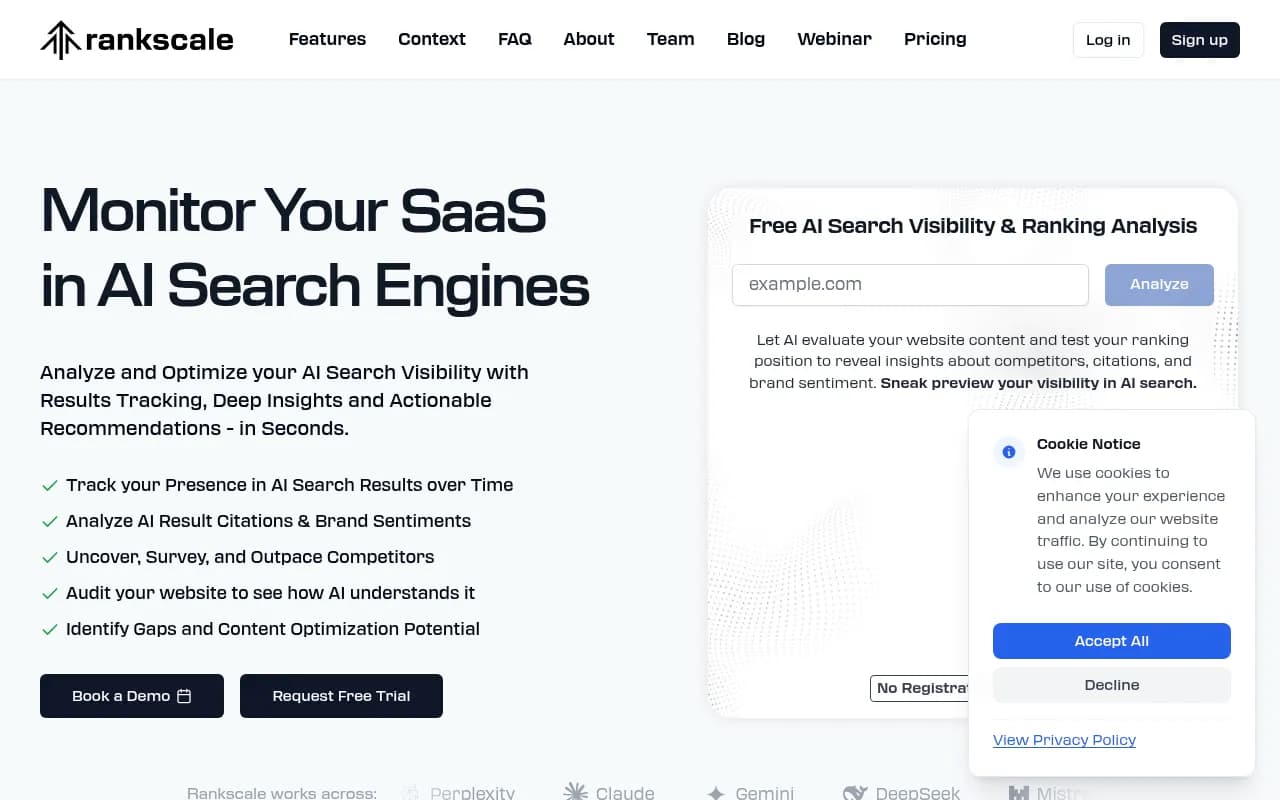
- Rankscale: Strong accuracy, broad engine coverage (ChatGPT, Perplexity, Claude, Gemini, Meta AI, Grok), predictable credit-based pricing. Best for agencies tracking multiple clients.
- Profound: Enterprise-focused, near real-time monitoring, API access for custom workflows. Higher price point but analyst-grade data.
- LLMrefs: Converts traditional keyword tracking into AI visibility metrics. Good if you're already tracking keywords and want to extend into AI search.
Profound

LLMrefs
Crawler log analysis: This is harder to find as a standalone product. Most options require technical setup:
- Server log analysis: Parse your web server logs (Apache, Nginx) to identify AI crawler requests. Tools like Screaming Frog Log Analyzer or custom scripts. Free but requires dev resources.
- Cloudflare Analytics: If you use Cloudflare, their analytics dashboard shows bot traffic including AI crawlers. Free with Cloudflare account.
- Google Search Console: Shows Googlebot crawl stats. Doesn't cover other AI crawlers but useful for Google AI Overviews visibility.
Alert routing: Once you have data flowing from LLM monitoring and crawler logs, you need a system to trigger alerts when thresholds are hit:
- Zapier: Connect your monitoring tools to Slack, email, or SMS. Example: "When Promptwatch detects citation count drop > 20%, send Slack alert to #ai-visibility channel."
- Make (Integromat): More complex workflows, better for multi-step logic. Example: "If GPTBot 403 errors > 10 in 1 hour AND citation count drops, create Jira ticket and alert engineering team."
- Custom webhooks: Most monitoring platforms offer webhook integrations. Send data to your own alerting system.

The multi-tool approach gives you more control but requires more setup and maintenance. You're responsible for connecting the pieces and ensuring data flows correctly.
Setting up real-time alerts: what to monitor
Citation alerts
Alert when your citation metrics cross critical thresholds:
| Metric | Alert threshold | Action |
|---|---|---|
| Citation count drop | >20% decrease in 24 hours | Investigate: Did competitor publish new content? Did your cited page go down? |
| Share of voice drop | Lose #1 position in category | Analyze competitor content that displaced you. Update your content to reclaim position. |
| New citation spike | Sudden increase in citations | Identify what's working. Double down on that content format/topic. |
| Zero citations | Brand mentioned but no source links | Content exists but isn't being cited. Improve content quality, add structured data, build authority signals. |
| Negative sentiment | AI engine frames your brand negatively | Review source content. Address criticism. Publish counter-narrative. |
Example Zapier workflow: "When Promptwatch detects citation count drop > 20% for priority prompts, send Slack alert with prompt details, current vs previous citation count, and link to competitor analysis."
Crawler alerts
Alert when AI crawlers encounter issues accessing your content:
| Issue | Alert threshold | Action |
|---|---|---|
| 403/404 errors | >5 errors in 1 hour | Check robots.txt, server config, CDN rules. Ensure AI crawlers aren't blocked. |
| Crawl frequency drop | 50% decrease in crawl rate | Investigate: Did you accidentally block crawlers? Is content freshness declining? |
| New pages not crawled | Important page published 48+ hours ago, zero crawler visits | Submit to AI engines manually. Check internal linking. Verify page is discoverable. |
| JavaScript rendering errors | Crawler sees blank page | Implement prerendering or server-side rendering for AI crawlers. |
| Crawl budget waste | High crawl rate on low-value pages | Optimize robots.txt and internal linking to guide crawlers to important content. |
Example Make workflow: "If GPTBot 403 errors > 10 in 1 hour, create Jira ticket assigned to DevOps, send Slack alert to #engineering, and log incident in monitoring dashboard."
Combined alerts (the power move)
The most valuable alerts combine both sides of the stack:
- Citation drop + crawler errors: Your citations are falling because AI engines can't access your content. Fix crawler issues first.
- New content published + zero crawler visits: You shipped new content but AI engines haven't discovered it yet. Manually submit or improve internal linking.
- High crawl rate + zero citations: AI engines are reading your content but not citing it. Content quality issue, not discovery issue.
- Competitor citation spike + their new content crawled: Competitor published something that's getting traction. Analyze and respond quickly.
These combined alerts are only possible when you have both LLM monitoring and crawler log data in one system. This is where Promptwatch's integrated approach shines.
Real-time attribution: connecting visibility to revenue
Citation tracking and crawler logs tell you what's happening. Attribution tells you if it matters.
The final piece of the stack: connecting AI visibility to actual traffic and conversions.
Attribution methods
1. UTM parameters: When AI engines cite your content, they include the URL. Add UTM parameters to track traffic sources:
?utm_source=chatgpt&utm_medium=ai_citation?utm_source=perplexity&utm_medium=ai_search
Track these in Google Analytics. See which AI engines drive the most traffic and conversions.
2. Referrer analysis: Check HTTP referrer headers in your server logs. AI engines sometimes pass referrer data:
chat.openai.com(ChatGPT)perplexity.ai(Perplexity)claude.ai(Claude)
Not all AI engines pass referrers consistently, but it's a useful signal.
3. Code snippet tracking: Promptwatch offers a JavaScript snippet that detects when visitors arrive from AI engines, even without UTM parameters or referrers. It uses browser fingerprinting and behavioral signals to identify AI-referred traffic.
4. Google Search Console integration: For Google AI Overviews specifically, GSC shows impressions and clicks from AI-enhanced search results. Connect this data to your monitoring platform.
Building the attribution dashboard
Combine visibility metrics with traffic and revenue data:
| Metric | Source | What it tells you |
|---|---|---|
| Citation count | LLM monitoring platform | How often you're mentioned |
| Share of voice | LLM monitoring platform | Your visibility vs competitors |
| Crawler visits | Crawler log analysis | How AI engines discover your content |
| AI referral traffic | Google Analytics + code snippet | Actual visitors from AI engines |
| AI-attributed conversions | CRM + attribution model | Revenue impact of AI visibility |
| Cost per AI citation | Ad spend / citation count | Efficiency of paid AI visibility efforts |
This dashboard answers the question every executive asks: "Is AI visibility worth investing in?"
If you're getting 1,000 citations per month but zero traffic, you have a content quality problem. If you're getting 100 citations and 10,000 visitors, you're winning.
Advanced workflows: what to do with real-time data
Workflow 1: Instant competitor response
When a competitor's citation count spikes:
- Alert fires: "Competitor X citation count increased 150% in 24 hours"
- Automated analysis: Monitoring platform identifies which prompts drove the spike
- Content review: Team reviews competitor's new content that's getting cited
- Response plan: Publish updated content addressing the same prompts, with better depth/quality
- Track results: Monitor if your updated content reclaims citations
This workflow compresses a week-long process into hours.
Workflow 2: Crawler error remediation
When AI crawlers hit errors:
- Alert fires: "GPTBot 403 errors on /new-product-launch page"
- Automated ticket: Jira ticket created, assigned to DevOps
- Root cause analysis: Team checks robots.txt, server config, CDN rules
- Fix deployed: Remove accidental block, verify crawler can access page
- Validation: Monitor crawler logs to confirm GPTBot successfully crawls page
- Citation tracking: Watch for citation increase as AI engines index the new content
Without real-time alerts, you might not discover this issue for weeks.
Workflow 3: Content gap exploitation
When you discover a high-value prompt with zero citations:
- Prompt analysis: Monitoring platform identifies prompt with high volume, low competition
- Content brief: AI writing agent (built into Promptwatch or standalone tool like Jasper) generates content brief based on citation data
- Content creation: Team writes article targeting that prompt
- Publication: Article published, submitted to AI engines
- Crawler monitoring: Track when AI crawlers discover and index the new page
- Citation tracking: Monitor when the page starts getting cited in AI responses
- Traffic attribution: Measure traffic and conversions from AI-referred visitors
This is the complete loop: find gaps, create content, track results, measure impact.
Tool comparison: real-time capabilities
| Platform | LLM monitoring | Crawler logs | Real-time alerts | Attribution | Price |
|---|---|---|---|---|---|
| Promptwatch | ✅ 10 engines | ✅ Native | ✅ Built-in | ✅ Code snippet + GSC | $99-579/mo |
| Rankscale | ✅ 9 engines | ❌ No | ⚠️ Via Zapier | ❌ No | Credit-based |
| Profound | ✅ 11 engines | ❌ No | ✅ Near real-time | ⚠️ API only | Enterprise |
| Peec AI | ✅ 5 engines | ❌ No | ⚠️ Email only | ❌ No | $49-199/mo |
| Otterly.AI | ✅ 6 engines | ❌ No | ❌ No | ❌ No | $97-397/mo |
| LLMrefs | ✅ 12 engines | ❌ No | ⚠️ Via Zapier | ❌ No | $99-499/mo |
Promptwatch is the only platform that natively combines all four components of a real-time citation tracking stack. Other tools require stitching together multiple services.
Common mistakes (and how to avoid them)
Mistake 1: Monitoring without action
Tracking citations is pointless if you don't act on the data. Set up alerts, but also define response playbooks:
- Citation drop: Analyze competitor content, update your content, resubmit to AI engines
- Crawler errors: Fix technical issues, verify resolution, monitor recovery
- Zero citations: Create new content, optimize existing content, build authority signals
Monitoring is the input. Action is the output.
Mistake 2: Ignoring crawler logs
Most teams focus exclusively on LLM monitoring and ignore crawler behavior. This is like tracking your Google rankings without checking if Googlebot can crawl your site.
If AI crawlers can't access your content, you'll never get cited. Crawler log analysis is not optional.
Mistake 3: Alert fatigue
Too many alerts = ignored alerts. Start with high-priority thresholds:
- Citation count drop > 30% (not 10%)
- Crawler errors > 10 in 1 hour (not 1 error)
- Share of voice drop from #1 to #3+ (not #1 to #2)
You can always add more alerts later. Start conservative.
Mistake 4: No attribution model
If you can't connect AI visibility to revenue, you can't justify the investment. Set up attribution from day one:
- UTM parameters on cited URLs
- Code snippet tracking for AI referral traffic
- CRM integration to track AI-attributed conversions
Prove the ROI or lose the budget.
The future: what's coming in 2026-2027
Predictive alerts
Current alerts are reactive: something changed, you get notified. Next-generation alerts will be predictive:
- "Competitor published content 2 hours ago. Based on citation patterns, we predict 40% chance of displacing you in ChatGPT within 24 hours. Recommended action: Publish counter-content now."
- "GPTBot crawl frequency declining 10% per week for 3 weeks. Predicted outcome: 30% citation drop in 2 weeks. Recommended action: Refresh content to trigger re-crawl."
AI models analyzing citation patterns and crawler behavior to forecast changes before they happen.
Multi-modal tracking
AI engines are adding image, video, and audio search. Citation tracking will expand beyond text:
- Image citations: When ChatGPT generates an image recommendation, does it cite your product photos?
- Video citations: When Perplexity answers with a video, is it from your YouTube channel?
- Audio citations: When voice assistants answer questions, do they cite your podcast?
The stack will need to track citations across all content types.
Automated optimization
Today: Alert fires → Human reviews data → Human takes action
Tomorrow: Alert fires → AI agent analyzes root cause → AI agent deploys fix → Human approves
Example: "GPTBot can't access /new-product page due to robots.txt block. AI agent proposes robots.txt update. Approve to deploy?"
The citation tracking stack becomes a closed-loop optimization system.
Getting started: 30-day implementation plan
Week 1: Tool selection and setup
- Choose your platform (all-in-one like Promptwatch or best-of-breed stack)
- Set up LLM monitoring: Define priority prompts, configure tracking
- Set up crawler log analysis: Install tracking code or configure server log parsing
- Baseline measurement: Run initial scans to establish current visibility
Week 2: Alert configuration
- Define alert thresholds for citation drops, crawler errors, competitor spikes
- Set up alert routing (Slack, email, SMS)
- Test alerts with manual triggers to verify delivery
- Document response playbooks for each alert type
Week 3: Attribution setup
- Add UTM parameters to cited URLs
- Install code snippet for AI referral tracking
- Connect Google Search Console for AI Overviews data
- Set up attribution dashboard combining visibility + traffic + revenue
Week 4: Team training and optimization
- Train team on alert response playbooks
- Review first week of alert data, adjust thresholds to reduce noise
- Run first competitor response workflow end-to-end
- Document learnings and iterate
By day 30, you have a working real-time citation tracking stack that alerts you to changes as they happen and connects visibility to business outcomes.
Conclusion: from reactive to proactive
Most brands discover AI visibility problems weeks after they happen. By then, competitors have already captured the citations, traffic, and revenue.
A real-time citation tracking stack flips the script. You see changes as they happen. You respond in hours, not weeks. You connect visibility to revenue and prove ROI.
The stack has four components:
- LLM monitoring: Track citations across AI engines
- Crawler log analysis: Monitor how AI engines discover your content
- Alert routing: Get notified when thresholds are crossed
- Attribution: Connect visibility to traffic and revenue
Promptwatch is the only platform that natively integrates all four. For teams that want more control, a best-of-breed stack using Rankscale + server logs + Zapier + Google Analytics works but requires more setup.
The choice is simple: keep checking your AI visibility once per week and hoping nothing breaks, or build a real-time stack that alerts you the moment something changes.
The brands winning in AI search aren't the ones with the best content. They're the ones who see problems first and fix them fastest.