Make (formerly Integromat) Review 2026
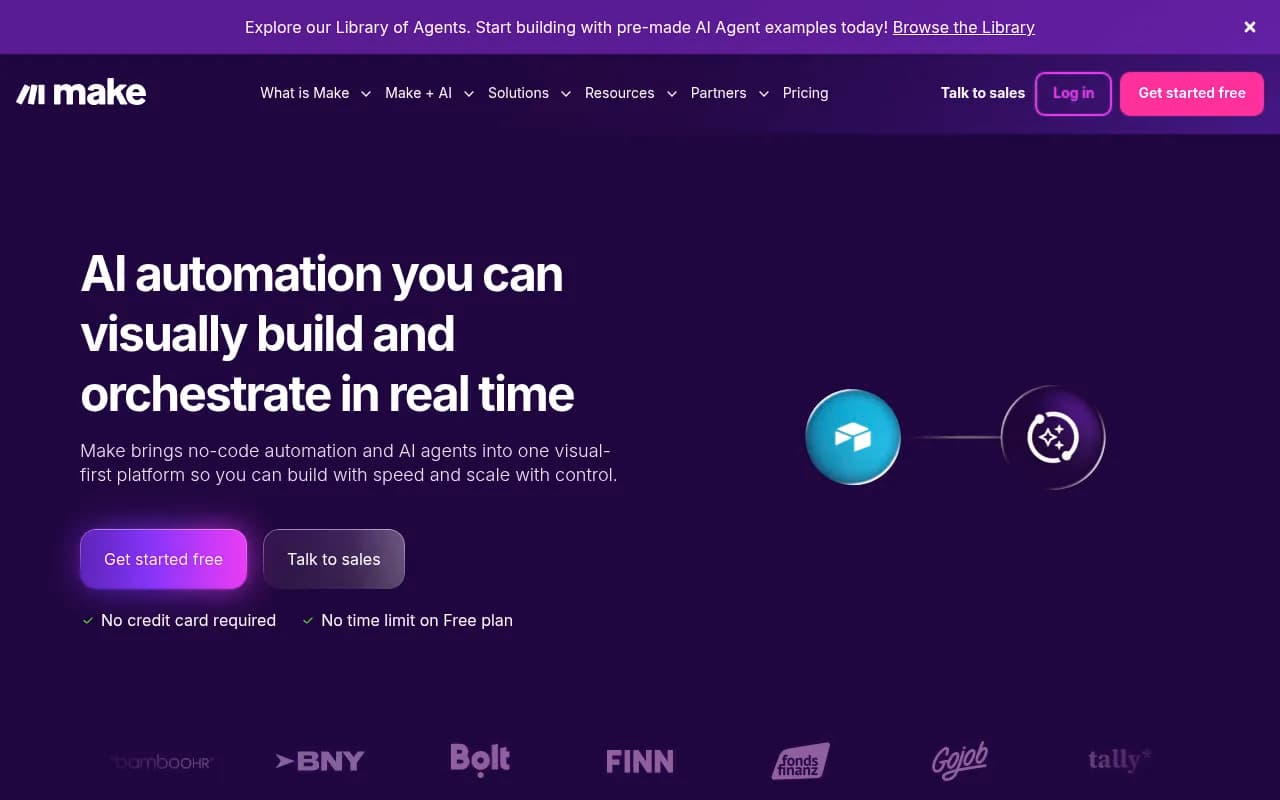
Make (formerly Integromat) is a visual no-code automation platform that connects 3,000+ apps and AI models to build workflows, AI agents, and enterprise-scale automations. Trusted by BambooHR, BNY, and 500,000+ users, it offers real-time orchestration, agentic AI capabilities, and SOC 2 Type II comp
Summary: Key Takeaways
• Visual-first automation builder: Make's drag-and-drop interface lets you design complex workflows without code, connecting 3,000+ apps including OpenAI, Salesforce, HubSpot, Slack, and NetSuite • AI agent orchestration: Build autonomous AI agents that work alongside teams, with 400+ pre-built AI integrations and real-time visual monitoring of agent behavior • Enterprise-grade at scale: SOC 2 Type II and GDPR compliant with SSO, used by companies like BambooHR, BNY, and Bolt to automate IT, sales, marketing, and operations • Flexible pricing: Free plan available, paid plans from $9/month with credit-based usage model and annual prepay options • Strong limitations: Credit system can be confusing for new users, steeper learning curve than simpler tools like Zapier for basic workflows
Make (formerly Integromat until its 2021 rebrand) is a visual workflow automation platform that's carved out a unique position in the crowded automation space by focusing on complexity and control. Where competitors like Zapier prioritize simplicity, Make gives you a visual canvas to build intricate, branching workflows that can handle conditional logic, error handling, and multi-step processes -- all without writing code. It's the tool you reach for when "if this, then that" isn't enough.
The platform serves over 500,000 users across 190+ countries, from solo freelancers automating client onboarding to enterprise IT teams at BNY and BambooHR orchestrating company-wide systems. Make's visual builder shows every step of your automation as a flowchart, making it easy to understand what's happening, debug issues, and hand off workflows to teammates. This transparency is why technical teams love it -- you can see the entire logic at a glance instead of clicking through nested menus.
Visual Builder with Unmatched Flexibility: Make's core interface is a drag-and-drop canvas where each app or action appears as a module. You connect modules with lines to create workflows (called "scenarios"). Unlike linear automation tools, Make lets you build branching logic with routers, filters, and iterators. For example, you can pull data from a Google Sheet, split it into multiple paths based on conditions (e.g., customer type), process each path differently (send to Slack vs. create a HubSpot deal), then merge results back together. The visual map updates in real time as your scenario runs, showing you exactly which path data took and where errors occurred. This level of visibility is rare -- most competitors hide execution details in logs.
3,000+ App Integrations: Make connects to virtually every major SaaS tool: CRMs (Salesforce, HubSpot, Pipedrive), project management (Monday.com, Asana, ClickUp), communication (Slack, Discord, Microsoft Teams), databases (Airtable, Google Sheets, PostgreSQL), AI models (OpenAI, Claude, Perplexity, DeepSeek), marketing tools (Mailchimp, ActiveCampaign), and enterprise systems (NetSuite, SAP, Workday). Each integration includes dozens of pre-built actions and triggers. For example, the HubSpot integration has 50+ modules covering contacts, deals, tickets, workflows, and custom objects. If an app isn't in the library, Make's HTTP/Webhooks modules let you connect to any REST API with custom requests. You can also build private apps for internal systems using Make's developer tools.
AI Agent Orchestration: Make's 2024-2025 push into AI agents sets it apart from traditional automation tools. You can build autonomous agents that combine multiple AI models (ChatGPT for reasoning, DALL-E for images, Whisper for transcription), connect them to your data sources, and let them make decisions based on real-time context. The AI Agents Library offers pre-built templates like customer support bots, content generation agents, and data analysis assistants. Unlike standalone AI tools, Make agents can take actions across your entire tech stack -- an agent can read a support ticket in Zendesk, query your knowledge base in Notion, generate a response with ChatGPT, create a follow-up task in Asana, and log everything to your CRM. The visual builder shows you exactly what the agent is doing at each step, giving you control and transparency that black-box AI tools lack.
Advanced Workflow Features: Make includes tools for handling complex scenarios. Routers split workflows into multiple paths based on conditions (e.g., route high-value leads to sales, low-value to nurture). Iterators process arrays of data one item at a time (e.g., loop through 100 rows in a spreadsheet). Aggregators combine multiple inputs into a single output (e.g., collect all daily sales into one summary email). Error handlers catch failures and trigger fallback actions (e.g., if an API call fails, retry 3 times then alert Slack). Data stores let you save state between scenario runs (e.g., track which records you've already processed). Webhooks trigger scenarios instantly when external events occur (e.g., new Stripe payment, form submission). These features let you build production-grade automations that handle edge cases and scale reliably.
Real-Time Execution Monitoring: When a scenario runs, Make shows you a live execution log with every module's input, output, and processing time. You can drill into any step to see the exact data that passed through, making debugging trivial. The execution history keeps logs for 30 days (longer on higher plans), so you can audit past runs or replay failed scenarios. This transparency is critical for enterprise teams who need to understand what their automations are doing and prove compliance.
Team Collaboration & Governance: Make's Teams and Enterprise plans add collaboration features like shared workspaces, role-based permissions, and approval workflows. You can organize scenarios into folders, add comments and documentation, and control who can edit vs. view. The Enterprise plan includes SSO (SAML 2.0), audit logs, dedicated support, and custom SLAs. Make is SOC 2 Type II and GDPR compliant, with data encryption at rest and in transit. This makes it viable for regulated industries like finance and healthcare.
Credit-Based Pricing Model: Make uses a credit system instead of task-based pricing. Each operation (API call, data transformation, etc.) consumes credits based on complexity. Simple actions like sending a Slack message cost 1 credit, while AI model calls or database queries cost more. The Free plan includes 1,000 operations/month (roughly 30-50 simple workflows). Paid plans start at $9/month (Core: 10,000 operations), $16/month (Pro: 10,000 operations with overage flexibility), and $29/month (Teams: 10,000 operations + collaboration features). Enterprise pricing is custom. Annual prepay gives you credits that expire after 12 months instead of monthly, offering more flexibility. The credit model is more complex than Zapier's task-based pricing but can be more cost-effective for workflows with many small operations.
Who Should Use Make: Make is ideal for technical marketers, operations teams, IT departments, and agencies who need to automate complex, multi-step processes. If you're connecting 5+ apps in a workflow, need conditional logic, or want to orchestrate AI agents, Make is a strong fit. It's particularly popular with: (1) Marketing ops teams automating lead routing, campaign reporting, and content workflows across HubSpot, Google Ads, and Slack; (2) IT teams building incident response workflows, user provisioning, and system monitoring; (3) Agencies managing client automations at scale with white-label options; (4) E-commerce businesses syncing inventory, orders, and customer data between Shopify, ERPs, and fulfillment systems; (5) SaaS companies automating onboarding, usage tracking, and customer success workflows.
Integrations & Ecosystem: Make integrates with major platforms via native connectors: Google Workspace (Sheets, Drive, Gmail, Calendar), Microsoft 365 (Outlook, Teams, SharePoint), Salesforce, HubSpot, Pipedrive, Zendesk, Intercom, Stripe, PayPal, Shopify, WooCommerce, WordPress, Airtable, Notion, Asana, Monday.com, ClickUp, Slack, Discord, Telegram, Twilio, SendGrid, Mailchimp, ActiveCampaign, Facebook, Instagram, LinkedIn, Twitter/X, YouTube, TikTok, AWS, Google Cloud, Azure, OpenAI, Anthropic Claude, Google Gemini, Perplexity, DeepSeek, Mistral, and 3,000+ more. The platform also offers a REST API for programmatic scenario management and webhooks for triggering scenarios from external systems. Browser extensions and mobile apps are not available -- Make is web-only.
Strengths: (1) Visual complexity: Best-in-class for building and understanding complex workflows with branching logic; (2) AI orchestration: Unique ability to combine multiple AI models and connect them to business systems; (3) Transparency: Real-time execution logs and visual debugging make troubleshooting easy; (4) Flexibility: HTTP modules and custom API calls let you connect anything; (5) Enterprise-ready: SOC 2, GDPR, SSO, and audit logs for regulated industries.
Limitations: (1) Steeper learning curve: The visual builder and credit system take time to master compared to simpler tools like Zapier; (2) Credit confusion: New users often struggle to estimate credit usage, leading to unexpected overages; (3) No mobile app: You can't monitor or edit scenarios on mobile; (4) Documentation gaps: Some integrations lack detailed examples or troubleshooting guides.
Bottom Line: Make is the automation platform for teams who've outgrown simple "if this, then that" tools and need to orchestrate complex, AI-powered workflows across their entire tech stack. If you're connecting multiple apps, need conditional logic, or want to build autonomous AI agents, Make gives you the power and visibility to do it right. It's not the easiest tool to learn, but for technical teams and agencies managing sophisticated automations, it's one of the most capable platforms available. Best use case: Operations teams at growing companies (50-500 employees) automating cross-functional workflows that span sales, marketing, support, and IT.
Tags:
Similar and alternative tools to Make (formerly Integromat)