n8n Review 2026
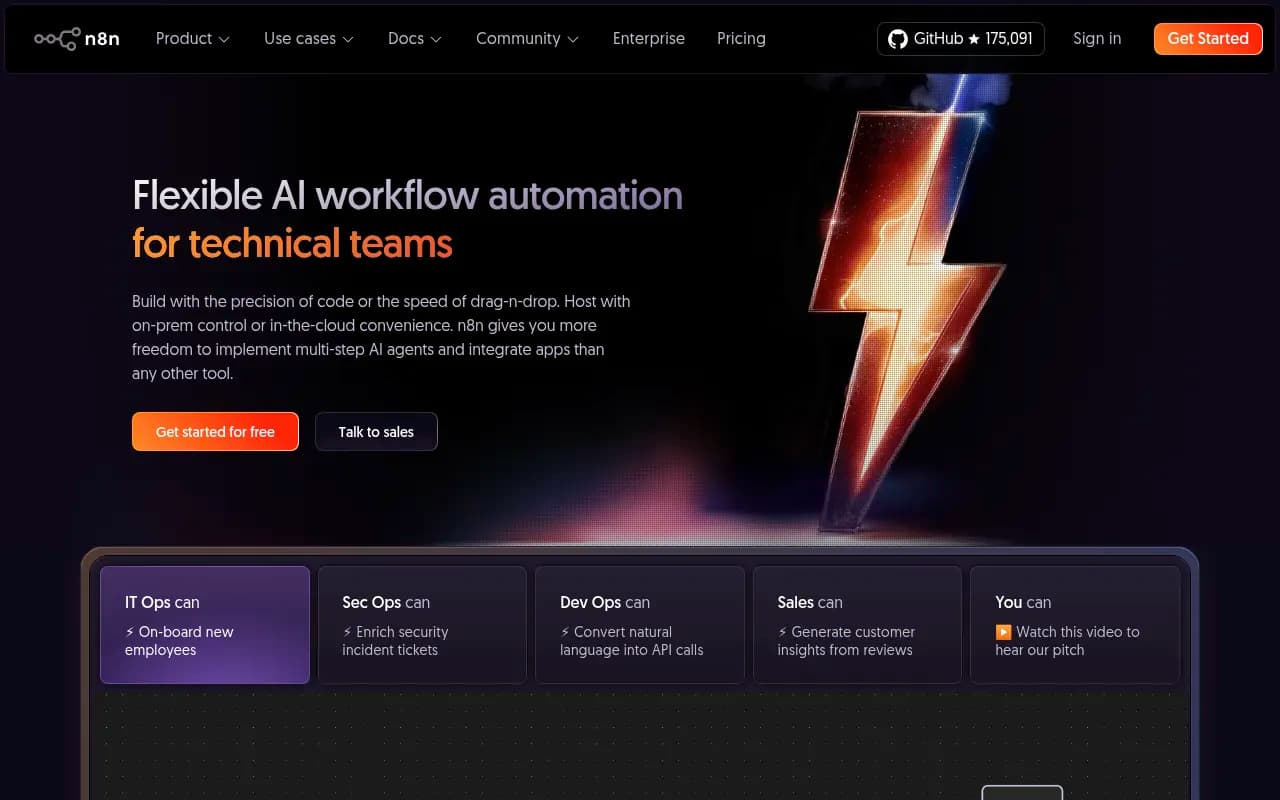
n8n is a flexible workflow automation platform built for technical teams, combining visual drag-and-drop building with full JavaScript/Python code support. Self-hostable with 500+ integrations, AI agent capabilities, and advanced debugging tools that let you iterate fast without vendor lock-in.
Key Takeaways:
- Best for technical teams who need more control than Zapier but faster iteration than pure code — DevOps, IT Ops, SecOps, and engineering teams at companies like Delivery Hero, Wayfair, and Microsoft
- Unique hybrid approach: visual canvas when you want speed, drop into JavaScript/Python when you need precision — no artificial limits on what you can build
- Fully self-hostable with complete source code access (174.7k GitHub stars), or use the managed cloud version — your choice, your infrastructure
- Limitations: steeper learning curve than pure no-code tools, enterprise pricing can be high for small teams, some advanced features require paid plans
- Pricing: Free self-hosted forever, cloud starts at $20/month for 2,500 executions, enterprise custom pricing (reportedly €20k+ for 10 active workflows)
n8n is a workflow automation platform that solves a problem most technical teams face: existing tools either lock you into a visual builder that breaks when you need custom logic, or force you into pure code that's slow to iterate. Founded in 2019 by Jan Oberhauser and based in Berlin, n8n has grown to 200,000+ community members and is used by technical teams at Delivery Hero, Wayfair, Vodafone, Microsoft, and Zendesk. The platform is open source (fair-code licensed) with the entire codebase available on GitHub, where it ranks in the top 50 most-starred projects.
The core insight: technical teams don't want to choose between speed and control. n8n gives you both. You can drag-and-drop nodes on a visual canvas to build workflows in minutes, then drop into JavaScript or Python when you hit a wall. Import npm packages, paste cURL requests directly into nodes, write custom functions — it's all supported. This hybrid model means junior developers can build quickly while senior engineers can implement complex logic without fighting the platform.
Visual Canvas with Code Escape Hatches
n8n's workflow editor is a node-based canvas where you connect apps and services visually. Each node represents an action — fetch data from an API, transform a dataset, send a Slack message, query a database. You configure nodes through a UI, but unlike pure no-code tools, you can always click into a Code node and write JavaScript or Python. The platform includes a full code editor with syntax highlighting, autocomplete, and inline error checking. You can import libraries from npm or PyPI, access workflow data through a clean API ($input.all(), $json, $node), and use modern JavaScript features like async/await. When you need to merge data from multiple branches of your workflow, n8n provides a Merge node with options like append, combine by key, or custom merge logic — something competitors like Zapier struggle with.
AI Agent Framework
n8n includes a complete framework for building multi-step AI agents that can call tools, query knowledge bases, and make decisions. The AI Agent node supports OpenAI, Anthropic Claude, Google Gemini, AWS Bedrock, local models via Ollama, and custom LLM endpoints. You define tools (API calls, database queries, custom functions) that the agent can invoke, provide a system prompt, and let it orchestrate multi-step tasks. For example, an IT ops agent could detect a failed deployment, run custom unit tests, roll back the update, and notify the team — all autonomously. The platform includes vector store integrations (Pinecone, Qdrant, Supabase) for RAG workflows, memory management for stateful conversations, and output parsers to structure agent responses. Unlike standalone AI tools, n8n agents can directly interact with your existing workflows and data sources.
500+ Pre-Built Integrations
The platform includes 500+ native integrations covering databases (PostgreSQL, MySQL, MongoDB, Redis), cloud services (AWS, Google Cloud, Azure), SaaS tools (Salesforce, HubSpot, Slack, Notion, Airtable), developer tools (GitHub, GitLab, Jira), marketing platforms (Mailchimp, SendGrid, ActiveCampaign), and analytics (Google Analytics, Mixpanel, PostHog). Each integration is a maintained node with authentication handling, rate limiting, pagination, and error handling built in. If an integration doesn't exist, you can use the HTTP Request node to call any REST API, or the Webhook node to receive data from external systems. The platform also supports GraphQL, SOAP, FTP, SFTP, IMAP, POP3, MQTT, and AMQP protocols. For databases, you can write raw SQL queries or use the visual query builder.
Advanced Debugging and Iteration
This is where n8n separates from competitors. You can re-run individual nodes without re-executing the entire workflow — critical when you're debugging a 20-step process and don't want to wait for external API calls. The platform saves execution data for every run, so you can replay past executions or pin test data to a node for faster iteration. Logs appear inline with your workflow, showing exactly what data passed through each node, what errors occurred, and how long each step took. You can set breakpoints, inspect variables, and step through executions. For production workflows, n8n provides error workflows (trigger a separate workflow when something fails), retry logic with exponential backoff, and webhook-based error notifications.
Self-Hosting and Data Control
Unlike SaaS-only competitors, n8n is fully self-hostable. You can deploy it via Docker, Docker Compose, Kubernetes, or npm on any infrastructure you control. The entire source code is on GitHub under a fair-code license (free for personal and internal use, paid license required for resale). This means your workflow data, credentials, and execution logs never leave your infrastructure — critical for regulated industries or companies with strict data policies. You control the database (PostgreSQL, MySQL, or SQLite), can run workflows behind a firewall, and integrate with your existing auth systems (LDAP, SAML SSO). The self-hosted version includes all core features; advanced capabilities like audit logs, external secret stores, and advanced RBAC require an enterprise license.
Execution Model and Performance
Workflows can be triggered manually, on a schedule (cron expressions), via webhook, or by external events (new database row, file upload, Slack message). Execution happens in a queue system with configurable concurrency limits. For high-volume workflows, you can scale horizontally by adding worker nodes that pull jobs from the queue. The platform supports sub-workflows (call one workflow from another), batch processing (split large datasets into chunks), and wait nodes (pause execution until a condition is met or a webhook is received). Execution data is stored in the database with configurable retention policies. For debugging, you can view execution history, filter by status or date, and export execution data as JSON.
Collaboration and Version Control
Multiple users can work on the same n8n instance with role-based access control (owner, admin, member, viewer). Workflows can be shared between users, exported as JSON files, or synced to Git repositories for version control. The platform includes a workflow history feature (paid plans) that tracks every change with diffs and rollback capability. For teams, you can create isolated environments (dev, staging, prod) and promote workflows between them. Variables can be defined at the workflow or instance level, making it easy to manage API keys and configuration across environments. The enterprise version adds advanced RBAC with granular permissions, audit logs that track every action, and log streaming to external systems like Splunk or Datadog.
Template Library and Community
The platform includes 1,700+ pre-built workflow templates covering common use cases: sync data between tools, automate customer onboarding, monitor infrastructure, process form submissions, generate reports, enrich CRM data, and more. Templates are contributed by the community and n8n team, fully editable, and serve as learning resources. The community forum has 200,000+ members, active discussions, and quick response times. The documentation is thorough with guides, API references, and video tutorials. For enterprise customers, n8n provides dedicated support, implementation assistance, and custom training.
Who Is It For
n8n is built for technical teams who need more than Zapier but don't want to maintain custom scripts. Primary users include DevOps engineers automating deployment pipelines and infrastructure monitoring, IT ops teams handling employee onboarding and access management, security teams enriching incident tickets and orchestrating response workflows, and data engineers building ETL pipelines and syncing data between systems. It's particularly strong for teams of 5-50 people at startups and mid-market companies who need flexibility without enterprise overhead. Companies like Delivery Hero use it to save 200 hours per month on user management workflows. StepStone reduced integration time from 2 weeks to 2 hours using n8n's visual builder and code nodes.
It's less suitable for non-technical teams who want pure point-and-click automation (Zapier or Make are better fits), or for massive enterprises needing white-glove support and compliance certifications out of the box (though n8n does offer SOC 2 and GDPR compliance). If you're a solo developer building simple automations, the free self-hosted version is perfect. If you're a 500-person company with complex compliance needs, expect to pay enterprise pricing.
Integrations and Ecosystem
Beyond the 500+ native nodes, n8n integrates with developer tools like GitHub (trigger workflows on commits, create issues, manage PRs), GitLab, Bitbucket, and Jira. For communication, it supports Slack, Microsoft Teams, Discord, Telegram, and email (SMTP, IMAP). Marketing teams can connect Mailchimp, SendGrid, ActiveCampaign, HubSpot, and Salesforce. Data teams use the PostgreSQL, MySQL, MongoDB, Redis, Elasticsearch, and ClickHouse nodes. The platform includes nodes for Google Sheets, Microsoft Excel, Airtable, and Notion for spreadsheet automation. For AI workflows, it integrates with OpenAI, Anthropic, Google AI, AWS Bedrock, Hugging Face, and Pinecone. The HTTP Request node handles any REST API, and the Webhook node receives data from external systems. The platform also provides a REST API for programmatic workflow management and an embed SDK for white-labeling n8n into your own product.
Pricing and Value
The self-hosted version is free forever with unlimited workflows, executions, and users. You pay for your own infrastructure (a $5/month VPS can handle light workloads). The cloud version starts at $20/month for 2,500 workflow executions, then scales to $50/month (10,000 executions), $150/month (50,000 executions), and custom pricing beyond that. Executions are counted per workflow run, not per node — a 50-node workflow counts as one execution. All plans include unlimited users, workflows, and integrations. Advanced features like workflow history, external secrets, and log streaming require paid plans. Enterprise pricing is custom and reportedly starts around €20,000/year for 10 active workflows with advanced features, which is steep compared to competitors but includes white-glove support and compliance guarantees. For small teams, the free self-hosted version is unbeatable value. For mid-market companies, the cloud plans are competitive with Zapier and Make. For enterprises, the pricing is high but justified if you need on-prem deployment and advanced security.
Strengths
- True flexibility: visual building when you want speed, code when you need control — no artificial limits
- Self-hosting option: complete data control, no vendor lock-in, run behind your firewall
- Advanced debugging: re-run single nodes, replay executions, inline logs — iterate 10x faster than competitors
- Active community: 200k+ members, 174.7k GitHub stars, responsive forum, 1,700+ templates
- AI agent framework: build multi-step agents with tool calling, memory, and RAG — not just simple API calls
Limitations
- Learning curve: steeper than pure no-code tools — you need to understand concepts like data transformation, error handling, and async execution
- Enterprise pricing: reportedly €20k+ for 10 active workflows with advanced features — expensive for small teams
- UI polish: functional but not as slick as Zapier or Make — feels more like a developer tool than a consumer product
Bottom Line
If you're a technical team that's outgrown Zapier but doesn't want to maintain custom scripts, n8n is the best option in 2026. The hybrid visual/code approach, self-hosting capability, and advanced debugging tools make it uniquely powerful for DevOps, IT ops, and engineering teams. Best use case: automating internal workflows at a 20-200 person tech company where you need flexibility, data control, and the ability to handle complex logic without fighting the platform.
Similar and alternative tools to n8n