Replicate Review 2026
Replicate is a cloud platform that lets developers run, fine-tune, and deploy thousands of open-source machine learning models through a simple API. Pay only for compute time used, with automatic scaling from zero to production traffic. No infrastructure management required.
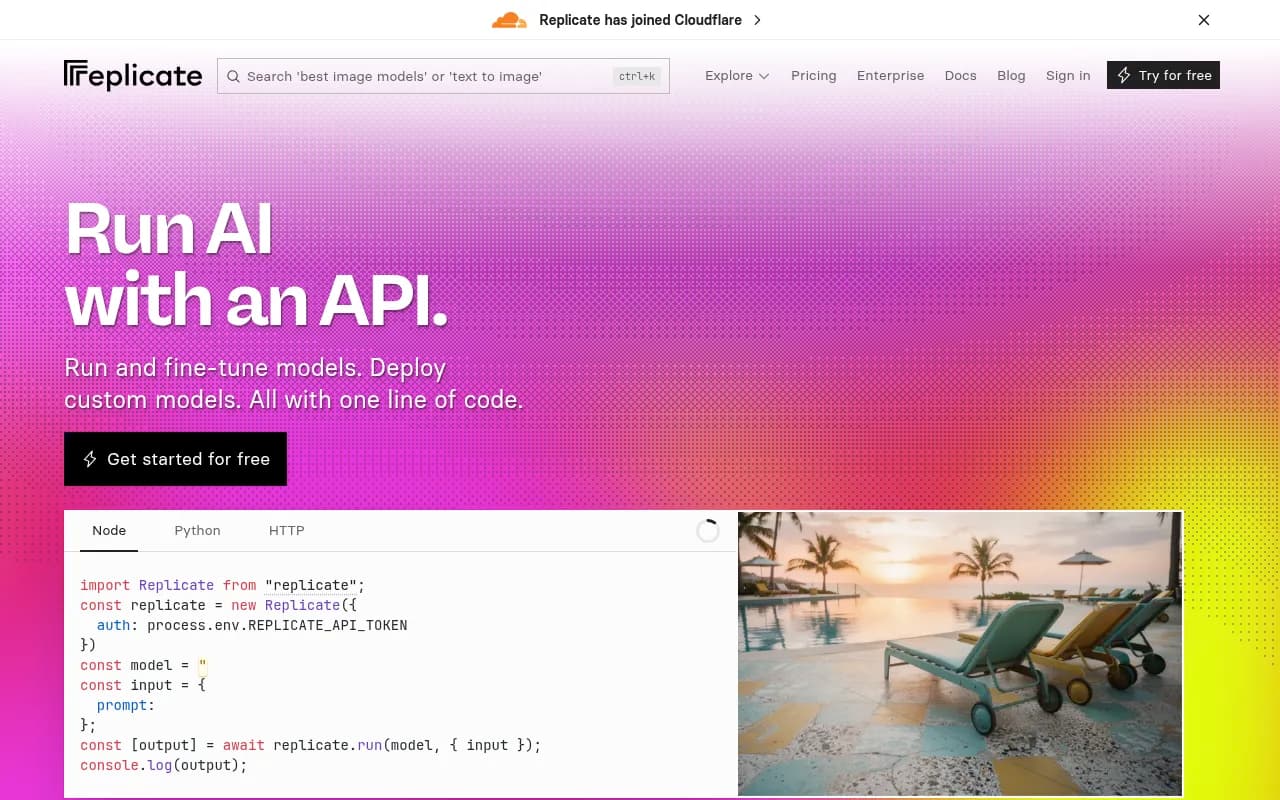
Summary
Replicate is a production-ready machine learning platform that makes running AI models as simple as calling an API. Instead of wrestling with CUDA drivers, GPU provisioning, and model deployment infrastructure, you write one line of code and Replicate handles the rest. The platform hosts thousands of community-contributed models -- from FLUX and Stable Diffusion for image generation to Llama and Gemini for language tasks -- all accessible through the same unified API. You pay per second of compute time, scaling automatically from zero to handling millions of requests.
What makes Replicate different: Most ML platforms force you to choose between managed services (expensive, limited model selection) or self-hosting (complex, requires ML ops expertise). Replicate splits the difference. It's a managed platform, but one where anyone can push custom models using Cog, their open-source packaging tool. This creates a marketplace effect -- the latest research models appear on Replicate within days of publication, packaged and ready to use in production.
In early 2026, Replicate was acquired by Cloudflare, which will likely accelerate its edge deployment capabilities and global infrastructure reach.
Who uses it: Startups building AI features (BuzzFeed, Character.ai, Unsplash), indie developers prototyping ideas, agencies running client campaigns, and ML engineers who want to deploy custom models without managing Kubernetes clusters. The platform serves both the "I just want FLUX to work" crowd and the "I trained a custom LoRA and need to serve it at scale" crowd.
How it works
Replicate provides three main capabilities: running existing models, fine-tuning models with your data, and deploying custom models.
Running models: Browse the model library (replicate.com/explore), pick a model, copy the code snippet. The API handles queueing, GPU allocation, model loading, and cleanup. Models include image generators (FLUX, Stable Diffusion, Imagen), video models (Runway Gen-4.5, Pixverse), LLMs (Llama, Gemini, Qwen), audio models (ElevenLabs, Qwen TTS), and specialized tools for upscaling, background removal, face restoration.
Each model page shows example outputs, pricing estimates, and run counts (social proof of what's actually being used). Popular models like Google's Nano Banana have 85 million runs. The platform tracks "Official" models from the original creators vs community implementations.
Fine-tuning: For image models like FLUX or SDXL, you can train custom LoRAs on your own images. Upload a zip file of training images, specify a trigger word, and Replicate trains a new model version that generates images in your style or of your subject. The trained model becomes a new endpoint you can call via API. This is how services like Headshot Pro generate professional headshots -- they fine-tune on user photos.
Fine-tuning pricing varies by base model. FLUX LoRA training costs around $2-5 per training run depending on steps and resolution.
Deploying custom models: This is where Replicate gets interesting for ML engineers. Using Cog (github.com/replicate/cog), you define your model's environment in a YAML file (Python version, system packages, model weights) and write a Python predict function. Cog packages everything into a Docker container, handles the API server, and deploys to Replicate's infrastructure.
Example cog.yaml:
build:
  gpu: true
  python_version: "3.10"
  python_packages:
    - torch==2.0.1
    - transformers==4.30.0
predict: "predict.py:Predictor"
Your predict.py defines inputs and outputs:
from cog import BasePredictor, Input, Path

class Predictor(BasePredictor):
    def setup(self):
        self.model = load_model()

    def predict(self, image: Path = Input(description="Input image")) -> Path:
        result = self.model(image)
        return result
Run cog push and Replicate builds the container, deploys it, and gives you an API endpoint. The platform handles autoscaling, logging, and billing.
Infrastructure details
Replicate runs on a fleet of GPUs: T4s for cheap inference, L40S for mid-range workloads, A100s for large models. You don't choose hardware -- Replicate assigns GPUs based on model requirements. Pricing is per-second: T4 costs $0.000225/sec, A100 (80GB) costs $0.0014/sec.
The killer feature is automatic scaling to zero. If your model isn't being used, you pay nothing. When a request comes in, Replicate cold-starts the model (typically 5-30 seconds depending on model size), runs the prediction, and shuts down. For high-traffic scenarios, models stay warm and respond in milliseconds.
Batching is automatic for models that support it. If 10 requests arrive simultaneously, Replicate batches them into a single GPU call, splitting costs across requests.
API and integrations
The API is REST-based with official clients for Python, Node.js, and Go. Predictions are asynchronous by default -- you create a prediction, poll for completion, and retrieve results. Webhooks are available for event-driven workflows.
Example Python:
import replicate

output = replicate.run(
    "black-forest-labs/flux-pro",
    input={"prompt": "a cat wearing sunglasses"}
)
print(output)
Streaming is supported for LLMs and real-time models. The API returns server-sent events as the model generates tokens.
No native integrations with analytics platforms or monitoring tools beyond what you build yourself. Logs and metrics live in the Replicate dashboard. You can export data via API for custom dashboards.
Model library
The platform hosts thousands of models across categories:
- Image generation: FLUX (multiple variants), Stable Diffusion, Imagen, Qwen Image, Recraft, Seedream
- Video: Runway Gen-4.5, Pixverse, Grok Imagine Video
- LLMs: Llama 3, Gemini, Qwen, Mistral, DeepSeek
- Audio: ElevenLabs Music, Qwen TTS, Whisper for transcription
- Image editing: Background removal, upscaling (Magnific), face restoration, inpainting
- Specialized: Code generation, embeddings, OCR, object detection
Model quality varies. Official models from Google, Meta, Black Forest Labs, and OpenAI are production-grade. Community models range from well-maintained to abandoned experiments. Check run counts and recent activity before depending on a model.
Pricing breakdown
You pay for compute time, not API calls. A FLUX image generation taking 3 seconds on an L40S costs $0.000975/sec × 3 = $0.003 (less than a penny). A Llama 3 70B inference taking 2 seconds on an A100 costs $0.0014/sec × 2 = $0.0028.
Some models charge by input/output tokens instead of time. GPT-4 via Replicate (if available) would bill per token like OpenAI's pricing.
No monthly minimums. No subscription tiers. You get $10 free credit to start, then pay as you go. Enterprise customers can negotiate volume discounts and reserved capacity.
Compared to running your own infrastructure: A single A100 GPU on AWS costs ~$4/hour ($2,880/month) whether you use it or not. On Replicate, that same GPU costs $5/hour but only when running. If your model runs 10% of the time, you pay $288/month instead of $2,880.
Developer experience
The platform is built for developers who want to ship fast. Documentation is clear, code examples are copy-paste ready, and the model explorer makes it easy to test models in the browser before writing code.
Cog (the deployment tool) is well-designed but has a learning curve. You need to understand Docker concepts and Python packaging. The Cog GitHub repo has 8,000+ stars and active community support.
Debugging can be frustrating. When a model fails, error messages are sometimes vague. Logs help but aren't as detailed as running locally. Cold start times (5-30 seconds) make iteration slower than local development.
The community is active. The Replicate Discord has thousands of members sharing models, troubleshooting issues, and showcasing projects. Model creators often respond to questions on their model pages.
Limitations
Cold starts: If your model hasn't run recently, the first request takes 5-30 seconds while Replicate loads the model into GPU memory. For user-facing applications, this feels slow. You can pay for "always-on" instances to keep models warm, but this defeats the cost savings of scaling to zero.
No fine-grained control: You can't choose specific GPU types, regions, or hardware configurations. Replicate decides based on model requirements. For most use cases this is fine, but if you need a specific GPU or want to colocate with other services, you're out of luck.
Model versioning: When a model creator pushes an update, the API version changes. If you hardcode a version string, your code keeps working. If you use the latest version, updates can break your application. There's no staging environment to test new versions before they go live.
Rate limits: Free tier has strict rate limits (a few requests per minute). Paid accounts get higher limits but they're not published. For high-traffic applications, you need to contact sales for custom limits.
Data privacy: Your inputs and outputs pass through Replicate's infrastructure. For sensitive data (medical images, proprietary documents), this may be a dealbreaker. Replicate claims they don't store data long-term, but you're trusting a third party. No HIPAA compliance or SOC 2 certification mentioned publicly.
Model availability: Community models can disappear if the creator deletes them. Official models are more stable but still subject to takedowns (licensing issues, safety concerns). Always have a backup plan.
Strengths
Speed to production: You can go from idea to deployed AI feature in an afternoon. No DevOps, no GPU provisioning, no model optimization. This is the platform's biggest selling point.
Cost efficiency for variable workloads: If your traffic is spiky or you're experimenting with multiple models, pay-per-second billing saves money compared to renting GPUs 24/7.
Model variety: The community model library is unmatched. New research models appear on Replicate days after publication, often before official APIs exist.
Automatic scaling: Handle 10 requests per second or 10,000 without changing code. Replicate scales infrastructure automatically.
Open source tooling: Cog is open source (MIT license). You can run models locally during development, then deploy to Replicate for production. No vendor lock-in for the deployment tooling itself.
Who should use Replicate
Startups building AI features: If you're a 3-person team adding image generation to your app, Replicate lets you ship in days instead of months. You avoid hiring ML ops engineers and can focus on product.
Agencies running campaigns: Generate thousands of images for a client campaign without provisioning infrastructure. Pay only for the compute time used during the campaign.
Indie developers and side projects: The free tier and pay-as-you-go pricing make it viable to experiment without upfront costs. Build a viral AI tool over a weekend.
ML engineers deploying custom models: If you've trained a model and want to serve it without managing Kubernetes, Replicate handles the infrastructure. Cog makes packaging straightforward.
Who should NOT use Replicate
High-volume, latency-sensitive applications: Cold starts and variable response times make Replicate unsuitable for real-time applications where every millisecond matters. If you're serving millions of requests per day with strict SLAs, you need dedicated infrastructure.
Teams with strict data privacy requirements: If you can't send data to third-party APIs (healthcare, finance, government), Replicate won't work. No on-premise deployment option.
Cost-conscious high-traffic apps: Once you're running models 24/7 at scale, renting your own GPUs becomes cheaper than per-second billing. Replicate's pricing is optimized for variable workloads, not constant high throughput.
Teams that need fine-grained control: If you need specific GPU types, custom networking, or hardware-level optimizations, Replicate's abstraction layer gets in the way.
Bottom line
Replicate is the fastest way to add AI capabilities to your application if you don't want to become an ML infrastructure expert. The platform's strength is removing friction -- you focus on what model to use and what to build, not how to deploy it. For startups, agencies, and indie developers, this is often the right tradeoff. For high-scale production applications with strict requirements, you'll eventually outgrow the platform and need dedicated infrastructure. But by then, you've validated your product and can justify the investment in custom infrastructure.
Tags:
Frequently asked questions
What is Replicate?
How much does Replicate cost?
Is Replicate free to use?
What AI models are available on Replicate?
Who should use Replicate?
Can I deploy custom AI models on Replicate?
Does Replicate require infrastructure management?
What happened with Replicate and Cloudflare?
Similar and alternative tools to Replicate