Key takeaways
- A review inbox only works if the reviewer sees the real output: full article, target prompt, sources, and the page it will be published to.
- Approve, edit and decline are three different decisions. Most of your time should go into spotting facts that are wrong, not polishing wording.
- Accuracy matters most on long-lived page types. Promptwatch Data shows landing pages and docs stay cited the longest, so an error there sticks around.
- Write down your decline reasons. They become the instructions that make the next batch better.
- You can run the inbox hands-off, but start with full review and loosen it only after your approval rate is consistently high.
Why a review inbox exists at all
An AI agent that writes and publishes on a schedule is useful. One that publishes without anyone looking is a liability. The review inbox is the gap between those two: drafts pile up in a queue, a human reads them, and nothing goes live until someone says so.
That pattern is not unique to content. Approval gates show up in email agents, sales outreach tools and support bots. Lineer's approvals screen describes it simply: when an agent needs approval, the draft waits for you, and you check the recipient, message and context before approving or rejecting. HubSpot's Content Agent works the same way. Its documentation says you review and edit all drafts before publishing, because the agent doesn't publish automatically.
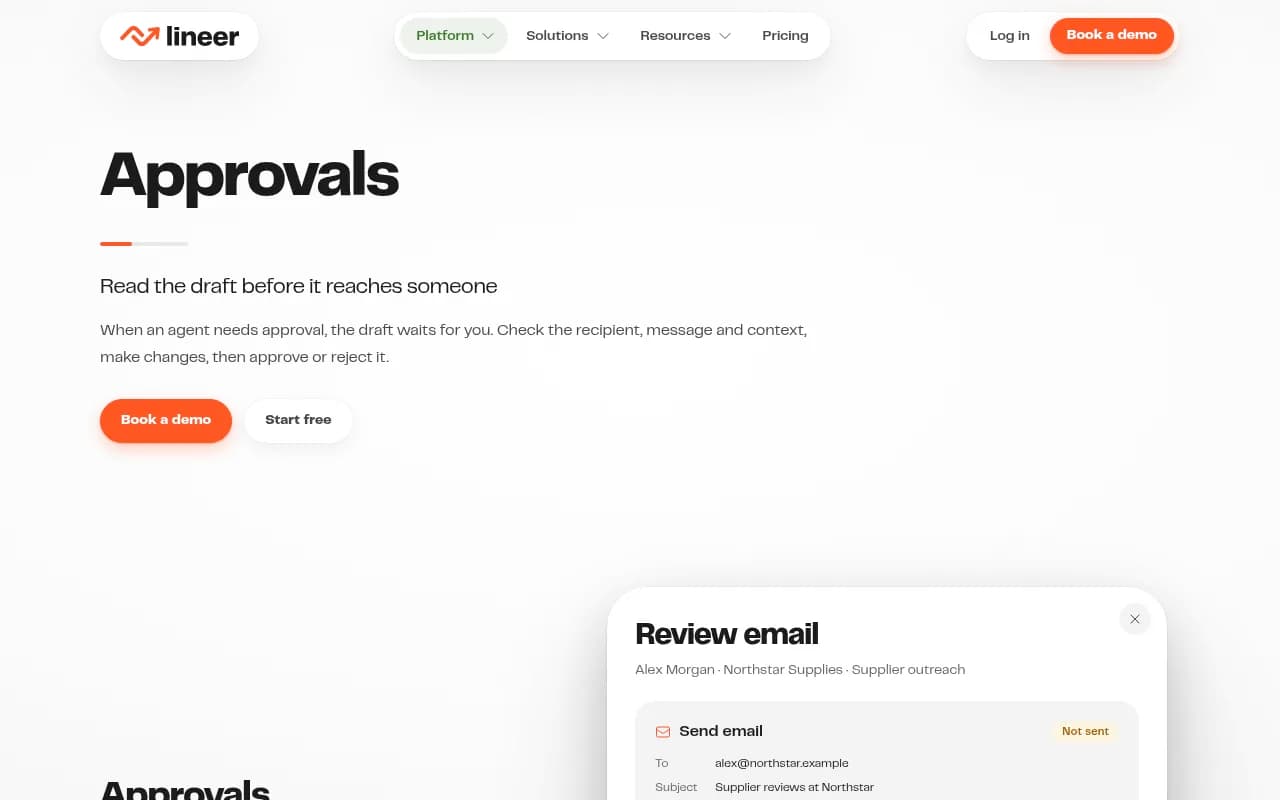
The three-button layout (reject, edit, approve) is basically universal. What differs is how much context sits next to the draft, and that is what decides whether review is real or ceremonial.
This guide uses the Promptwatch Content Agent as the working example, because it plans, writes and publishes GEO-optimized articles against your visibility gaps and routes them through a review inbox. The same checks apply to any AI content tool with an approval step.

What the Content Agent puts in front of you
The Content Agent (Business and Enterprise plans) works from a publishing calendar, a monthly budget and publish windows. Each article it writes lands in the review inbox, where you can approve it, edit it, decline it, or let the agent run hands-off if you have decided to trust it.
Before you judge any draft, find out what it was built from. In Promptwatch, an article can come from a tracked prompt (using its query fan-outs and the competitor pages AI already cites), a topic, or a cited page, with a brief that pulls in your Brand Book, Google results, news, internal links and competitor URLs. That brief is your reference point. A draft can be perfectly written and still miss the prompt it was meant to win.
A useful review screen shows at least:
- the target prompt or gap the article is supposed to close
- the full draft, not a preview
- the internal links the agent chose
- the destination (WordPress, Webflow or Framer) and whether it will go out as a draft or live
- the author profile and language
If you cannot see one of these, you are approving on trust. The lesscode.io guide on agent approvals makes the same point: a button that just says "Approve action?" gives the reviewer little to assess, and a useful screen shows the actual proposed result.
The three decisions
| Decision | Use it when | Typical time | What happens next |
|---|---|---|---|
| Approve | Facts check out, the article answers the target prompt, tone matches the Brand Book | 2-5 minutes | Published or pushed as a CMS draft on your schedule |
| Edit | The structure is sound but a few claims, links or phrases are wrong | 5-15 minutes | You fix it, then approve |
| Decline | The angle is wrong, the facts are shaky throughout, or it duplicates an existing page | 1-3 minutes plus a note | Nothing publishes; the gap stays open for another run |
The temptation is to edit everything. Resist it. If you are rewriting more than a third of an article, decline it and fix the cause upstream (the brief, the Brand Book or the Knowledge Base), because you will otherwise rewrite the same problems next week.
A review checklist that takes under five minutes
Work top to bottom. Stop at the first serious failure.
1. Does it match the prompt?
Read the target prompt, then read the first 150 words. Does the article answer that question early and directly? AI engines pull answers from pages that state them plainly. If the intro wanders, edit it or decline.
Also check the content type against the intent. Promptwatch Data on ChatGPT citations by content type (Sep 28 to Oct 4, 2026) found that for commercial prompts, product pages made up 26.0% of citations, landing pages 20.6%, listicles 15.0% and comparisons 7.9%. For informational prompts, how-tos rose to 10.7% and docs to 8.5%. If the agent wrote a how-to for a prompt where buyers expect a comparison, the format is wrong even if the prose is good.
2. Are the facts right?
This is the part that deserves most of your attention. LLMs invent details with confidence. A Nylas guide on human-in-the-loop email agents cites a 15-25% factual error rate in LLM text, but I could not verify that figure independently, so treat it as a rough warning rather than a benchmark. Your own decline log will tell you your real rate.
Check these every time:
- prices, plan names and limits
- product names, feature claims and version numbers
- statistics and the dates attached to them
- quotes and who they are attributed to
- claims about competitors
Compare each against your Knowledge Base or the live product page. If the agent states a number with no source and you cannot confirm it, cut it.
3. Does it sound like your brand?
The Brand Book exists so you do not have to fix tone by hand. If the draft reads generic, look at what the Brand Book says before you blame the model. Vague tone instructions produce vague writing.
4. Are the links sensible?
The agent picks internal links before writing, favoring pages with many Search Console impressions but few clicks. Check that the anchors are descriptive and the targets are relevant. Open one or two. Broken or irrelevant links are an easy edit.
5. Is it a duplicate?
Search your site for the target topic. If a page already covers it, the better move might be a Content Refresh on the existing page rather than a second article that competes with it.
When to edit and when to decline
Edit when the problems are local: a wrong number, a clumsy intro, a missing FAQ, a weak heading. Decline when the problem is structural: wrong intent, invented facts across several sections, or an article that could have been written about any company in your category.
A simple rule I like: if the fix takes longer than writing a short note to the agent, decline and leave the note. Some patterns that justify a decline:
- the article cites a feature you do not have
- it contradicts a page that is already live
- it targets a prompt you do not actually want to win
- it reads as a thin rewrite of a competitor page
Write the reason in one line. "Wrong audience: this is written for enterprise but the prompt is from small teams." That sentence is more valuable than the decline itself, because you can feed it back into the Brand Book or the brief.
Match review depth to page type
Not every article deserves the same scrutiny. Promptwatch Data on content half-life in ChatGPT tracked pages cited on July 6, 2026 for 90 days. After 30 days, ChatGPT still cited 78% of landing pages and 76% of docs; after 60 days, 69% and 67%. Product pages, reviews and how-tos sat around 55% after 60 days. News was the fastest to fade: half of news pages were gone after 36 days.
That gives you a sensible way to spend review time. This is my inference, not a finding from the report: an error on a long-lived page persists for months, so those deserve the slowest read.
| Page type | Staying power in ChatGPT citations | Suggested review depth |
|---|---|---|
| Landing pages, docs | Highest; still cited by about two-thirds or more at day 60 | Full fact check, line by line |
| Comparisons, listicles | Strong; 63% and 60% at day 60 | Check every competitor claim and ranking rationale |
| Product pages, reviews, how-tos | About 55% at day 60; half-life of 74-77 days | Check specs, prices and steps; schedule a refresh |
| News | Half gone after 36 days | Quick accuracy check; speed matters more |
Using the inbox without turning it into a rubber stamp
A queue of 20 drafts on a Monday morning is where review quality dies. A few habits keep it honest.
First, review in short sessions rather than one marathon. Fatigue makes everyone click approve.
Second, sample your own approvals. Once a month, reread five articles you approved. If you find errors you missed, your checklist is too light.
Third, make approval specific. The lesscode.io guide suggests that if a material part of a proposal changes after approval, it should go back for review, because approval of one proposal should not silently authorize a different one. Apply that to content: if you edit a draft heavily, reread the final version before you hit approve.
Fourth, keep a decline log. Even a spreadsheet with three columns (article, reason, fix) will show patterns within a few weeks. The Nylas example takes the same approach in code: rejected drafts aren't deleted, they move to a separate folder with metadata for post-incident review.
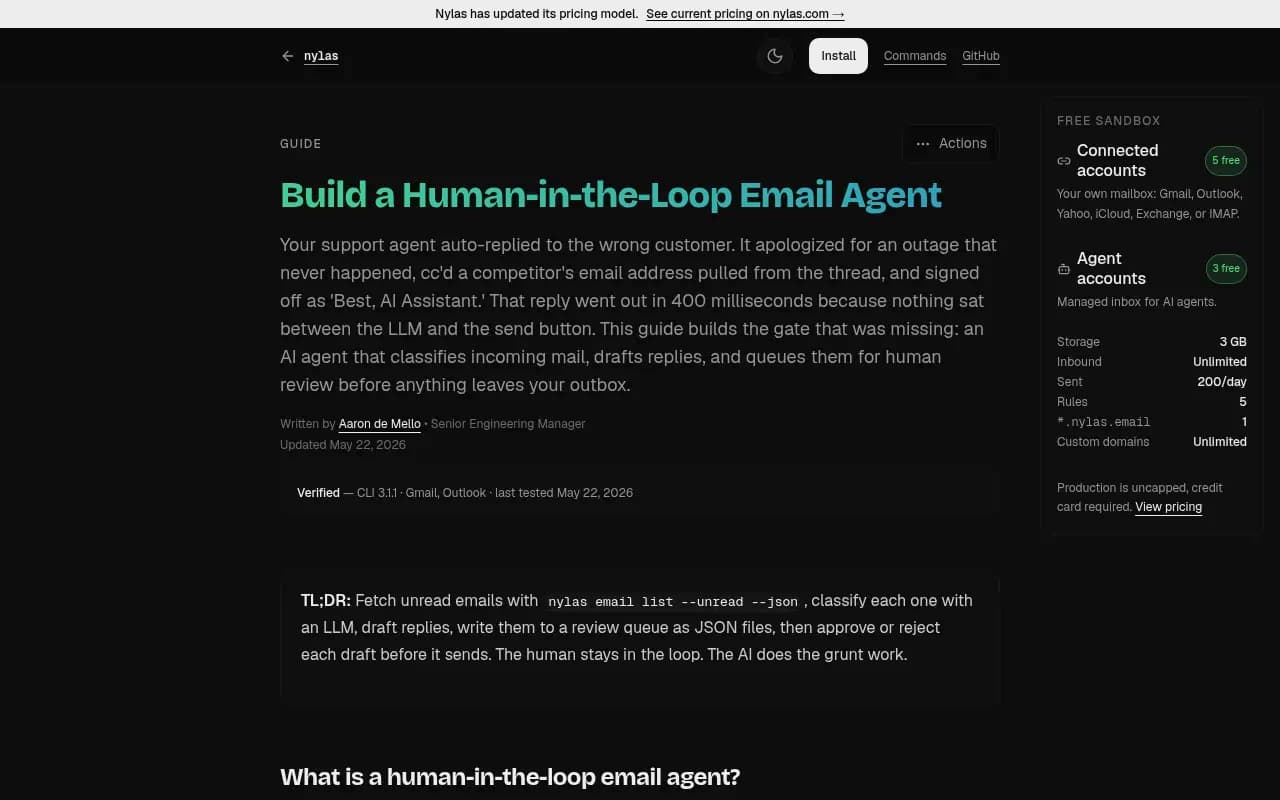
That guide's review script lists pending drafts, shows each one, and waits for approve, edit, reject or skip. It is an email example, but the shape is the same as a content inbox: nothing ships without an explicit decision, and every decision is recorded with who made it and when.
Feeding review decisions back into the system
The inbox is where you learn what the agent gets wrong. Do something with it.
- Repeated factual errors about your product: add or correct items in the Knowledge Base.
- Tone problems: tighten the Brand Book with concrete do and don't examples.
- Wrong formats for certain prompts: adjust which prompts the agent targets, or add instructions about format.
- Duplicates: refine the topics or exclude pages you already cover.
Then check whether approved articles worked. In Promptwatch, Page Tracker shows whether AI cites a published page, IP-verified crawler logs show whether AI bots read it, and visitor analytics show whether it sends traffic. A page that gets approved, published and never crawled has an access problem. One that is crawled but never cited has a content problem. That distinction tells you whether to fix the page or fix the review criteria. The Promptwatch Academy has a walkthrough on content gaps if you want to go deeper on how gaps are found in the first place.
Setting up a sane approval process
Start fully manual
For the first month, route every article through the inbox. Track approval rate, edit rate and decline rate. If you approve more than 80% with light edits for several weeks, you have evidence the briefs and Brand Book are working.
Assign roles
One person should own the final yes. Others can comment. Promptwatch gives owner, editor and viewer roles, and Business plans include an audit log that records every change, so you can see who approved what and whether the action came from the dashboard, the API, an MCP client or Agent Chat.
Push to CMS as a draft first
The Content Agent can publish to WordPress, Webflow or Framer as a draft or live. Until you trust it, send approved articles to the CMS as drafts, so a second look in the actual template catches formatting problems, missing images and broken embeds.
Loosen gradually
Hands-off mode makes sense for low-risk page types with a clean track record. Keep manual review on pricing, comparison and anything that mentions competitors or makes claims about regulated topics.
How other tools handle approval
The pattern is common, but implementations differ.
| Tool | Approval behavior | Notes |
|---|---|---|
| Promptwatch Content Agent | Review inbox with approve, edit, decline, or hands-off mode; CMS drafts or live publishing | Business and Enterprise plans; tied to visibility gaps and tracking after publish |
| HubSpot Content Agent | Drafts reviewed and edited before publishing; no automatic publishing | Beta; needs Marketing Hub Professional or Enterprise plus HubSpot Credits |
| Lineer | Draft waits for approval; edit, reject, or approve and send | Built for outreach emails, shown here as a reference for the review UI |
I did not find comparable public documentation on approval flows for other content-agent tools, so I am not going to guess at their behavior. If you are evaluating a tool, ask three things: can I see the full output, can I edit before it ships, and is every decision logged?
For HubSpot users, HubSpot Content Hub and the Content Agent in Marketing Hub sit in a different category: they generate and manage content but are not built around AI visibility data. If your goal is winning citations in AI answers, you want drafts grounded in prompt and citation data, which is where a GEO platform fits better. You can browse more options in the GEO software directory at bestgeosoftware.com.

Common mistakes
- Approving from a preview instead of the full article.
- Fixing wording while missing the wrong number two paragraphs later.
- Declining without a reason, so the same problem returns.
- Treating a high approval rate as proof of quality when you are just tired.
- Skipping the live-page check after publishing.
A short weekly routine
- Monday: clear the inbox in two sessions, fact-checking long-lived page types first.
- Midweek: scan newly published pages in the CMS and confirm formatting.
- Friday: check Page Tracker and crawler logs for the pages published two to four weeks ago, then update the Knowledge Base or Brand Book with anything the week's declines taught you.
That is about an hour for a modest publishing cadence. If you want to see how the agent and the inbox behave on your own data, the 7-day free trial is the quickest way, and you can confirm current plans at promptwatch.com/pricing.
The inbox is only as good as the person reading it. Give that person the full draft, a checklist and the authority to say no, and the agent becomes a fast first-draft writer you can trust. Take any of those away and it is just a faster way to publish mistakes.