Summary
- Understand the gap: Monitoring-only platforms show you data but leave you stuck. Optimization platforms close the loop by helping you create content, track results, and improve visibility.
- Plan the migration: Map dependencies, prioritize workloads, and create rollback plans before touching production systems.
- Use dual-running: Run both platforms in parallel during the transition to validate data accuracy and maintain continuity.
- Preserve historical data: Export time-series data, maintain consistent tracking IDs, and validate data integrity at every step.
- Communicate with stakeholders: Keep teams informed about timelines, expected disruptions, and new capabilities to maintain trust.
The difference between a monitoring-only platform and an optimization platform is the difference between knowing you have a problem and actually fixing it. Most AI visibility tools (Otterly.AI, Peec.ai, AthenaHQ, Search Party) stop at showing you where your brand isn't being cited. They give you dashboards, charts, and alerts. What they don't give you: a way forward.
Optimization platforms like Promptwatch take the next step. They show you the gaps, then help you close them with content generation, crawler log analysis, and page-level tracking. The question is how to migrate without losing the historical data that makes trend analysis possible.

Why monitoring-only platforms leave you stuck
Monitoring-only platforms track visibility scores and brand mentions across AI engines. They tell you when ChatGPT stops citing you or when Perplexity starts recommending a competitor. Useful information. But then what?
The problem: you're left to figure out the fix yourself. You know you're invisible for a specific prompt, but the platform doesn't tell you which content is missing, which competitor is winning, or how to structure an article that AI models will actually cite. You export a CSV, stare at the data, and guess.
Optimization platforms close this loop. Promptwatch runs Answer Gap Analysis to show you exactly which prompts competitors rank for but you don't. It surfaces the specific topics, angles, and questions AI models want but can't find on your site. Then it generates content grounded in 880M+ citations analyzed, prompt volumes, and persona targeting. You see the gap, create content to fill it, and track visibility improvements as AI models start citing your new pages.
Most competitors (Otterly.AI, Peec.ai, AthenaHQ) lack this action loop entirely. They monitor. You optimize manually. The result: slow progress, guesswork, and no clear path from insight to outcome.
What you gain by migrating to an optimization platform
Moving from a monitoring-only tool to an optimization platform unlocks capabilities that change how you approach AI visibility:
Content gap analysis: See which prompts competitors rank for but you don't. Promptwatch's Answer Gap Analysis shows the exact content missing from your site -- the topics AI models want answers to but can't find. No guessing.
AI content generation: The built-in AI writing agent creates articles, listicles, and comparisons engineered to get cited by ChatGPT, Claude, Perplexity, and other models. Content is grounded in real citation data, prompt volumes, and competitor analysis -- not generic SEO filler.
Crawler log analysis: Real-time logs of AI crawlers (ChatGPT, Claude, Perplexity) hitting your website. See which pages they read, errors they encounter, how often they return. Fix indexing issues that monitoring-only tools never surface.
Page-level tracking: Know exactly which pages are being cited, how often, and by which models. Connect visibility to traffic with code snippet, GSC integration, or server log analysis. Close the loop from visibility to revenue.
Prompt intelligence: Volume estimates and difficulty scores for each prompt, plus query fan-outs that show how one prompt branches into sub-queries. Prioritize high-value, winnable prompts instead of guessing.
Reddit & YouTube insights: Surface discussions that directly influence AI recommendations -- a channel most competitors ignore entirely.
ChatGPT Shopping tracking: Monitor when your brand appears in ChatGPT's product recommendations and shopping carousels.
The core difference: monitoring-only platforms show you the problem. Optimization platforms help you solve it.
Planning your migration strategy
A structured migration strategy reduces risk and prevents data loss. Most failed migrations happen because teams rush the technical work without defining scope, goals, and dependencies upfront.
Define migration scope and goals
Start by documenting what you're migrating and why. List every data type you need to preserve:
- Historical visibility scores and trend data
- Prompt tracking history and volume estimates
- Brand mention records across AI engines
- Competitor comparison data
- Custom reports and saved queries
- Team member access and permissions
Set clear success criteria. What does "done" look like? Examples: all historical data accessible in the new platform, no gaps in time-series charts, team members trained on new workflows, old platform decommissioned.
Identify dependencies. Which internal systems rely on data from the current platform? Marketing dashboards, executive reports, automated alerts, API integrations. Map these before you start.
Map data sources and dependencies
Document where your data lives and how it flows:
- Which AI engines are you tracking? (ChatGPT, Perplexity, Claude, Gemini, etc.)
- How many prompts are you monitoring?
- What's the historical date range you need to preserve?
- Are there custom integrations or API connections?
- Who consumes this data and how? (Looker Studio dashboards, Slack alerts, weekly reports)
Create a dependency map showing which teams and systems rely on the current platform. This prevents surprises when you flip the switch.
Create a rollback plan
Things go wrong. Have a rollback plan before you start:
- Keep the old platform active during the transition (dual-running)
- Export a full backup of historical data before migration
- Document the exact steps to revert if the new platform fails
- Set a decision point: if X happens, we roll back
A rollback plan isn't pessimism. It's insurance that lets you move faster because the downside risk is contained.
Data migration techniques that preserve history
Preserving historical data during migration requires careful handling of time-series data, tracking IDs, and data formats. Most platforms export data differently, so you'll need to normalize and validate.
Export historical data from the old platform
Most monitoring-only platforms offer CSV or JSON exports. Export everything:
- Visibility scores by date, prompt, and AI engine
- Brand mention records with timestamps
- Competitor comparison data
- Custom reports and saved queries
Export in the most granular format available. Daily data is better than weekly aggregates. Prompt-level data is better than account-level summaries. You can always aggregate later, but you can't un-aggregate.
Validate the export before you proceed. Spot-check dates, prompt counts, and visibility scores against the live dashboard. Missing data at this stage is a red flag.
Transform data to match the new platform's schema
Optimization platforms like Promptwatch use different data models than monitoring-only tools. You'll need to map fields:
- Old platform's "visibility score" might map to new platform's "citation rate"
- Old platform's "AI engine" field might use different naming ("ChatGPT" vs "OpenAI" vs "GPT-4")
- Date formats, time zones, and granularity might differ
Create a transformation script or spreadsheet that maps old fields to new fields. Test the transformation on a small sample before running it on the full dataset.
Maintain consistent tracking IDs. If the old platform used a specific prompt ID or brand mention ID, preserve it in the new platform. This lets you connect historical data to new data without breaking trend lines.
Use dual-running to validate data accuracy
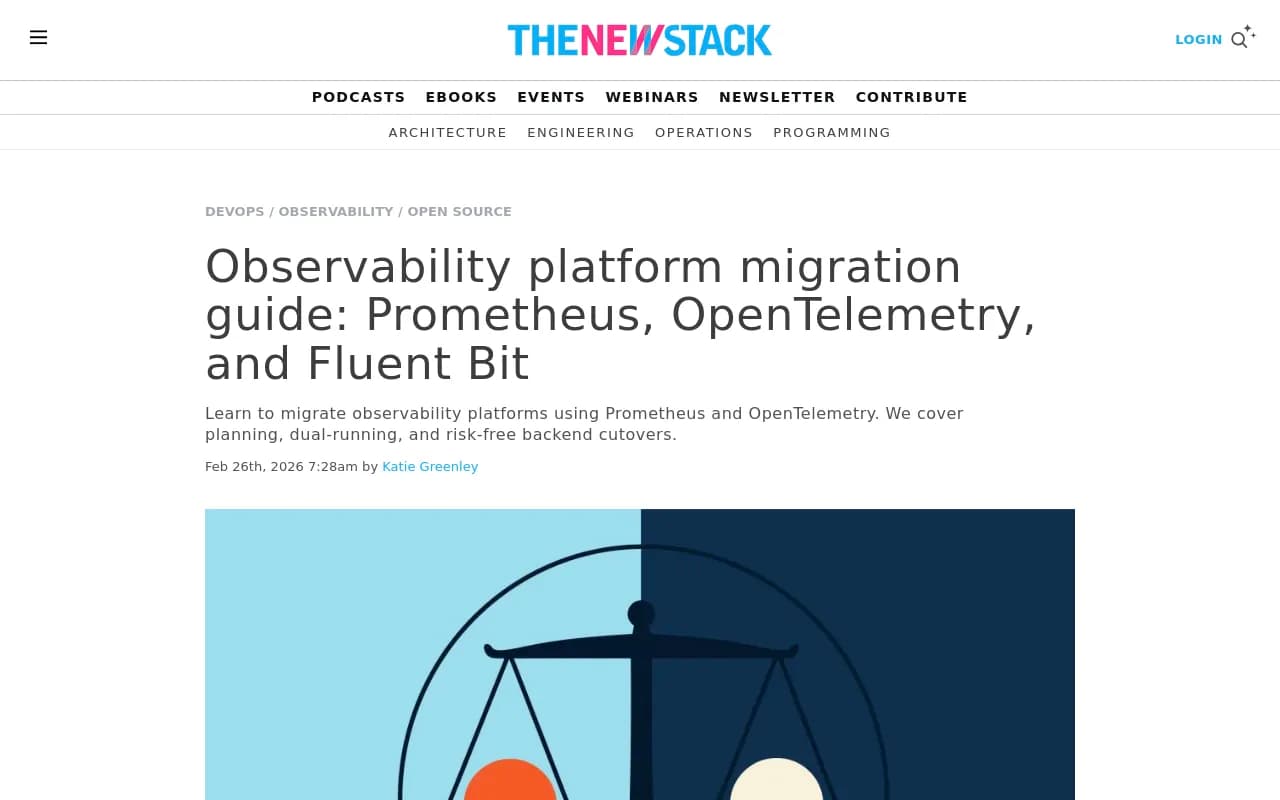
Dual-running means running both platforms in parallel for a defined period (typically 2-4 weeks). This validates that the new platform is capturing data correctly before you decommission the old one.
During dual-running:
- Compare daily visibility scores between platforms
- Check that prompt counts match
- Verify that brand mentions are being detected consistently
- Validate that AI engine coverage is equivalent
Discrepancies are normal -- platforms use different methodologies. What matters: the trends should align. If the old platform shows visibility dropping 15% and the new platform shows it flat, investigate.
Dual-running also gives your team time to learn the new platform without pressure. They can explore features, build new reports, and ask questions while the old platform is still running.
Import historical data into the new platform
Once you've validated the transformation, import historical data into the new platform. Most optimization platforms support bulk imports via CSV, JSON, or API.
Import in stages:
- Start with a small date range (e.g. last 30 days) to test the import process
- Validate that imported data appears correctly in dashboards and reports
- Import the full historical dataset
- Run a final validation comparing old platform exports to new platform data
Check for data integrity issues:
- Are there gaps in the time series?
- Do visibility scores match the exported values?
- Are all prompts and AI engines represented?
- Do trend lines look continuous or are there sudden jumps?
Fix issues before you decommission the old platform. Once it's gone, recovering missing data is difficult.
Deployment strategies that minimize disruption
Zero-downtime migration isn't just for databases. You can migrate from one AI visibility platform to another without losing tracking continuity or disrupting team workflows.
Phased migration approach
Phased migration means moving workloads incrementally instead of all at once. This reduces risk and gives you time to validate each step.
Example phased migration:
Phase 1 (Week 1-2): Set up the new platform, import historical data, run dual-tracking for validation
Phase 2 (Week 3-4): Migrate core prompts and dashboards, train team members, maintain dual-running
Phase 3 (Week 5-6): Migrate remaining prompts, decommission old platform, update integrations
Each phase has a clear deliverable and validation step. If something breaks in Phase 2, you can pause and fix it without impacting Phase 1.
Blue-green deployment for platform switching
Blue-green deployment means running two identical environments (blue = old platform, green = new platform) and switching traffic between them.
For AI visibility platforms, this looks like:
- Set up the new platform (green) with all prompts, tracking, and integrations
- Run both platforms in parallel (blue and green both active)
- Validate that green is working correctly
- Switch team access to green (new platform becomes primary)
- Keep blue (old platform) running for a defined rollback period (e.g. 30 days)
- Decommission blue once green is stable
The advantage: instant rollback if the new platform fails. Just switch team access back to blue.
Canary releases for gradual rollout
Canary releases mean migrating a small subset of users or workloads first, validating success, then expanding.
Example canary migration:
- Migrate 10% of prompts to the new platform
- Have one team member use the new platform exclusively for one week
- Validate data accuracy and usability
- Expand to 50% of prompts and 50% of team
- Continue expanding until full migration
This catches issues early with minimal blast radius. If the new platform has a bug or missing feature, only a small subset of users is affected.
Maintaining data continuity during migration
Data continuity means ensuring that trend lines, historical comparisons, and time-series charts remain unbroken during the migration. This requires careful handling of timestamps, tracking IDs, and data formats.
Synchronize timestamps and time zones
AI visibility platforms track data by date and time. If timestamps don't align between platforms, trend lines break.
Common timestamp issues:
- Old platform uses UTC, new platform uses local time
- Old platform records data at midnight, new platform at noon
- Old platform aggregates daily, new platform aggregates hourly
Fix these during the transformation step. Convert all timestamps to a consistent format (preferably UTC) and granularity (preferably daily for historical data).
Maintain consistent tracking IDs
Tracking IDs (prompt IDs, brand mention IDs, AI engine IDs) connect historical data to new data. If these IDs change during migration, you lose the ability to compare trends.
Example: the old platform tracked "ChatGPT" as engine ID "chatgpt-1". The new platform uses "openai-gpt4". If you don't map these IDs, historical ChatGPT data and new ChatGPT data appear as separate engines.
Create an ID mapping table during the transformation step. Document every ID change and apply it consistently across the dataset.
Validate data integrity at every step
Data integrity checks catch errors before they propagate:
- Row counts: Does the exported data have the expected number of records?
- Date ranges: Does the data cover the full historical period?
- Null values: Are there unexpected missing values?
- Outliers: Are there visibility scores or prompt volumes that look wrong?
- Trend continuity: Do trend lines look smooth or are there sudden jumps?
Run these checks after every transformation and import step. Fix issues immediately -- they compound if left unaddressed.
Post-migration optimization and monitoring
Migration isn't done when the data is imported. The real work starts when you begin using the new platform's optimization features.
Leverage new optimization features
Optimization platforms like Promptwatch offer capabilities that monitoring-only tools lack. Start using them:
Run Answer Gap Analysis: Identify which prompts competitors rank for but you don't. See the exact content missing from your site.
Generate AI-optimized content: Use the built-in AI writing agent to create articles engineered to get cited by ChatGPT, Claude, and Perplexity.
Analyze crawler logs: See which pages AI crawlers are reading, errors they encounter, and how often they return. Fix indexing issues.
Track page-level citations: Know exactly which pages are being cited and by which models. Connect visibility to traffic.
Monitor prompt volumes and difficulty: Prioritize high-value, winnable prompts instead of guessing.
The migration unlocked these features. Use them.
Monitor performance and gather feedback
Track key metrics post-migration:
- Are visibility scores improving?
- Are team members using the new platform regularly?
- Are there features they're struggling with?
- Are there bugs or missing data?
Gather feedback from team members weekly for the first month. Ask:
- What's working well?
- What's confusing or broken?
- What features from the old platform do you miss?
- What new features are you excited about?
Use this feedback to refine workflows, request features, and identify training gaps.
Decommission the old platform
Once the new platform is stable and the team is comfortable, decommission the old platform:
- Export a final backup of all data
- Cancel the subscription or notify the vendor
- Remove integrations and API connections
- Archive access credentials and documentation
- Update internal documentation to reference the new platform
Keep the final backup for at least 12 months in case you need to reference historical data.
Common migration pitfalls and how to avoid them
Most migration failures follow predictable patterns. Avoid these:
Rushing the migration: Teams underestimate the time required for data transformation, validation, and training. Add buffer time to every estimate.
Skipping dual-running: Migrating without a validation period means you won't catch data discrepancies until it's too late. Always run both platforms in parallel.
Ignoring data quality issues: Garbage in, garbage out. If the old platform's data is messy, the new platform's data will be messy. Clean the data during transformation.
Poor communication: Teams and stakeholders get blindsided by the migration. Communicate timelines, expected disruptions, and new capabilities early and often.
Not training users: The new platform has different workflows and features. If users don't know how to use them, adoption fails. Schedule training sessions and create documentation.
Losing historical context: Importing data without preserving timestamps, tracking IDs, and metadata breaks trend analysis. Validate data continuity at every step.
Migration checklist
Use this checklist to ensure nothing is missed:
Pre-migration:
- Define migration scope and goals
- Map data sources and dependencies
- Create rollback plan
- Export historical data from old platform
- Validate export completeness and accuracy
Transformation:
- Map old fields to new fields
- Normalize timestamps and time zones
- Create ID mapping table
- Transform data to match new schema
- Validate transformed data
Migration:
- Set up new platform with prompts and tracking
- Import historical data
- Run dual-running for validation period
- Compare data between platforms
- Train team members on new platform
Post-migration:
- Switch team access to new platform
- Monitor performance and gather feedback
- Fix issues and refine workflows
- Decommission old platform
- Archive final backup
Comparison: monitoring-only vs optimization platforms
| Feature | Monitoring-only platforms | Optimization platforms |
|---|---|---|
| Visibility tracking | Yes | Yes |
| Brand mention alerts | Yes | Yes |
| Competitor comparison | Yes | Yes |
| Content gap analysis | No | Yes |
| AI content generation | No | Yes |
| Crawler log analysis | No | Yes |
| Page-level citation tracking | No | Yes |
| Prompt volume & difficulty | No | Yes |
| Reddit/YouTube insights | No | Yes |
| ChatGPT Shopping tracking | No | Yes |
| Traffic attribution | No | Yes |
Migrating from a monitoring-only platform to an optimization platform isn't just a technical exercise. It's a strategic shift from knowing you have a problem to actually fixing it. The migration requires planning, validation, and careful handling of historical data -- but the payoff is a platform that closes the loop from insight to action.
Most teams underestimate the time required for transformation and validation. Add buffer. Run both platforms in parallel. Validate data at every step. Communicate with stakeholders. Train your team. The technical work is straightforward if you follow the process.
The real question isn't whether to migrate. It's how long you're willing to stay stuck with a platform that shows you problems but doesn't help you solve them.