Key Takeaways
- Query fan-out breaks one search into 8-12 sub-queries: AI search engines like ChatGPT, Google AI Mode, and Perplexity automatically decompose complex questions into multiple parallel searches, then synthesize the results into a single answer
- Each sub-query is a content opportunity: By mapping the fan-out queries AI generates for your target prompts, you can identify dozens of specific article angles your competitors are missing
- Tools like Promptwatch show you the sub-queries: Modern GEO platforms reveal exactly which fan-out queries AI models run behind the scenes, turning guesswork into data-driven content strategy
- One prompt can generate 100+ ideas: A single high-value query fans out into sub-queries, which themselves can be analyzed for their own fan-outs — creating a cascading tree of content opportunities
- This approach beats traditional keyword research: While keyword tools show search volume, query fan-out analysis reveals what AI models actually need to construct comprehensive answers

What Is Query Fan-Out and Why It Matters for Content Strategy
Query fan-out is the core retrieval technique that powers modern AI search engines. When you ask ChatGPT "what are the best project management tools for remote teams," it doesn't just search for that exact phrase. Behind the scenes, it decomposes your question into 8-12 distinct sub-queries and runs them simultaneously:
- "project management tools comparison 2026"
- "remote team collaboration features"
- "Asana vs Monday.com vs Notion"
- "project management pricing small business"
- "best free project management software"
- "project management integrations Slack Zoom"
Each sub-query retrieves its own set of results. The AI then synthesizes information from all these sources into a single, comprehensive answer.
This matters because AI models cite content that answers their sub-queries, not just the original prompt. If your content only targets the main keyword, you're missing 90% of the citation opportunities.
The Content Gap Most Brands Are Missing
Traditional SEO focuses on ranking for individual keywords. You optimize one page for "project management tools" and hope it ranks #1. But AI search doesn't work that way.
Research from iPullRank shows a 0.77 correlation between appearing in fan-out query results and getting cited in AI answers. In other words: the more sub-queries your content satisfies, the higher your citation probability.
Most brands are invisible in AI search because they're optimizing for the wrong thing. They target the main query but ignore the 10+ sub-queries that AI models actually use to construct answers. That's the gap we're going to close.
Step 1: Identify Your Core Target Prompts
Start with 5-10 high-value prompts your ideal customers would ask AI search engines. These should be:
- Complex questions (not simple fact lookups)
- Commercial or informational intent (not navigational)
- Relevant to your product/service (but not branded)
- Actually being asked (check prompt volume data)
Examples:
- "How do I choose the right CRM for a 50-person sales team"
- "What's the best way to track marketing attribution across multiple channels"
- "How should I structure my content calendar for B2B SaaS"
Platforms like Promptwatch provide prompt volume estimates and difficulty scores to help you prioritize. Look for prompts with decent volume but low competition — these are your quick wins.
Step 2: Map the Query Fan-Out for Each Prompt
Now comes the critical step: discovering what sub-queries AI models generate for your target prompts.
Method 1: Use a GEO Platform with Fan-Out Tracking
The fastest way is using a tool that captures fan-out queries automatically. Promptwatch tracks exactly which sub-queries ChatGPT, Perplexity, Claude, and other AI models run when processing a prompt.
You'll see output like:
Main prompt: "best project management tools for remote teams"
Fan-out queries detected:
- project management software comparison 2026
- remote team collaboration tools
- Asana vs Monday vs Notion features
- project management tool pricing
- free project management software
- project management integrations
- Gantt chart software for remote teams
- agile project management tools
- project management mobile apps
- project management security features
Each of these is a potential article topic.
Method 2: Manual Fan-Out Analysis
If you're starting without tools, you can manually map fan-outs:
- Search your prompt in ChatGPT with the Keyword Surfer Chrome extension installed
- Look at the "Searched for" section — this shows the sub-queries ChatGPT ran
- Repeat in Google AI Mode (if available in your region)
- Check Perplexity's sources — the pages it cites reveal what sub-topics it searched
- Document all unique sub-queries you find
This manual approach is slower but gives you a solid starting list.
Method 3: Analyze Competitor Citations
Look at which pages AI models cite when answering your target prompt. Visit those pages and note:
- What specific questions do they answer?
- What sub-topics do they cover?
- What related terms and concepts appear?
These reveal the sub-queries AI models found useful. If competitors are getting cited for covering "project management integrations," that's a sub-query you need to address.
Step 3: Expand Each Sub-Query Into Its Own Fan-Out
Here's where you unlock 100+ ideas from a single prompt: each sub-query can be analyzed for its own fan-out.
Take one of the sub-queries from Step 2, like "project management tool pricing." Run it through the same fan-out analysis:
Sub-query: "project management tool pricing"
Second-level fan-out:
- project management software cost comparison
- free vs paid project management tools
- project management pricing tiers explained
- hidden costs of project management software
- project management ROI calculator
- enterprise project management pricing
- project management per-user pricing
- project management annual vs monthly pricing
You've just generated 8 more article ideas from a single sub-query. Repeat this for each of the 10 original sub-queries and you have 80+ topics.
Step 4: Organize Your Ideas Into Content Clusters
Now you have a massive list of potential articles. Organize them into logical clusters:
Cluster 1: Tool Comparisons
- Asana vs Monday.com: Which is better for remote teams?
- Notion vs ClickUp for project management
- Top 10 project management tools compared
- Best free project management software in 2026
Cluster 2: Feature Deep-Dives
- Essential collaboration features for remote project management
- How to choose project management software with the right integrations
- Project management mobile apps: what to look for
- Security features every project management tool needs
Cluster 3: Pricing & ROI
- Project management software pricing guide 2026
- Hidden costs of project management tools
- How to calculate ROI on project management software
- Free vs paid project management: what you're really getting
Cluster 4: Implementation & Best Practices
- How to set up project management software for remote teams
- Project management tool migration guide
- Best practices for Gantt chart software
- Agile project management tool setup checklist
This cluster structure helps you:
- Build topical authority by covering a subject comprehensively
- Create internal linking opportunities between related articles
- Increase citation probability by appearing across multiple sub-queries
Step 5: Prioritize Based on Citation Opportunity
Not all sub-queries are equally valuable. Prioritize your content roadmap using:
Citation Probability Signals
- Query volume: Higher volume = more opportunities to get cited
- Current competition: Fewer quality results = easier to rank
- Relevance to your brand: Closer match = higher conversion potential
- Fan-out depth: Queries that themselves fan out widely offer more long-tail opportunities
Platforms like Promptwatch provide difficulty scores and competitor analysis to help with this prioritization.
The 80/20 Rule for AI Content
Focus on the 20% of sub-queries that will drive 80% of your citations:
- High-volume, low-competition queries where you can win quickly
- Queries where competitors have weak coverage (thin content, outdated information, missing key angles)
- Queries that align with your product positioning (you have unique expertise or data)
Step 6: Create Content That Satisfies Multiple Sub-Queries
Now you're ready to write. The goal isn't to create 100 separate articles — it's to create comprehensive content that satisfies multiple related sub-queries in a single piece.
The Comprehensive Guide Approach
For your main target prompt, create a pillar guide that addresses:
- The main question
- The top 5-7 sub-queries
- Common follow-up questions
Example structure for "best project management tools for remote teams":
H2: What Makes a Good Project Management Tool for Remote Teams
- Addresses: "remote team collaboration features"
H2: Top 10 Project Management Tools Compared
- Addresses: "project management tools comparison 2026"
- Addresses: "Asana vs Monday.com vs Notion"
H2: Pricing Guide: What You'll Actually Pay
- Addresses: "project management pricing small business"
- Addresses: "best free project management software"
H2: Essential Integrations for Remote Teams
- Addresses: "project management integrations Slack Zoom"
H2: Security & Compliance Considerations
- Addresses: "project management security features"
This single comprehensive guide can satisfy 6+ sub-queries, dramatically increasing your citation probability.
The Atomic Answer Technique
Within each section, use 40-60 word "atomic answers" — concise, self-contained paragraphs that directly answer a specific question. AI models love extracting these for citations.
Example:
Bad (too vague): "Asana and Monday.com are both popular choices for remote teams, each with their own strengths and weaknesses."
Good (atomic answer): "Asana excels at task dependencies and timeline views, making it ideal for complex projects with sequential workflows. Monday.com offers more customization and automation options, better suited for teams that need flexible workflows across multiple projects. For remote teams under 10 people, Asana's free tier provides more features; larger teams benefit from Monday.com's advanced collaboration tools."
The second version directly answers "Asana vs Monday for remote teams" in a format AI can easily extract and cite.
Step 7: Optimize for Maximum Citation Probability
Once your content is written, optimize it for AI search visibility:
Structured Data Markup
Add FAQ schema for your Q&A sections. Research shows pages with FAQ schema are 60% more likely to appear in AI-generated answers.
{
  "@context": "https://schema.org",
  "@type": "FAQPage",
  "mainEntity": [{
    "@type": "Question",
    "name": "What's the difference between Asana and Monday.com for remote teams?",
    "acceptedAnswer": {
      "@type": "Answer",
      "text": "Asana excels at task dependencies and timeline views..."
    }
  }]
}
E-E-A-T Signals
AI models heavily weight expertise signals. Include:
- Author credentials and bylines
- Original research or data
- Expert quotes and interviews
- Case studies and examples
- Citations to authoritative sources
Studies show 96% of AI Overview citations come from pages with strong E-E-A-T signals.
Internal Linking
Link between articles in your content cluster. This helps AI models understand your topical coverage and increases the likelihood they'll cite multiple pages from your site.
Real-World Example: From 1 Prompt to 127 Article Ideas
Let's walk through a complete example.
Starting prompt: "How do I improve my website's conversion rate"
Step 1: Initial fan-out (10 sub-queries)
- website conversion rate optimization techniques
- A/B testing for conversion rate
- landing page best practices
- conversion rate benchmarks by industry
- website speed impact on conversions
- mobile conversion optimization
- checkout process optimization
- conversion rate tracking tools
- psychological triggers for conversions
- conversion funnel analysis
Step 2: Second-level fan-out (pick 3 sub-queries to expand)
Sub-query 1: "A/B testing for conversion rate" → 12 sub-queries
- A/B testing tools comparison
- how to set up A/B tests
- A/B testing sample size calculator
- A/B testing statistical significance
- multivariate testing vs A/B testing
- A/B testing best practices
- A/B testing mistakes to avoid
- A/B testing for mobile apps
- A/B testing headlines
- A/B testing call-to-action buttons
- A/B testing pricing pages
- how long to run A/B tests
Sub-query 2: "landing page best practices" → 15 sub-queries
- landing page design examples
- landing page copywriting formulas
- landing page conversion rate benchmarks
- landing page above the fold content
- landing page form optimization
- landing page load speed
- landing page mobile optimization
- landing page trust signals
- landing page call-to-action placement
- landing page headline formulas
- landing page video vs static
- landing page social proof examples
- landing page exit intent popups
- landing page thank you page optimization
- landing page A/B testing checklist
Sub-query 3: "conversion rate tracking tools" → 8 sub-queries
- Google Analytics conversion tracking setup
- heatmap tools for conversion analysis
- session recording software comparison
- conversion funnel visualization tools
- attribution tracking for conversions
- conversion rate optimization platforms
- free conversion tracking tools
- enterprise conversion analytics
Total: 1 main prompt + 10 first-level sub-queries + 35 second-level sub-queries = 46 article ideas
Step 3: Third-level fan-out (pick 5 second-level queries to expand further)
Each generates 8-12 more ideas, adding another 40-60 topics.
Step 4: Related question expansion
For each sub-query, check "People Also Ask" and related searches to find 1-2 additional angles.
Final count: 127 unique article ideas from a single starting prompt.
Tools That Make This Process Faster
While you can do query fan-out analysis manually, several tools accelerate the process:
Promptwatch
The most comprehensive GEO platform for fan-out analysis. Tracks sub-queries across 10+ AI models, provides prompt volume data, and shows exactly which pages get cited for each sub-query. The built-in content gap analysis reveals which sub-queries competitors cover that you don't.
Keyword Surfer (Chrome Extension)
Free extension that shows ChatGPT's sub-queries directly in the interface. Limited to ChatGPT only, but useful for quick manual analysis.
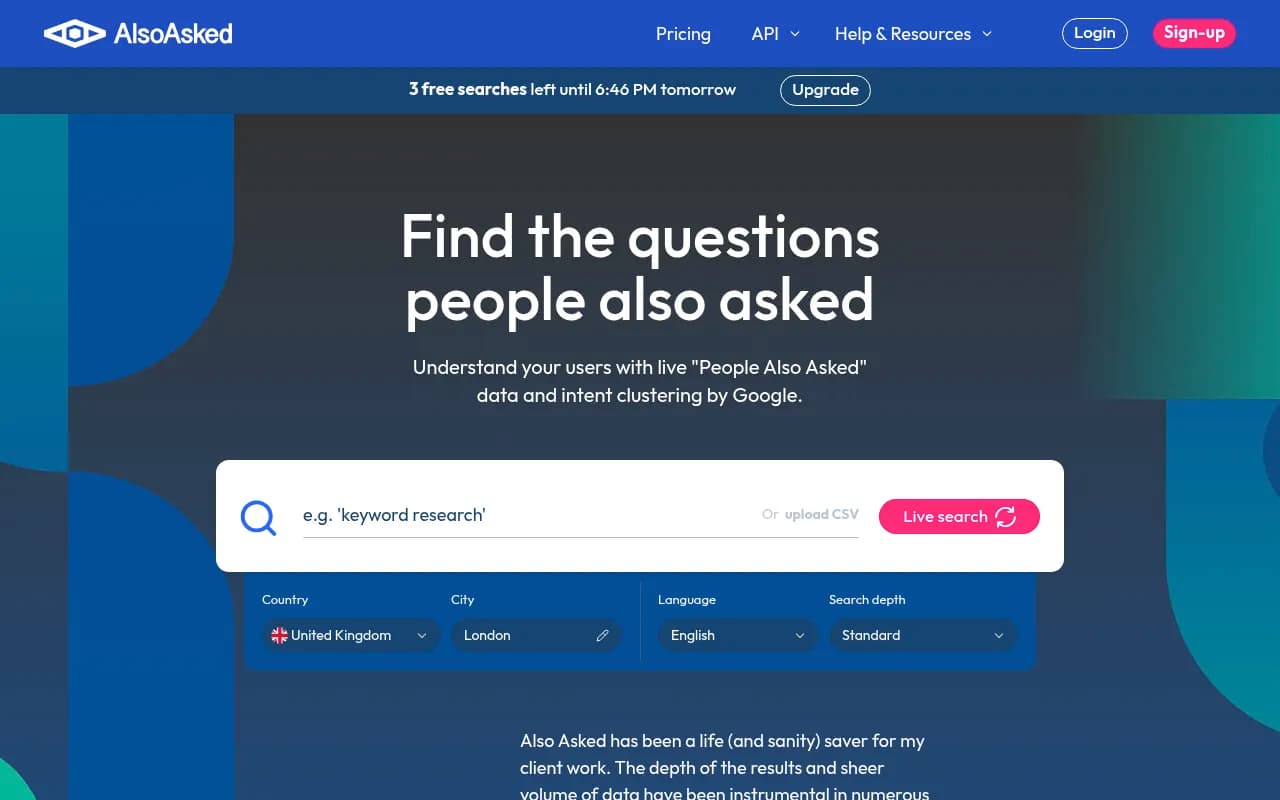
AlsoAsked
Visualizes "People Also Ask" questions in a branching tree structure. Good for finding related questions, though it doesn't show actual AI fan-out queries.
AnswerThePublic
Generates question-based keywords from autocomplete data. Useful for brainstorming angles, but doesn't reveal actual AI search behavior.

Common Mistakes to Avoid
Mistake 1: Treating Every Sub-Query as a Separate Article
Don't create 100 thin articles. Create 10-15 comprehensive pieces that each address multiple related sub-queries. AI models prefer depth over breadth.
Mistake 2: Ignoring Search Intent
Some sub-queries are informational, others are commercial. Match your content format to intent:
- Informational: guides, tutorials, explainers
- Commercial: comparisons, reviews, "best of" lists
- Navigational: product pages, documentation
Mistake 3: Optimizing for Keywords Instead of Questions
AI search responds to natural language questions. Structure your content with clear H2/H3 questions and direct answers, not keyword-stuffed paragraphs.
Mistake 4: Neglecting Content Freshness
AI models strongly prefer recent content. Update your articles regularly with current data, examples, and screenshots. Add "Last updated: [date]" timestamps.
Mistake 5: Forgetting About Traditional SEO
AI search doesn't replace Google — it complements it. Your content still needs:
- Fast load times (Core Web Vitals)
- Mobile optimization
- Clean technical SEO
- Quality backlinks
Pages that rank well in traditional search are more likely to get cited by AI.
Measuring Success: Are Your Articles Getting Cited?
Once you've published content based on fan-out analysis, track its performance:
Citation Tracking
Monitor how often AI models cite your content. Tools like Promptwatch provide:
- Citation counts by AI model
- Page-level tracking showing which articles get cited most
- Prompt coverage revealing which sub-queries you're visible for
- Competitor comparison showing your share of voice
Traffic Attribution
Connect AI visibility to actual traffic:
- UTM parameters in cited links (when AI models include them)
- Referrer tracking for direct AI search traffic
- Branded search uplift as AI exposure increases awareness
Conversion Tracking
Ultimately, citations should drive business outcomes:
- Lead generation from AI search traffic
- Demo requests attributed to AI visibility
- Revenue impact from AI-sourced customers
The platforms that do this well (like Promptwatch) offer traffic attribution through code snippets, Google Search Console integration, or server log analysis.
Advanced Technique: Prompt Clustering for Content Strategy
Once you're comfortable with basic fan-out analysis, level up with prompt clustering:
- Collect 50-100 target prompts relevant to your business
- Map fan-outs for each using the techniques above
- Identify overlapping sub-queries that appear across multiple prompts
- Prioritize content that satisfies multiple prompt clusters
Example: The sub-query "project management integrations" might appear in fan-outs for:
- "best project management tools for remote teams"
- "how to choose project management software"
- "project management tools for marketing agencies"
- "project management software for developers"
One comprehensive article on integrations can increase your citation probability across all four prompts.
The Future of Query Fan-Out
AI search is evolving rapidly. Here's what to watch:
Deeper Fan-Outs
Google's Deep Research mode can generate hundreds of sub-queries for complex questions. As this becomes mainstream, content needs to be even more comprehensive.
Personalized Fan-Outs
AI models are starting to customize sub-queries based on user context, location, and history. This means the same prompt might fan out differently for different users.
Multi-Modal Fan-Outs
Future AI search will fan out across text, images, video, and audio sources. Content strategies will need to span multiple formats.
Agentic Fan-Outs
AI agents that take actions (not just answer questions) will use fan-outs to gather information before executing tasks. This creates new content opportunities around "how-to" and procedural content.
Getting Started Today
Here's your action plan:
Week 1: Pick 5 high-value prompts and manually map their fan-outs using ChatGPT + Keyword Surfer
Week 2: Organize sub-queries into content clusters and prioritize based on competition and relevance
Week 3: Create your first comprehensive guide addressing 5-7 related sub-queries
Week 4: Publish, optimize with structured data, and start tracking citations
If you want to accelerate this process, platforms like Promptwatch automate the fan-out discovery, provide prompt volume data, and show you exactly which content gaps to fill. The built-in AI writing agent can even generate articles grounded in real citation data from 880M+ analyzed citations.
Query fan-out analysis transforms content strategy from guesswork into a data-driven system. You're no longer optimizing for keywords you think matter — you're creating content that satisfies the exact sub-queries AI models need to construct comprehensive answers. That's how you go from invisible to cited across ChatGPT, Perplexity, Claude, and every other AI search engine that matters in 2026.