HeyOrca Review 2026
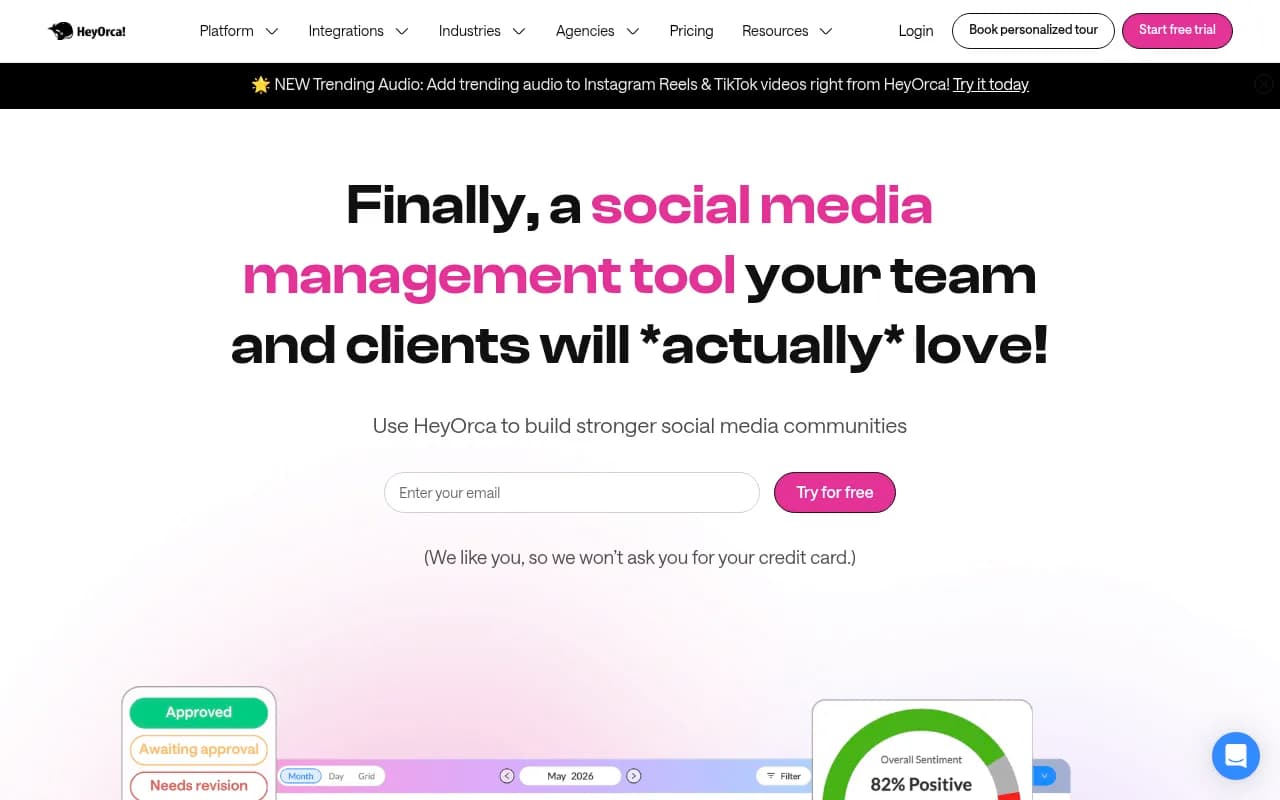
Shared social calendar designed for streamlined review and approval cycles between agency teams and clients.
Key takeaways
- HeyOrca is a social media management tool built specifically around agency-client approval workflows, with shareable calendar links that let clients approve, reject, or comment on posts without ever creating an account.
- Unlimited users on every paid plan is the headline differentiator. If you're an agency paying per-seat elsewhere, the math here gets interesting fast.
- Pricing runs $59/calendar/month (Basic) or $149/calendar/month (Pro), with a free tier capped at 15 posts a month. Non-profits get 25% off monthly plans, 40% combined on annual.
- Real limitations to know: X (Twitter) publishing was fully discontinued in April 2026 after API price hikes, the social inbox can't like Instagram comments, and the Canva integration won't link to existing projects.
- Best fit: boutique agencies managing 5-20 client brands who live and die by approval cycles. Solo creators and enterprise-level social teams will both find better options.
What HeyOrca actually is
HeyOrca is a Canadian company, founded in 2015 in St. John's, Newfoundland, by Joe Teo and Sahand Seifi. Teo previously ran his own social media agency and reportedly built HeyOrca out of frustration with managing client approvals through Hootsuite plus a maze of spreadsheets. That origin story shows in the product: nearly every design decision seems to answer the question "how does an agency get a client to sign off on a post without a three-email thread?"
The core unit of the product is a calendar. Each client brand gets its own calendar (HeyOrca calls them workspaces), and everything else, content creation, approvals, publishing, reporting, hangs off that calendar structure. The company claims 46,000 social marketers use it, and that its users schedule about 2.2 million posts a year. Those numbers are plausible for a tool that's been around over a decade, though neither is independently verified.
The approval workflow, which is the whole point
This is where HeyOrca earns its keep, so let's be specific about how it works.
You build a post in the calendar, then send a client a secure shareable link. The client opens it in a browser (no login, no account creation, works fine on a phone), sees the post exactly as it will appear, and clicks Approve, Reject, or leaves feedback. You control what they see, including hiding in-progress drafts so clients only review content that's actually ready.
In August 2026 HeyOrca shipped Custom Approval Workflows, which let you build multi-stage approval chains instead of relying on the default single-step flow. If a client needs sign-off from legal before the marketing lead sees anything, you can now model that. It's a genuinely useful addition, though it arrived fairly late for a product whose entire identity is approvals.
The practical payoff, per the agencies HeyOrca features in its case studies, is time. One agency claims tasks that took 5-10 minutes now take about 30 seconds. Another reports saving 60 hours and $4,000 in the first 30 days after switching. These are vendor-published numbers from named customers, so treat them as directional rather than proven, but the mechanism is real: if clients approve in one click instead of over email, the time savings compound across every post, every client, every month.
Unlimited users, and why it matters
Every paid plan includes unlimited users. This is HeyOrca's loudest selling point and it's not marketing fluff, it's a structural pricing difference.
Most competitors (Sprout Social, Hootsuite, Buffer's agency tiers) charge per seat. A ten-person agency managing eight clients can easily face four-figure monthly bills on those platforms purely from seat count. HeyOrca charges per calendar instead: your whole team, plus unlimited client stakeholders, costs nothing extra. Several of the case studies on HeyOrca's site are literally agencies describing their switch from Sprout Social or Hootsuite, and unlimited users is the reason they cite.
The flip side: if you're a solo creator or a single-brand in-house team, per-calendar pricing works against you. One TrustRadius reviewer put it bluntly: "This isn't for small fries, it's for big fish." A solo marketer managing one brand pays the same $59/month a five-person agency team pays for that brand. The value proposition only makes sense when seats and clients multiply.
Pricing, in detail
- Free: $0, one user, 15 scheduled posts per month, 2 social profiles, default approvals only. Comes with a 14-day Pro trial upfront, which is a decent way to evaluate the full product.
- Basic: $59 per calendar/month. Unlimited users and posts, 10 social profiles, custom approvals, AI tools, Canva integration. But note what's missing: social reports, the social inbox, and social listening are all paid add-ons on Basic, at $59, $39, and $39 per month respectively. Stack all three and you're at $196/month, at which point HeyOrca's own pricing page nudges you toward Pro.
- Pro: $149 per calendar/month. Everything in Basic plus reports, inbox, listening, and custom branding bundled in. This is the plan that actually matches the marketing.
- Enterprise: Custom pricing, white-glove onboarding, priority support, aimed at agencies managing 10+ calendars.
Discounts stack in your favor: 15% off for annual billing, 40% off when you run 5+ calendars, and non-profits get 25% off monthly plans (40% combined with annual, documentation like a 501c3 required). A non-profit running five Pro calendars annually could pay under $60 per calendar per month, which is genuinely competitive.
Support response time is tiered: Free users wait up to 24 hours, Basic and Pro users get a 5-minute target. HeyOrca claims a 9.8/10 average customer care rating, and the reviews back this up, the human support is consistently the most-praised element across G2 and Capterra. They'll even train your new team members, which is unusual and, for agencies with turnover, valuable.
Features beyond the calendar
Publishing. Direct publishing to Facebook (posts, Reels, Stories), Instagram (posts, Reels, Stories, Shop tagging), TikTok, LinkedIn, Threads, Pinterest, Google Business Profile, and YouTube. That's solid coverage of the platforms that matter in 2026, with one glaring omission covered below.
Oscar, the AI assistant. HeyOrca's built-in AI brainstorms content ideas, writes and refines captions to match brand voice, grades content against brand guidelines, suggests alt text and hashtags, and drafts inbox replies. As of September 2026 it can also answer product questions and search your calendar. It's a competent implementation, roughly on par with what Lately and Buffer have shipped, not a reason to choose HeyOrca by itself but a real time-saver once you're in the ecosystem.
Social inbox. Unified comments, mentions, and DMs across Facebook, Instagram, LinkedIn, and TikTok. It works, but it's the thinnest part of the product. You can't like Instagram comments, which users flag repeatedly, and if community management is your primary job function, a dedicated tool will serve you better.
Reports. Custom and automated reports with PDF export, scheduled delivery, and shareable view-only links (no client login needed, consistent with the approval philosophy). Up to 10 templates per workspace as of July 2026, with date-range comparison charts. Post metrics now display directly in the calendar view as of September 2026, a small but smart touch. One long-time G2 user still calls the reporting "not robust enough" compared to dedicated analytics tools, which tracks with my read.
Trending audio. Added July 2026, you can search and preview trending audio for Instagram Reels and TikTok and attach it directly to posts. For agencies running short-form video for clients, this saves the awkward "find the sound in the app, then recreate it" dance.
Integrations. Canva is the important one, you can create and edit designs inside HeyOrca. Mailchimp and HubSpot email previews sit alongside the social calendar, but they're view-only (approvals for those are "coming soon," and have been for a while). External calendar sync via iCal covers Google Calendar and Outlook. There's no native WordPress integration, which matters if your clients expect blog-social coordination in one place.
The X (Twitter) problem
This deserves its own section because it's the most consequential limitation. HeyOrca fully discontinued its X integration on April 6, 2026, citing steep API price increases. Existing X accounts became "placeholder accounts" that support only manual or notification-based publishing, no auto-publish, no analytics. New X connections were blocked entirely from March 2, 2026.
If any of your clients care about X, HeyOrca is effectively not a solution for that platform. You can still draft X content and get a mobile notification to publish manually, but that's a workaround, not a workflow. Competitors like Sprout Social and Buffer maintained X publishing (at higher prices, partly because of those same API costs). HeyOrca's homepage still lists X among supported networks in its imagery, which feels misleading given the discontinuation.
What users complain about
Beyond X, the recurring gripes across G2, Capterra, and TrustRadius reviews:
- The interface can be sluggish, with occasional glitches and slow loading even on good connections. This shows up in reviews from 2019 through 2026, so it's a persistent trait, not a one-off.
- Posts occasionally failed to publish without notification, per multiple reviewers. For an agency, a silently missed client post is close to a worst-case failure mode, so test this on your own accounts before full migration.
- The Canva integration can't link to an existing Canva project, you have to start fresh inside HeyOrca each time. Agencies with deep Canva template libraries will feel this.
- Custom branding has historically been limited (logo only, and changing it once required a support ticket). This has improved on Pro plans, but a design agency reviewer flagged the irony, and it stung.
- The emoji picker is dated, per a 2026 G2 review. Minor, but it's the kind of thing you touch fifty times a day.
- The media library "sometimes breaks," per one TrustRadius reviewer at an outsourced agency.
None of these are disqualifying on their own. Together they sketch a product that's excellent at its core loop and merely adequate at the edges.
Ratings and reputation
- G2: 4.8/5 from 297 reviews, with an unusually positive skew (87% five-star, essentially no one or two-star reviews).
- Capterra: 4.5/5 from 22 reviews.
- TrustRadius: 10/10 aggregate, but from only 14 reviews, too small a sample to mean much.
The G2 number is strong and the review volume is respectable. The near-total absence of negative reviews is a little suspicious, though it may reflect a customer base that's genuinely well-matched to the product rather than review curation. The consistent themes, great support, great approvals, mediocre inbox and reporting, ring true across sources.
Who should use HeyOrca
Use it if: you're a boutique or mid-size social media agency managing 5-20 client brands, your bottleneck is client approvals rather than community management, and your platform mix centers on Instagram, TikTok, Facebook, and LinkedIn. The per-calendar pricing with unlimited seats is close to ideal for that shape of business, and the no-login client approval links will genuinely change your daily workflow.
Skip it if: you're a solo creator or personal brand (per-calendar pricing punishes you, and the free tier's 15 posts a month is a trial, not a plan), you need serious X/Twitter publishing, community management across many platforms is your main job, or you need deep cross-channel analytics. In-house enterprise social teams should also look elsewhere, the product's DNA is agency-client collaboration, and you'd be paying for a workflow you don't have.
Bottom line
HeyOrca knows exactly what it is: an approval-first social media calendar for agencies, priced to make seat-count anxiety disappear. On that narrow promise it delivers better than anything else I've evaluated, and the 4.8 G2 rating with a decade of longevity supports that. The X discontinuation, the thin inbox, and the edge-case roughness keep it from being a full-stack social platform, and at $149/calendar/month for the complete feature set, it's not cheap for small operations. But for the specific agency it's built for, the one drowning in approval emails and paying per-seat pricing elsewhere, HeyOrca solves the actual problem. That's more than most tools in this category can say.
Tags:
Frequently asked questions
How much does HeyOrca cost?
Can clients approve posts without creating a HeyOrca account?
Does HeyOrca support X (Twitter)?
How many users can I add to HeyOrca?
Which social platforms can HeyOrca publish to?
What is Oscar in HeyOrca?
Is HeyOrca good for a single brand or solo creator?
Similar and alternative tools to HeyOrca