Runway Review 2026
AI-powered video generation and editing platform that uses generative AI to create and edit videos with advanced creative tools and automated editing features.
Summary: Key Takeaways
• Best-in-class video generation: Gen-4.5 is currently rated as the world's top video model for motion quality, prompt adherence, and visual fidelity -- outperforming competitors like Pika, Kling, and Luma in independent benchmarks • Beyond video creation: Runway is building General World Models (GWM-1) that simulate interactive environments, robotic behaviors, and real-time conversational avatars -- positioning it as more than just a video tool • Professional adoption: Used by major studios (Lionsgate partnership), architecture firms (KPF), and film schools (UCLA) for production workflows, not just experimentation • Pricing starts accessible: Free tier available, paid plans from $12/month with credits-based system -- though heavy users will need Pro ($35/mo) or Unlimited ($95/mo) plans • Best for: Filmmakers, content creators, marketing teams, and studios who need cinematic-quality AI video generation and are willing to learn a more complex toolset than consumer alternatives
Runway has emerged as one of the most ambitious players in the generative AI video space, positioning itself not just as a video creation tool but as a research organization building foundational models to simulate reality itself. Founded by a team of researchers and artists, Runway has attracted partnerships with NVIDIA, Lionsgate, and major educational institutions while maintaining a product that serves both independent creators and enterprise studios.
What Runway Actually Is
At its core, Runway is a web-based platform for generating and editing video using AI. But calling it just a "video generator" undersells what the company is building. Runway's flagship product is Gen-4.5, their latest text-to-video and image-to-video model that currently holds the top position in independent video quality benchmarks. The platform also includes a full suite of AI-powered editing tools -- background removal, motion tracking, color grading, green screen replacement, and more -- all accessible through a browser-based editor.
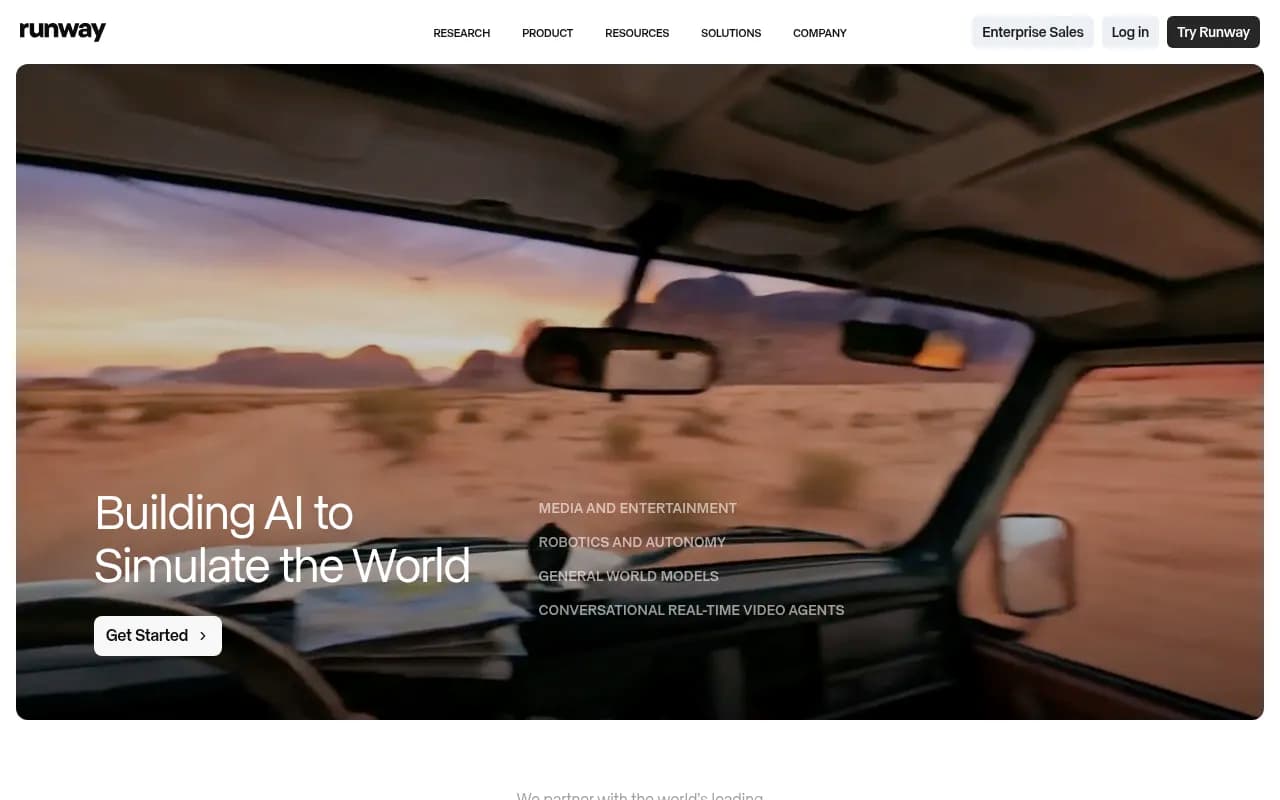
What sets Runway apart from competitors like Pika, Kling AI, or Luma Dream Machine is the company's research-first approach. They're not just building tools for today's creators -- they're developing General World Models (GWM) that can simulate physical environments, predict how actions unfold in real-time, and even power autonomous video agents that hold natural conversations. This research direction means Runway's roadmap extends far beyond marketing videos and social content into robotics, simulation, and interactive media.
The platform is used by over 10 million creators globally, from solo YouTubers to major Hollywood studios. Lionsgate announced a partnership with Runway in 2024 to explore AI in film production workflows. UCLA's Film School has integrated Runway into its curriculum. Architecture firm KPF uses it to animate building designs and streamline rendering workflows that previously required expensive outsourcing.
Gen-4.5: The Core Video Generation Engine
Runway's Gen-4.5 model is the centerpiece of the platform and the reason many professionals choose Runway over alternatives. Released in late 2024, Gen-4.5 produces 5-10 second video clips from text prompts or static images with what independent reviewers consistently rate as the best motion quality, temporal consistency, and prompt adherence in the industry.
Text-to-Video: Describe a scene in natural language and Gen-4.5 generates video that matches your description with impressive accuracy. Prompts can specify camera movements (dolly in, crane shot, handheld), lighting conditions (golden hour, studio lighting, neon), artistic styles (cinematic, documentary, anime), and complex actions. The model handles difficult concepts like realistic human motion, complex physics (water, fire, cloth), and multi-object interactions better than most competitors.
Image-to-Video: Upload a still image and Gen-4.5 animates it, inferring natural motion and camera movement. This is particularly powerful for bringing concept art, storyboards, or product photos to life. The model respects the composition and style of the input image while adding believable motion -- a capability that's become essential for advertising and product marketing workflows.
Video-to-Video: Transform existing footage by applying style transfers, changing time of day, altering weather conditions, or modifying specific elements while preserving the original motion and composition. This is where Runway shines for professional post-production work.
Motion Control: Unlike simpler tools, Gen-4.5 offers granular control over camera movement and subject motion through the Motion Brush tool. You can literally paint motion vectors onto specific parts of your frame -- make the background move left while the subject stays still, or control exactly how fast clouds drift across the sky. This level of control is what separates Runway from consumer-grade alternatives.
Cinematic Quality: Gen-4.5 produces outputs that genuinely look like they were shot on professional cameras. The model understands depth of field, lens characteristics, film grain, and color science in ways that make the results usable in actual productions, not just social media content. Lionsgate wouldn't have partnered with Runway if the output quality wasn't production-ready.
General World Models: The Research Frontier
Runway's long-term vision extends far beyond video generation into what they call General World Models -- AI systems that can simulate any environment, predict physical interactions, and understand how the world works. This research has produced three experimental variants:
GWM Worlds: Interactive, explorable 3D environments generated in real-time. Think of it as AI-generated video games or virtual spaces where you can move a camera freely and the model generates consistent, coherent views from any angle. This is still in research preview but represents a fundamentally different approach to 3D content creation -- no modeling, no rendering, just AI simulation.
GWM Robotics: Models that simulate physical interactions and robotic behaviors. The system can predict how a robotic arm will interact with objects, how materials will deform under pressure, or how actions will cascade through a physical system. This has applications in robotics training, industrial simulation, and autonomous systems development. It's a clear signal that Runway sees their technology extending beyond media and entertainment.
GWM Avatars: Real-time conversational video agents that can hold natural conversations while maintaining consistent appearance, expressions, and contextual awareness. These aren't just deepfakes or lip-sync tools -- they're autonomous agents that understand context, respond naturally, and maintain coherent personalities across long interactions. The implications for virtual assistants, customer service, education, and entertainment are significant.
These research projects aren't available in the main product yet, but they demonstrate where Runway is headed and why the company has attracted partnerships with NVIDIA and major research institutions.
Professional Editing Tools
Beyond generation, Runway includes a full suite of AI-powered editing capabilities that make it a legitimate post-production tool, not just a generation playground:
Green Screen: Remove backgrounds from video without actually shooting on green screen. The AI segmentation is remarkably accurate even with complex edges like hair, motion blur, or transparent objects.
Motion Tracking: Automatically track objects or people through footage and attach graphics, effects, or masks that follow the motion perfectly. This used to require expensive tracking software and manual cleanup.
Inpainting: Remove objects, people, or unwanted elements from video and have the AI fill in the background naturally. It understands temporal consistency so the fill doesn't flicker or shift between frames.
Frame Interpolation: Generate smooth slow-motion from normal-speed footage by having AI predict and create intermediate frames. The results are significantly better than traditional frame blending.
Super Resolution: Upscale video resolution using AI that genuinely adds detail rather than just blurring pixels. Useful for salvaging lower-quality footage or preparing content for larger displays.
Color Grading: AI-assisted color correction and grading that can match the look of reference images or apply cinematic color treatments with a single click.
Text-to-Image: Generate still images using Runway's image models, useful for storyboarding, concept art, or creating assets to animate with Gen-4.5.
The editing interface is browser-based but surprisingly capable, with a timeline editor, layer system, and real-time preview. It's not replacing Premiere Pro or DaVinci Resolve for complex projects, but for AI-first workflows where you're generating most of your content in Runway, the built-in editor is genuinely useful.
Who Is Runway For?
Runway serves several distinct user groups, each with different needs:
Independent Filmmakers and Content Creators: Solo creators and small teams producing short films, music videos, social content, or experimental work. Runway lets them achieve visual effects and production value that would normally require a crew and budget. The free tier and $12/month Standard plan make it accessible for creators just starting to explore AI video.
Marketing and Advertising Teams: Agencies and in-house marketing teams producing ads, product videos, social content, and branded content at scale. Runway's ability to generate multiple variations quickly, animate product shots, and create eye-catching visuals without shoots makes it valuable for fast-paced marketing workflows. Most teams in this category end up on Pro ($35/mo) or Unlimited ($95/mo) plans due to volume needs.
Film and TV Production Studios: Professional studios using Runway for pre-visualization, concept development, VFX shots, and increasingly for final production elements. The Lionsgate partnership signals that major studios are seriously evaluating AI video for production workflows. These users typically need Enterprise plans with custom pricing, dedicated support, and API access.
Educators and Students: Film schools, art programs, and media studies departments teaching AI filmmaking and exploring how generative AI changes creative workflows. UCLA Film School's adoption shows how educational institutions are integrating Runway into curricula. Students often use the free tier or Standard plan.
Architecture and Design Firms: Firms like KPF using Runway to animate architectural renderings, create walkthrough videos, and visualize projects for clients without expensive 3D rendering or animation outsourcing. This is a growing use case as the model gets better at architectural and spatial understanding.
Researchers and Developers: Teams exploring world models, robotics simulation, or autonomous systems who are interested in Runway's GWM research direction. This is a smaller but technically sophisticated audience.
Who Should NOT Use Runway: If you need simple, fast video generation with minimal learning curve, consumer tools like Pika or Luma might be easier. If you're creating long-form content (10+ minutes), Runway's clip-based approach becomes tedious. If you need frame-perfect control over every element, traditional 3D animation or VFX tools are still more precise. If you're on a tight budget and need unlimited generation, Runway's credit system can get expensive quickly.
Integrations and Workflow
Runway is primarily a standalone web application, but it offers several integration points:
API Access: Available on Enterprise plans, allowing developers to integrate Runway's models into custom applications, automated workflows, or larger production pipelines.
Export Options: Videos export in standard formats (MP4, MOV) at various resolutions up to 4K, making them compatible with any editing software. You can export individual clips or entire timeline sequences.
Import Flexibility: Upload images, videos, or audio files from your computer. The platform accepts most standard formats and handles preprocessing automatically.
Browser-Based: No installation required -- everything runs in the browser with processing happening on Runway's servers. This means you can work from any device with a decent internet connection, but you're dependent on upload/download speeds for large files.
Collaboration: Teams can share projects, assets, and workspaces. Multiple editors can work on the same account with role-based permissions (available on Pro and higher plans).
Notably, Runway does NOT integrate directly with Adobe Creative Cloud, Final Cut Pro, or other traditional editing software. The workflow is: generate in Runway, export, then import into your editor of choice. Some users find this friction annoying, but it keeps Runway's interface focused and fast.
Pricing and Value
Runway uses a credit-based pricing system where different operations consume different amounts of credits:
Free Plan: $0/month, includes 125 credits (enough for about 5-10 video generations depending on settings). Good for testing the platform but too limited for regular use. Gen-4 Turbo access only (not the full Gen-4.5 model). Watermarked outputs.
Standard Plan: $12/month (or $144/year), includes 625 credits per month. Removes watermarks, gives access to Gen-4.5, and allows up to 5 editors at $15/month each. This is the entry point for serious creators who aren't generating content daily.
Pro Plan: $35/month (or $420/year), includes 2,250 credits per month. Faster generation, priority processing, up to 10 editors at added cost, and access to advanced features like Motion Brush and Director Mode. Most professional users land here because the credit allocation supports regular production work.
Unlimited Plan: $95/month, includes unlimited video generation in Relaxed mode (slower processing) plus 2,250 credits for Fast mode. Removes the anxiety of running out of credits but Relaxed mode can be slow during peak times. Best for high-volume users or teams producing content daily.
Enterprise: Custom pricing for studios, agencies, and large organizations. Includes API access, dedicated support, custom model training, and volume discounts. Lionsgate and similar partnerships are on Enterprise plans.
Credit costs vary by operation: Gen-4.5 video generation costs 10 credits per second of output. Gen-4 Turbo (faster but lower quality) costs 5 credits per second. Image generation costs 1 credit. Editing operations like background removal or motion tracking cost 1-5 credits depending on complexity.
Value Assessment: Compared to competitors, Runway is premium-priced but delivers premium results. Pika and Luma offer cheaper plans, but Gen-4.5's quality advantage is noticeable. For professional users who need the best output quality, Runway's pricing is justified. For casual users or hobbyists, the free tier is too limited and the jump to $12/month feels steep when competitors offer more generous free tiers. The Unlimited plan at $95/month is expensive but makes sense for agencies or studios where the alternative is hiring freelancers or outsourcing VFX work.
Strengths
Industry-Leading Video Quality: Gen-4.5 consistently produces the most realistic, cinematic, and prompt-accurate video of any publicly available model. Independent benchmarks and user polls repeatedly rank it #1.
Professional Adoption: The fact that Lionsgate, UCLA, KPF, and other major organizations use Runway in production workflows validates its capabilities beyond hobbyist experimentation.
Research-Driven Innovation: Runway's work on General World Models, robotics simulation, and interactive environments shows they're thinking beyond today's use cases and building foundational technology.
Comprehensive Toolset: The combination of generation and editing tools in one platform creates a complete workflow for AI-first video production. You're not constantly jumping between tools.
Motion Control: The Motion Brush and Director Mode features give creators granular control over camera and subject movement that competitors lack.
Limitations
Credit System Complexity: The credit-based pricing is confusing for new users and creates anxiety about "wasting" credits on experiments. Competitors with simpler subscription models feel more predictable.
Short Clip Lengths: Gen-4.5 generates 5-10 second clips. Creating longer videos requires stitching multiple generations together, which is tedious and can create consistency issues between clips.
Learning Curve: Runway's interface is more complex than consumer alternatives like Pika. Getting great results requires understanding prompting, motion control, and the various generation settings. This is a tool for creators willing to invest time learning.
No Offline Mode: Everything requires internet connection and happens on Runway's servers. If their service is down or slow, you can't work. Some users in regions with slower internet find upload/download times frustrating.
Limited Integration: The lack of direct integration with Adobe, Final Cut, or other professional tools means extra export/import steps in production workflows.
Bottom Line
Runway is the best choice for creators, studios, and teams who need the highest quality AI video generation available in 2026 and are willing to invest time learning a more sophisticated toolset. The Gen-4.5 model's quality advantage over competitors is significant enough that professionals consistently choose Runway despite its higher price and steeper learning curve. The platform's research direction into world models and simulation suggests it will remain at the cutting edge as generative AI video evolves.
Best use case in one sentence: Professional filmmakers, marketing teams, and studios producing cinematic-quality video content where output quality matters more than speed or simplicity, and who need both generation and editing capabilities in one platform.
Tags:
Similar and alternative tools to Runway