Adobe LLM Optimizer Review 2026
Adobe's solution for optimizing content and brand presence across large language models and AI-powered search platforms.
Key Takeaways:
- Adobe Creative Cloud is the industry standard for creative professionals, offering 20+ applications including Photoshop, Illustrator, Premiere Pro, and After Effects in a single subscription
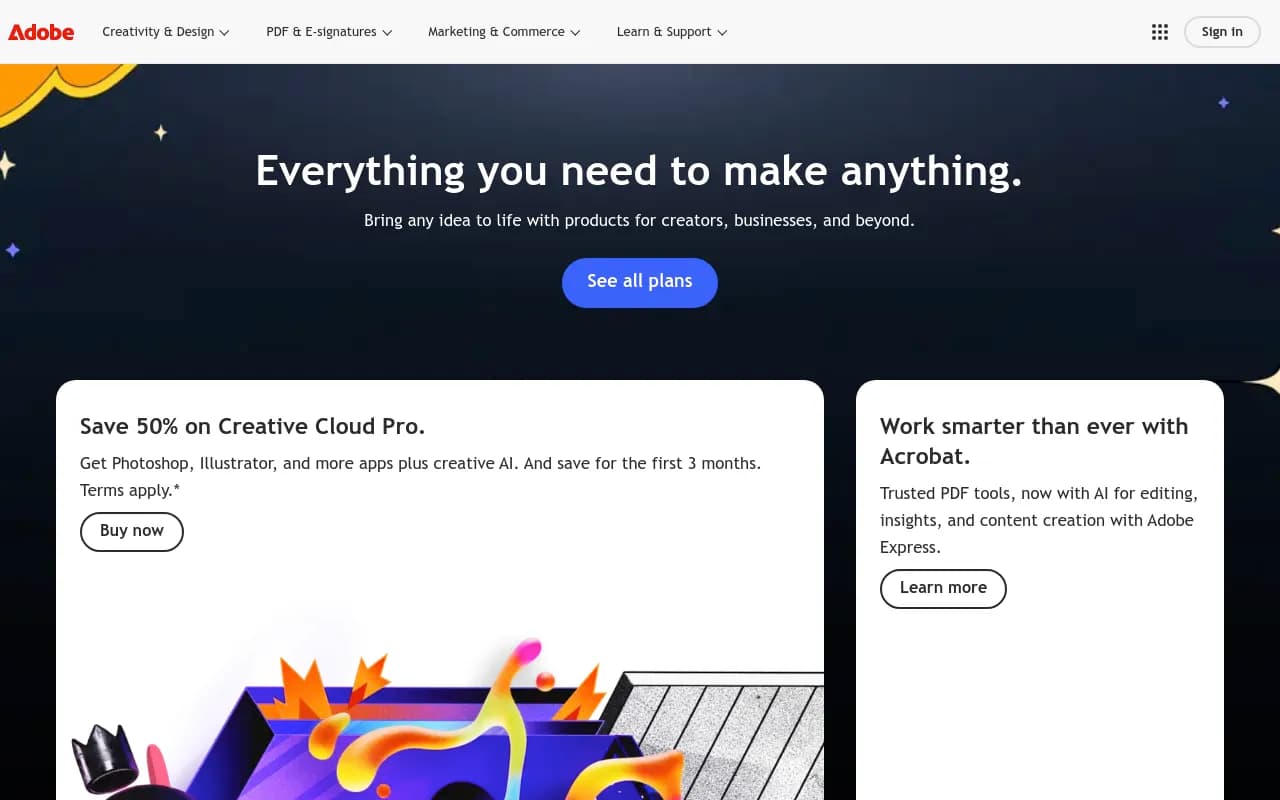
- Pricing starts at $34.99/mo (promotional) for individuals, with student discounts and business plans available; Acrobat and Adobe Express offered separately
- Best for professional designers, photographers, video editors, and marketing teams who need enterprise-grade creative tools with cloud collaboration
- Limitations include subscription-only model (no perpetual licenses), steep learning curve for beginners, and resource-intensive applications requiring powerful hardware
- Strong integration ecosystem with Adobe Firefly AI, cloud storage, and cross-app workflows, but monthly costs add up quickly for casual users
Adobe has been the dominant force in creative software for over three decades, and in 2026 it remains the go-to choice for professionals across design, photography, video production, and digital marketing. What started as PostScript and Photoshop has evolved into Creative Cloud -- a comprehensive ecosystem of 20+ desktop applications, mobile apps, cloud services, and AI-powered tools that work together seamlessly. Adobe serves everyone from freelance graphic designers and YouTube creators to Hollywood studios and global advertising agencies. The company went all-in on subscription pricing in 2013, transitioning from boxed software to Creative Cloud, and has since added generative AI capabilities through Adobe Firefly, making it both a creative toolkit and an AI content generation platform.
The target audience spans individual creators, small creative studios, marketing teams, and enterprise organizations. If you work professionally in any creative field -- graphic design, photography, video editing, motion graphics, web design, UX/UI, or digital marketing -- Adobe is likely already part of your workflow. The platform is particularly strong for teams that need to collaborate on projects, maintain brand consistency across channels, and integrate creative work with broader marketing technology stacks.
Core Applications & Capabilities
Photoshop remains the world's most powerful image editing application. Beyond basic photo retouching, it handles compositing, digital painting, 3D design, and now includes generative AI features for expanding images, removing objects, and creating elements from text prompts. Photoshop integrates with Lightroom for photography workflows and works across desktop, web, and iPad. Professional photographers use it for everything from portrait retouching to commercial product photography. Graphic designers rely on it for creating marketing materials, social media graphics, and web assets. The learning curve is steep, but the depth of capability is unmatched -- layer masks, adjustment layers, smart objects, and non-destructive editing give you pixel-perfect control.
Illustrator is the vector graphics standard for logo design, illustration, typography, and print design. Unlike Photoshop's raster approach, Illustrator creates scalable vector artwork that looks sharp at any size. Designers use it for brand identity systems, packaging design, infographics, and technical illustrations. The pen tool, pathfinder operations, and type handling are industry-leading. Recent updates added generative AI for creating vector graphics from text prompts and expanding artwork beyond the canvas. Illustrator files integrate seamlessly with InDesign for layout work and After Effects for motion graphics.
Premiere Pro is Adobe's professional video editing application, used by YouTubers, corporate video teams, and Hollywood editors alike. It handles everything from simple cuts to complex multi-camera edits, color grading, audio mixing, and visual effects. The timeline-based editing interface supports unlimited tracks, nested sequences, and dynamic linking with After Effects for motion graphics. Premiere Pro now includes AI-powered features like automatic transcription, scene edit detection, and audio enhancement. It integrates with Adobe Stock for royalty-free footage, Adobe Fonts for typography, and Frame.io for client review and approval workflows. Performance has improved significantly with GPU acceleration and proxy workflows for 4K and 8K footage.
After Effects is the motion graphics and visual effects powerhouse. Animators, motion designers, and VFX artists use it to create title sequences, animated logos, explainer videos, and complex compositing work. The node-based workflow, expressions system, and plugin ecosystem (Red Giant, Video Copilot) make it incredibly flexible. After Effects excels at 2D animation, kinetic typography, and integrating 3D elements from Cinema 4D. The learning curve is even steeper than Photoshop, but the creative possibilities are nearly limitless. Recent updates added 3D design space, advanced puppet tools, and performance improvements for working with high-resolution footage.
InDesign handles multi-page layout for magazines, books, brochures, and digital publications. Publishers, graphic designers, and marketing teams use it to create print-ready PDFs, interactive digital documents, and EPUB ebooks. InDesign's master pages, paragraph styles, and table of contents automation make it essential for long-form content. It integrates with Photoshop and Illustrator, pulling in assets while maintaining live links for updates. The typography controls are professional-grade, with support for OpenType features, optical kerning, and advanced composition. InDesign also exports to Adobe Digital Publishing Suite for creating tablet and mobile publications.
Adobe Firefly is Adobe's generative AI engine, integrated across Creative Cloud applications. Unlike standalone AI tools, Firefly is trained on Adobe Stock imagery and licensed content, making it commercially safe for professional use. You can generate images from text prompts, expand photos beyond their borders (generative fill), remove objects, change backgrounds, and create vector graphics in Illustrator. Firefly also powers text effects in Photoshop, generative recolor in Illustrator, and will expand into video generation. The integration is seamless -- you're working in Photoshop or Illustrator and can invoke AI features without switching applications. Adobe offers credit-based pricing for Firefly, with unlimited generations available in higher-tier plans.
Acrobat Pro is Adobe's PDF solution for creating, editing, and managing documents. While not technically part of Creative Cloud, it's essential for designers sending print-ready files and marketers creating interactive PDFs. Acrobat Pro includes AI-powered features for summarizing documents, extracting insights, and creating presentations from PDFs. The new Acrobat Studio adds audio summaries and enhanced editing capabilities. Acrobat integrates with Adobe Sign for e-signatures and Adobe Express for quick content creation. It's sold separately from Creative Cloud, with pricing starting around $19.99/mo.
Adobe Express (formerly Adobe Spark) is the quick-and-easy design tool for social media graphics, web pages, and short videos. It's aimed at non-designers, small business owners, and marketers who need to create content fast without learning Photoshop or Illustrator. Express includes thousands of templates, Adobe Stock integration, and now features an AI Assistant (beta) for generating and editing content through natural language prompts. The web-based interface works on any device, and there's a generous free tier. Express Premium ($19.99/mo) adds Photoshop on web and mobile, plus 4,000 AI credits monthly.
Lightroom & Lightroom Classic are Adobe's photography workflow applications. Lightroom Classic is the desktop-focused tool for managing large photo libraries, batch editing, and exporting print-ready files. Lightroom (cloud-based) syncs across desktop, web, and mobile, making it ideal for photographers who shoot on location and edit on multiple devices. Both include AI-powered features like auto-tagging, subject selection, and adaptive presets. Professional photographers use Lightroom for organizing shoots, applying consistent color grading, and delivering client galleries. The integration with Photoshop is seamless -- you can send images to Photoshop for advanced retouching, then return to Lightroom for final export.
XD, Dimension, Substance 3D, and Specialized Tools round out the Creative Cloud portfolio. XD handles UX/UI design and prototyping for websites and mobile apps, though it faces strong competition from Figma (which Adobe attempted to acquire). Dimension creates 3D product mockups and visualizations. The Substance 3D suite (Painter, Sampler, Stager, Designer) is for 3D texturing and modeling, used heavily in game development and product design. Adobe also offers Animate for 2D animation, Audition for audio editing, Character Animator for motion capture animation, and Dreamweaver for web development.
Who Should Use Adobe Creative Cloud
Adobe Creative Cloud is built for professional creatives and teams who need industry-standard tools with deep capabilities. If you're a freelance graphic designer working with agency clients, a photographer shooting commercial work, a video editor producing content for brands, or a motion designer creating explainer videos, Creative Cloud is likely essential. The subscription includes 20+ applications, 100GB-1TB cloud storage, Adobe Fonts, Adobe Stock credits (on some plans), and portfolio features through Behance.
Marketing teams at mid-size and enterprise companies use Creative Cloud for producing campaign assets, social media content, video ads, and print collateral. The collaboration features -- shared libraries, cloud documents, version history, and commenting -- make it easier for distributed teams to work together. Brand managers appreciate the ability to maintain consistent visual identity across channels using shared color palettes, logos, and templates stored in Creative Cloud Libraries.
Small creative studios and agencies (5-50 people) benefit from Creative Cloud for Teams, which adds centralized billing, license management, and enhanced cloud storage. Larger enterprises use Creative Cloud for Enterprise, which includes advanced admin controls, single sign-on, dedicated support, and integration with existing IT infrastructure. Adobe's enterprise offerings also connect with Adobe Experience Cloud for marketing automation, analytics, and customer data management.
Who should NOT use Adobe Creative Cloud: Casual hobbyists who only need basic photo editing or occasional graphic design work will find the subscription cost ($34.99-$59.99/mo) hard to justify. Tools like Canva, Affinity Photo, or free alternatives (GIMP, DaVinci Resolve) offer enough capability for personal projects without ongoing fees. Students get significant discounts (around $19.99/mo for the full suite), but once you graduate, the cost jumps. If you're not earning income from creative work or using these tools weekly, the subscription probably doesn't make sense.
Integrations & Ecosystem
Adobe's strength is how tightly its applications integrate with each other and with third-party services. You can start a design in Illustrator, bring it into After Effects for animation, edit the video in Premiere Pro, and export for social media -- all while maintaining live links and editable layers. Creative Cloud Libraries sync assets (colors, character styles, logos, graphics) across applications, so your brand elements are always available. Cloud documents auto-save and sync across devices, letting you start work on desktop and continue on iPad or web.
Adobe integrates deeply with Adobe Stock (royalty-free images, videos, templates), Adobe Fonts (20,000+ fonts available in all apps), and Behance (portfolio and community features). The Creative Cloud mobile apps (Photoshop Express, Lightroom Mobile, Premiere Rush, Fresco, Capture) extend the ecosystem to iOS and Android, with full sync back to desktop applications.
Third-party integrations include Slack (for notifications and file sharing), Microsoft Teams, Google Drive, Dropbox, Frame.io (video review), and Workfront (project management). Adobe's API and plugin ecosystem (Adobe Exchange) adds thousands of extensions -- from mockup generators to automation scripts to specialized effects. Developers can build custom integrations using Adobe's APIs and SDKs.
For AI-powered workflows, Adobe Firefly integrates with ChatGPT -- you can now edit images in Photoshop directly from ChatGPT using natural language descriptions. This positions Adobe at the intersection of traditional creative tools and generative AI, though it's still early days for these integrations.
Pricing & Value Proposition
Adobe Creative Cloud pricing is subscription-only, with no option to buy perpetual licenses (those were discontinued in 2013). For individuals, the All Apps plan costs $59.99/mo (or $34.99/mo for the first 3 months with current promotions). This includes 20+ desktop applications, 100GB cloud storage, Adobe Fonts, and Adobe Firefly generative AI. Students and teachers get the same All Apps plan for $19.99/mo (60% discount), which is genuinely excellent value if you qualify.
Single-app plans cost $22.99/mo and include one application (Photoshop, Illustrator, Premiere Pro, etc.) plus 100GB storage. This makes sense if you only need one tool, but most professionals quickly find they need multiple apps, making the All Apps plan better value. Adobe Express Premium is $19.99/mo and includes Express plus Photoshop on web/mobile and 4,000 AI credits. Acrobat Pro is $19.99/mo separately.
For teams, Creative Cloud for Teams starts around $89.99/mo per license and adds centralized billing, admin controls, and enhanced support. Enterprise pricing is custom and includes volume discounts, dedicated account management, and integration with enterprise IT systems. Adobe also offers industry-specific bundles and integrations with Adobe Experience Cloud for marketing teams.
Compared to competitors, Adobe is expensive but comprehensive. Affinity Photo, Designer, and Publisher cost $69.99 each (one-time purchase) and cover similar ground to Photoshop, Illustrator, and InDesign, but lack the ecosystem integration, AI features, and industry adoption. DaVinci Resolve is free for video editing (paid version $295 one-time) and rivals Premiere Pro, but doesn't integrate with Adobe's broader toolkit. Canva is $12.99/mo for teams and easier to use, but far less powerful for professional work.
The value proposition depends entirely on your use case. If you're a professional creative earning income from design, photography, or video work, the $59.99/mo subscription pays for itself quickly -- you're using industry-standard tools that clients expect, with seamless workflows and constant updates. If you're a hobbyist or only need basic editing, the cost is hard to justify, and alternatives make more sense.
Strengths & Honest Limitations
Adobe's strengths are undeniable: industry-standard tools with decades of refinement, seamless integration across applications, powerful AI features through Firefly, constant updates and new features, extensive learning resources and community support, and professional-grade output quality. The ecosystem lock-in is real -- once you're fluent in Adobe's tools and workflows, switching to alternatives means relearning everything and losing integration benefits. For professional work, Adobe's file formats (PSD, AI, INDD) are expected by clients, printers, and collaborators.
Limitations are equally real. The subscription model means you never own the software -- stop paying, lose access to your tools and cloud files. Monthly costs add up ($720/year for individuals, more for teams), making it a significant ongoing expense. The applications are resource-intensive, requiring powerful computers with dedicated GPUs, 16GB+ RAM, and fast storage. Older machines struggle, especially with 4K video or complex Photoshop files. The learning curve is steep -- Photoshop, After Effects, and Premiere Pro take months to master, and the interfaces can feel overwhelming for beginners.
Adobe's AI features, while impressive, lag behind standalone tools like Midjourney or Runway for pure generative quality. Firefly is commercially safe and integrated, but the outputs aren't as creative or high-fidelity as cutting-edge AI models. Adobe is playing catch-up here, though the integration advantage is significant. The company also faces criticism for aggressive pricing increases, confusing plan structures, and making it difficult to cancel subscriptions.
Competitors are stronger in specific niches: Figma dominates collaborative UX/UI design (Adobe's attempted acquisition was blocked by regulators). DaVinci Resolve rivals Premiere Pro for video editing and is free. Affinity apps offer one-time purchase alternatives. Canva is easier and faster for social media graphics. But no competitor matches Adobe's breadth, depth, and ecosystem integration across the full creative workflow.
Bottom Line
Adobe Creative Cloud is the industry standard for professional creatives, and for good reason -- it offers unmatched depth, integration, and ecosystem support across design, photography, video, and motion graphics. If you're earning income from creative work, collaborating with teams, or need tools that clients and collaborators expect, the $59.99/mo subscription is justified. Students get exceptional value at $19.99/mo. For casual users, hobbyists, or those on tight budgets, alternatives like Affinity, Canva, or free tools make more sense -- Adobe's power comes with complexity and cost that aren't necessary for basic projects. Best use case in one sentence: Professional designers, photographers, and video editors who need industry-standard tools with seamless workflows and are willing to pay ongoing subscription fees for constant updates and AI-powered features.
Tags:
Similar and alternative tools to Adobe LLM Optimizer