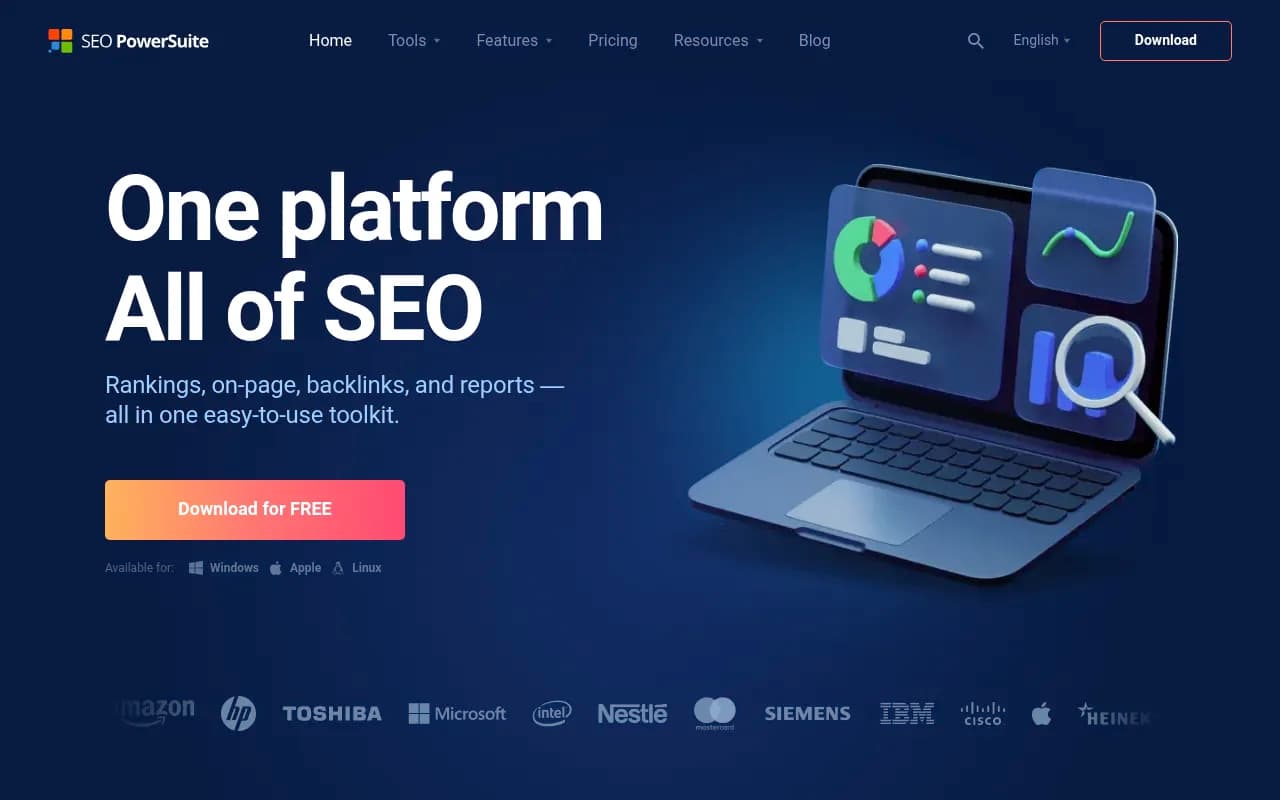
SEO PowerSuite Review 2026
Comprehensive desktop SEO toolkit with rank tracking, backlink analysis, site audits, and keyword research. No monthly data limits.
Summary: Key Takeaways
• Best for: SEO agencies, consultants, and in-house teams managing multiple clients or large-scale campaigns who need unlimited data without per-query pricing • Standout strength: Desktop software model means no monthly data caps -- run unlimited rank checks, backlink crawls, and site audits without hitting credit limits • Unique advantage: Proprietary backlink index with 6.5 trillion links across 400M domains, often finding links competitors miss • Limitation: Desktop-only (no web app) and steeper learning curve than modern SaaS tools, though this enables the unlimited data model • Pricing: One-time license purchase starting at $299/year for Professional ($60/mo equivalent) with 6 months of algorithm updates included
SEO PowerSuite is a veteran desktop SEO platform that's been around for nearly 20 years, serving over 2 million users worldwide. Built by Link-Assistant.com, it takes a fundamentally different approach than modern SaaS SEO tools: instead of cloud-based subscriptions with monthly credit limits, you download four interconnected desktop applications that store data locally and let you run unlimited queries. For agencies managing 20+ clients or enterprise teams running thousands of daily rank checks, this model eliminates the constant anxiety of hitting data caps mid-campaign.
The platform consists of four separate tools that work together: Rank Tracker for keyword research and rank monitoring, WebSite Auditor for technical and on-page SEO, SEO SpyGlass for backlink analysis, and LinkAssistant for link prospecting and outreach. You can use them individually or as an integrated suite, with data flowing between tools when needed.
Rank Tracker: Keyword Research and Rank Monitoring Without Limits
Rank Tracker is the keyword and ranking module, and it's where SEO PowerSuite's unlimited data model shines brightest. You can track rankings for unlimited keywords across 550+ search engines -- not just Google, but Bing, Yahoo, Yandex, Baidu, YouTube, Amazon, and regional engines worldwide. Most SaaS tools charge per keyword tracked or impose daily check limits; Rank Tracker has no such restrictions.
The tool pulls keyword ideas from 20+ sources including Google Keyword Planner, Google Search Console, competitor analysis, autocomplete suggestions, related searches, and question-based queries. For each keyword, you get search volume, competition metrics, CPC data, and keyword difficulty scores. The keyword grouping feature automatically clusters related terms using semantic analysis, which is useful for building topic clusters or organizing content calendars.
Local rank tracking goes down to street-address precision -- you can check rankings as they appear to searchers in specific neighborhoods, not just cities. This is critical for local SEO campaigns where a business might rank #3 downtown but #15 two miles away. You can also track mobile vs desktop rankings separately, monitor SERP features (featured snippets, People Also Ask, local packs), and see historical ranking data going back as far as you've been tracking.
Competitor rank tracking is built-in: add competitor domains and see side-by-side ranking comparisons for your entire keyword set. The tool highlights ranking gaps (keywords where competitors rank but you don't) and opportunities (keywords where you're close to page one). SERP analysis shows the top 30 results for any keyword with metrics like domain authority, page authority, backlink counts, and on-page optimization scores, helping you assess what it takes to rank.
WebSite Auditor: Technical SEO and Content Optimization
WebSite Auditor is the technical and on-page SEO module. It crawls your site like a search engine spider, identifying broken links, duplicate content, missing meta tags, slow-loading pages, redirect chains, orphaned pages, and hundreds of other technical issues. The crawler is highly configurable -- you can set custom user agents, adjust crawl speed, exclude URL patterns, handle JavaScript rendering, and respect or ignore robots.txt.
The site visualization feature generates interactive diagrams of your site structure, showing how pages link to each other and where link equity flows. This makes it easy to spot structural problems like deep pages that require 6+ clicks from the homepage, or important pages with no internal links. You can also visualize the site by page type, traffic, or any custom metric.
Core Web Vitals auditing is built-in, measuring Largest Contentful Paint, First Input Delay, and Cumulative Layout Shift for every page. The tool identifies specific elements causing performance issues (oversized images, render-blocking scripts, etc.) and provides optimization recommendations. You can bulk-check Core Web Vitals across thousands of pages, something that's tedious in Google's native tools.
The content editor is where WebSite Auditor gets interesting. You paste in your target keyword, and the tool analyzes the top 10 ranking pages to identify common terms, phrases, and semantic keywords they use. It then scores your content against these competitors and suggests terms to add, optimal keyword density, ideal content length, and readability improvements. There's a TF-IDF analysis tool that shows which terms are statistically important for ranking, helping you optimize content based on what actually works in the SERPs rather than guesswork. You can write or edit content directly in the tool with real-time SEO scoring.
SEO SpyGlass: Backlink Analysis with a Massive Index
SEO SpyGlass is the backlink analysis module, and it's powered by SEO PowerSuite's proprietary backlink index -- 6.5 trillion links across 400 million domains. This index is larger than most competitors and often surfaces backlinks that Ahrefs or Semrush miss, particularly from smaller or non-English sites. The tool also integrates data from Google Search Console, Majestic, Moz, and Ahrefs (if you have API access), giving you a merged view across multiple data sources.
You can analyze your own backlink profile or any competitor's. For each backlink, you get metrics like domain authority, page authority, anchor text, link type (dofollow/nofollow), link placement (content, sidebar, footer), and penalty risk score. The penalty risk assessment flags potentially toxic links based on factors like spammy anchor text, low-quality domains, link farms, and unnatural link velocity.
Backlink history tracking shows when links were first discovered and when they disappeared, helping you identify link losses and diagnose traffic drops. You can compare backlink profiles over time to see growth trends or spot negative SEO attacks. The bulk backlink checker lets you analyze hundreds of domains at once, useful for agencies auditing new clients or monitoring competitor link building at scale.
The disavow file generator automatically creates a Google-formatted disavow file for toxic backlinks, which you can upload directly to Search Console. Competitor backlink gap analysis shows which sites link to competitors but not to you, surfacing link building opportunities.
LinkAssistant: Link Prospecting and Outreach Management
LinkAssistant is the link building and outreach module. It finds link prospects using 10+ methods: competitor backlink analysis, keyword-based searches (e.g. "submit guest post" + your niche), directory searches, link exchanges, broken link building, and more. For each prospect, the tool extracts contact information (email addresses, social profiles) from the website, checks domain authority and traffic metrics, and assesses link quality.
You can manage outreach campaigns directly in the tool: create email templates with merge tags, send personalized outreach emails, track responses, set follow-up reminders, and log link placements. The email verification feature checks if email addresses are valid before sending, reducing bounce rates. There's also a built-in SMTP client, though you can connect your own email provider.
The link management database tracks all your backlinks, outreach efforts, and link partners in one place. You can tag links by campaign, set custom statuses, add notes, and generate reports showing link building progress over time. For agencies, this becomes a centralized link building CRM.
Integrations and Data Sources
SEO PowerSuite integrates with Google Search Console, Google Analytics, and Google Keyword Planner to pull in first-party data. You can also connect Majestic, Moz, and Ahrefs APIs to merge their backlink data with SEO PowerSuite's proprietary index. The tools support bulk imports via CSV, so you can bring in keyword lists, competitor domains, or backlink data from other sources.
There's no Zapier integration or webhooks -- the desktop model means data stays local rather than syncing to cloud services. However, you can export data to CSV, Excel, SQL databases, or Google Sheets for further analysis or integration with other tools.
Reporting and White-Label Capabilities
SEO PowerSuite includes a robust reporting engine with 15+ pre-built templates covering rankings, backlinks, technical audits, competitor analysis, and more. Reports are fully customizable: you can add your agency logo, adjust colors and fonts, choose which metrics to include, and add custom commentary. Reports can be exported as PDF, HTML, or CSV, or scheduled to generate and email automatically on a daily, weekly, or monthly basis.
For agencies, the white-label reporting is a major selling point. You can completely rebrand the reports with your agency name and branding, with no mention of SEO PowerSuite. Clients receive professional-looking reports that appear to come from your proprietary system.
Who Should Use SEO PowerSuite
SEO PowerSuite is ideal for:
SEO agencies and consultants managing 10+ clients who need to run unlimited rank checks, backlink audits, and site crawls without worrying about per-client data costs. The white-label reporting and multi-project management make it agency-friendly.
In-house SEO teams at mid-to-large companies tracking thousands of keywords across multiple domains, regions, or languages. The unlimited data model means you can monitor your entire keyword universe without budget constraints.
Enterprise SEO teams who need granular control over crawling behavior, custom data exports, and the ability to audit massive sites (100K+ pages) without hitting SaaS tool limits.
Local SEO specialists who need hyper-local rank tracking (down to street addresses) and manage campaigns for multi-location businesses.
SEO professionals who prefer desktop software and want to own their data rather than relying on cloud platforms. All data is stored locally, so you're not dependent on a vendor's servers or subject to sudden price increases.
Who Should NOT Use SEO PowerSuite
SEO PowerSuite is less suitable for:
Teams that need a web-based, collaborative platform where multiple users can access the same data from anywhere. SEO PowerSuite is desktop-only, so collaboration requires exporting data or sharing project files manually.
Beginners who want a simple, guided SEO tool. SEO PowerSuite has a steeper learning curve than modern SaaS tools like Semrush or Ahrefs. The interface is more utilitarian and less polished, and you need to understand SEO concepts to use it effectively.
Small businesses or solopreneurs on a tight budget who only need basic rank tracking and don't require unlimited data. Free or low-cost SaaS tools might be more cost-effective if you're tracking fewer than 500 keywords.
Teams that rely heavily on integrations with marketing automation, CRM, or project management tools. SEO PowerSuite's desktop model limits integration options compared to cloud-based platforms.
Pricing and Value
SEO PowerSuite uses a license-based pricing model rather than monthly subscriptions. You purchase an annual license that includes 6 months of search algorithm updates and data refreshes; after that, you can renew the update subscription or continue using the software with older data.
Pricing tiers:
Free Edition: Unlimited projects and keywords, but limited to saving 10 items per project and no scheduled tasks or reports. Good for testing the software or very light usage.
Professional ($299/year, ~$25/mo equivalent): Unlimited projects, keywords, and data saves. Includes scheduled rank checks, automated reports, and all core features. Best for freelancers and small agencies managing up to 10 clients.
Enterprise ($699/year, ~$58/mo equivalent): Adds API access, advanced reporting, and priority support. Designed for agencies managing 20+ clients or in-house teams with complex needs.
Compared to SaaS competitors, SEO PowerSuite is significantly cheaper for high-volume users. Semrush's Business plan ($449/mo) or Ahrefs' Advanced plan ($399/mo) cost 5-10x more annually and still impose keyword and crawl limits. However, those tools offer more polished interfaces, better collaboration features, and broader marketing capabilities beyond SEO.
The value proposition is clear: if you need unlimited data and don't mind desktop software, SEO PowerSuite delivers enterprise-level capabilities at a fraction of SaaS pricing. If you prioritize ease of use, collaboration, and a modern interface, you'll pay more for a cloud-based alternative.
Strengths
Unlimited data with no credit system: Run as many rank checks, backlink crawls, and site audits as you want without worrying about hitting monthly limits or paying per query.
Proprietary backlink index: 6.5 trillion links across 400M domains, often finding backlinks that Ahrefs and Semrush miss, especially from non-English or smaller sites.
Hyper-local rank tracking: Track rankings down to specific street addresses, critical for local SEO campaigns and multi-location businesses.
White-label reporting: Fully customizable, branded reports with no mention of SEO PowerSuite, perfect for agencies presenting to clients.
One-time annual pricing: Significantly cheaper than SaaS competitors for high-volume users, with no per-keyword or per-project fees.
Limitations
Desktop-only, no web app: Requires installing software on Windows, Mac, or Linux. No cloud-based access, which limits collaboration and remote work flexibility.
Steeper learning curve: The interface is more utilitarian and less intuitive than modern SaaS tools. New users need time to learn the software's capabilities.
Limited integrations: No Zapier, webhooks, or deep integrations with marketing automation or CRM tools. Data export options are robust, but real-time syncing isn't available.
Algorithm updates require subscription renewal: After the first 6 months, you must renew the update subscription to get fresh ranking data and algorithm changes. The software still works without renewal, but data becomes outdated.
Bottom Line
SEO PowerSuite is the best choice for SEO agencies, consultants, and in-house teams who need unlimited data, robust backlink analysis, and white-label reporting without the recurring costs of SaaS platforms. Its desktop model and proprietary backlink index give it unique advantages, particularly for high-volume users managing dozens of clients or tracking thousands of keywords. The trade-off is a less modern interface and limited collaboration features compared to cloud-based competitors. If you're comfortable with desktop software and prioritize data volume over interface polish, SEO PowerSuite delivers exceptional value. If you need a collaborative, web-based platform with a gentle learning curve, you'll be happier with Semrush or Ahrefs despite the higher cost.
Tags:
Similar and alternative tools to SEO PowerSuite