Bitrix24 Review 2026
Comprehensive business platform that includes CRM, project management, and digital marketing tools including SEO and analytics capabilities for teams.
Key takeaways
- Bitrix24 packs CRM, task management, team chat, HR tools, website builder, and marketing automation into a single platform -- the free plan supports unlimited users, which is genuinely rare
- Flat-fee pricing (not per-user) makes it dramatically cheaper than running separate tools for teams of 20 or more
- The sheer breadth of features is both the appeal and the challenge: onboarding takes real effort, and some modules feel less polished than dedicated point solutions
- Best fit for small-to-mid-size businesses that want to consolidate their software stack without paying enterprise prices
- Not the right tool if you need best-in-class depth in any single category -- Salesforce wins on CRM sophistication, Jira wins on dev project management, and so on
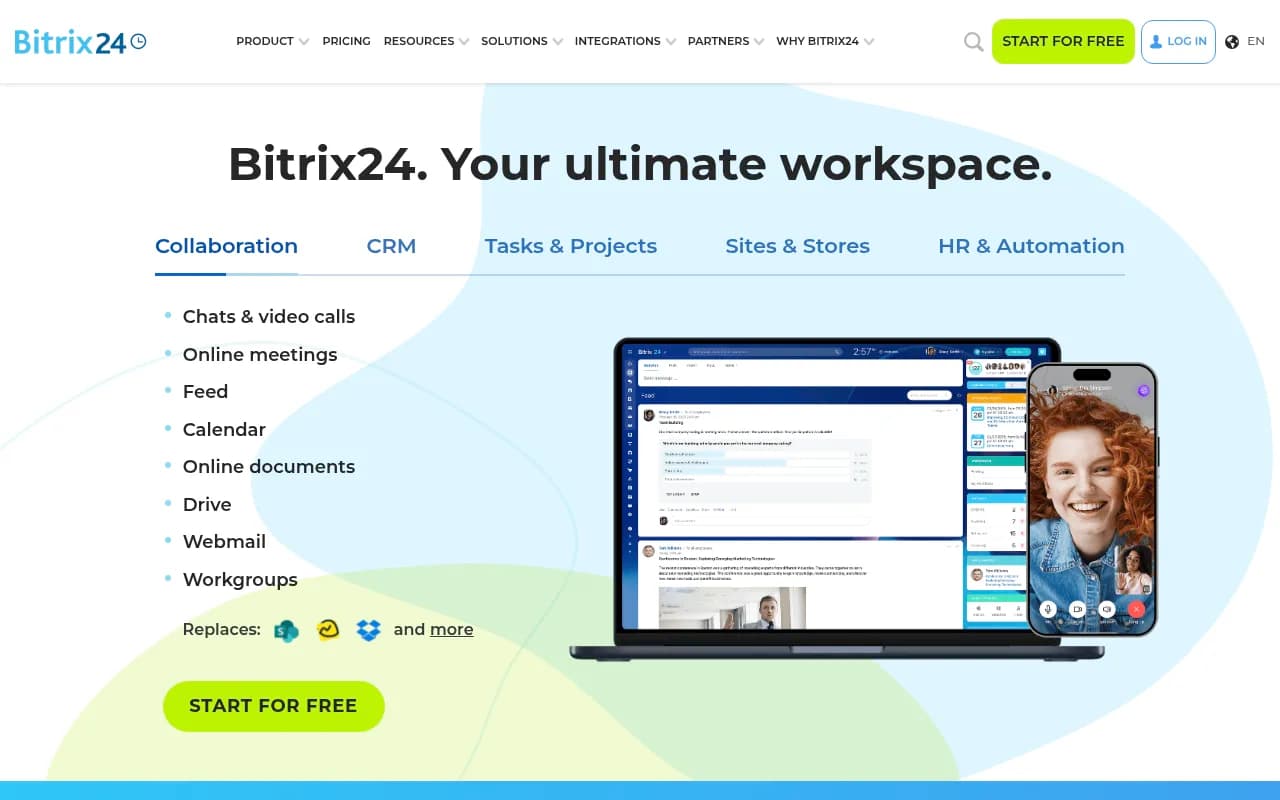
Bitrix24 is one of those platforms that's genuinely hard to categorize. It's a CRM. It's a project management tool. It's a team messenger, a website builder, an HR system, and a marketing automation platform -- all in one. Built by the company now operating as Alaio (formerly Bitrix, Inc.), it's been around since 2012 and has quietly accumulated over 15 million organizations as users across 18 languages. That's not a vanity number -- it reflects real traction, particularly in markets like Eastern Europe, Latin America, and Southeast Asia where the value proposition of "replace 10 tools with one" lands especially hard.
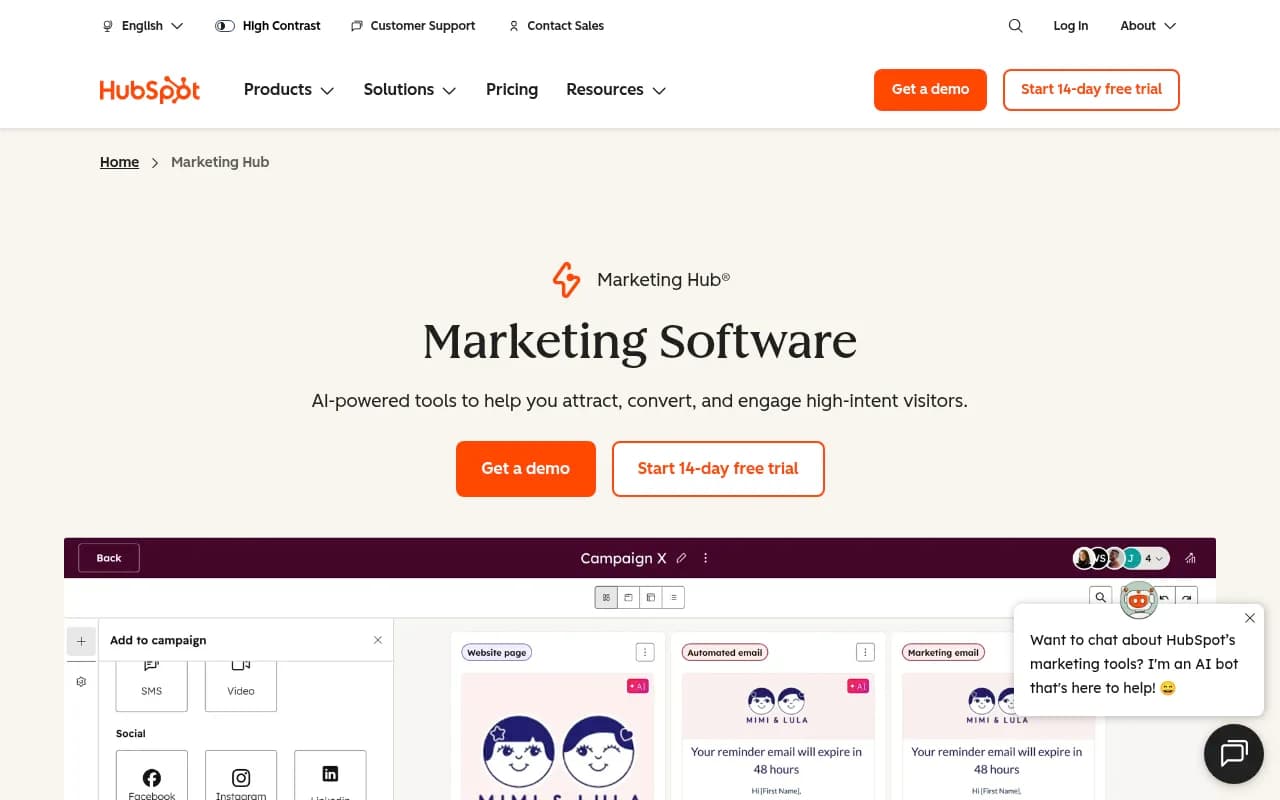
The core pitch is straightforward: instead of paying per-user for Slack, Asana, HubSpot, and Google Drive separately, you pay a flat monthly fee for Bitrix24 and get all of that (and more) in one place. For a team of 50, the company's own calculator suggests you'd save over $54,000 per year compared to running those tools individually. That math is real, even if the comparison is somewhat optimistic about feature parity.
The target audience skews toward small and mid-size businesses -- think a 20-person marketing agency that needs CRM, project tracking, and client communication tools but doesn't want to manage five separate subscriptions. It also appeals to growing companies that want to avoid the "tool sprawl" problem before it starts.
Key features
CRM with full sales pipeline management
The CRM is the centerpiece of Bitrix24 and probably its most mature module. You get leads, deals, contacts, and companies with customizable pipelines, access permissions, and role-based views. The contact center ties in omnichannel communications -- WhatsApp, Instagram DMs, live chat, telephony, email, and CRM web forms all funnel into a single inbox. Sales automation includes rules and triggers (e.g., auto-assign a lead when it hits a certain stage, send an SMS when a deal stalls). The Sales Intelligence feature tracks which marketing channels are actually driving closed deals, which is useful for teams running ads alongside organic outreach.
- Estimates, invoices, and online payments are built in -- you can close a deal and collect payment without leaving the platform
- Inventory management and a product catalog are included, making it viable for product-based businesses
- CoPilot in CRM handles call transcription, call summaries, and auto-fills deal fields from conversation data
Task and project management
Bitrix24 supports Kanban boards, Gantt charts, Scrum boards, and simple task lists -- you pick whichever view fits the work. Sub-tasks, checklists, time tracking, and workload management are all included. The Supervisor Mode lets managers see what everyone is working on without micromanaging individual tasks. Task automation can create tasks automatically based on CRM events or workflow triggers, which is where the integration between modules starts to pay off.
- Project templates speed up recurring project types
- External users (clients, contractors) can be invited to specific workgroups without accessing the full platform
- CoPilot in Tasks generates task descriptions, checklists, and summaries from brief inputs
Team collaboration and communication
This is Bitrix24's answer to Slack and Microsoft Teams. You get group and direct chats, video calls with screen sharing and recording, an activity feed, shared calendars with meeting room booking, and a company-wide drive for file storage and collaborative document editing. The workgroups feature lets you create project-specific spaces with their own chat, files, and tasks. Video announcements let leadership broadcast to the whole company.
- Calendar sync with external calendars is supported
- Mobile apps for iOS and Android cover chat, video calls, and task management
- The feed functions like an internal social network -- reactions, comments, polls, and appreciation badges
Website builder and online store
Bitrix24 includes a drag-and-drop website builder with free hosting, templates, and SEO-friendly output. You can build landing pages, full websites, or an online store with inventory management, order processing, and payment integration. The website widget enables live chat directly from your site, routing conversations into the CRM. Google Analytics integration is built in for landing pages.
- Social selling tools let you sell directly via Facebook, Instagram, WhatsApp, or Telegram
- Web forms capture leads and push them straight into the CRM pipeline
- CoPilot generates copy and images for site content
HR and workflow automation
The HR module covers employee profiles, org chart management, absence tracking, worktime logging, and performance reporting via KPIs. Workflow automation handles requests and approvals (expense reports, vacation requests, etc.) without needing to build custom code. The no-code RPA (Robotic Process Automation) feature can automate repetitive document and data tasks. Knowledge bases let teams document processes internally.
- Active Directory integration is available for enterprise setups
- Culture tools include appreciation badges, polls, and company announcements
- Access permissions are granular -- you can control who sees what at the department, role, or individual level
CoPilot AI assistant
CoPilot is Bitrix24's AI layer, woven throughout the platform rather than bolted on as a separate tool. In the CRM, it transcribes and summarizes calls. In Tasks, it generates descriptions and checklists. In Chat, it brainstorms ideas and drafts responses. In Sites & Stores, it writes copy and generates images. In video calls, it produces transcripts, analysis, and action items. The depth varies by module -- call transcription in CRM is genuinely useful, while the chat AI feels more like a novelty -- but the integration is consistent.
Marketing tools
Email campaigns, SMS marketing, telemarketing, Facebook Ads, and Google Ads management are all accessible from within the CRM. You can segment audiences based on CRM data, set up automated funnels, and track campaign performance. The integration between marketing and CRM means you can see which campaigns influenced which deals, which is more than most standalone email tools offer.
On-premise edition
Unlike most SaaS competitors, Bitrix24 offers a self-hosted version you can run on your own servers. This matters for organizations with strict data residency requirements -- healthcare, legal, government, and financial services teams that can't put client data in a third-party cloud. The on-premise edition is a separate product with its own licensing.
Who is it for
Bitrix24 fits best with small and mid-size businesses that are currently running multiple disconnected tools and feeling the pain of that fragmentation. A 15-person real estate agency juggling a separate CRM, a project tool, a team chat app, and a website platform is the ideal customer -- they can consolidate everything and cut their software bill significantly. The flat-fee pricing model means adding the 16th employee doesn't trigger a new invoice, which matters a lot at that scale.
It also works well for digital agencies managing client projects alongside their own sales pipeline. The workgroups feature lets you give clients limited access to their project space without exposing the rest of your workspace. The CRM handles new business development while Tasks handles delivery -- and they're connected, so a won deal can automatically trigger a project setup.
Industries where Bitrix24 has specific solution templates include legal, retail, travel, transportation, restaurants, real estate, call centers, and software development teams. The call center solution in particular is more developed than you'd expect -- telephony is built in, not just integrated.
Who should probably look elsewhere: large enterprises with complex CRM needs (Salesforce is still the benchmark for a reason), development teams that live in Jira and need its depth, or companies that need best-in-class in any single category. Bitrix24 is a generalist platform. If you need a specialist, you'll feel the gaps.
Integrations and ecosystem
Bitrix24's app marketplace lists 690+ integrations. Notable ones include Make (formerly Integromat) for workflow automation, WordPress forms integration, Google Sheets sync, WhatsApp and Telegram via Wazzup, and various SMS providers. The marketplace is a mix of first-party and third-party apps, with quality varying considerably.
The REST API is well-documented and actively maintained -- developers can build custom integrations, automate workflows, or extend the platform's functionality. The API documentation is available at helpdesk.bitrix24.com and covers CRM, tasks, users, and most other modules.
- Mobile apps: iOS (App Store) and Android (Google Play)
- Desktop app available for Windows and Mac
- Browser-based access with no installation required
- Looker Studio and BI Builder for custom analytics dashboards
- Google Analytics integration for landing pages and websites
- Active Directory / SSO for enterprise deployments
The partner network is substantial -- Bitrix24 has certified implementation partners in most major markets, which matters because the platform's complexity often warrants professional setup help.
Pricing and value
Bitrix24 uses flat-fee pricing with user limits per plan, not per-user pricing. This is the key differentiator on cost.
- Free: Unlimited users, 5 GB storage, basic CRM, tasks, chat, and website builder. Genuinely functional for small teams, not a crippled trial.
- Basic: $61/month (up to 5 users), 24 GB storage, online store, CRM marketing, and customer support tools
- Standard: $124/month (up to 50 users), 100 GB storage, online meetings up to 100 participants, sales intelligence, and marketing automation
- Professional: $249/month (up to 100 users), 1,024 GB storage, HR automation, business process automation, and advanced CRM features
- Enterprise: Custom pricing from 250 to 10,000 users, up to 100 TB storage, SSO, AES-256 encryption, SOC 1/2/3 compliance, ISO 27001
Annual billing reduces these prices. The on-premise edition is priced separately.
For context: a team of 50 running Slack ($10/user), Asana ($15/user), and a basic CRM would spend around $2,000/month. Bitrix24 Standard covers all of that for $124/month. The value math is hard to argue with, assuming the feature depth is sufficient for your needs.
Compared to HubSpot (which charges per-user and per-contact at scale), Bitrix24 is dramatically cheaper for mid-size teams. Compared to Zoho One (which also bundles many tools), Bitrix24's flat-fee model is simpler to predict. The free plan is more functional than most competitors' free tiers -- unlimited users with real CRM and task management is unusual.
Strengths and limitations
What Bitrix24 does well:
- The flat-fee pricing model is genuinely compelling for teams of 10 or more. The savings versus running separate tools are real and significant.
- The free plan is unusually generous -- unlimited users, working CRM, task management, and team chat without a credit card. Most competitors cap free plans at 2-5 users.
- The breadth of integration between modules is better than it looks on paper. A deal won in CRM can trigger a project in Tasks, which can notify the team in Chat -- that kind of cross-module automation reduces manual handoffs.
- The on-premise option is rare among modern SaaS platforms and opens doors with regulated industries that can't use cloud-only tools.
- CoPilot's call transcription and summarization in the CRM is genuinely useful for sales teams -- it's not just a chatbot wrapper.
Honest limitations:
- The interface is dense. There's a lot of it, and the learning curve is steeper than Asana, Trello, or HubSpot individually. New users often feel overwhelmed by the number of options before they find their workflow.
- Feature depth in individual modules doesn't match dedicated tools. The CRM is solid but not Salesforce. The project management is capable but not Jira. If you need the best-in-class version of any single tool, Bitrix24 will disappoint.
- The app marketplace quality is inconsistent. Some third-party integrations are well-maintained; others are clearly abandoned. Finding reliable integrations for specific tools requires research.
- Customer support on lower-tier plans is limited -- the free plan relies heavily on community forums and documentation, which are decent but not a substitute for responsive support when something breaks.
Bottom line
Bitrix24 makes the most sense for small and mid-size businesses that are currently paying for multiple separate tools and want to consolidate without sacrificing core functionality. If you're a 20-50 person company running Slack, a CRM, a project tool, and a website platform separately, the math almost always works in Bitrix24's favor -- and the free plan lets you test that before committing.
The best use case in one sentence: a growing SMB that needs CRM, project management, team communication, and basic marketing tools under one roof, and wants to pay a flat monthly fee regardless of how many people join the team.
Tags:
Frequently asked questions
Is Bitrix24 really free?
How does Bitrix24 pricing work?
Who is Bitrix24 best suited for?
How does Bitrix24 compare to HubSpot or Salesforce?
Does Bitrix24 have a self-hosted option?
What is CoPilot in Bitrix24?
Similar and alternative tools to Bitrix24