HubSpot Marketing Hub Review 2026
Comprehensive marketing platform with AI-powered tools for email marketing, social media management, content creation, and campaign optimization.
Key Takeaways:
• Best for: Mid-market to enterprise B2B companies, agencies, and growing SaaS businesses that need an all-in-one marketing platform with deep CRM integration • Standout strengths: Unified customer data across marketing/sales/service, AI-powered content and campaign tools, sophisticated attribution reporting, and 1,900+ integrations • Main limitation: Premium features require Professional tier ($890/mo), making it expensive for small teams compared to point solutions • Unique advantage: Part of HubSpot's complete customer platform — marketing data automatically syncs with Sales Hub, Service Hub, and Content Hub without custom integrations • Bottom line: If you're serious about inbound marketing and want marketing/sales alignment built into the platform, Marketing Hub is the gold standard despite the price
HubSpot Marketing Hub is one of the most established marketing automation platforms in the B2B space, used by over 228,000 customers worldwide. Originally launched in 2006 as an inbound marketing tool, it has evolved into a full-featured marketing platform with deep AI capabilities, advanced personalization, and sophisticated attribution modeling. HubSpot went public in 2014 and has become synonymous with inbound marketing methodology.
The platform is built for marketing teams at companies ranging from 10 to 10,000+ employees, but it particularly shines for mid-market B2B companies (50-500 employees) running complex, multi-channel campaigns. It's also popular with agencies managing multiple client accounts. The core value proposition is simple: instead of stitching together 10+ marketing tools, you get lead generation, email marketing, social media, SEO, ads, analytics, and automation in one platform that shares a unified customer database with your sales and service teams.
Lead Generation & Conversion Tools
Marketing Hub's lead capture capabilities are extensive. Forms use AI to shorten themselves dynamically based on what HubSpot already knows about a visitor from previous interactions or enrichment data. If someone has filled out a form before, they might only see 2 fields instead of 8. Forms also include progressive profiling, conditional logic, CAPTCHA protection, and automatic lead scoring. They integrate directly with the CRM, so every submission creates or updates a contact record instantly.
Audience Segments let you identify anonymous website visitors based on firmographic data (company size, industry, revenue) and behavioral signals (pages viewed, time on site, content downloaded). This is HubSpot's answer to tools like Clearbit Reveal or 6sense — you can see which companies are visiting your site even before they fill out a form, then target them with personalized content or ads.
Breeze Customer Agent is HubSpot's AI chatbot that can qualify leads, answer questions, book meetings, and route conversations to the right team member. It's trained on your knowledge base, help docs, and past conversations. Unlike generic chatbots, it has access to full CRM context, so it knows if someone is an existing customer, what products they use, and their support history. It can handle complex qualification flows and hand off to humans when needed.
Dynamic CTAs change based on who's viewing them. A first-time visitor might see "Download the Guide" while a known lead sees "Request a Demo" and an existing customer sees "Upgrade Your Plan." These are managed centrally and can be placed across your website, landing pages, and emails.
Email Marketing & Automation
HubSpot's email builder is drag-and-drop with a library of mobile-responsive templates. What sets it apart is the depth of personalization available. AI-Powered Emails use CRM data to automatically personalize subject lines, body copy, CTAs, and send times for each recipient. You can insert dynamic tokens that pull in company name, industry, deal stage, product usage data, or any custom field. The AI can also generate entire email drafts based on your campaign goals and audience.
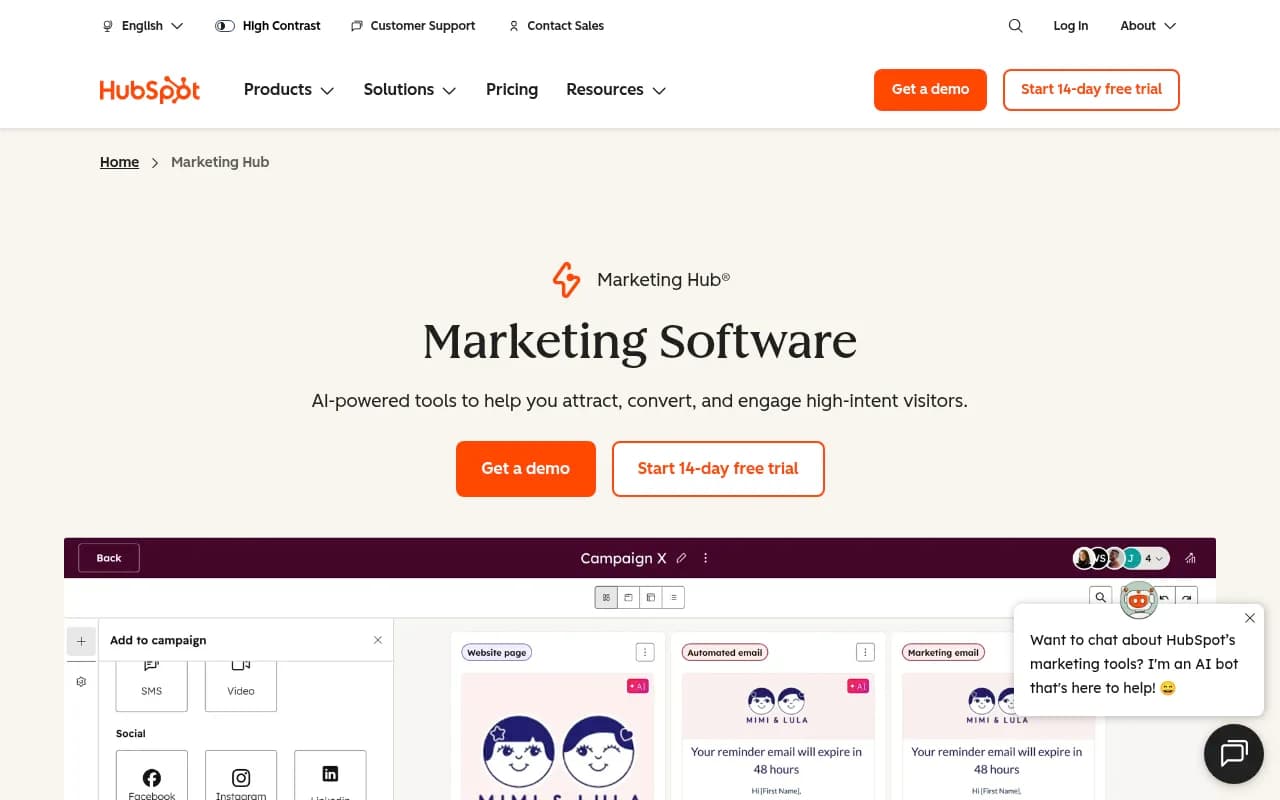
Marketing Studio is the new unified workspace for planning and executing campaigns. Instead of jumping between email, landing pages, social posts, and workflows, you build entire campaigns in one place. The AI suggests content ideas, generates copy variations, and recommends optimal send times based on historical engagement data. You can see all campaign assets (emails, landing pages, social posts, ads) in a single view and track performance holistically.
Workflows are HubSpot's automation engine. You can trigger workflows based on form submissions, email clicks, page views, deal stage changes, list membership, or custom events. Actions include sending emails, updating contact properties, creating tasks for sales reps, enrolling in sequences, adding to lists, sending webhooks, or branching based on if/then logic. Professional tier includes A/B testing in workflows and goal-based nurturing (automatically stop sending emails once someone books a meeting).
Personalization & Website Tools
The Personalization toolkit lets you create different versions of website pages, CTAs, and content blocks for different audience segments. You can personalize based on lifecycle stage, industry, company size, traffic source, device type, or any CRM property. For example, show SaaS-specific case studies to visitors from software companies, or display different pricing for enterprise vs. SMB visitors. Changes are managed through a visual editor without developer involvement.
Smart Content takes this further by personalizing individual page modules. A hero section might show different headlines, images, and CTAs for first-time visitors vs. leads vs. customers. This works across landing pages, website pages, and emails.
Lookalike Lists use AI to find contacts in your database that resemble your best customers. Feed it a list of high-value customers, and it identifies similar contacts based on firmographic and behavioral patterns. This is useful for prioritizing outreach, targeting ads, or identifying expansion opportunities.
Social Media & Content Management
The Social Media Management tool supports Facebook, Instagram, LinkedIn, Twitter/X, and YouTube. You can schedule posts, monitor mentions and comments in a unified inbox, track engagement metrics, and report on social ROI. The AI can suggest optimal posting times, generate post copy variations, and recommend hashtags. You can also set up social listening streams to monitor brand mentions, competitor activity, or industry keywords.
Blog Research Agent (beta) analyzes your top-performing blog posts and suggests new topics based on search intent, keyword difficulty, and traffic potential. It's designed to help you focus on high-intent queries that signal purchase readiness rather than generic informational content that AI search engines can easily answer.
AEO Grader evaluates your content for AI search optimization (Answer Engine Optimization). As ChatGPT, Perplexity, and Google's AI overviews increasingly answer questions without sending traffic to websites, this tool identifies which content is vulnerable to being replicated by AI and recommends ways to make it more unique and valuable.
Analytics & Attribution
This is where Marketing Hub truly differentiates itself from cheaper alternatives. Marketing Analytics includes pre-built reports for email performance, landing page conversions, traffic sources, campaign ROI, and more. You can create custom reports using any CRM data, and dashboards update in real-time.
Advanced Marketing Reporting (Professional tier and above) includes multi-touch revenue attribution. You can see which marketing touchpoints (emails, ads, content downloads, webinars) contributed to closed deals and how much revenue each channel generated. Attribution models include first-touch, last-touch, linear, time-decay, and custom weighting. This is critical for proving marketing ROI and making data-driven budget decisions.
Pathfinder (formerly Journey Reports) visualizes the customer journey from first website visit to closed deal. You can see common paths to conversion, identify bottlenecks where prospects drop off, and spot high-performing content that accelerates deals. For example, you might discover that prospects who attend a webinar and then download a case study are 3x more likely to request a demo.
Dashboards and Reporting are fully customizable. You can build executive dashboards that show pipeline generated, revenue influenced, and cost per lead. Marketing managers can track campaign performance, email engagement, and conversion rates. Sales leaders can see lead quality metrics and follow-up speed. Reports can be scheduled to email stakeholders automatically.
Integrations & Ecosystem
Marketing Hub integrates with 1,900+ tools through the HubSpot Marketplace. Key integrations include Salesforce (bi-directional sync), Google Ads, Facebook Ads, LinkedIn Ads, Zapier, Slack, Zoom, Eventbrite, Shopify, WordPress, and Stripe. The Salesforce integration is particularly robust — it syncs contacts, companies, deals, and activities in real-time, and you can map custom fields, set sync rules, and choose which records sync.
Because Marketing Hub is part of HubSpot's customer platform, it natively integrates with Sales Hub (CRM, sequences, meetings), Service Hub (tickets, knowledge base, customer feedback), Content Hub (CMS, blog, SEO tools), Commerce Hub (quotes, payments, subscriptions), and Data Hub (data sync, quality automation). If you use multiple HubSpot products, data flows seamlessly between them without custom integrations.
The platform also has a robust API for custom integrations, webhooks for real-time data sync, and a developer ecosystem with SDKs, CLI tools, and extensive documentation.
Who Is It For
Marketing Hub is best suited for B2B companies with complex sales cycles, multiple stakeholders, and a need to prove marketing ROI. Typical users include SaaS companies with 50-500 employees, professional services firms, agencies managing client campaigns, and enterprise marketing teams running account-based marketing programs.
It's particularly strong for companies that value marketing/sales alignment. Because the CRM is built into the platform, marketing can see which leads sales is working, sales can see which marketing campaigns generated their best opportunities, and both teams work from the same customer data. This eliminates the "marketing sends junk leads" and "sales doesn't follow up" finger-pointing that plagues companies using disconnected tools.
Agencies love Marketing Hub because they can manage multiple client accounts from one login, white-label reports, and use partitioning to keep client data separate. The platform also offers agency-specific pricing and partner programs.
Marketing Hub is NOT ideal for small businesses with simple needs (just email marketing and basic automation), e-commerce companies focused on transactional marketing (Klaviyo or Omnisend are better), or teams that need best-in-class point solutions for specific channels (Marketo for enterprise automation, Mailchimp for pure email, Hootsuite for social-only).
Pricing & Value
Marketing Hub has four tiers: Free (basic email, forms, live chat, ad management), Starter ($15/seat/month, normally $20 — discount for new customers), Professional ($890/month for 3 seats), and Enterprise ($3,600/month for 5 seats).
The Free tier is genuinely useful for very small teams just getting started. You get email marketing (2,000 sends/month), forms, live chat, ad tracking, and basic reporting. The catch is you can't remove HubSpot branding, and you're limited to 1 user.
Starter adds multi-currency support, removes branding, includes 1,000 marketing contacts, and adds basic automation. It's fine for small businesses with simple needs, but you'll quickly outgrow it.
Professional ($890/month) is where Marketing Hub becomes a true enterprise platform. This tier includes advanced automation, A/B testing, multi-touch attribution, social media tools, dynamic personalization, custom reporting, and 2,000 marketing contacts. Additional contacts cost $224.72 per 5,000 contacts. Most mid-market companies land here.
Enterprise ($3,600/month) adds advanced attribution modeling, predictive lead scoring, custom objects, behavioral event triggers, recurring revenue reporting, and 10,000 marketing contacts. This is for large marketing teams running sophisticated campaigns across multiple regions or business units.
One important note: HubSpot charges based on "marketing contacts" (contacts you're actively marketing to) rather than total contacts in your database. This means you can store unlimited contacts but only pay for the ones you're emailing or targeting with ads. This pricing model is more favorable than competitors who charge per total contact.
Compared to alternatives, Marketing Hub is expensive. Marketo starts around $895/month but requires a 12-month contract and has a steeper learning curve. ActiveCampaign is much cheaper ($49-$259/month) but lacks the depth of reporting and CRM integration. Pardot (Salesforce Marketing Cloud Account Engagement) starts at $1,250/month and is more expensive for similar features.
The value proposition is strongest when you use multiple HubSpot products. If you're already using Sales Hub or Service Hub, adding Marketing Hub creates a unified customer platform that's hard to replicate with point solutions.
Strengths
• Unified customer data: Marketing, sales, and service teams work from the same CRM. No data silos, no sync issues, no duplicate records. • Ease of use: Despite being feature-rich, Marketing Hub is remarkably intuitive. Non-technical marketers can build campaigns, create landing pages, and set up automation without developer help. • Attribution reporting: Multi-touch attribution and customer journey analytics are best-in-class for this price point. You can actually prove which marketing efforts drive revenue. • AI capabilities: Breeze AI is deeply integrated across the platform — content generation, email personalization, lead scoring, chatbots, and optimization recommendations all use AI effectively. • Ecosystem: 1,900+ integrations, active community, extensive documentation, and a marketplace full of templates, themes, and tools.
Limitations
• Price: Professional tier at $890/month is steep for small teams. You're paying for the full platform even if you only need email and automation. • Contact limits: While the marketing contacts model is better than total contacts, you can still hit limits quickly. A company with 50,000 total contacts but only marketing to 10,000 would pay $890 + $1,123.60 = $2,013.60/month on Professional. • Advanced features locked to Enterprise: Predictive lead scoring, advanced attribution models, and behavioral event triggers require the $3,600/month Enterprise tier. Competitors like Marketo include these at lower price points. • Email deliverability: While good, HubSpot's email deliverability isn't as strong as dedicated ESP platforms like SendGrid or Mailgun. High-volume senders may need to supplement with a dedicated sending service.
Bottom Line
HubSpot Marketing Hub is the best all-in-one marketing platform for B2B companies that want marketing/sales alignment, sophisticated attribution, and room to grow. It's not the cheapest option, but it's the most complete. If you're a mid-market company (50-500 employees) running inbound marketing campaigns, need to prove ROI to executives, and want your marketing and sales teams working from the same data, Marketing Hub is worth the investment. The Professional tier at $890/month is the sweet spot for most companies.
Avoid it if you're a small business with simple needs (just email and basic automation), an e-commerce company focused on transactional marketing, or a team that prefers best-in-class point solutions over an integrated platform. Also skip it if you're not willing to commit to the HubSpot ecosystem — the platform's value increases significantly when you use multiple Hubs together, but you're locked into their pricing and roadmap.
Similar and alternative tools to HubSpot Marketing Hub