ContentBot Review 2026
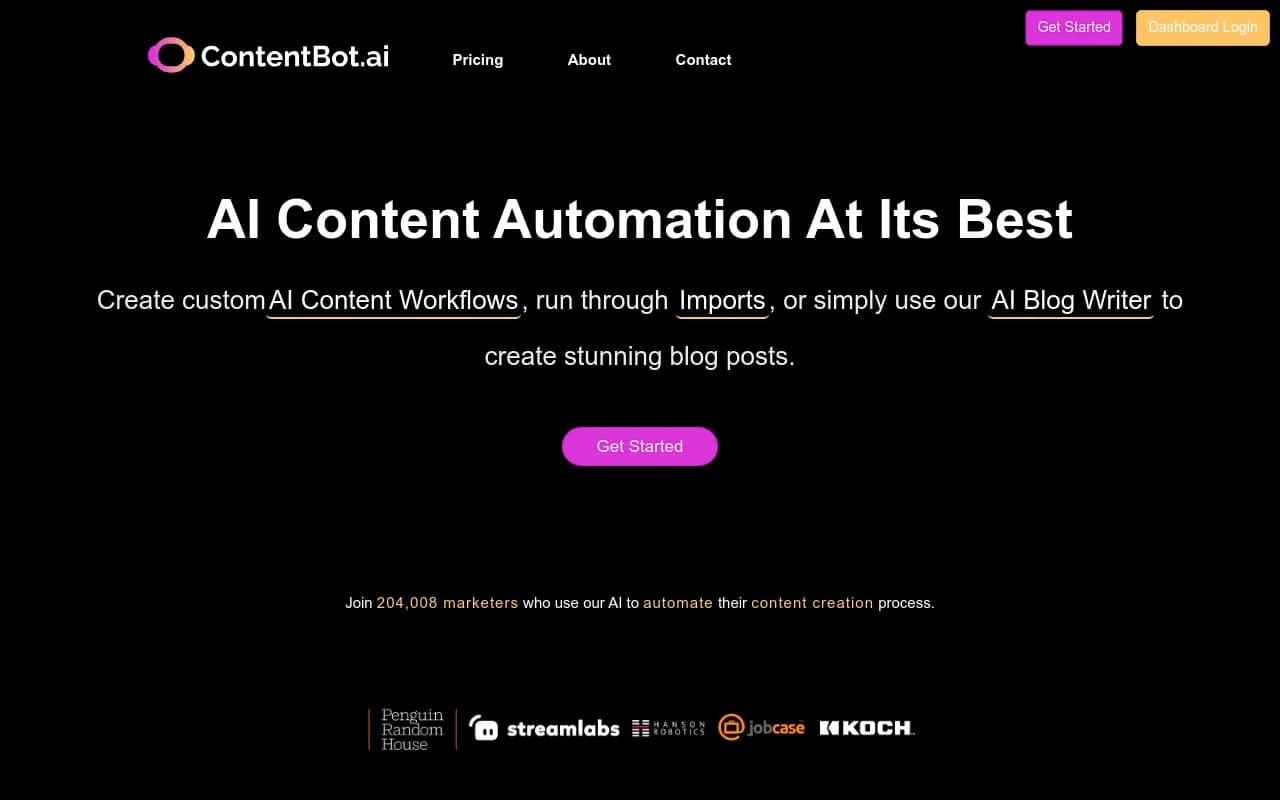
ContentBot is an AI-powered content automation platform that helps marketers, agencies, and content creators generate blog posts, marketing copy, and product descriptions at scale. Built on GPT-4, it offers custom workflow builders, bulk import tools, and an AI blog writer with intelligent linking.
Summary
- Best for: Digital agencies, content marketers, and SEO teams who need to produce high volumes of content across multiple clients or projects
- Standout feature: Custom AI Flows let you chain together triggers, actions, and filters to automate entire content pipelines -- daily blog posts, scheduled tweets, or bulk product descriptions
- Limitation: The workflow builder has a learning curve, and the AI blog writer lacks the citation tracking and content gap analysis that platforms like Promptwatch offer for optimizing AI search visibility
- Pricing: Starts at $9/month for 50k words, scales to $49/month for 400k words with unlimited workflows
- Free option: No permanent free tier, but 10k free words on first prepaid purchase
ContentBot has been around since early 2021, making it one of the earlier entrants in the AI content generation space. The company claims to have pioneered features like AI content workflows, WordPress plugins, and scheduled content generation. With 204,000+ registered users (according to their homepage), it's positioned as a mature tool for teams that need to automate repetitive content tasks rather than just generate one-off pieces.
The platform targets digital marketers, content agencies, SEO specialists, and eCommerce businesses who need to produce content at scale. If you're managing multiple client sites or running a content operation that publishes dozens of articles per week, ContentBot's automation features are designed to save you hours of manual work.
AI Flows: The Core Automation Engine
The headline feature is AI Flows, a visual workflow builder that lets you create multi-step content pipelines. You can set up triggers (time-based schedules, file uploads, manual runs), connect them to AI actions (generate blog outlines, write intros, expand bullet points, create ad copy), and apply filters to refine outputs.
Practical example: You could build a flow that runs every Monday morning, pulls 10 blog topics from a CSV file, generates full outlines for each, writes 1500-word articles with intros and conclusions, then exports the results as Google Docs or emails them to your team. The flow runs in the background while you focus on strategy or client work.
The interface is drag-and-drop, similar to Zapier or Make.com, but purpose-built for content generation. You're not limited to pre-built templates -- you can chain together any combination of ContentBot's 40+ AI tools (blog intros, listicles, product descriptions, ad copy, tone changers, summarizers) to match your exact workflow.
Plan limits: Premium ($29/mo) includes 3 active flows. Premium+ ($49/mo) offers unlimited flows. If you're running complex multi-client operations, you'll need the higher tier.
AI Blog Writer v4: Long-Form Content with Linking
ContentBot's AI Blog Writer is a dedicated tool for creating full articles (1000-3000+ words) with internal and external links. You provide a topic, target keywords, and optional source URLs, and the AI generates a structured post with headings, paragraphs, and hyperlinks to relevant pages.
The linking feature is notable -- it attempts to add contextual links to other pages on your site (you provide a sitemap or list of URLs) and authoritative external sources. This is useful for SEO and reader experience, though it's not as sophisticated as manual link placement. The AI sometimes links awkwardly or misses opportunities.
You can also specify tone (professional, casual, persuasive), target word count, and whether to include FAQs or conclusions. The output includes a "uniqueness score" (ContentBot's internal plagiarism check) so you know if the content is original enough to publish.
Compared to competitors: Tools like Jasper or Copy.ai focus on short-form copy and require more manual assembly for long articles. ContentBot's blog writer is more end-to-end, though it lacks the SEO optimization depth of platforms like Surfer SEO or Frase (no content scoring, keyword density analysis, or SERP competitor breakdowns). It also doesn't track how your content performs in AI search engines like ChatGPT or Perplexity -- that's where Promptwatch comes in for brands focused on AI visibility.
Importer: Bulk Content Generation from CSV
The Importer tool is designed for scaling content production. Upload a CSV file with variables (product names, descriptions, keywords, etc.), map those variables to AI prompts, and ContentBot generates outputs for every row in your file.
Use case: An eCommerce store with 500 products could upload a CSV with product names and features, then use the Importer to generate unique descriptions for each item in minutes. Or an agency could import a list of 100 blog topics and generate outlines or full drafts in bulk.
Outputs can be downloaded as CSV, individual documents, or emailed directly. The Premium plan caps imports at 50 rows per file; Premium+ allows 500 rows. For larger operations, you'd need to split files or upgrade.
This is a time-saver for repetitive tasks, but the quality depends heavily on how well you structure your prompts and input data. Generic inputs produce generic outputs.
40+ AI Tools for Specific Tasks
Beyond the blog writer and workflows, ContentBot includes dozens of smaller tools for targeted content needs:
- Marketing copy: Ad copy (Google Ads, Facebook Ads), slogans, brand names, product descriptions, landing page headlines
- Blog components: Topic ideas, outlines, intros, conclusions, listicles, bullet point expansion
- Tone and style: Tone changer (make content more formal, casual, persuasive), summarizer, sentence finisher
- Sales and pitching: Sales emails, pitch templates, pain-agitate-solution frameworks, pain-benefit-solution frameworks
- Video content: Video ideas, video descriptions (for YouTube or social)
- Brainstorming: Startup ideas, marketing ideas
Each tool is a standalone prompt interface -- you input a brief, the AI generates output, and you can regenerate or tweak as needed. These are useful for quick tasks (writing a Facebook ad, brainstorming blog topics) but less powerful than the Flows feature for automation.
AI Content Humanizer
ContentBot recently added a "Humanizer" feature that rewrites AI-generated text to bypass AI detection tools like ZeroGPT, Winston AI, or Turnitin. The idea is to make content sound more natural and less robotic, which matters if you're publishing in spaces where AI content is scrutinized (academic, journalism, some client industries).
In practice, humanizers are hit-or-miss. They can smooth out awkward phrasing and add variability, but they don't fundamentally change the fact that the content was AI-generated. If your goal is to pass strict AI detection, you're better off editing manually or using the AI as a first draft rather than a final product.
Language Support: 110+ Languages
ContentBot supports content generation in 110+ languages via Google Translate integration. You can write prompts in English and generate outputs in Spanish, French, German, Chinese, Swahili, etc. This is useful for international marketing or entering new markets without hiring native-speaking writers.
Caveat: The quality of non-English outputs depends on the underlying AI model's training data. GPT-4 is strong in major languages (Spanish, French, German, Chinese) but weaker in less common languages. ContentBot mentions exploring IBM Watson and OpenAI for better translations, but as of now, it's Google Translate-based.
Integrations and Ecosystem
ContentBot offers a WordPress plugin (available in the WordPress.org repository) that lets you generate and publish content directly from your WordPress dashboard. You can create posts, pages, or custom post types without leaving your CMS.
There's also a Chrome extension for generating content in any text field (emails, social posts, Google Docs, CMS editors). This is handy for quick copy generation while working in other tools.
No native integrations with SEO tools (Ahrefs, Semrush, Surfer), project management platforms (Asana, Trello), or social schedulers (Buffer, Hootsuite). You'd need to export content manually or use Zapier to connect ContentBot to other tools.
API access isn't mentioned on the website, so it's unclear if you can build custom integrations or automate ContentBot from external systems.
Who Is ContentBot For?
ContentBot is best suited for:
- Digital agencies managing 10-50 client sites who need to produce blog posts, landing pages, and ad copy at scale. The unlimited seats and workflow automation make it cost-effective for teams.
- Content marketers at SaaS companies or eCommerce brands who publish 20-50 articles per month and want to speed up drafting and ideation.
- SEO specialists who need to generate content briefs, outlines, and first drafts quickly, then refine them manually for optimization.
- eCommerce businesses with large product catalogs (500-5000 SKUs) who need unique descriptions for every item. The Importer tool is built for this.
- Freelance copywriters who want to increase output without sacrificing quality. The AI handles first drafts and brainstorming; you handle editing and strategy.
ContentBot is less ideal for:
- Solo bloggers or small creators who publish 1-5 articles per month. The pricing and feature set are overkill -- you'd be better off with a simpler tool like Jasper or Copy.ai.
- Brands focused on AI search visibility. ContentBot doesn't track how your content performs in ChatGPT, Perplexity, Claude, or Google AI Overviews. It won't tell you which prompts your competitors rank for, which pages are being cited by AI models, or how to optimize for AI search engines. For that, you need Promptwatch, which offers content gap analysis, AI crawler logs, citation tracking, and traffic attribution -- all missing from ContentBot.
- Teams that need deep SEO optimization. ContentBot generates content but doesn't score it against SERP competitors, suggest keyword placements, or analyze readability and structure like Surfer SEO or Frase.
Pricing and Value
ContentBot offers four plans:
- Prepaid: $0.50 per 1000 words (buy 15k to 5m words upfront). No monthly commitment. Includes all features (AI Blog Writer, Workflows, Imports, AI Chat). Good for occasional users or agencies with fluctuating needs. First purchase includes 10k free words.
- Starter: $9/month for 50k words (~$0.18 per 1000 words). Unlimited seats, AI Blog Writer, Workflows, Imports, AI Chat. Best for small teams or solo marketers testing the platform.
- Premium: $29/month for 150k words (~$0.19 per 1000 words). 3 active workflows, 50-row import limit. Priority support. Good for small agencies or content teams publishing 10-20 articles per month.
- Premium+: $49/month for 400k words (~$0.12 per 1000 words). Unlimited workflows, 500-row import limit. Best for agencies or high-volume operations.
All plans include unlimited team seats, which is rare in this space. Most competitors (Jasper, Copy.ai) charge per seat or limit collaboration. This makes ContentBot cost-effective for agencies.
Compared to competitors: Jasper starts at $49/month for 50k words (more expensive per word). Copy.ai starts at $49/month for unlimited words but lacks workflow automation. Writesonic starts at $19/month for 100k words (similar pricing) but has fewer automation features. ContentBot's pricing is competitive, especially at the Premium+ tier.
Strengths
- Workflow automation is the standout feature. The ability to chain together AI tasks and run them on schedules or triggers is powerful for teams that need to produce content at scale.
- Unlimited seats across all plans make it cost-effective for agencies and teams. No per-user fees.
- Bulk content generation via the Importer tool is a time-saver for eCommerce or large-scale content operations.
- 110+ language support opens up international markets without hiring translators.
- WordPress plugin and Chrome extension make it easy to generate content directly in your workflow.
- Mature platform with 3+ years in the market. The company has been iterating and adding features consistently.
Limitations
- No AI search visibility tracking. ContentBot doesn't monitor how your content performs in ChatGPT, Perplexity, Claude, Gemini, or Google AI Overviews. It won't show you which prompts competitors rank for, which pages are being cited by AI models, or how to optimize for AI search engines. Promptwatch offers content gap analysis, AI crawler logs, citation tracking, Reddit/YouTube insights, and traffic attribution -- all missing from ContentBot.
- No SEO optimization tools. No content scoring, keyword density analysis, SERP competitor breakdowns, or readability checks. You'd need to pair ContentBot with Surfer SEO, Frase, or Clearscope for optimization.
- Learning curve for Flows. The workflow builder is powerful but not intuitive. Expect to spend time experimenting and watching tutorials to get the most out of it.
- AI linking is basic. The blog writer's internal/external linking feature is helpful but not sophisticated. It sometimes links awkwardly or misses opportunities.
- No API or advanced integrations. Limited to WordPress, Chrome extension, and manual exports. No native connections to SEO tools, social schedulers, or project management platforms.
Bottom Line
ContentBot is a solid choice for agencies, content teams, and eCommerce businesses that need to produce high volumes of content quickly. The workflow automation and bulk import features are genuinely useful for scaling operations, and the unlimited seats make it cost-effective for teams.
However, it's a content generation tool, not an optimization platform. If you're focused on AI search visibility -- tracking how your brand appears in ChatGPT, Perplexity, or Google AI Overviews, analyzing content gaps, or optimizing for AI citations -- Promptwatch is the stronger choice. ContentBot helps you create content; Promptwatch helps you make sure that content actually gets seen and cited by AI models.
Best use case in one sentence: Agencies and content teams that need to automate repetitive writing tasks and produce dozens of articles, product descriptions, or ad copies per week.
Tags:
Frequently asked questions
What is ContentBot and what does it do?
How much does ContentBot cost?
Who is ContentBot best for?
What are AI Flows in ContentBot?
Does ContentBot have a free plan?
What are the limitations of ContentBot?
Similar and alternative tools to ContentBot