ClickRank AI Review 2026
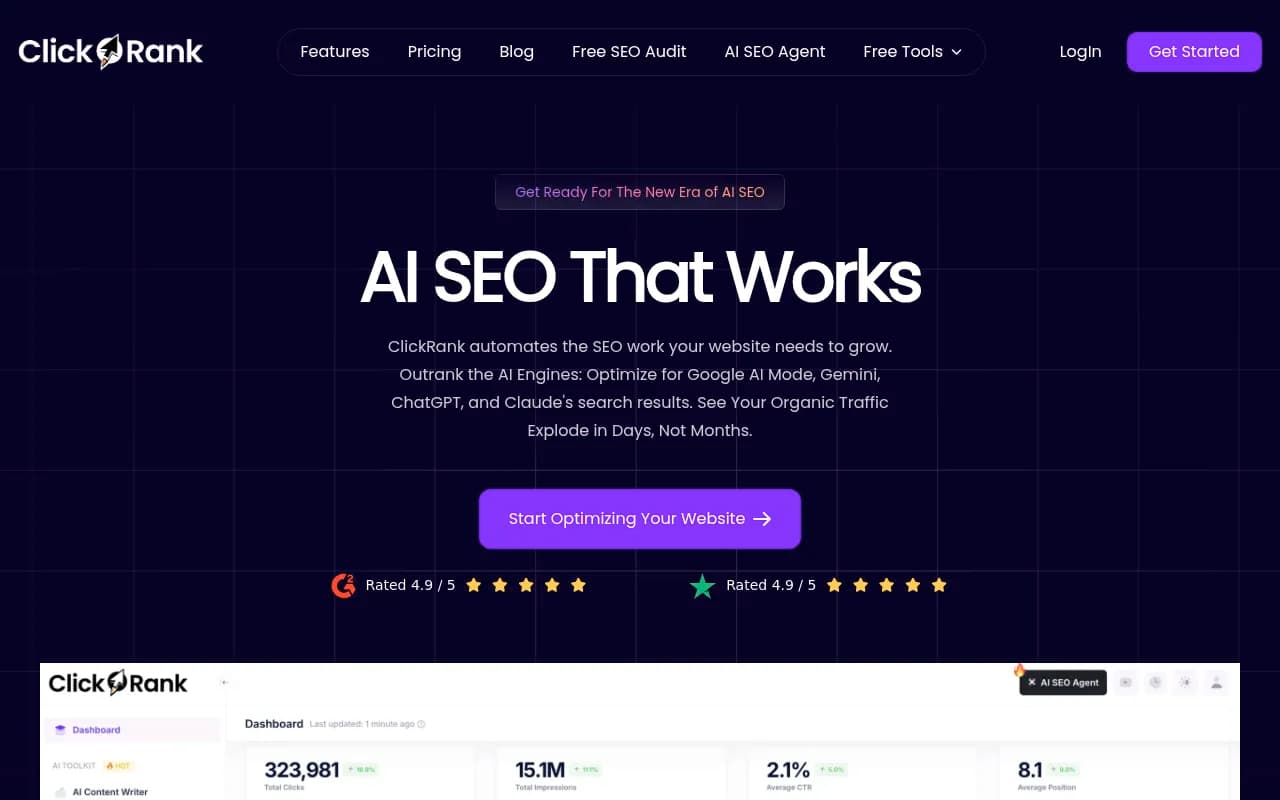
ClickRank is an AI SEO automation platform that streamlines on-page optimization through one-click fixes for title tags, meta descriptions, image alt text, schema markup, and internal links. Designed for marketers and business owners who want to improve search rankings without technical expertise, it integrates with any CMS via JavaScript snippet and pulls data from Google Search Console to generate SEO-optimized metadata automatically.
Summary: What ClickRank Does Well (and Where It Falls Short)
- One-click on-page optimization: Automates title tags, meta descriptions, alt text, schema markup, and internal links with minimal manual work -- a genuine time-saver for non-technical users
- CMS-agnostic integration: Works with WordPress, Shopify, Wix, Webflow, and any platform via a simple JavaScript snippet -- no plugins or developer dependency
- Google Search Console integration: Pulls real performance data to inform optimization suggestions, making recommendations more relevant than generic SEO tools
- Limited to on-page SEO only: Unlike platforms like Promptwatch that track AI search visibility (ChatGPT, Perplexity, Claude), identify content gaps, and generate optimized content, ClickRank focuses exclusively on traditional metadata optimization -- it won't help you rank in AI engines or show you what content is missing
- No content creation or gap analysis: You're on your own for identifying which topics to cover or creating new content -- ClickRank only optimizes what already exists on your site
ClickRank is a solid automation tool for businesses that need faster on-page SEO execution but lack the resources or expertise to do it manually. It's not a strategic SEO platform -- it won't tell you what's broken in your content strategy or help you compete in the emerging AI search landscape.
ClickRank launched as an AI-powered SEO automation platform designed to eliminate the manual grind of on-page optimization. The tool targets small business owners, marketers, and agencies who understand that SEO matters but don't have the time or technical chops to optimize every title tag, meta description, and image alt text by hand. With a 4.9/5 rating on both G2 and Trustpilot and clients including Nike, Frasers, Cornell University, and Under Armour, ClickRank has built a reputation for making SEO accessible to non-experts. The core promise: connect your Google Search Console, paste a JavaScript snippet into your site header, and let ClickRank handle the rest.
The platform positions itself as "the first AI SEO automation tool" and emphasizes speed -- users report seeing organic traffic improvements within days or weeks, not months. But ClickRank's scope is narrow: it automates on-page SEO tasks like metadata optimization and schema generation, but it doesn't address content strategy, AI search visibility, or competitive analysis in any meaningful depth. If you need a tool that tells you what to optimize and why, ClickRank isn't it. If you just need to execute optimizations faster on existing pages, it delivers.
Auto Title Tag Optimization: ClickRank analyzes your existing titles and rewrites them to include high-impact keywords pulled from Google Search Console data. The AI considers search volume, click-through rates, and ranking positions to prioritize keywords that are likely to move the needle. You can review suggestions individually or apply them in bulk across your entire site. The tool respects character limits (typically 60 characters) and aims for readability, not keyword stuffing. Users report that the AI-generated titles often outperform their original versions in CTR, though some manual tweaking is usually needed to match brand voice or specific messaging goals. Unlike tools that just flag issues, ClickRank actually writes the new titles for you.
Auto Meta Description Optimization: Similar to title optimization, ClickRank generates meta descriptions designed to increase click-through rates. The AI pulls keywords from GSC, analyzes competitor descriptions, and writes compelling copy that fits within the 155-160 character limit. You can edit suggestions before applying them, or let ClickRank auto-apply optimizations on a schedule. The tool tracks CTR changes over time so you can see which descriptions are working. One limitation: the AI doesn't always nail tone or brand voice on the first try, so agencies managing multiple clients will likely need to review and adjust descriptions manually. Still, it's faster than writing from scratch.
Image Alt Text Generation with AI Vision: ClickRank uses an AI vision model to analyze images on your site and generate descriptive, SEO-friendly alt text. This is particularly useful for e-commerce sites with hundreds or thousands of product images that lack proper alt attributes. The AI identifies objects, colors, and context within each image, then writes alt text that balances accessibility with keyword optimization. You can bulk-apply alt text across your site or review and edit suggestions page by page. The vision model isn't perfect -- it occasionally misidentifies objects or generates generic descriptions -- but it's significantly faster than manual alt text creation and improves both SEO and accessibility compliance.
One-Click Schema Markup Generation: ClickRank analyzes your page content and automatically generates structured data (schema markup) for articles, products, FAQs, reviews, and other content types. You can apply schema with a single click, and the tool handles the technical implementation via its JavaScript snippet -- no need to edit your site's code directly. The schema generator supports common types like Organization, Product, Article, BreadcrumbList, and FAQ, but it doesn't cover every schema type available in Schema.org. For most small to mid-sized sites, the coverage is sufficient. The tool validates schema against Google's guidelines and flags errors before you publish.
Automated Internal Linking Suggestions: ClickRank scans your site and suggests internal links based on content relevance and keyword context. The AI recommends anchor text and target pages, then lets you apply links in bulk or individually. This feature helps improve site architecture and crawlability, which can indirectly boost rankings by distributing link equity more effectively. However, the suggestions aren't always strategic -- the AI sometimes recommends links that make sense semantically but don't align with conversion goals or user journeys. You'll need to review suggestions carefully if you're optimizing for specific funnels or conversion paths.
Google Search Console Integration: ClickRank pulls data directly from GSC to inform all its optimization suggestions. This means the tool knows which pages are underperforming, which keywords are driving impressions but not clicks, and where you're ranking on page two or three. The integration is seamless -- you authorize access during onboarding, and ClickRank syncs data automatically. This is a major advantage over generic SEO tools that rely on third-party keyword databases or guesswork. The downside: ClickRank is entirely dependent on GSC data, so if your site is new or has limited search visibility, the tool has less to work with.
Multi-Site Management Dashboard: Agencies and freelancers can manage multiple client sites from a single dashboard. Each site gets its own workspace with separate optimization queues, analytics, and settings. You can switch between sites quickly and apply bulk optimizations across clients. The interface is clean and intuitive, though it lacks advanced agency features like white-labeling, client reporting, or role-based permissions. For small agencies managing 5-10 sites, it's functional. Larger agencies will likely need supplementary tools for client communication and reporting.
Performance Tracking and Analytics: ClickRank tracks the impact of your optimizations over time, showing changes in impressions, clicks, CTR, and average position for each page. The analytics dashboard is straightforward -- you can filter by date range, page, or keyword, and export data for custom reports. However, the analytics are limited to GSC metrics. ClickRank doesn't track conversions, revenue, or user behavior beyond search performance. If you want to connect SEO improvements to business outcomes, you'll need to cross-reference ClickRank data with Google Analytics or another analytics platform.
Content Optimization Suggestions: ClickRank offers basic content optimization recommendations, such as keyword density, readability scores, and content length. The tool highlights underperforming pages and suggests keywords to add based on GSC data. However, this feature is shallow compared to dedicated content optimization tools like Clearscope, Surfer SEO, or Frase. ClickRank doesn't analyze competitor content, provide topic clusters, or suggest new content ideas. It's useful for quick tweaks to existing pages, but it won't help you build a comprehensive content strategy.
Who Is ClickRank For?
ClickRank is built for small business owners, solo marketers, and agencies who need to execute on-page SEO faster without hiring a full-time SEO specialist. If you're managing a 50-500 page website and spending hours every week optimizing metadata manually, ClickRank will save you significant time. It's particularly well-suited for e-commerce sites with large product catalogs that need bulk alt text and schema markup, or content sites with hundreds of blog posts that need title and meta description refreshes.
The tool is also a good fit for non-technical users who find traditional SEO tools overwhelming. ClickRank's interface is simple, and the one-click optimization workflow removes most of the guesswork. You don't need to understand schema markup syntax or keyword research methodologies -- the AI handles the technical details.
ClickRank is NOT ideal for SEO professionals or agencies focused on competitive analysis, content strategy, or AI search optimization. The tool doesn't track how your brand appears in ChatGPT, Perplexity, Claude, or Google AI Overviews -- a critical gap as AI search engines gain market share in 2026. It also lacks content gap analysis, competitor benchmarking, and content generation capabilities. If you need to identify which topics your competitors are ranking for but you're not, or if you want to create new content optimized for AI search, you'll need a platform like Promptwatch that combines visibility tracking with content strategy and generation.
Agencies managing 20+ client sites may find ClickRank's multi-site dashboard limiting. There's no white-labeling, no client-facing reports, and no role-based access controls. You can manage multiple sites, but you can't give clients read-only access or generate branded reports without exporting data manually.
Integrations & Ecosystem
ClickRank integrates with Google Search Console out of the box -- this is the core integration that powers all optimization suggestions. Beyond GSC, the tool is CMS-agnostic: it works with WordPress, Shopify, Wix, Webflow, Squarespace, and any other platform that allows you to add a JavaScript snippet to your site header. This is both a strength and a limitation. The JavaScript approach means you don't need plugins or backend access, which is great for locked-down enterprise CMSs or proprietary platforms. But it also means ClickRank can't directly edit your site's HTML or database -- it injects optimizations via JavaScript, which can occasionally cause conflicts with caching plugins or CDN configurations.
There's no API, no Zapier integration, and no native connections to analytics platforms beyond GSC. If you want to combine ClickRank data with Google Analytics, HubSpot, or other marketing tools, you'll need to export CSV files and merge data manually. This is a notable gap for data-driven teams that rely on automated reporting workflows.
ClickRank doesn't offer browser extensions, mobile apps, or desktop software -- it's a web-based platform only. You access everything through the dashboard at app.clickrank.ai.
Pricing & Value
ClickRank offers three pricing tiers: Essential ($99/month for 1 site, 50 prompts, 5 articles), Professional ($249/month for 2 sites, 150 prompts, 15 articles, crawler logs, state/city tracking), and Business ($579/month for 5 sites, 350 prompts, 30 articles). Agency and enterprise pricing is available on request. All plans include a free trial, and annual billing offers a discount (typically 15-20%).
Compared to traditional SEO tools, ClickRank is competitively priced. SE Ranking's Essential plan starts at $65/month but offers broader SEO functionality (rank tracking, backlink analysis, site audits). Semrush and Ahrefs start at $129/month and $99/month respectively, but they're full-featured SEO suites with capabilities far beyond on-page optimization. ClickRank is cheaper than these platforms, but it's also narrower in scope.
For AI search visibility and content optimization, Promptwatch starts at $99/month (Essential plan) and includes AI engine tracking, content gap analysis, and AI-generated content -- features ClickRank doesn't offer at any price point. If your goal is to rank in ChatGPT, Perplexity, or Google AI Overviews, Promptwatch delivers more strategic value. If you just need faster metadata optimization for traditional Google search, ClickRank is a reasonable investment.
The value proposition depends on your use case. For a small business owner spending 10 hours a month on manual SEO tasks, ClickRank's $99/month Essential plan pays for itself quickly. For an agency managing multiple clients, the Professional or Business tiers offer decent per-site economics. But for teams focused on content strategy, competitive intelligence, or AI search, ClickRank's feature set doesn't justify the cost -- you'll need supplementary tools to fill the gaps.
Strengths & Limitations
Strengths:
- Genuine automation: ClickRank doesn't just identify SEO issues -- it fixes them. The one-click optimization workflow is faster than any manual process.
- CMS-agnostic: Works with any platform via JavaScript snippet, so you're not locked into WordPress or Shopify.
- GSC integration: Optimization suggestions are grounded in real search performance data, not generic keyword databases.
- User-friendly interface: Non-technical users can navigate the platform without training or onboarding.
- Fast results: Users report traffic improvements within weeks, not months, because the tool focuses on quick wins (metadata, schema, alt text).
Limitations:
- No AI search visibility tracking: ClickRank doesn't monitor how your brand appears in ChatGPT, Perplexity, Claude, Gemini, or other AI engines -- a critical blind spot as AI search grows in 2026.
- No content gap analysis: The tool won't tell you which topics or keywords your competitors are ranking for but you're not. You're left guessing what content to create next.
- No content generation: Unlike platforms like Promptwatch that generate AI-optimized articles based on citation data and prompt volumes, ClickRank only optimizes existing content. You still need to write everything yourself.
- Limited analytics: Tracking is restricted to GSC metrics (impressions, clicks, CTR, position). No conversion tracking, no revenue attribution, no user behavior analysis.
- JavaScript-based implementation: Can conflict with caching plugins, CDNs, or strict Content Security Policies. Some enterprise sites may not allow third-party JavaScript snippets.
- Shallow content optimization: Keyword density and readability scores are basic. No competitor content analysis, no topic clustering, no semantic keyword suggestions.
Bottom Line
ClickRank is a solid on-page SEO automation tool for small businesses, solo marketers, and agencies that need to execute metadata optimizations faster. If you're managing a content-heavy site or e-commerce catalog and spending hours every week writing title tags, meta descriptions, and alt text, ClickRank will save you time and likely improve your CTR and rankings. The tool is easy to use, integrates seamlessly with Google Search Console, and delivers quick wins.
However, ClickRank is not a strategic SEO platform. It won't help you identify content gaps, track AI search visibility, or generate new content optimized for ChatGPT and Perplexity. In 2026, as AI search engines capture more market share, tools that only optimize for traditional Google search are increasingly incomplete. If you want to understand how your brand appears in AI-generated answers, identify which prompts competitors are visible for but you're not, and create content engineered to get cited by AI models, you need a platform like Promptwatch that combines visibility tracking with content strategy and generation.
Best use case in one sentence: ClickRank is ideal for non-technical marketers managing 50-500 page sites who need to automate on-page SEO tasks like metadata optimization and schema markup, but it won't help you compete in AI search or build a data-driven content strategy.
Tags:
Similar and alternative tools to ClickRank AI