Freepik Review 2026
Creative platform offering AI-powered video generation alongside design assets, templates, and automated content creation tools for marketers.
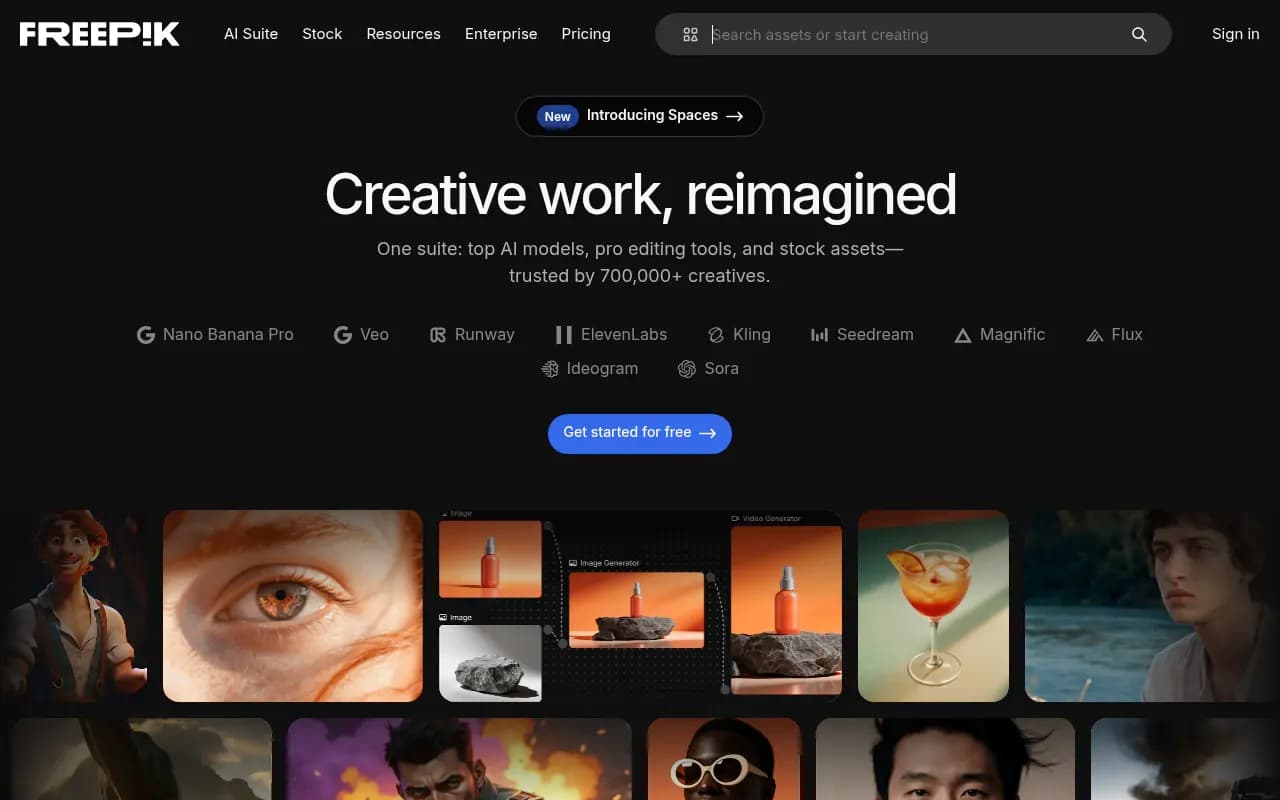
Summary:
• All-in-one creative suite combining top AI models (Flux, Kling, Runway, Veo, ChatGPT, ElevenLabs, Magnific) with 200M+ stock assets in a single platform • Full commercial rights on AI-generated content with privacy guarantees—your data is never used for training • Trusted by 700,000+ paying customers including Google, Coca-Cola, and Ogilvy for professional creative workflows • Pricing from $5.75/month (billed annually) with free tier available—credits reset monthly or annually depending on plan • Best for: designers, marketers, content creators, agencies, and filmmakers who need fast, on-brand content production at scale
Freepik has evolved from a stock asset library into a full-fledged AI creative suite that's become the go-to platform for over 700,000 paying professionals worldwide. Launched as a stock photo site, Freepik now integrates the best AI models from Runway, Google (Veo), Flux, Kling, ChatGPT, ElevenLabs, and their recently acquired Magnific upscaler into a unified workspace. The platform has processed over 1 billion AI-generated images, videos, and audio files, making it one of the most actively used AI creative platforms globally. Major brands like Google, Coca-Cola, Nubank, HelloFresh, and Ogilvy rely on Freepik for their creative workflows.
What sets Freepik apart is the combination of cutting-edge AI generation with a massive library of 200 million stock assets (photos, vectors, templates, audio, video) and professional editing tools—all accessible from one interface. Instead of juggling subscriptions to Midjourney, Runway, ElevenLabs, and a stock library, creative teams can handle everything in Freepik. The platform recently introduced Spaces, an infinite canvas workspace where teams can collaborate on projects, organize assets, and manage entire campaigns in one place.
AI Image Generation & Editing: Freepik offers access to multiple state-of-the-art image models including Flux, ChatGPT's DALL-E, Ideogram, and their proprietary Nano Banana Pro model. You can generate images from text prompts, upload reference images for style matching, or use the AI Assistant to iteratively refine images through conversational prompts. The platform supports brand consistency through custom AI model training—upload your brand colors, logos, style references, or product photos, and Freepik will generate on-brand content that matches your visual identity. This is particularly powerful for agencies managing multiple client brands or companies maintaining strict brand guidelines.
The Image Editor includes professional tools like background removal, object replacement, inpainting, outpainting (image extension), upscaling up to 10K resolution with Magnific, skin enhancement for portraits, and smart retouching. You can remove unwanted objects, change backgrounds, adjust lighting, or extend images beyond their original borders—all with AI assistance. The Reimagine tool lets you create variations of existing images by changing angles, styles, or compositions while maintaining the core subject.
AI Video Generation & Editing: Freepik integrates top video AI models including Runway Gen-3, Google Veo 3, Kling 2.0, Minimax (Hailuo), and Wan. You can generate videos from text prompts, animate still images into dynamic clips, or create videos from reference images with motion guidance. The Lip Sync feature uses ElevenLabs to add realistic voiceovers that match mouth movements in videos—perfect for creating multilingual content or adding narration to product demos. The Video Clip Editor allows trimming, cutting, and basic editing, while the Change Camera tool lets you adjust camera angles and perspectives in existing footage.
Video upscaling up to 4K resolution is available through Topaz integration, and you can add AI-generated sound effects directly to video timelines. The platform supports consistent character generation across multiple video clips, which is crucial for creating series content or maintaining visual continuity in campaigns. Premium+ users get priority-speed generation on ChatGPT, Kling, and Veo models, significantly reducing wait times during high-demand periods.
AI Audio Generation: The audio suite includes Voiceover Generator powered by ElevenLabs for creating realistic text-to-speech in multiple languages and voices, Sound Effects Generator for custom SFX creation, and Music Generator for royalty-free background tracks. You can also browse a library of stock music, sound effects, intros, and outros. The voiceover tool is particularly useful for creating explainer videos, product demos, or multilingual content without hiring voice actors. Generated audio can be directly added to video projects within the platform.
Design Tools & Templates: Beyond AI generation, Freepik includes a full Designer tool (similar to Canva) for creating social media posts, banners, posters, presentations, and marketing materials from templates. The Mockup Generator lets you place logos or designs onto product photos, packaging, or apparel in realistic contexts. You can auto-resize designs for different platforms (Instagram, Facebook, LinkedIn, TikTok) with one click, and the AI Icon Generator creates custom icons in any style.
The platform offers 200 million+ stock assets including photos, vectors, illustrations, PSD templates, and design elements—all downloadable without attribution on paid plans. This eliminates the need for separate stock subscriptions. Free users get 10 stock downloads per day, while Premium and Premium+ users get unlimited downloads.
Freepik Spaces: Spaces is Freepik's new collaborative workspace—an infinite canvas where teams can organize projects, share assets, leave comments, and manage entire campaigns. Think of it as a visual project management tool specifically built for creative work. You can drag in AI-generated content, stock assets, design files, and reference images, then organize them into boards or workflows. Teams can collaborate in real-time, making it easier to manage client projects, campaign iterations, or content calendars without switching between tools.
Who Is It For: Freepik is built for graphic designers who need fast access to both AI tools and stock assets without juggling multiple subscriptions. It's particularly strong for marketing teams at SaaS companies, e-commerce brands, or agencies who need to produce high volumes of on-brand content across multiple channels. Content creators on YouTube, TikTok, or Instagram use it for generating thumbnails, animating images, adding voiceovers, and creating scroll-stopping visuals. Filmmakers and video editors leverage the video upscaling, sound effects, and storyboard generation features to speed up pre-production and post-production workflows.
Agencies managing 5-30 client brands benefit from the custom AI model training and team collaboration features—you can train separate brand models for each client and share credits across team members. Small business owners and solopreneurs use it to create professional marketing materials, product photos, and social content without hiring designers. Teachers and educators find value in the template library and AI tools for creating engaging lesson materials, diagrams, and explainer videos.
This is NOT ideal for users who need only one specific AI tool (like just image generation) and don't need stock assets—you'd be paying for features you won't use. It's also not the best choice for professional 3D artists or motion graphics specialists who need advanced compositing and VFX tools beyond what Freepik offers.
Integrations & Ecosystem: Freepik integrates with Google Search Console for tracking content performance, Slack for team notifications, and Zapier for workflow automation. The platform offers browser extensions for Chrome and Firefox that let you save inspiration, download assets, or generate images without opening the full app. There's no public API yet, but Enterprise customers can request custom integrations. Import/export supports all major formats: PNG, JPG, SVG, PSD, MP4, MOV, MP3, WAV. You can export designs directly to social media platforms or download in print-ready formats (CMYK, high-res).
The platform is fully web-based with no desktop app required, though it works offline for editing previously downloaded assets. Mobile apps for iOS and Android are available for browsing stock content and basic editing, but AI generation features are limited on mobile.
Pricing & Value: Freepik offers a Free plan with 10 stock downloads per day, limited AI credits, and attribution required. The Premium plan starts at $5.75/month (billed annually, 36% off) and includes unlimited stock downloads, commercial license, no attribution, and AI credits for generation. Premium+ at a higher tier adds more AI credits, priority-speed generation, and access to all AI models including Magnific upscaling and Topaz video enhancement. Pro plans offer unlimited generation on selected models like Nano Banana Pro, Flux, and Kling.
Business plans start at $41.27 per user/month (billed annually, 40% off) with 540,000 AI credits per year per seat, shared credits across up to 30 team members, basic legal indemnification, centralized admin controls, and unlimited generation on specific models. Enterprise plans are custom-priced and include full legal indemnification for AI-generated content, SSO, dedicated account management, expert training, and unlimited users with flexible credit allocation.
Credits reset monthly on monthly plans or annually on annual plans. Unused credits don't roll over unless you upgrade. Premium+ users can purchase additional credits that expire after three years. Downloads of stock assets and your own AI creations don't consume credits—only generation does. Each AI tool uses different credit amounts per generation (e.g., image generation might use 1-5 credits, video generation 10-50 credits depending on model and settings).
Compared to competitors: Midjourney costs $10-60/month for image generation only. Runway charges $12-76/month for video generation only. ElevenLabs is $5-330/month for audio only. Adobe Stock is $29.99-249.99/month for stock assets only. Freepik bundles all of these capabilities starting at $5.75/month, making it significantly better value for teams that need multiple creative tools. However, if you only need one specific capability (like just video generation), standalone tools might offer more advanced features in that niche.
Strengths: • All-in-one platform eliminates the need for 5+ separate subscriptions—AI generation, stock library, editing tools, and collaboration in one place • Top AI models from Runway, Google, Flux, Kling, ChatGPT, ElevenLabs, and Magnific all accessible from one interface • Full commercial rights on AI-generated content with strong privacy guarantees—your data is never used for training • Custom brand training lets you create on-brand content at scale by training AI models on your colors, styles, and assets • Massive stock library of 200M+ assets included with paid plans—no separate stock subscription needed • Excellent value compared to buying Midjourney + Runway + ElevenLabs + Adobe Stock separately • Spaces collaboration makes it easy for teams to work together on projects without switching tools
Limitations: • Credit system can be confusing with different tools consuming different amounts—heavy users may burn through credits quickly • No desktop app means you need a stable internet connection for all work • Limited advanced features compared to specialized tools—Runway offers more video controls, Photoshop has deeper editing capabilities • No public API for developers wanting to integrate Freepik into custom workflows (Enterprise only) • Mobile apps are basic—most AI features require the web version
Bottom Line: Freepik is the best all-in-one creative platform for designers, marketers, and content creators who need fast access to AI generation, stock assets, and editing tools without managing multiple subscriptions. It's particularly valuable for agencies and in-house teams producing high volumes of on-brand content across multiple channels. The combination of top AI models, 200M+ stock assets, and collaboration features makes it significantly better value than buying separate tools. If you need just one specific AI capability (only video generation or only image editing), specialized tools might offer more depth—but for most creative professionals, Freepik's breadth and integration make it the smarter choice in 2026.
Tags:
Similar and alternative tools to Freepik