SEO Testing Review 2026
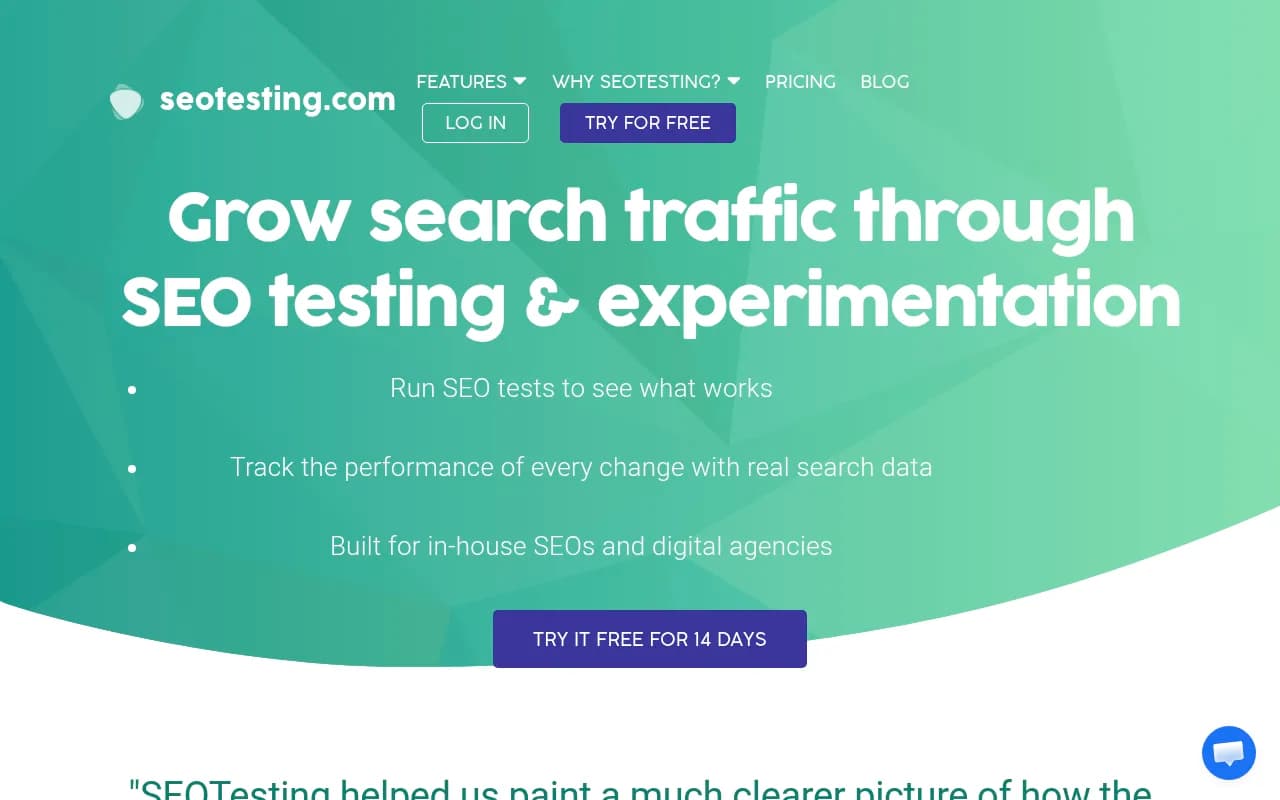
Advanced platform for running controlled SEO experiments, testing changes before full rollout, and measuring impact of optimization efforts with data.
Key Takeaways:
• Scientific SEO testing platform that runs controlled experiments using real Google Search Console data, not guesswork or correlations • Three testing methodologies: time-based tests (before/after), split tests (control vs variant), and URL switch tests for migrations • Built-in opportunity reports surface low-hanging fruit like CTR optimization, content decay, and keyword cannibalization automatically • Zero implementation friction — no code to install, connects to GSC in 2 clicks, works across 4,500+ sites including Shopify, Canva, and Intuit • Best for: agencies managing multiple clients, in-house SEO teams at scale, and consultants who need to prove ROI with data
SEOTesting is a SaaS platform built specifically for running controlled SEO experiments backed by real search performance data. Founded to solve the fundamental problem of proving SEO impact, it connects directly to Google Search Console and lets you test content changes, technical optimizations, and page improvements before rolling them out site-wide. The platform is used by over 4,500 websites including major brands like Shopify, Canva, Intuit, and Carwow, as well as agencies, in-house teams, and independent consultants who need to demonstrate measurable results from their SEO work.
What sets SEOTesting apart from basic analytics tools is its focus on experimentation methodology. Instead of just tracking rankings or traffic, it applies statistical rigor to SEO testing — comparing control groups against test groups, accounting for seasonality, and isolating the impact of specific changes. This matters because SEO has historically been difficult to measure with precision. Algorithm updates, competitor actions, and seasonal trends all muddy the waters. SEOTesting cuts through that noise by running proper experiments that show what actually moved the needle.
The platform launched to address a gap in the SEO tooling market: most tools tell you what's happening (rankings dropped, traffic increased), but few help you understand why or let you test hypotheses systematically. SEOTesting fills that gap by turning Google Search Console data — which most SEOs underutilize — into a testing and insights engine.
SEO Testing Methodologies
SEOTesting offers three distinct testing approaches, each suited to different scenarios:
Time-Based Testing compares organic search performance before and after a change. You make an update to a page or group of pages, and the platform measures whether clicks, impressions, rankings, or CTR improved in the period following the change versus the baseline period before. This works for single URLs, groups of pages, or even URL switches (like migrations or redirects). Time-based tests are the simplest to set up and work well when you're testing changes across a defined set of pages where you control the rollout timing. The platform accounts for seasonality and trends automatically, so you're not fooled by natural fluctuations.
SEO Split Testing is the gold standard for scientific experimentation. You divide similar pages into a control group (unchanged) and a test group (with your optimization applied), then measure performance over the same time period. This isolates the impact of your change because both groups experience the same external conditions — algorithm updates, seasonality, competitor moves. Split testing is more complex to set up (you need enough similar pages to create statistically valid groups), but it provides the highest confidence that your change caused the observed result. This is particularly valuable for large sites with template-driven pages like e-commerce category pages, blog archives, or location landing pages.
URL Switch Tests are designed specifically for migrations, redirects, or URL structure changes. When you move content from one URL to another, this test type tracks whether the new URL maintains or improves the performance of the old one. It's a specialized use case but critical for anyone doing site migrations, consolidating content, or restructuring their information architecture.
All three test types pull data directly from Google Search Console, so you're measuring real user behavior in real search results — not simulated rankings from third-party tools.
Dashboards and Forecasting
SEOTesting consolidates all your Google Search Console properties into a unified dashboard. If you manage multiple sites or clients, you can see performance across all properties in one view without switching between GSC accounts. The dashboard includes trend analysis, algorithm update overlays, and custom annotations so you can correlate traffic changes with known events (like a core update or a major site change).
The forecasting feature uses historical data and seasonal patterns to project traffic up to 6 months ahead. This is useful for setting realistic growth targets, planning content calendars around seasonal peaks, or demonstrating expected ROI from proposed optimizations. The forecasts adjust based on recent trends, so if you're on an upward trajectory, the projection reflects that momentum.
You can also add custom annotations at the site, page, or query level. Every test you run, every change you make, gets logged in the Site Changelog report. This creates an audit trail of what was changed and when, which is invaluable for monthly client reporting or internal knowledge transfer when team members change.
Opportunity Reports and Content Insights
Beyond testing, SEOTesting surfaces actionable opportunities from your Search Console data:
Click-Through Rate Optimization Reports identify pages and queries where your rankings are strong but CTR is weak. These are low-hanging fruit — you're already on page one, you just need better titles and meta descriptions to capture more clicks. The report shows you exactly which pages to prioritize based on impression volume and CTR gap.
Content Decay Report highlights pages that have lost the most traffic over time. Content decay is a common problem: pages that once ranked well gradually slip as they become outdated or as competitors publish fresher content. This report tells you which pages to refresh, update, or expand to reclaim lost traffic. It's one of the fastest ways to recover rankings without creating new content from scratch.
Keyword Cannibalization Report flags situations where multiple pages on your site are competing for the same keyword. Cannibalization dilutes your ranking power and confuses search engines about which page to rank. The report shows you which keywords are triggering multiple URLs, so you can consolidate, redirect, or differentiate the pages.
Pre-Built SEO Scenario Reports turn raw GSC data into specific insights for common SEO tasks: pages with high impressions but low clicks, queries where you rank on page two (close to breaking through), pages losing rankings, and more. These reports save hours of manual data analysis and help you prioritize work based on actual search performance, not gut feel.
Content Groups
Content Groups let you track the organic performance of specific subsets of your site over time. You can group URLs by author, topic cluster, content type, or any other taxonomy that matters to your business. This is particularly useful for publishers tracking author performance, agencies reporting on specific campaigns, or in-house teams measuring the impact of topic clusters or pillar pages. Each content group gets its own performance dashboard showing clicks, impressions, rankings, and trends.
Integrations
SEOTesting integrates tightly with Google Search Console (obviously), but also offers a Chrome extension and a Google Looker connector.
The Chrome Extension overlays Search Console query data directly on your site as you browse. You can see which queries are driving traffic to each page, view CTR and position data, and get on-page hints for optimization opportunities — all without leaving the page. It also includes a heading navigator to quickly jump to different sections of long-form content. This makes it easy to audit pages and spot optimization opportunities in real time.
The Google Looker Connector (formerly Data Studio) lets you pull SEOTesting data into custom dashboards or combine it with other data sources like Google Analytics, paid search data, or CRM metrics. If you're already using Looker for reporting, you can add SEO test results and Search Console insights to your existing reports without switching tools.
Who Is It For
SEOTesting is built for three primary audiences:
Agencies managing multiple clients are the sweet spot. The platform's multi-site dashboard, client reporting features, and changelog tracking make it easy to manage 5, 10, or 50+ client sites from one account. The ability to run tests and prove ROI with data is a major differentiator when pitching or retaining clients. Agencies can show exactly which optimizations drove results and forecast future performance based on proposed changes. Pricing scales with the number of sites, making it viable for small agencies (5 sites for $75/month) and larger operations (20 sites for $225/month).
In-house SEO teams at scale — particularly at e-commerce companies, SaaS platforms, or large publishers — benefit from the split testing capabilities. If you have hundreds or thousands of similar pages (product pages, blog posts, location pages), you can test template-level changes scientifically before rolling them out site-wide. This reduces risk and ensures you're not accidentally tanking traffic with a bad optimization. Companies like Shopify, Canva, and Intuit use SEOTesting for exactly this reason.
Independent consultants and freelancers who need to demonstrate value to clients will find the reporting and changelog features particularly useful. You can show clients exactly what you changed, when you changed it, and what impact it had on traffic and rankings. The forecasting and opportunity reports also help with scoping new projects and setting realistic expectations.
Who should NOT use this tool: If you're working on a single small site (under 1,000 pages) with limited traffic, the testing features may be overkill. You need sufficient traffic volume to run statistically valid tests, and you need enough similar pages to create control and test groups for split testing. Solo bloggers or very early-stage startups might find better value in simpler rank tracking or analytics tools. SEOTesting shines when you're managing multiple sites, working at scale, or need to prove ROI to clients or stakeholders.
Integrations & Ecosystem
The core integration is Google Search Console, which connects in two clicks via OAuth. No code installation, no tracking scripts, no site modifications required. This is a major advantage over tools that require JavaScript snippets or server-side integrations.
The Chrome extension works on any site you have access to in SEOTesting, overlaying GSC data as you browse. The Google Looker connector pulls test results, annotations, and performance data into custom dashboards. There's no public API mentioned, so if you need to pipe data into other systems programmatically, you'd likely need to export CSVs or use the Looker connector as a bridge.
SEOTesting doesn't integrate with rank tracking tools like Ahrefs or SEMrush, which means you're relying entirely on Google Search Console data. This is both a strength (real user data, not sampled rankings) and a limitation (you don't get keyword volume estimates or competitor keyword data).
Pricing & Value
SEOTesting uses a tiered pricing model based on the number of websites:
Single Site Plan: $30/month for one website. Best for freelancers or consultants managing a single client or their own site.
Team Plan: $75/month for up to 5 websites. Includes unlimited users and 75 "IL credits" (likely for certain advanced features or integrations). Also includes a 1:1 onboarding call.
Agency Plan: $225/month for up to 20 websites. Designed for agencies managing multiple clients.
All plans include unlimited users, which is a significant advantage for teams. Many competing tools charge per seat, which gets expensive fast. SEOTesting's flat rate per site makes it predictable and scalable.
There's a 14-day free trial with no credit card required, so you can test the platform risk-free.
Value assessment: At $75/month for 5 sites, SEOTesting is competitively priced against tools like SearchPilot (which starts at $500/month) or Convert.com (which isn't SEO-specific and starts around $100/month). For agencies, $225/month for 20 sites works out to about $11 per site, which is extremely affordable if you're billing clients for SEO services. The ROI comes from being able to prove which optimizations work, avoid costly mistakes, and demonstrate value to clients with hard data.
Compared to enterprise SEO testing platforms like SearchPilot or Distilled ODN, SEOTesting is far more accessible for small to mid-sized agencies and in-house teams. Those enterprise tools offer more advanced statistical modeling and larger-scale testing, but they require significant investment and are overkill for most use cases.
Strengths & Limitations
Strengths:
• Zero implementation friction — connects to GSC in two clicks, no code to install, works immediately. This is a huge advantage over tools that require JavaScript tags or server-side integrations.
• Real search data, not proxies — uses actual Google Search Console data, so you're measuring real user behavior in real search results, not estimated rankings from third-party crawlers.
• Multi-site management — the ability to manage dozens of sites from one dashboard is a game-changer for agencies and consultants.
• Opportunity reports — the built-in reports for CTR optimization, content decay, and keyword cannibalization surface actionable insights without manual data analysis.
• Affordable pricing — significantly cheaper than enterprise SEO testing platforms while covering the core use cases most teams need.
Limitations:
• Requires sufficient traffic volume — you need enough traffic to run statistically valid tests. Very small sites or brand-new sites won't have the data volume to make testing meaningful.
• No rank tracking beyond GSC — if you want keyword volume estimates, competitor keyword data, or rankings outside of Google Search Console's scope, you'll need a separate tool like Ahrefs or SEMrush.
• Limited to Google Search Console data — no integration with Bing Webmaster Tools or other search engines, so you're only measuring Google organic performance.
• No built-in A/B testing for page elements — SEOTesting measures the impact of changes you make, but it doesn't dynamically serve different versions of a page to users like a traditional A/B testing tool. You need to implement the changes yourself (or via your CMS) and then measure the results.
Bottom Line
SEOTesting is the best choice for agencies, in-house SEO teams, and consultants who need to run controlled SEO experiments and prove ROI with data. It turns Google Search Console into a testing and insights engine, making it easy to identify opportunities, test optimizations, and track results across multiple sites. The platform's combination of time-based testing, split testing, opportunity reports, and multi-site management makes it a comprehensive solution for data-driven SEO at scale.
Best use case in one sentence: Agencies managing 5-20 client sites who need to demonstrate measurable SEO impact and justify their retainer fees with hard data.
Tags:
Similar and alternative tools to SEO Testing