Google Veo Review 2026
Google's AI video generation tool that enables complete video creation from text prompts, offering high-quality video synthesis powered by advanced AI models.
Summary
- Best-in-class video generation: Veo 3.1 leads in text-to-video, image-to-video, and text-to-audio+video generation with superior prompt adherence, visual quality, and realistic physics
- Native audio synthesis: Unlike most competitors, Veo generates synchronized sound effects, ambient noise, and dialogue natively within the video generation process
- Professional production tools: Offers advanced controls including camera movements, character consistency, scene extension, object insertion/removal, and 4K resolution output
- Built for filmmakers: Developed in partnership with director Darren Aronofsky's Primordial Soup studio, with features specifically designed for cinematic storytelling
- Limitations: Spoken dialogue synchronization, especially for shorter speech segments, remains an active area of development
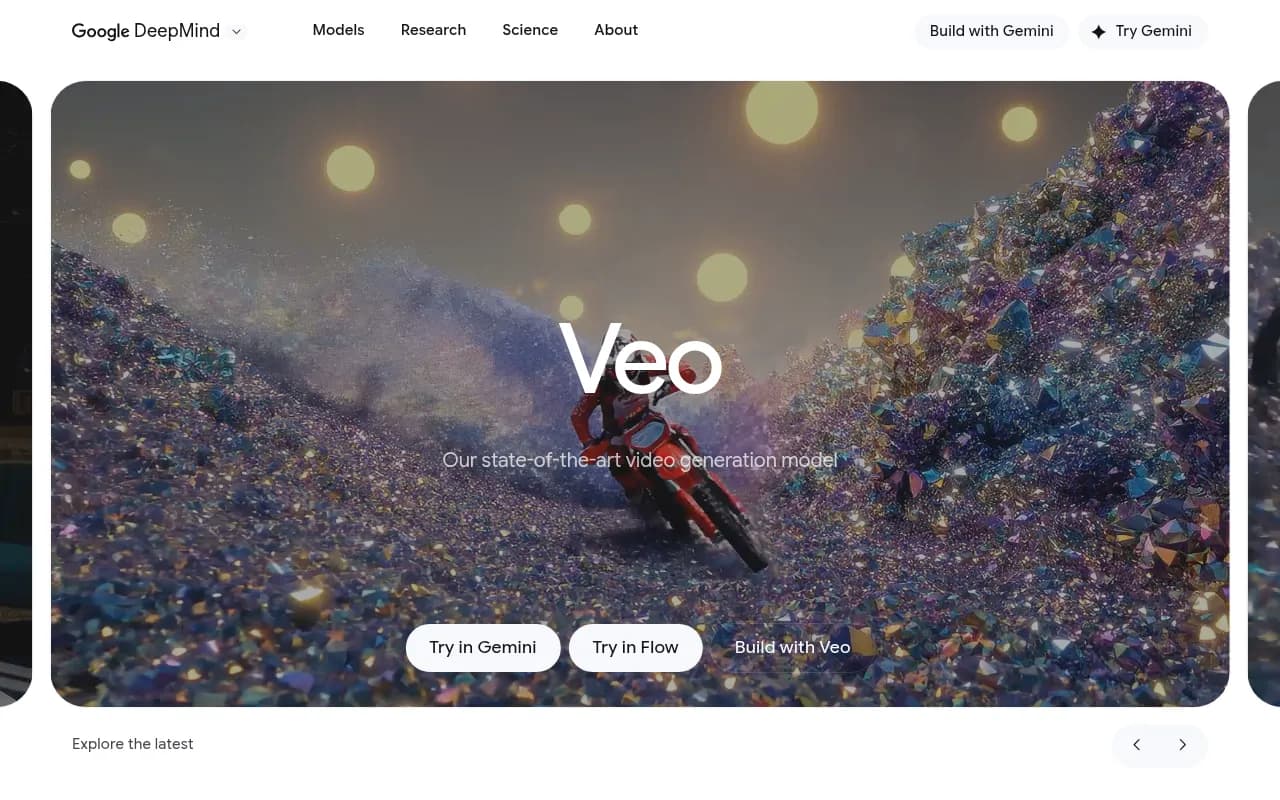
Google Veo represents DeepMind's most ambitious entry into AI video generation, and it's making a compelling case as the most capable video generation model available in 2026. Developed by Google's AI research division, Veo 3.1 is the latest iteration of a model that's been specifically designed with professional filmmakers and content creators in mind -- not just casual users looking to generate quick clips.
What Makes Veo Different
Veo stands apart from competitors like Runway Gen-3, Pika, and even OpenAI's Sora in several key ways. First, it generates audio natively as part of the video creation process. Most AI video tools either produce silent videos or add audio as a separate post-processing step. Veo synthesizes sound effects, ambient noise, and even dialogue synchronized with the visual content from the start. This means when you prompt for "a sailor speaking on a ship deck," you get the creaking wood, ocean waves, wind, and the character's voice all generated together with proper spatial audio relationships.
Second, Veo offers an unprecedented level of creative control through its "ingredients to video" approach. You can provide reference images for characters, objects, or scenes, and Veo will maintain visual consistency across multiple generated clips. This is crucial for anyone trying to create a cohesive narrative rather than one-off clips. The model also supports style reference images, allowing you to match specific aesthetic looks -- from origami art styles to cinematic film grain.
Third, Veo was built in partnership with actual filmmakers. Google DeepMind collaborated with director Darren Aronofsky (Black Swan, The Whale) and his new venture Primordial Soup to develop features that matter for real production workflows. This shows in capabilities like precise camera controls (dolly, zoom, pan, tilt), scene extension for creating longer sequences, and first/last frame controls for smooth transitions between shots.
Core Capabilities
Text-to-Video Generation: Veo excels at understanding complex, detailed prompts. You can specify camera movements ("medium shot that slowly pushes in"), lighting conditions ("warm lamplight illuminates"), audio elements ("accompanied by a mellow hip-hop beat"), and narrative context all in a single prompt. The model handles cinematic terminology naturally -- terms like "dolly shot," "rack focus," and "establishing shot" produce the expected results. In head-to-head comparisons on the MovieGenBench dataset, human raters preferred Veo's outputs over Runway Gen-3 Alpha Turbo, Pika 1.5, and Kling 1.6 for overall quality, prompt adherence, and visual fidelity.
Image-to-Video: Provide a still image and a text prompt, and Veo animates it with realistic motion and physics. This works particularly well for bringing concept art, storyboards, or product photos to life. On the VBench I2V benchmark, Veo 3.1 outperformed competitors in maintaining the visual characteristics of the input image while adding natural, physics-accurate motion. The model understands how different materials should move -- fabric drapes differently than water, which behaves differently than smoke.
Native Audio Generation: This is where Veo truly differentiates itself. The model generates synchronized audio including dialogue, sound effects, and ambient soundscapes. You can specify audio in your prompt: "Audio: wings flapping, birdsong, rustling leaves, crickets" and Veo will generate those sounds spatially positioned and timed to match the visual action. For dialogue, you can include quoted speech in your prompt and Veo will generate a voice speaking those words (though as Google acknowledges, short dialogue segments and lip-sync remain areas of active improvement).
Advanced Editing Controls: Veo offers professional-grade editing capabilities that go beyond simple generation. Scene Extension lets you take the last second of a generated clip and continue the story, maintaining visual and audio consistency. Object Insertion/Removal allows you to add or eliminate elements from existing videos while preserving natural lighting, shadows, and interactions. Outpainting expands your video beyond the original frame to fit different aspect ratios. Camera Controls give you precise command over framing and movement -- you can specify exact camera paths, zoom levels, and movements frame by frame.
Character Consistency: One of the biggest challenges in AI video generation is maintaining character appearance across multiple shots. Veo addresses this with character reference images. Provide a few images of your character, and Veo will keep their appearance consistent across different scenes, angles, and lighting conditions. This is essential for anyone trying to tell a story with recurring characters.
Style Matching: Beyond characters, Veo can match entire visual styles. Provide a reference image with a particular aesthetic -- say, a painterly look, a specific film stock, or an illustration style -- and Veo will generate videos that match that visual language. The examples on DeepMind's site show this working with everything from origami art to cinematic noir.
Motion Controls: For precise animation, you can select objects in a frame and define their exact movement paths. Veo will then animate those objects following your specified trajectory while maintaining realistic physics and interactions with the environment.
Character Animation: An experimental feature lets you use your own body movements, facial expressions, and voice to drive character animation. Record yourself performing actions or dialogue, and Veo will transfer those movements to your AI-generated character.
Resolution Options: Veo generates videos at 720p by default, with options for 1080p and 4K upscaling. The 4K output is genuinely impressive, capturing fine textures and details that hold up on large displays. Video length is typically 8 seconds for standard generation, with scene extension allowing you to build longer sequences.
Who Is Veo For
Veo is positioned for professional and semi-professional creators, not casual users. The primary audience is filmmakers, commercial directors, advertising agencies, and content studios who need production-quality video generation with precise creative control. Specific use cases include:
Pre-visualization and Storyboarding: Directors and cinematographers can quickly visualize scenes before expensive live shoots. Generate multiple camera angles, lighting setups, and blocking options to plan productions more effectively. Primordial Soup has used Veo exactly this way, with emerging filmmakers creating entire short films that blend live-action footage with Veo-generated sequences.
Commercial and Advertising Production: Agencies can rapidly prototype commercial concepts, generate product visualization, or create entire spots for smaller budgets. The ability to specify exact camera movements and maintain brand visual consistency makes this particularly viable.
Content Creators and YouTubers: Creators who need b-roll, establishing shots, or visual effects can generate custom footage instead of relying on stock libraries. The native audio generation is particularly useful here -- you get complete, usable clips rather than silent footage that needs sound design.
Game Development and Virtual Production: Studios can generate cinematic cutscenes, concept visualization, or background footage for virtual production environments. The character consistency features support creating recurring characters across multiple scenes.
Educators and Explainer Content: Anyone creating educational content can generate custom illustrations, diagrams in motion, or visual metaphors that would be expensive or impossible to film practically.
Veo is probably not the right choice for casual users who just want to generate fun clips for social media. The interface (primarily through Google AI Studio, Gemini, or the Vertex AI API) assumes some technical comfort, and the feature set is designed for people who understand filmmaking terminology and workflow. If you just want to type "funny cat video" and get something shareable, simpler tools like Pika or even consumer features in apps like CapCut might be more appropriate.
Access and Integration
Veo is available through multiple Google platforms, each serving different user needs:
Gemini: The consumer-facing Google AI assistant includes Veo generation capabilities. This is the most accessible entry point for individual creators. You can generate videos directly in the Gemini interface with text prompts.
Google AI Studio: A free prototyping environment where developers and creators can experiment with Veo's capabilities, test prompts, and explore different generation parameters. This is the fastest way to get hands-on with the model's advanced features.
Gemini API: For developers building applications, the Gemini API provides programmatic access to Veo. This allows you to integrate video generation into your own tools, workflows, or products. Documentation covers video generation, audio synthesis, and advanced controls.
Vertex AI: Google Cloud's enterprise AI platform offers Veo for production deployments. This is designed for studios, agencies, and companies that need enterprise-grade reliability, security, and scale. Vertex AI includes features like private endpoints, audit logging, and integration with Google Cloud's broader ecosystem.
Flow: Google Labs' experimental filmmaking tool built specifically around Veo. Flow is designed for creatives and offers a more intuitive interface for cinematic video creation, with features like scene sequencing, shot planning, and project organization. This is the most filmmaker-friendly interface.
There's also integration with production tools like Promise Studios' MUSE Platform (for storyboarding and previsualization), Volley's game development pipeline, and OpusClip's video editing workflow.
Pricing and Access
Google's pricing structure for Veo is somewhat complex and varies by access point:
Gemini Free: Basic access to Veo generation is included in the free Gemini tier, though with limitations on generation volume and resolution.
Google AI Plus: $7.99/month (currently $3.99/month for first 2 months) includes expanded Veo access with higher generation limits.
Google AI Pro: $19.99/month (first month free) provides priority access, higher resolution options, and more generous usage limits.
API Pricing: Through the Gemini API, pricing is based on usage (per-second of video generated). Exact rates aren't publicly listed and appear to vary based on resolution, length, and features used.
Vertex AI: Enterprise pricing is custom and based on usage volume, support requirements, and specific deployment needs.
For professional studios and agencies, the Vertex AI enterprise route likely makes the most sense despite higher costs, as it provides the reliability and support needed for production workflows.
Performance and Quality
Google has published extensive benchmark comparisons showing Veo 3.1 outperforming competitors across multiple metrics. On the MovieGenBench text-to-video benchmark (1,003 prompts), human raters preferred Veo over Runway Gen-3 Alpha Turbo, Pika 1.5, and Kling 1.6 for overall preference, text alignment, and visual quality. The margins are significant -- Veo achieved roughly 60-70% preference rates in head-to-head comparisons.
For image-to-video generation on the VBench I2V benchmark (355 examples), Veo similarly led in overall preference, prompt alignment, and visual quality. Notably, Google couldn't compare against OpenAI's Sora 2 Pro for image-to-video because Sora currently doesn't support realistic human images as input.
For text-to-audio+video generation, Veo achieved state-of-the-art results on audio-visual alignment and overall preference. The ability to generate synchronized audio natively gives Veo a substantial advantage over models that treat audio as an afterthought.
In practical use, Veo's outputs genuinely look and sound more coherent than most competitors. Physics are more realistic -- water flows naturally, fabric drapes correctly, objects interact believably. Prompt adherence is noticeably better -- complex prompts with multiple elements, specific camera movements, and detailed audio descriptions produce results that actually match what you asked for.
Safety and Watermarking
All Veo-generated content is watermarked with SynthID, Google's AI watermarking technology. This embeds imperceptible signals in both the visual and audio components that identify content as AI-generated. The watermark survives compression, editing, and format conversion.
Google applies content filters to block harmful requests and outputs. The system checks for memorized content (to reduce copyright concerns), evaluates for bias, and screens for privacy issues. Videos undergo safety evaluations before being returned to users.
For professional use, this safety infrastructure is actually a feature -- it reduces legal and reputational risk when using AI-generated content in commercial contexts.
Limitations and Weaknesses
Veo isn't perfect, and Google is refreshingly transparent about its limitations:
Dialogue Synchronization: While Veo can generate speech, lip-sync and dialogue coherence for shorter speech segments remain problematic. Characters may speak with mouths that don't quite match the words, or dialogue may sound slightly incoherent. For professional use, you'll likely still need to add or re-record dialogue in post-production.
Video Length: Standard generations are 8 seconds. While scene extension allows building longer sequences, this is still shorter than some competitors (Runway Gen-3 can do 10 seconds, Sora up to 20 seconds in some cases). For longer content, you'll need to stitch multiple generations together.
Generation Time: High-quality generation, especially at 4K, can take several minutes per clip. This isn't instant -- you need to plan for generation time in your workflow.
Consistency Across Generations: While character consistency features help, maintaining perfect visual continuity across many generations remains challenging. Lighting, camera angles, and subtle details may shift between clips even when using reference images.
Cost at Scale: For high-volume production, API costs can add up quickly. Enterprise pricing isn't transparent, making it difficult to budget for large projects.
Limited Fine-Tuning: Unlike some open-source models, you can't fine-tune Veo on your own data. You're limited to the capabilities of the base model plus reference images.
Comparison to Competitors
Veo's main competition comes from Runway Gen-3, OpenAI's Sora, Pika, and Kling:
vs. Runway Gen-3: Runway has been the professional standard for AI video, with strong adoption in film and advertising. Veo appears to have surpassed Runway in raw quality and prompt adherence, and the native audio generation is a significant advantage. However, Runway has a more mature ecosystem of integrations and a larger user community. Runway's pricing is more transparent and predictable.
vs. Sora: OpenAI's Sora (particularly Sora 2 Pro) generates longer videos (up to 20 seconds) and has impressive physics simulation. However, Sora lacks native audio generation and has more restrictive content policies (like not supporting realistic human faces in image-to-video). Veo appears to have better prompt adherence and more professional controls. Sora's availability has been limited and inconsistent.
vs. Pika: Pika is more consumer-focused and easier to use, with a simpler interface and lower learning curve. Veo offers significantly better quality and more professional features, but Pika is more accessible for casual users and has more predictable pricing.
vs. Kling: Kling (from Kuaishou) offers competitive quality and longer generation lengths, but lacks the advanced controls, native audio, and enterprise infrastructure that Veo provides. Kling is also primarily focused on the Chinese market.
The Bottom Line
Google Veo 3.1 is the most technically capable AI video generation model available in 2026, particularly for professional production workflows. The combination of best-in-class visual quality, native audio synthesis, advanced creative controls, and enterprise-grade infrastructure makes it the top choice for filmmakers, studios, and agencies who need production-quality AI video generation.
The ideal Veo user is a professional or semi-professional creator who understands filmmaking, needs precise creative control, and is building video content as part of a larger production workflow. If you're creating commercial content, pre-visualizing film projects, generating custom b-roll for high-end productions, or building video generation into a product, Veo is likely your best option.
For casual users, hobbyists, or creators who just need quick social media clips, Veo may be overkill. The interface assumes technical knowledge, the pricing structure is complex, and the feature set is designed for professional workflows. Simpler tools like Pika or consumer features in mainstream apps might serve you better.
The partnership with Darren Aronofsky and Primordial Soup signals Google's serious commitment to serving the professional filmmaking community. This isn't a research project or a tech demo -- it's a production tool being actively used to create real films. That focus shows in every aspect of Veo's design, from the cinematic controls to the 4K output quality to the enterprise deployment options.
If you're serious about AI video generation for professional work, Veo deserves your attention. Start with Google AI Studio to experiment with the capabilities, then move to the Gemini API or Vertex AI when you're ready for production deployment.
Similar and alternative tools to Google Veo