Key takeaways
- The fastest GEO tools (Otterly.AI, HubSpot AI Search Grader, Promptwatch, Peec AI, Rankscale) get you from signup to your first citation data in under 10 minutes, no sales call required.
- Enterprise platforms like Profound (10-14 days) and Bluefish AI (4-6 weeks) are built for a different buyer: don't expect a speed-run from them.
- Fast setup doesn't mean shallow data. Some quick-start tools (Promptwatch, Peec AI) pair a 10-minute onboarding with crawler logs, citation tracking, and content generation most "lite" trackers skip entirely.
- Mid-authority domains (DR 46-90) picked up roughly two-thirds of all ChatGPT Search citations in August 2026, according to Promptwatch's citation share data, so small and newer brands have a real shot without years of domain authority.
- Skip the keyword-list shortcut: the most common setup mistake is pasting your old SEO keywords straight into a GEO tool's prompt tracker instead of picking prompts the way real people actually talk to ChatGPT.
I've set up a stupid number of these tools over the past year, mostly because every vendor claims "minutes to get started" and about a third of them mean it. The other two-thirds mean "minutes to fill out a form, then wait for someone to call you." So this is a genuine speed-run: which GEO tools actually get you live data before your coffee gets cold, and which ones are quietly enterprise sales processes wearing a self-serve UI as a costume.
Why setup speed actually matters for GEO
Generic SEO tools got away with slow onboarding because rankings move slowly anyway. GEO doesn't work that way. Citation share inside ChatGPT, Perplexity, and Google AI Overviews shifts week to week, sometimes day to day. Promptwatch's research on ChatGPT Search found Microsoft Copilot's average citations per response swung from under 2 to nearly 17 within a few weeks as the engine's retrieval system got rebuilt behind the scenes. If your monitoring tool takes two weeks to onboard, you've already missed the window on whatever caused that swing.
There's also a simpler reason: most teams testing GEO tools are doing it on a trial basis, often without buy-in from the rest of marketing yet. A tool that needs a 45-minute onboarding call before you see a single data point is asking for a commitment you haven't earned internally yet. The tools below let you decide if GEO monitoring is worth a real budget line before you've even finished your lunch break.
The speed tier: live data in under 10 minutes
HubSpot AI Search Grader - the zero-setup option
This is about as fast as it gets because there's technically no "setup" at all. You put in a URL and answer a short form, and HubSpot scores your brand's visibility snapshot across GPT-5.4 mini, Perplexity, and Gemini. No account, no credit card. It's free forever as a one-time grader.
The catch: it's a snapshot, not ongoing monitoring. If you want daily or weekly tracking with competitor comparisons, that's the paid HubSpot AEO layer at $50/month standalone, or bundled into Marketing Hub Pro/Enterprise. Treat the grader as a 5-minute gut check, not a monitoring system.
Otterly.AI - fastest real monitoring setup
Otterly's Lite plan is $29/month and tracks ChatGPT, Google AI Overviews, Perplexity, and Microsoft Copilot out of the box (Claude, Google AI Mode, and Gemini are paid add-ons). One user testimonial on their own homepage claims they were "monitoring our first set of brand and product specific triggers within one hour," which tracks with my own experience, it's closer to 10-15 minutes if you already know which prompts you want tracked.
What you get for $29: unlimited team seats, daily tracking, and ChatGPT ads tracking. What you don't get: content generation, crawler logs, or any way to act on the data besides exporting it and doing the work yourself in another tool.
Otterly.AI

Promptwatch - fast setup, with more to grow into
Promptwatch describes its own onboarding as "entering your brand's URL and selecting 5 prompts related to your category," and that's genuinely it. Once you've done that, it starts tracking brand and competitor mentions immediately, no waiting period.
What separates it from the other quick-start tools is what's waiting for you once you're past the first 10 minutes. The Essential plan ($95/month, 7-day free trial) tracks 4 AI models and 50 prompts, but the same account structure scales into crawler log analysis, Reddit and YouTube citation tracking, and automated content generation with CMS publishing on the Professional tier ($245/month). Most tools that are this fast to set up stay shallow forever; this one isn't designed to.

Peec AI - guided onboarding, built for agencies
Peec AI's Starter plan runs €85/month for 50 prompts across 3 models and 1 project, with a 7-day free trial and no credit card required. Multiple third-party reviews specifically praise its guided onboarding flow, which walks you through prompt selection with suggestions rather than a blank text box. If you've never written an AI monitoring prompt before, that guidance shaves real time off the setup.

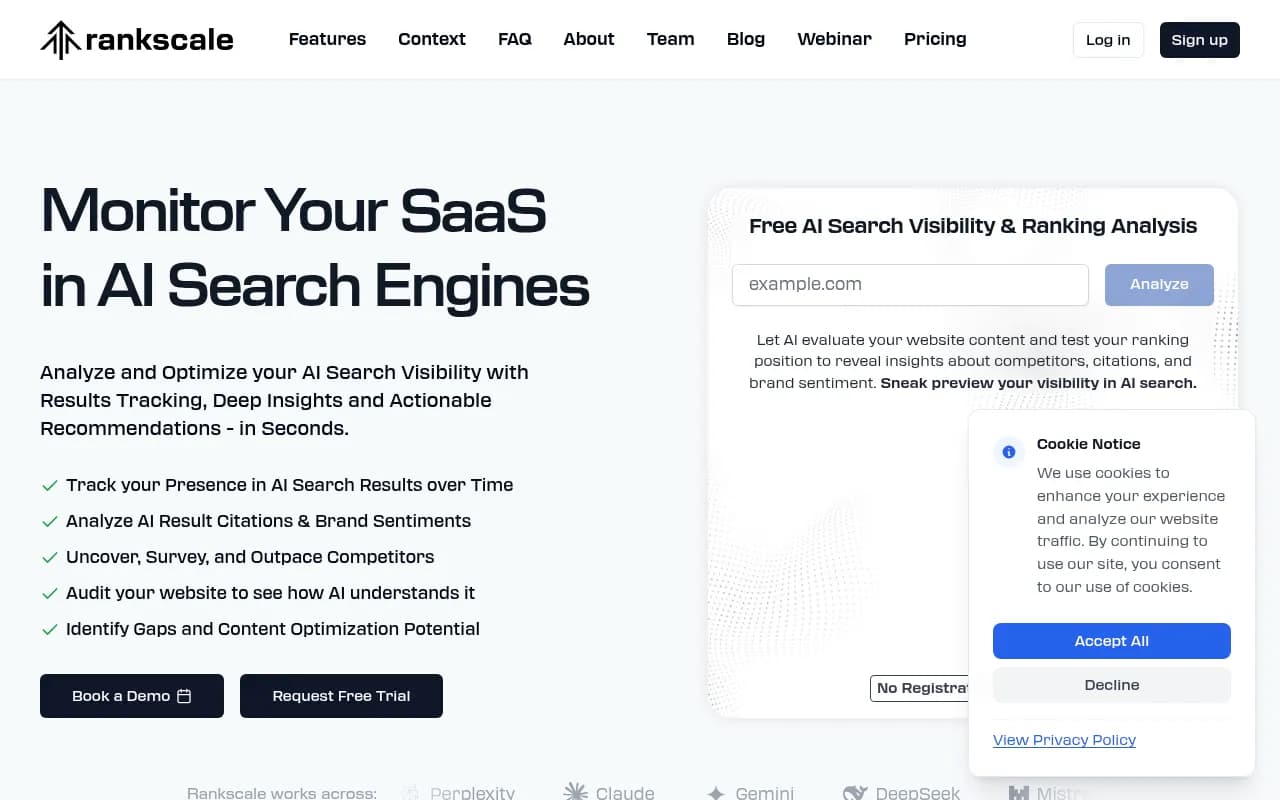
Rankscale - credit-based, no per-engine upsells
Rankscale uses a credit system rather than flat per-plan prompt limits, starting at $20/month and scaling to $780/month for enterprise. The Pro tier ($99/month, 1,200 credits) comes with a 7-day free trial where you're not charged until day seven. Because it's credit-based rather than feature-gated by engine, you don't hit the "pay extra to unlock Claude" wall that some Lite-tier trackers use.
The contrast tier: tools that are not a speed-run
It's worth naming the tools on the other end of the spectrum, because vendors rarely advertise this honestly.
Profound, for all its strengths in citation tracking and competitive comparisons, takes 10-14 days to fully onboard according to third-party comparisons, even though it's marketed as fast by enterprise standards. Bluefish AI averages 4-6 weeks because of custom alert configuration. Semrush AI Visibility Toolkit isn't slow to set up exactly, but it has no free trial at all; you're paying $99/month per domain before you ever see the dashboard, and that's before you add a teammate seat or extra prompts, which push the real monthly cost toward $250+ fast.
None of this makes these tools bad. It means they're built for a different buyer: someone who already knows they want GEO monitoring and has budget approved, not someone kicking the tires.
Comparison table: setup speed vs. depth
| Tool | Time to first data | Starting price | Free trial | Engines tracked (base) | Beyond monitoring? |
|---|---|---|---|---|---|
| HubSpot AI Search Grader | Under 2 minutes | Free | N/A (one-time) | 3 (GPT-5.4 mini, Perplexity, Gemini) | No, snapshot only |
| Otterly.AI | ~10-15 minutes | $29/mo | No (paid from day 1) | 4 | No |
| Promptwatch | Under 10 minutes | $95/mo | 7 days | 4 (up to 8 on higher tiers) | Yes, crawler logs, content agents, CMS publishing |
| Peec AI | ~15-20 minutes (guided) | €85/mo | 7 days | 3 | Limited |
| Rankscale | ~10 minutes | $20/mo | 7 days | Varies (credit-based) | Limited |
| Profound | 10-14 days | $99/mo | Demo-gated | Broad, but slow onboarding | Yes, but slow to access |
| Semrush AI Visibility Toolkit | Fast UI, but paywalled | $99/mo per domain | None | Multiple | No |
| Bluefish AI | 4-6 weeks | Custom | Demo-gated | Enterprise custom alerts | Yes, but very slow |
What "fast setup" actually buys you (and what it doesn't)
Here's the honest trade-off. A tool you can set up in 10 minutes will almost always start you with a small prompt allowance, a handful of tracked engines, and a dashboard that shows you citations without much context on why you're getting them or how to fix the gaps. That's fine for a first look. It stops being fine once you actually need to act on the data.
This is where I'd push back on treating "speed to setup" as the only metric that matters. Promptwatch's data on domain rank and citation share is worth sitting with here: in August 2026, DR 46-75 domains picked up nearly 46% of all ChatGPT Search citations combined, while the very top tier (DR 91-100) actually shrank from about 7% of citations down to roughly 3% by mid-month. That's genuinely good news if you're a smaller brand, it means you don't need a decade of domain authority to show up. But it also means the game isn't really about getting the tracker installed fast. It's about what you do with the data once you have it: which pages are getting cited, which ones aren't, and whether you're publishing anything that closes the gap.
A 10-minute setup followed by three months of staring at a dashboard without acting on it is a wasted trial. That's the real argument for picking a tool like Promptwatch over a pure tracker like Otterly or Peec, not because the onboarding is faster (it isn't dramatically faster), but because the same account that took you 10 minutes to set up can also generate and publish AEO-optimized content once you know where the gaps are.
Common setup mistakes that waste your first week
A few things I'd flag before you open any of these tools, because they apply regardless of which one you pick:
Don't set up tracking before testing your prompts manually. Run each candidate prompt through ChatGPT, Perplexity, and whatever else you're tracking two or three times yourself first. If the answers it generates aren't actually relevant to your brand or category, you're just going to burn through your prompt allowance on noise.
Don't port your old SEO keyword list straight into a GEO prompt tracker. AI prompts are conversational and longer than keywords, and they're shaped by context the way a search query never was. "best CRM for small teams" and "what CRM should I use if my sales team is under 10 people and we're not technical" are not interchangeable, and a tool configured around the first will miss what's actually happening with the second.
Don't build your prompt list around pages you already have. Pick prompts because real people ask them, not because you happen to have content that answers them. That's backwards, and it's a specific trap mentioned repeatedly by practitioners who've run prompt tracking for a while.
And don't treat prompt tracking alone as proof GEO is working. It tells you whether you're being cited. It doesn't tell you whether that citation is driving any actual traffic or revenue. Pairing prompt data with crawler logs and visitor analytics, which only a handful of these tools actually offer, is the difference between "we got mentioned" and "we got a result."
Which one should you actually start with
If you want a free, zero-commitment gut check before you spend anything, start with the HubSpot grader. It takes two minutes and tells you roughly where you stand.
If you're a solo marketer or small team that just wants daily alerts on brand mentions and nothing else, Otterly's $29 Lite plan is hard to beat on price-to-setup-speed.
If you're planning to actually act on the data, not just watch it, Promptwatch is the more sensible starting point despite costing more than Otterly. The setup is just as fast (URL plus five prompts), but you're not stuck re-platforming to a different tool in three months once you realize monitoring alone doesn't move the needle. You can browse more options in the GEO software directory at bestgeosoftware.com if you want to compare a wider set before committing, but for a fast first test, pick one of the five above and just start the clock.
For agencies managing multiple client accounts, Peec AI's guided onboarding is worth the slightly higher starting price simply because it reduces the hand-holding you'd otherwise do for junior team members setting up their first prompt list.