Key takeaways
- ChatGPT gets brand facts wrong when sources are thin, stale, or contradict each other. It fills the gap with a confident guess.
- Brand-specific prompts pull from far fewer domains than generic ones. In Promptwatch Data (Sep 28 to Oct 4, 2026), 40.7% of brand-specific responses cited 5 or fewer domains, so each bad source carries more weight.
- Pricing, product, and landing pages are the most cited page types for branded prompts, and they stay cited for months. A wrong number on one of them can persist.
- The workflow: capture the exact wrong claim, read the cited sources, search for the sentence, fix the source, then re-run the same prompts.
- Some claims have no single source. Those need consistency across your site, profiles, and listings, not a one-page fix.
Why this problem is different from a normal hallucination
Most advice about fact-checking AI is written for people who use ChatGPT: verify the quote, check the study, don't trust the date. That is fine advice. Your problem is the reverse. You are the subject of the answer, and thousands of people may be reading a wrong sentence about you that you have never seen.
OpenAI is open about the baseline. Its help center page on whether ChatGPT tells the truth says the model can produce incorrect or misleading outputs, sound confident while wrong, and invent citations. It also notes that ChatGPT may fail to read a site because of technical issues, paywalls, or robots.txt preferences. That last point matters for brands. If the model cannot read your pricing page, it will use something else.
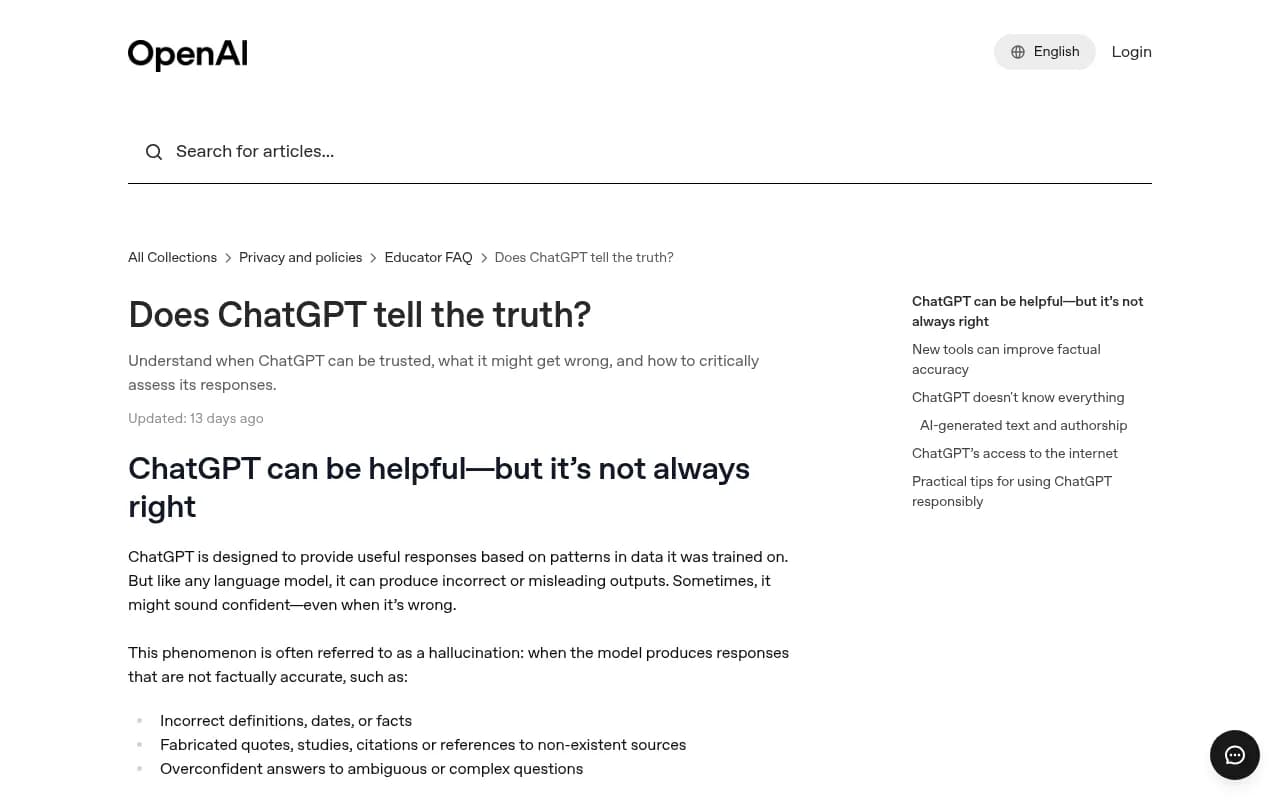
The same page says search tools are on by default, and that without search, answers come from training data with a knowledge cutoff. So there are two different failure modes, and you need to know which one you are dealing with:
- Search-backed answer. ChatGPT read live pages and summarized them. The wrong fact came from a page you can probably find.
- Training-data answer. No live sources. The wrong fact is baked into what the model learned, and you cannot point to a URL. You can only change what the live web says and wait for it to be picked up.
This guide focuses on the first case, because it is the one you can actually fix.
What usually causes wrong brand facts
One write-up from Vizura Studio breaks it into three causes, and they match what I see in practice:
- Thin sources. If little exists about your company, the model fills the gap with what companies like yours usually say.
- Stale sources. An old directory listing, a pricing page from two redesigns ago, or a three-year-old press article still reads as true.
- Sources that disagree. Your site says one thing, LinkedIn another, a listing site a third. The model picks one or blends them.
seoClarity makes the same point: missing, outdated, or conflicting information forces AI systems to make assumptions. None of this is mysterious. The model is a summarizer, and summarizers are only as good as what they are handed.
There is a statistic floating around LinkedIn that 54% of wrong AI answers trace back to the brand's own website. I could not trace it to an original source, so I would not quote it. The direction is plausible, though. Your own pages are usually the first place to look.
Why your own pages matter so much
The pages describing what you sell are the pages ChatGPT leans on most. Promptwatch Data's report on ChatGPT citations by content type (Sep 28 to Oct 4, 2026) found product pages are the most cited type at 22.4%, with landing pages at 16.8%. Together that is 39% of citations going to pages that describe what a company sells.
For branded prompts, the ones that name a company or product, it gets sharper:
| Content type | Share of all ChatGPT citations | Share of branded-prompt citations |
|---|---|---|
| Product pages | 22.4% | 23.3% |
| Landing pages | 16.8% | 22.8% |
| Reviews | 1.7% | 5.6% |
| FAQ pages | 3.3% | 4.8% |
| Social posts | about 0.8% | 3.0% |
| Press releases | lower | 2.1% |
Product and landing pages take almost half of branded citations. Reviews jump to more than three times their overall share. So when a prompt names your brand, the likely culprits are your own product pages, your pricing page, review sites, and the occasional social post.
Fewer sources means each one counts more
Generic prompts pull a crowd. Promptwatch's report on unique domains per response shows 52.5% of organic prompts cite 10 or more domains. Brand-specific prompts are different: the most common count is 5 domains, 40.7% of responses cite 5 or fewer, and only 21.3% cite 10 or more.
That is good news for fact-checking. A short source list is a short suspect list. If ChatGPT states something wrong about you, one of roughly five domains probably taught it.
Wrong pages do not expire quickly
If you are hoping a bad page will fade on its own, check Promptwatch's content half-life data. Tracking every page ChatGPT cited on July 6, 2026 through October 4, 2026, it found:
- 78% of landing pages and 76% of docs were still cited after 30 days. After 60 days, 69% and 67%.
- Product pages, reviews, and how-tos had half-lives of 74 to 77 days.
- News was the exception: half of pages gone after 36 days.
Pricing pages count as landing or product pages. So a wrong pricing claim can keep getting cited for months. Waiting is not a strategy.
Step 1: Capture the exact wrong claim
Don't start with "ChatGPT has our pricing wrong." Write down the precise sentence. Vague complaints produce vague fixes.
For each claim, record:
- The prompt you used, word for word
- The full response and the date
- Whether search was on and whether sources were shown
- What the correct fact is, with the page on your site that states it
Run the same question several times. Answers vary between runs, so one bad answer might be noise. A claim that shows up in three of five runs is a pattern worth chasing.
Try different phrasings too. "What does [brand] cost?" and "Is [brand] expensive for small teams?" can surface different sources. If your buyers differ (a CFO and a developer ask different things), prompt as each of them.
Step 2: Read the sources the answer shows
With search on, ChatGPT usually lists the pages it used. Open every one. Don't skim the titles. Read the part that states the wrong fact.
You will typically find one of these:
- A page on your own site that is outdated or ambiguous
- A third-party listing, directory, or comparison article with old data
- A review or forum thread repeating a complaint that was fixed long ago
- A page that never mentions your brand but talks about your category in a way the model applied to you
If no sources are shown, copy the wrong sentence and search for it in quotes. Wrong facts often trace to a single old page, as the Vizura write-up notes. If the exact phrasing does not appear anywhere, you are probably in training-data territory, and the fix is a longer game.
Step 3: Match the cause to the fix
| What you see | Likely cause | Fix |
|---|---|---|
| Outdated price, plan, or feature | Stale page or listing | Update the source and add a visible updated date on your own pages |
| Two different facts across sources | Conflicting information | Pick the correct version and align your site, profiles, and listings |
| A claim that appears nowhere | Thin sources, model guessing | Publish a clear facts page that states the answer plainly |
| Wrong claim cited from a third-party page | Outside source is wrong | Ask the publisher to correct it, or publish a stronger first-party page |
| ChatGPT cannot find your page at all | Crawl access problem | Check robots.txt, paywalls, and bot access |
The Evertune team describes the same idea as a correction framework: publish content that directly addresses the facts AI is getting wrong, such as product pages with current pricing, feature pages that describe capabilities precisely, and comparison content that frames your differentiation accurately. I agree with that, with one caveat. Don't write a new page when an old one is the problem. Fix or consolidate first. Two pages with different prices is how you got here.
Check that the model could read your page
Sometimes your page is correct and ChatGPT never saw it. OpenAI says the model may be blocked by technical issues, paywalls, or robots.txt. Look at your robots.txt rules for AI bots, test whether key pages render without JavaScript, and confirm nothing important sits behind a login. Promptwatch has free tools for this, including the Agentic Readiness Check and the AI Crawler URL Inspector.
Step 4: Fix the source, not the symptom
You cannot edit ChatGPT's answer. You can only change what it reads. In order of effort:
- Correct your own pages. Pricing, plan names, feature lists, locations, founding dates. State each fact once, plainly, near the top of the page.
- Build a facts page. One short page with the basics: what you sell, who it is for, pricing model, key features, headquarters. Promptwatch's advice for branded prompts is to make the homepage, product pages, and docs answer pricing, features, and audience.
- Add a plain-language FAQ. FAQ pages take 4.8% of branded citations versus 3.3% overall, so they punch above their weight.
- Fix third-party listings. Update directories, marketplace profiles, and review site descriptions. These are tedious and they matter.
- Address reviews and comparisons. Because brand prompts cite few domains, the review sites and comparison pages on that short list shape how you are described. Make sure they are accurate.
After each change, note the date. You will need it to connect the fix to any shift in answers.
Step 5: Re-test the same prompts
Run the exact prompts you recorded. Do it weekly for a month, then monthly. Expect lag. Search-backed answers can change within days once the live page is re-read, but cited pages stick around, so don't declare victory after one clean run.
If the wrong claim keeps coming back from the same source, go back to Step 2. The source may be one you missed, or a copy of the old page may live somewhere else, like a cached PDF or a syndicated press release.
Doing this manually versus with a tool
The manual process works for one or two claims. It breaks down when you have dozens of prompts, several markets, and several AI engines. Then you need monitoring that records what each model says, groups repeated claims, and links them to cited pages.
Promptwatch is built around this loop. Its Brand Narrative feature pulls individual claims out of tracked responses (for example, "affordable for small teams" or "its mobile app lacks features"), groups repeats, and files them under themes like Pricing or Support. Fact Check, available on Business, Agency Scale, and Enterprise plans, lets you mark a claim Accurate or Inaccurate, then scans pages crawled from your site for ones that state the claim or its opposite, with quotes and a suggested next step. That is the "which page is teaching it" question answered directly. Its crawler logs also show whether AI bots can read the page at all.
Other options exist. Some tools in the category are strong on monitoring and light on fixes, so check what you actually get before committing.
| Tool | What it does for this problem | Gap to watch |
|---|---|---|
| Promptwatch | Brand Narrative, Fact Check against your crawled pages, crawler logs, content fixes | Fact Check needs a Business plan or higher |
| Profound | Enterprise monitoring of brand mentions across AI engines | Higher price, monitoring-focused |
| Otterly.AI | Basic brand mention tracking across ChatGPT, Perplexity, AI Overviews | No crawler logs or content tools |
| LLMClicks | Tracker marketed with hallucination detection | Check how it ties claims to source pages |
| Evertune | Enterprise GEO insights for large brands | Enterprise focus |
Profound
Otterly.AI

For a wider list of options, the GEO software directory at bestgeosoftware.com is a good place to compare. Pricing for Promptwatch plans is on promptwatch.com/pricing and there is a 7-day free trial on monthly billing; the free AI visibility report gives a quick baseline without signing up.
Claims with no single source
Some wrong answers resist this workflow. The model says you are "best for enterprises" when you target small teams, and no page says that. This happens when the surrounding web leans a certain way: competitor comparisons, review language, how your category is usually described.
For these, the fix is cumulative. Say the correct thing consistently in every place you control. Collect reviews from the customers you actually serve. Publish comparison content that frames the difference accurately. It is slower and less satisfying than correcting one page, but it works on the same principle: change the inputs.
A short checklist
- Write down each wrong claim exactly, with prompt, date, and the correct fact
- Repeat the prompt several times and with different personas
- Open every cited source and find the sentence
- Check whether ChatGPT could read your own page
- Fix or consolidate the source before writing anything new
- Align your site, profiles, and listings on one version of each fact
- Re-test the same prompts weekly for a month
The good news is that brand-specific prompts draw from a short list of sources. Five domains is a manageable amount of cleanup. Start there.