Key takeaways
- MCP (Model Context Protocol) lets Claude connect to external tools and data sources, turning it from a chat assistant into an active agent that can query, search, and act.
- Combining Claude with an MCP server gives you a structured loop: the agent receives a prompt, calls a tool, gets real data back, and generates a grounded response.
- Promptwatch exposes an MCP interface that lets Claude query your AI visibility data, answer gap analysis, and citation intelligence directly inside an agent workflow.
- The setup takes under 30 minutes and requires no complex infrastructure -- just Claude Code (or the Claude API), an MCP config, and a clear agent task definition.
- Once running, you can extend the agent with skills, sub-agents, and output formatting to build research tools, competitive monitors, or content gap finders.
What we're actually building here
There's a lot of noise around "AI agents" right now. Most tutorials show you how to wire up a chatbot that calls a weather API. That's fine for learning, but it's not particularly useful.
This guide is different. We're building an AI search agent that connects Claude to real data about how brands appear in AI search engines -- ChatGPT, Perplexity, Gemini, and others. The agent can answer questions like: "Which prompts are my competitors visible for that I'm not?" or "What content gaps are hurting my AI visibility right now?"
To do that, we'll use the Model Context Protocol (MCP) to connect Claude to Promptwatch's data layer. The result is an agent that doesn't hallucinate answers -- it queries actual citation data and visibility scores, then synthesizes a response.

Let's get into it.
Understanding MCP before you write a single line
MCP is Anthropic's open protocol for connecting AI models to external tools. Think of it as a standardized interface -- the AI model doesn't need to know how your database works, just that it can call a tool named search_visibility and expect structured data back.
The protocol works like this:
- You define a server that exposes one or more tools (functions with typed inputs and outputs).
- Claude connects to that server at startup.
- When Claude decides it needs data, it calls a tool. The server runs the function and returns results.
- Claude incorporates those results into its response.
What makes this powerful is that Claude is actually good at deciding when to call a tool and how to interpret the results. You don't need to write explicit logic for every scenario -- you define the tools, write a system prompt that explains what they're for, and Claude figures out the rest.
The alternative to MCP is manually injecting data into every prompt, which gets messy fast. MCP keeps the agent clean and composable.
Architecture overview
Before touching any code, sketch out what the agent needs to do:
User prompt
    ↓
Claude (agent brain)
    ↓
MCP tool call → Promptwatch data layer
    ↓
Structured data returned
    ↓
Claude synthesizes response
    ↓
Output (report, recommendation, alert)
For our AI search agent, the core tools we'll expose through MCP are:
get_visibility_score-- returns current AI visibility metrics for a domainget_answer_gaps-- returns prompts where competitors rank but you don'tget_citations-- returns which pages are being cited by which AI modelsget_competitor_comparison-- returns a side-by-side visibility breakdown
Each tool takes simple inputs (domain, date range, model filter) and returns JSON. Claude handles the interpretation.
Step 1: Set up Claude Code
Claude Code is Anthropic's CLI tool for running Claude as an agentic coding and task-execution environment. It's the fastest way to get an MCP-connected agent running without building a full application.
Install it via npm:
npm install -g @anthropic-ai/claude-code
You'll need an Anthropic API key. Get one from console.anthropic.com and set it as an environment variable:
export ANTHROPIC_API_KEY=your_key_here
Verify the install:
claude --version
If you see a version number, you're good. Claude Code also works inside VS Code and other IDEs via the plugin, but the CLI is simpler for agent work.
Step 2: Create your MCP server
An MCP server is just a Node.js (or Python) process that registers tools and handles calls. Here's a minimal server that exposes Promptwatch data:
// promptwatch-mcp-server.js
import { Server } from "@modelcontextprotocol/sdk/server/index.js";
import { StdioServerTransport } from "@modelcontextprotocol/sdk/server/stdio.js";

const server = new Server(
  { name: "promptwatch-agent", version: "1.0.0" },
  { capabilities: { tools: {} } }
);

// Register tools
server.setRequestHandler("tools/list", async () => ({
  tools: [
    {
      name: "get_visibility_score",
      description: "Returns AI visibility score for a domain across ChatGPT, Perplexity, Gemini, and other models",
      inputSchema: {
        type: "object",
        properties: {
          domain: { type: "string", description: "The domain to check, e.g. example.com" },
          date_range: { type: "string", description: "Date range: last_7_days, last_30_days, last_90_days" }
        },
        required: ["domain"]
      }
    },
    {
      name: "get_answer_gaps",
      description: "Returns prompts where competitors appear in AI responses but the target domain does not",
      inputSchema: {
        type: "object",
        properties: {
          domain: { type: "string" },
          competitor_domains: {
            type: "array",
            items: { type: "string" }
          }
        },
        required: ["domain", "competitor_domains"]
      }
    },
    {
      name: "get_citations",
      description: "Returns which pages from a domain are being cited by AI models, and how often",
      inputSchema: {
        type: "object",
        properties: {
          domain: { type: "string" },
          model_filter: {
            type: "string",
            description: "Filter by AI model: chatgpt, perplexity, gemini, claude, all"
          }
        },
        required: ["domain"]
      }
    }
  ]
}));

// Handle tool calls
server.setRequestHandler("tools/call", async (request) => {
  const { name, arguments: args } = request.params;

  if (name === "get_visibility_score") {
    // Call Promptwatch API
    const data = await fetchPromptwatch("/api/visibility", args);
    return { content: [{ type: "text", text: JSON.stringify(data) }] };
  }

  if (name === "get_answer_gaps") {
    const data = await fetchPromptwatch("/api/answer-gaps", args);
    return { content: [{ type: "text", text: JSON.stringify(data) }] };
  }

  if (name === "get_citations") {
    const data = await fetchPromptwatch("/api/citations", args);
    return { content: [{ type: "text", text: JSON.stringify(data) }] };
  }

  throw new Error(`Unknown tool: ${name}`);
});

async function fetchPromptwatch(endpoint, params) {
  const response = await fetch(`https://api.promptwatch.com${endpoint}`, {
    method: "POST",
    headers: {
      "Authorization": `Bearer ${process.env.PROMPTWATCH_API_KEY}`,
      "Content-Type": "application/json"
    },
    body: JSON.stringify(params)
  });
  return response.json();
}

const transport = new StdioServerTransport();
await server.connect(transport);
Set your Promptwatch API key:
export PROMPTWATCH_API_KEY=your_promptwatch_key
Step 3: Register the MCP server with Claude Code
Claude Code uses a config file to know which MCP servers to connect to at startup. Add your server:
claude mcp add promptwatch-agent node /path/to/promptwatch-mcp-server.js
Or edit .claude/mcp.json directly:
{
  "mcpServers": {
    "promptwatch-agent": {
      "command": "node",
      "args": ["/path/to/promptwatch-mcp-server.js"],
      "env": {
        "PROMPTWATCH_API_KEY": "${PROMPTWATCH_API_KEY}"
      }
    }
  }
}
Verify the server is connected:
claude mcp list
You should see promptwatch-agent listed with a green status. If it shows an error, check that your server file path is correct and that Node.js can find the MCP SDK package.
Step 4: Write the agent system prompt (this is where most people go wrong)
The system prompt is what turns Claude from a generic assistant into a focused AI search analyst. Don't skip this or write something vague like "You are a helpful assistant."
Here's a system prompt that works:
You are an AI search visibility analyst. Your job is to help marketing and SEO teams understand how their brand appears in AI search engines like ChatGPT, Perplexity, and Gemini.

You have access to the following tools:
- get_visibility_score: Check current AI visibility for any domain
- get_answer_gaps: Find prompts where competitors appear but the target domain doesn't
- get_citations: See which pages are being cited by AI models

When a user asks about their AI visibility, always:
1. Call the relevant tool to get real data before answering
2. Interpret the numbers in plain language -- what do they mean for the business?
3. Prioritize actionable insights over raw metrics
4. If you find answer gaps, suggest the type of content that would close them

Never make up visibility scores or citation counts. If a tool call fails, say so and explain what data you'd need.

Format reports with clear sections: Current Visibility, Competitor Comparison, Top Gaps, Recommended Actions.
Save this as CLAUDE.md in your project directory. Claude Code automatically loads this file as persistent project memory.
Step 5: Build a research skill
Claude Code supports "skills" -- reusable slash commands that trigger specific agent behaviors. Create a skill for AI visibility research:
mkdir -p .claude/commands
Create .claude/commands/visibility-report.md:
# /visibility-report

Run a full AI visibility analysis for a domain.

## Steps
1. Call get_visibility_score for the target domain (last_30_days)
2. Call get_answer_gaps with the top 3 competitor domains
3. Call get_citations to see which pages are performing
4. Generate a structured report with:
   - Overall visibility score and trend
   - Top 5 answer gaps by opportunity size
   - Best-performing pages and why they're being cited
   - 3 specific content recommendations to improve visibility

## Output format
Use markdown with clear headings. Include specific prompt examples for each gap.
Keep recommendations concrete -- not "create more content" but "write a comparison article covering X vs Y for the prompt 'best tools for Z'".
Now you can trigger this with /visibility-report in Claude Code, and the agent will run through all the steps automatically.
Step 6: Add error handling and rate limiting
Production agents need to handle failures gracefully. Add retry logic to your MCP server:
async function fetchPromptwatch(endpoint, params, retries = 3) {
  for (let attempt = 1; attempt <= retries; attempt++) {
    try {
      const response = await fetch(`https://api.promptwatch.com${endpoint}`, {
        method: "POST",
        headers: {
          "Authorization": `Bearer ${process.env.PROMPTWATCH_API_KEY}`,
          "Content-Type": "application/json"
        },
        body: JSON.stringify(params),
        signal: AbortSignal.timeout(10000) // 10 second timeout
      });

      if (!response.ok) {
        throw new Error(`API error: ${response.status} ${response.statusText}`);
      }

      return response.json();
    } catch (error) {
      if (attempt === retries) throw error;
      await new Promise(resolve => setTimeout(resolve, 1000 * attempt)); // exponential backoff
    }
  }
}
Also add input validation before calling the API:
if (name === "get_answer_gaps") {
  if (!args.domain || !args.competitor_domains?.length) {
    return {
      content: [{
        type: "text",
        text: JSON.stringify({
          error: "Missing required fields: domain and at least one competitor_domain"
        })
      }]
    };
  }
  // proceed with API call
}
This prevents Claude from getting confused by empty responses and generating hallucinated data to fill the gap.
Step 7: Deploy as a managed agent (optional but useful)
If you want the agent running continuously -- monitoring visibility changes, sending alerts, or integrating with Slack -- deploy it as a Claude Managed Agent.
The Claude console (console.anthropic.com) lets you create persistent agents with:
- Sessions: each conversation or monitoring run gets its own context
- Environments: separate configs for dev, staging, production
- Credentials: securely store API keys without hardcoding them
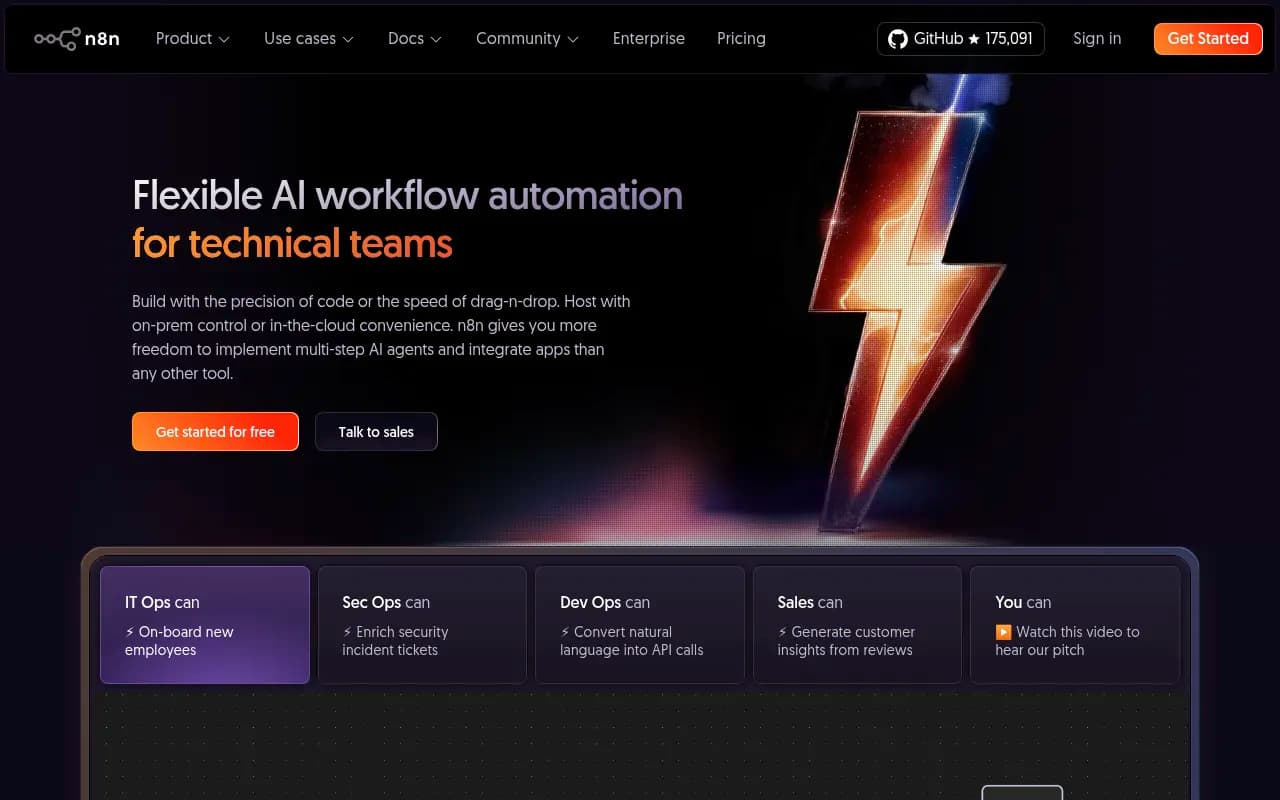
For a visibility monitoring agent, you'd create a session per domain you're tracking, then trigger the agent on a schedule (via n8n, Zapier, or a cron job) to run the /visibility-report skill and post results to Slack or a dashboard.
The API call to start a session looks like this:
curl -X POST https://api.anthropic.com/v1/agents/sessions \
  -H "x-api-key: $ANTHROPIC_API_KEY" \
  -H "anthropic-version: 2026-01-01" \
  -H "Content-Type: application/json" \
  -d '{
    "agent_id": "your_agent_id",
    "initial_message": "Run visibility report for example.com vs competitor1.com and competitor2.com"
  }'
Comparison: agent approaches in 2026
Not everyone needs to build from scratch. Here's how the main approaches compare:
| Approach | Setup time | Flexibility | Best for |
|---|---|---|---|
| Claude Code + MCP (this guide) | ~30 min | High | Developers who want full control |
| Claude Managed Agents (console) | ~15 min | Medium | Teams wanting no-code deployment |
| Claude API + custom backend | 2-4 hours | Very high | Production apps with custom UI |
| Pre-built agent platforms (n8n, Zapier) | ~1 hour | Low-medium | Non-technical teams |
| Promptwatch built-in AI agent | 0 min | Low | Marketers who just want the output |
If you're a developer building something custom, the MCP approach in this guide gives you the most control. If you're a marketer who just wants AI visibility reports without writing code, Promptwatch's built-in writing agent already does this -- it generates content recommendations grounded in citation data without any setup.
Common mistakes and how to avoid them
Vague tool descriptions. Claude decides when to call a tool based on its description. If you write "gets data," Claude won't know when to use it. Be specific: "Returns AI visibility score for a domain across 10 AI models, including trend data for the last 30/60/90 days."
No output schema. If your tool returns unstructured text, Claude has to guess what the fields mean. Return typed JSON with clear field names like visibility_score, trend_direction, top_cited_pages.
Skipping the system prompt. Without a focused system prompt, Claude will try to answer questions from its training data instead of calling your tools. The system prompt is what makes it an agent rather than a chatbot.
Not testing tool failures. Deliberately break your API connection and see how the agent responds. If it starts making up data, your error handling needs work.
Over-engineering the first version. Start with two or three tools. Get them working reliably. Add complexity after you've validated the core loop.
What to build next
Once the basic agent is running, there are a few natural extensions:
- Automated weekly reports: Schedule the agent to run every Monday and email a visibility summary to your team.
- Competitor alert system: Monitor when a competitor's visibility score jumps significantly and trigger an investigation.
- Content brief generator: When the agent finds an answer gap, have it automatically draft a content brief for the missing topic.
- Multi-domain dashboard: Run the agent across all your client domains and aggregate results into a single report.
The MCP architecture makes all of this composable. Each new capability is a new tool definition -- the agent brain (Claude) stays the same.
For teams who want the monitoring and reporting without building the infrastructure, Promptwatch handles the data layer and has its own AI writing agent built in. But if you want to understand how these systems work under the hood, or build something custom on top of the data, the approach in this guide is the right starting point.