Hypefury Review 2026
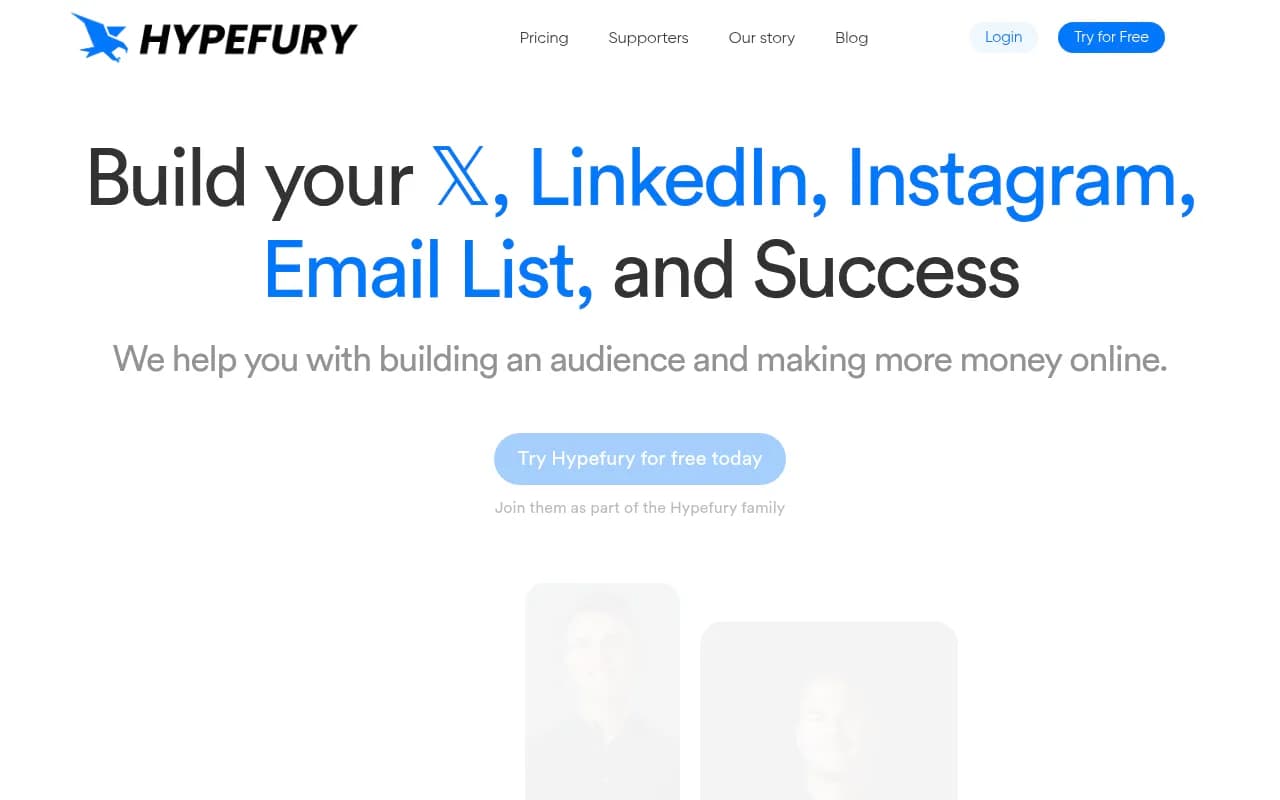
Hypefury is a social media scheduling and automation platform built for creators, solopreneurs, and agencies who want to grow their audience on X (Twitter), LinkedIn, and Instagram without spending hours on manual posting. It combines content inspiration, cross-platform publishing, smart automation
Summary
- Best for: Creators, solopreneurs, and agencies managing X (Twitter), LinkedIn, and Instagram who want to automate posting, repurpose content across platforms, and monetize their audience without manual work
- Standout features: Content inspiration library with viral templates, one-click cross-posting to Instagram Reels and LinkedIn carousels, auto-repost for timezone optimization, auto-plugs that promote your newsletter/products when posts perform well, auto-DM campaigns for lead capture
- Limitations: Primarily focused on X/Twitter with LinkedIn and Instagram as secondary platforms—not ideal if you need deep Instagram-first features or TikTok support (still in progress). No built-in analytics for email list growth or product sales tracking.
- Pricing: Starter $29/mo, Creator $65/mo, Business $97/mo, Agency $199/mo (annual billing available at ~15% discount). Free trial available.
- Bottom line: If you're a creator who treats X as your primary platform and wants to repurpose content to LinkedIn and Instagram while automating engagement and monetization, Hypefury delivers. It's not a full-service social media suite—it's a growth engine for people who post daily and want to squeeze more value from every post.
Hypefury is a social media scheduling and automation platform designed specifically for creators, solopreneurs, and agencies who want to grow their audience and monetize their content on X (Twitter), LinkedIn, and Instagram. It's not trying to be an all-in-one social media management tool—it's laser-focused on helping you post consistently, repurpose content across platforms, and automate the repetitive tasks that drive growth (like reposting top tweets, plugging your newsletter, and capturing leads from viral posts). The company has been around since 2020 and is used by well-known creators like Justin Welsh, Ali Abdaal, Dickie Bush, and Kieran Drew. According to their site, customers have generated over 5 billion impressions and the platform has helped 100,000+ people build their online businesses.
The target audience is creators who treat social media as a business channel—people building personal brands, selling courses or newsletters, running agencies, or growing SaaS products. If you're posting 3-7 times per week on X and want to repurpose that content to LinkedIn and Instagram without starting from scratch, Hypefury is built for you. It's also popular with agencies managing multiple client accounts who need scheduling, automation, and cross-posting at scale.
Content Inspiration and Creation
Hypefury's content inspiration library is one of its most distinctive features. Instead of staring at a blank page, you get access to a curated gallery of high-performing posts across 15+ niches (marketing, SaaS, productivity, fitness, finance, etc.). These are real posts that went viral, broken down into templates you can customize with your own spin. You can filter by niche, post type (single tweet, thread, carousel), and engagement level. The idea is to remix proven formats instead of guessing what works.
The platform also includes a "Tweets to Reels" feature that converts text posts into Instagram Reels or TikTok videos (TikTok support is in progress as of 2026). You paste your tweet, choose a template, and Hypefury generates a video with text overlays, background music, and captions. It's not as polished as a dedicated video editor, but it's fast—you can turn a thread into 5 Reels in under 10 minutes. Similarly, you can convert threads into LinkedIn carousels with one click. The carousel generator pulls your thread text, formats it into slides, and lets you customize colors and fonts before publishing.
For writing, Hypefury doesn't have a built-in AI writing assistant (unlike Tweet Hunter or Typefully), but it does offer a simple composer with character count, preview mode, and the ability to schedule threads, polls, and quote tweets. You can also save drafts, duplicate posts, and organize content into categories.
Cross-Platform Scheduling and Publishing
Hypefury's core workflow is "write once, publish everywhere." You compose a post in the platform, then choose which networks to publish to: X (Twitter), LinkedIn, Instagram, Threads, Facebook, and Bluesky. For Instagram, you can publish as a feed post, Reel, or Story. For LinkedIn, you can publish as a text post or carousel. The platform handles formatting differences automatically—for example, it converts Twitter threads into LinkedIn carousels or Instagram carousel posts.
Scheduling is straightforward: you pick a date and time, or use the "optimal time" suggestion based on when your audience is most active. You can also set up a queue where posts publish at predefined intervals (e.g. every 3 hours). The calendar view shows all scheduled posts across platforms, and you can drag-and-drop to reschedule. There's also a "recurring posts" feature where you can set evergreen content to repost automatically every X days or weeks.
One limitation: Hypefury doesn't support TikTok natively yet (it's listed as "in progress" on their site), and Mastodon support is basic. If you're heavily invested in TikTok or need advanced Instagram features like product tagging or shopping posts, you'll need a separate tool.
Automation Features
This is where Hypefury separates itself from basic schedulers. The platform includes several automation features designed to maximize engagement and monetization:
Auto-Repost: Automatically reposts your best-performing tweets at a later time to reach audiences in different timezones. You set a threshold (e.g. repost if a tweet gets 50+ likes in the first 2 hours), and Hypefury reposts it 8-12 hours later. The next day, it auto-deletes the repost so your feed stays clean. This is particularly useful for creators with global audiences—your 9am EST post gets a second life at 9pm EST when your European and Asian followers are awake.
Auto-Plugs: Automatically comments on your high-performing posts with a link to your newsletter, course, or product. You set a performance threshold (e.g. 100+ likes), and Hypefury adds a reply like "If you enjoyed this, subscribe to my newsletter: [link]". The timing delay (usually 1-2 hours after the threshold is hit) ensures you're not spamming your own posts before they gain traction. This is a smart way to convert engagement into email subscribers without manually monitoring every post.
Auto-DM Campaigns: Sends automated direct messages to people who engage with your posts. For example, if someone likes or retweets a specific post, Hypefury can DM them with a lead magnet offer ("Thanks for the RT! Here's a free guide: [link]"). This is powerful for lead generation, but use it carefully—aggressive auto-DMing can feel spammy and may violate platform policies if overused.
Evergreen Content Queue: Set up a library of evergreen posts that rotate automatically. Hypefury publishes them at set intervals, then cycles back to the beginning. This is useful for agencies or creators who want to maintain a consistent posting schedule without creating new content every day.
Engagement Builder: A feed of tweets from accounts you follow or specific keywords you track. You can quickly like, retweet, or reply to relevant posts without leaving Hypefury. It's not as robust as a dedicated engagement tool like Tweethunter's "Smart Inbox," but it's faster than scrolling Twitter manually.
Analytics and Performance Tracking
Hypefury's analytics are functional but not deep. You get basic metrics for each post: impressions, likes, retweets, replies, link clicks, and engagement rate. There's a dashboard that shows your top-performing posts over the last 7, 30, or 90 days, and you can filter by platform. You can also see which posts triggered auto-reposts or auto-plugs.
What's missing: follower growth tracking over time, audience demographics, best time to post analysis (it suggests optimal times but doesn't show you the data behind it), and revenue attribution (e.g. how many newsletter signups or product sales came from a specific post). If you need detailed analytics, you'll want to supplement with Twitter Analytics, LinkedIn Analytics, or a third-party tool like Audiense.
Monetization Tools
Hypefury includes a few features specifically for monetization:
Gumroad Integration: Automatically posts about your Gumroad products at set intervals. You connect your Gumroad account, choose which products to promote, and Hypefury schedules sales posts for you. It's basic but effective for creators selling digital products.
Sales Campaign Scheduler: Plan a multi-day product launch or promotion. You write all the posts in advance, schedule them across X, LinkedIn, and Instagram, and Hypefury publishes them on the timeline you set. This is useful for course launches, book releases, or seasonal promotions.
Newsletter Growth: The auto-plug feature is the main tool here. By automatically promoting your newsletter under high-performing posts, you can grow your email list without manual effort. Some users report adding 50-100 subscribers per month just from auto-plugs on viral tweets.
Who Is It For
Hypefury is best for:
Solopreneurs and creators who post daily on X and want to repurpose content to LinkedIn and Instagram without extra work. If you're building a personal brand, selling a course or newsletter, or growing a consulting business, Hypefury's automation features save hours per week.
Agencies managing 5-20 client accounts who need scheduling, cross-posting, and automation at scale. The Agency plan ($199/mo) supports multiple team members and client accounts with separate logins.
SaaS founders and indie hackers who use X as their primary marketing channel. The auto-repost and auto-plug features are particularly effective for reaching global audiences and converting engagement into signups.
Content creators with 1,000-100,000 followers who post frequently and want to maximize the ROI of each post. If you're posting 3-7 times per week and getting decent engagement, Hypefury's automation features will amplify your results.
Who should NOT use Hypefury:
Instagram-first creators who need advanced Instagram features like product tagging, shopping posts, or in-depth Instagram analytics. Hypefury treats Instagram as a secondary platform—it's great for cross-posting Reels and carousels, but it's not a replacement for Later or Planoly.
Teams managing 50+ social accounts who need enterprise-grade permissions, approval workflows, and white-label reporting. Hypefury is built for small teams and solopreneurs, not large agencies or enterprises.
Brands that don't post on X regularly. If X isn't a core channel for you, Hypefury's feature set won't be as valuable. Tools like Buffer or Hootsuite offer broader platform support.
Integrations and Ecosystem
Hypefury integrates with:
- X (Twitter): Full API access for scheduling, posting, and analytics
- LinkedIn: Scheduling and publishing for personal profiles and company pages
- Instagram: Scheduling for feed posts, Reels, and Stories (requires Instagram Business account)
- Threads, Facebook, Bluesky: Basic scheduling support
- Gumroad: Automated product promotion
- Zapier: Connect Hypefury to 5,000+ apps for custom workflows (e.g. auto-post new blog posts to X)
What's missing: No native integrations with email marketing platforms (ConvertKit, Mailchimp, etc.), no CRM integrations, no Slack notifications, no Google Analytics integration. The API is not publicly documented, so custom integrations require contacting support.
Hypefury offers browser extensions for Chrome and Firefox that let you schedule posts directly from Twitter.com or LinkedIn.com. There's no mobile app, which is a notable gap—you have to use the web app on mobile, which works but isn't optimized for small screens.
Pricing and Value
Hypefury offers four pricing tiers:
Starter ($29/mo or $250/year): 1 social account per platform, unlimited scheduled posts, content inspiration library, auto-repost, auto-plug, auto-DM, basic analytics. Good for solopreneurs just starting out.
Creator ($65/mo or $590/year): 3 social accounts per platform, priority support, advanced analytics, recurring posts, engagement builder. Best for creators with multiple brands or clients.
Business ($97/mo or $890/year): 5 social accounts per platform, team collaboration (2 team members), white-label reports, API access. Good for small agencies or growing personal brands.
Agency ($199/mo or $1,800/year): 10 social accounts per platform, unlimited team members, dedicated account manager, custom onboarding. For agencies managing multiple clients.
All plans include a 7-day free trial (no credit card required). Annual billing saves ~15% compared to monthly.
How does this compare to competitors?
- Typefully: $12.50-$49/mo. Cheaper, but lacks auto-repost, auto-plug, and cross-posting to Instagram Reels. Better for writers who want a clean X-focused composer.
- Tweet Hunter: $49-$149/mo. Similar feature set, but more expensive and focuses heavily on AI writing. Hypefury is better for automation and cross-posting.
- Buffer: $6-$120/mo. Cheaper and supports more platforms, but lacks Hypefury's automation features (auto-repost, auto-plug, auto-DM). Better for teams managing diverse social accounts.
- Hootsuite: $99-$739/mo. Enterprise-grade with advanced analytics and approval workflows, but overkill for solopreneurs and lacks creator-focused features.
Hypefury's pricing is mid-range for creator tools. It's more expensive than basic schedulers (Buffer, Later) but cheaper than all-in-one platforms (Hootsuite, Sprout Social). The value proposition is strongest if you're using the automation features—if you're just scheduling posts, you're overpaying.
Strengths
- Content inspiration library with viral templates across 15+ niches saves hours of brainstorming
- One-click cross-posting to Instagram Reels and LinkedIn carousels is genuinely useful for repurposing X content
- Auto-repost for timezone optimization is a simple but effective way to double your reach
- Auto-plug for newsletter growth is a set-it-and-forget-it way to convert engagement into subscribers
- Auto-DM campaigns for lead capture work well if used sparingly
- Evergreen content queue keeps your feed active without daily effort
- Gumroad integration for automated product promotion is a nice touch for digital product sellers
Limitations
- No TikTok support yet (listed as "in progress" since 2025)
- Analytics are basic—no follower growth tracking, audience demographics, or revenue attribution
- No mobile app—web app works on mobile but isn't optimized
- Instagram features are secondary—no product tagging, shopping posts, or in-depth Instagram analytics
- No built-in AI writing assistant (unlike Tweet Hunter or Typefully)
- No email marketing integrations—you can't auto-add subscribers to ConvertKit or Mailchimp
- Auto-DM campaigns can feel spammy if overused, and may violate platform policies
Bottom Line
Hypefury is a smart choice for creators and agencies who treat X (Twitter) as their primary platform and want to repurpose content to LinkedIn and Instagram without manual work. The automation features—auto-repost, auto-plug, auto-DM—are genuinely useful for maximizing engagement and monetization, and the content inspiration library solves the blank page problem. It's not a full-service social media suite (the analytics are basic, there's no mobile app, and TikTok support is missing), but for its target audience—solopreneurs posting daily and building an audience—it delivers real value. If you're posting 3-7 times per week on X and want to grow your email list and product sales without spending hours on social media, Hypefury is worth the $29-$65/month. If you're an Instagram-first creator or need enterprise-grade analytics, look elsewhere.
Tags:
Frequently asked questions
What is Hypefury and what does it do?
How much does Hypefury cost?
What platforms does Hypefury support?
Who is Hypefury best for?
What are Hypefury's standout features?
Does Hypefury offer a free trial?
What are the limitations of Hypefury?
Can Hypefury automate social media engagement?
Similar and alternative tools to Hypefury