Cometly Review 2026
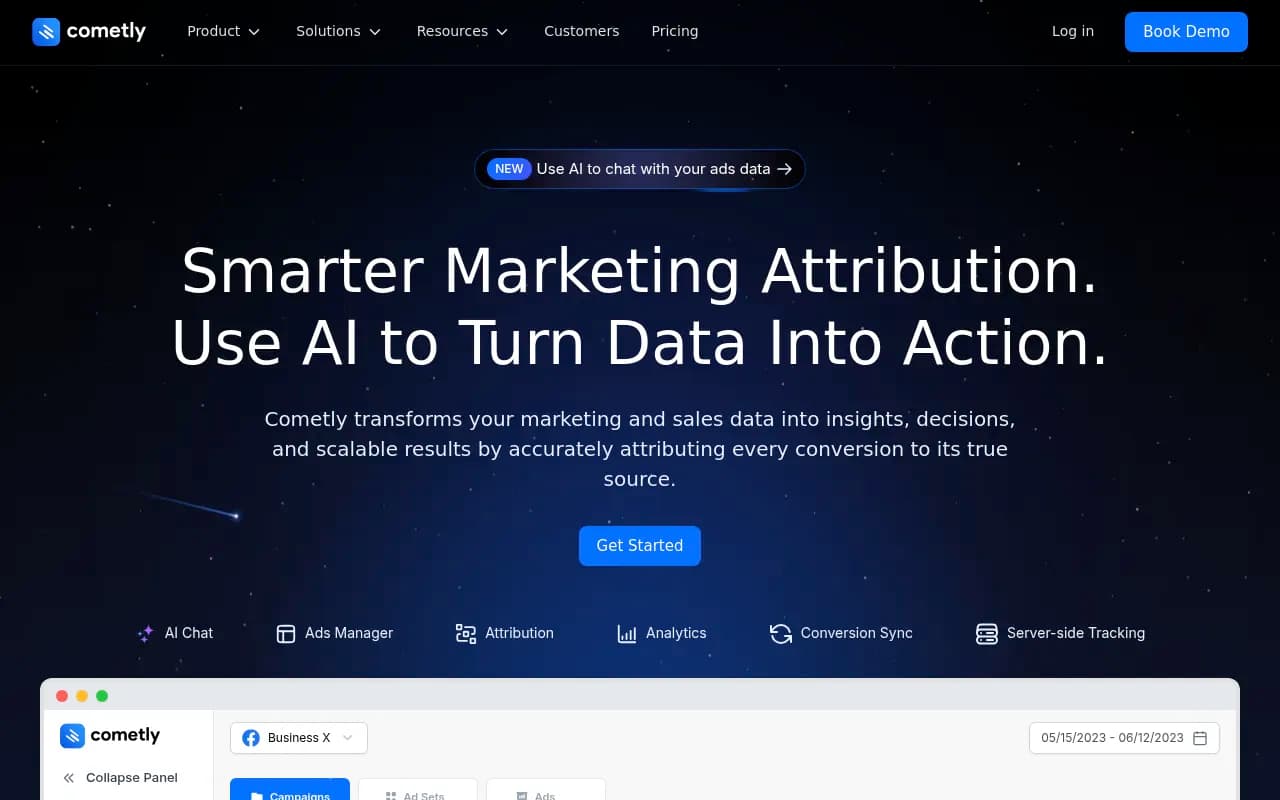
Cometly is a marketing attribution platform that connects ad clicks to actual revenue across Meta, Google, and 100+ tools. Built-in server-side tracking, multi-touch attribution models, and AI-powered insights help performance marketers prove ROI and scale campaigns with confidence. Trusted by Click
Key Takeaways
- Best for performance marketers running paid ads who need accurate attribution across Meta, Google, TikTok, and other platforms — especially post-iOS 14 when native tracking broke
- Standout feature: built-in server-side tracking with one-click setup (no dev work) that syncs enriched conversion data back to ad platforms to improve targeting and ROAS
- AI Ads Manager and AI Chat let you ask questions about campaign performance and get actionable recommendations on budget allocation and creative optimization
- Pricing starts at $250/month for small teams, scaling to $999+/month for agencies and high-spend advertisers — significantly more expensive than basic analytics tools but competitive with enterprise attribution platforms
- Missing advanced features like cohort analysis, LTV modeling, and predictive analytics that platforms like Rockerbox or Northbeam offer at similar price points
Cometly is a marketing attribution platform built for performance marketers who run paid ads and need to know which campaigns actually drive revenue. It was founded to solve the attribution crisis that hit after Apple's iOS 14 update killed cookie-based tracking — when Facebook's pixel stopped seeing 30-50% of conversions and ad accounts started bleeding money on campaigns that looked profitable but weren't.
The platform is used by over 1,000 brands including ClickFunnels, Trainual, Instantly, and SkinnyFit. It's particularly popular with direct-response marketers, ecommerce brands, SaaS companies, and agencies managing multiple client accounts. The core promise: connect every ad click to actual revenue, even when users bounce between devices or take weeks to convert.
What makes Cometly different from Google Analytics or native ad platform reporting is that it tracks the full customer journey across every touchpoint — ad clicks, email opens, webinar signups, CRM events, payment processor transactions — and attributes revenue back to the original source using multi-touch attribution models. You're not guessing which campaign worked. You're seeing exactly which ad, on which platform, led to a $5,000 customer three weeks later.
Server-Side Tracking (The Core Engine)
Cometly's biggest technical advantage is its built-in server-side tracking infrastructure. Most attribution tools require you to hire developers to set up server-side events via APIs. Cometly handles this automatically through one-click integrations with 100+ tools in your marketing and sales stack.
Here's how it works: you install the Cometly pixel on your website (standard JavaScript snippet). That pixel captures visitor activity — page views, form fills, button clicks — and sends it to Cometly's servers. Then Cometly connects to your CRM (HubSpot, Salesforce, Close, Pipedrive, etc.), payment processor (Stripe, PayPal, Shopify), and ad accounts (Meta, Google, TikTok, LinkedIn) to pull in conversion events and revenue data.
The result: Cometly sees the complete journey from anonymous visitor to paying customer, even if the user switches from mobile to desktop or clears their cookies. It matches users across devices using email addresses, phone numbers, and probabilistic fingerprinting. Then it syncs enriched conversion data back to Meta and Google so their algorithms can optimize for actual revenue, not just pixel fires.
This is huge for advertisers dealing with iOS 14 attribution loss. Meta's native tracking might only see 60% of your conversions. Cometly captures closer to 90-95% by combining client-side pixel data with server-side CRM and payment events. When you sync that data back to Meta via Conversion API, the platform's AI gets better training data and your CPAs drop.
The one-click integrations are legitimately easy. Connect Stripe: click a button, authorize access, done. Connect HubSpot: same thing. No webhooks to configure, no API keys to manage. The trade-off is less customization than a fully custom server-side setup, but for 95% of advertisers, the pre-built integrations cover everything.
Multi-Touch Attribution Models
Cometly supports six attribution models: First Touch, Last Touch, Linear, Time Decay, U-Shaped, and W-Shaped. You can switch between them in real time to see how different models change which channels get credit.
Example: a customer clicks a Facebook ad (first touch), reads three blog posts over two weeks (assisted touches), clicks a Google search ad (last touch), then buys. Last-touch attribution gives Google 100% credit. First-touch gives Facebook 100% credit. Linear splits credit evenly across all five touchpoints. U-shaped gives 40% to Facebook, 40% to Google, and 20% split across the blog visits.
Most advertisers use Last Touch by default because that's what ad platforms report. But if you're running top-of-funnel awareness campaigns on Facebook and bottom-of-funnel search campaigns on Google, Last Touch will make Google look amazing and Facebook look terrible — even though Facebook is doing the heavy lifting. Multi-touch models show you the full picture.
Cometly also lets you set custom attribution windows (7-day, 14-day, 30-day, 60-day, 90-day). This matters for high-ticket or long sales cycle products. If you're selling $10k software with a 45-day sales cycle, a 7-day attribution window will miss most conversions. You need 60-90 days to see the real impact of your ads.
The limitation: Cometly doesn't offer custom or algorithmic attribution models. Platforms like Rockerbox and Northbeam let you build custom models weighted by channel, campaign type, or conversion stage. Cometly's six models cover 90% of use cases, but if you need something more sophisticated, you'll hit a wall.
AI Ads Manager
The AI Ads Manager is Cometly's campaign management interface. It pulls in data from all your connected ad accounts (Meta, Google, TikTok, LinkedIn, etc.) and displays it in a unified dashboard with accurate attribution data.
Key features:
- Budget pacing alerts: see which campaigns are overspending or underspending relative to daily targets
- Performance anomaly detection: AI flags sudden drops in CTR, conversion rate, or ROAS so you can investigate before wasting budget
- Creative performance breakdowns: see which ad creatives, headlines, and CTAs are driving the most revenue (not just clicks)
- Cross-platform comparisons: compare Facebook vs Google vs TikTok performance side-by-side with consistent attribution methodology
The AI component analyzes your data and surfaces recommendations like "Campaign X is underperforming — consider reallocating $500/day to Campaign Y which has 2.3x higher ROAS" or "Creative A has 40% higher conversion rate than Creative B — pause B and scale A."
These recommendations are helpful but not groundbreaking. Any experienced media buyer could spot the same patterns manually. The value is speed — the AI does the analysis instantly instead of you spending 30 minutes digging through reports every morning. For agencies managing 10+ client accounts, that time savings adds up.
One gap: Cometly doesn't automate budget shifts or campaign changes. It tells you what to do, but you still have to log into Meta Ads Manager or Google Ads and make the changes manually. Platforms like Madgicx and Revealbot offer rule-based automation (e.g. "if ROAS drops below 2.0x, pause campaign automatically"). Cometly is recommendation-only.
AI Chat
AI Chat is Cometly's newest feature (launched late 2024). It's a conversational interface where you can ask questions about your ad data in plain English and get instant answers.
Examples:
- "Which campaigns drove the most revenue last month?"
- "Show me all ads with ROAS above 3.0x in the last 7 days"
- "What's my average customer acquisition cost by channel?"
- "Which creatives are performing best for cold traffic vs retargeting?"
The AI parses your question, queries your Cometly data, and returns a text answer plus relevant charts or tables. It's faster than building custom reports manually, especially for one-off questions.
The underlying model is likely GPT-4 or Claude (Cometly hasn't disclosed specifics). It works well for straightforward queries but struggles with complex multi-step analysis. For example, "Show me campaigns with declining ROAS over the last 30 days, then break down by creative type and suggest which creatives to pause" — that's too much for the current version. You'll get a partial answer and have to ask follow-up questions.
Still, for quick data lookups and basic performance summaries, AI Chat is genuinely useful. It's the kind of feature that saves 10-15 minutes per day, which compounds over time.
Analytics and Custom Reporting
Cometly's analytics interface lets you build custom dashboards with drag-and-drop widgets. You can track metrics like:
- Leads and purchases by source (organic, paid, email, referral, direct)
- Revenue by campaign, ad set, ad creative
- Conversion rates by landing page, funnel step, or traffic source
- Customer lifetime value by acquisition channel
- Return on ad spend (ROAS) by platform, campaign, or time period
You can filter by date range, traffic source, device type, geography, and custom UTM parameters. Reports update in real time as new data flows in from your connected tools.
The interface is clean and intuitive — closer to Looker Studio or Tableau than a clunky enterprise BI tool. Non-technical marketers can build useful reports without SQL or data engineering help.
Limitations:
- No cohort analysis: you can't track how customers acquired in January 2025 behave over their first 90 days compared to customers acquired in February 2025. This is a major gap for subscription businesses and ecommerce brands focused on LTV optimization.
- No predictive analytics: Cometly shows you what happened, not what's likely to happen. Platforms like Northbeam and Rockerbox offer predictive LTV models and churn risk scoring.
- Limited data export options: you can export reports to CSV or connect to Looker Studio, but there's no direct integration with Snowflake, BigQuery, or other data warehouses. If you want to combine Cometly data with other business data (support tickets, product usage, etc.), you'll need to use the API or Zapier.
Conversion Sync (CAPI Integration)
Conversion Sync is Cometly's term for syncing enriched conversion events back to ad platforms via their server-side APIs (Meta's Conversion API, Google's Enhanced Conversions, TikTok Events API, etc.).
Here's why this matters: when someone converts on your website, the ad platform's pixel might not fire (due to ad blockers, iOS tracking restrictions, or slow page loads). The platform's algorithm thinks the ad didn't work, so it stops showing your ads to similar users. Your performance tanks.
With Conversion Sync enabled, Cometly sends the conversion event directly from its servers to the ad platform's API, bypassing the pixel entirely. The event includes enriched data like email address, phone number, order value, and product SKU — which helps the platform's AI better understand who your customers are and find more people like them.
Setup is literally one toggle switch per platform. No code required. Cometly handles the API authentication, event formatting, and deduplication (so conversions aren't double-counted if both the pixel and API fire).
The impact: most advertisers see 10-30% improvement in reported conversions and 15-25% reduction in CPA within 2-4 weeks of enabling Conversion Sync. Meta's algorithm gets better training data, so it optimizes more effectively.
One caveat: Conversion Sync requires you to collect user email addresses or phone numbers at some point in the funnel (form fill, checkout, etc.). If you're running pure top-of-funnel awareness campaigns with no lead capture, Conversion Sync won't help much.
Integrations and Ecosystem
Cometly integrates with 100+ tools across ad platforms, CRMs, email marketing, payment processors, webinar platforms, and more. Notable integrations:
Ad Platforms: Meta (Facebook/Instagram), Google Ads, TikTok, LinkedIn, Twitter/X, Snapchat, Pinterest, Reddit, Bing, Taboola, Outbrain
CRMs: HubSpot, Salesforce, Pipedrive, Close, Attio, Monday.com, Zoho, Copper
Payment Processors: Stripe, PayPal, Shopify, WooCommerce, ClickFunnels, Kajabi, ThriveCart, SamCart
Email Marketing: Kit (ConvertKit), ActiveCampaign, Mailchimp, Klaviyo, Drip
Webinar/Course Platforms: Demio, WebinarJam, Teachable, Thinkific
Other: Calendly, Intercom, Webflow, Zapier (for connecting anything else)
The Zapier integration is a catch-all for tools Cometly doesn't natively support. You can trigger Zaps based on Cometly events (new lead, new purchase, etc.) or send data from other tools into Cometly.
API access is included on all paid plans. The API is RESTful and reasonably well-documented. Developers can pull attribution data, push custom events, or build custom integrations. It's not as robust as Segment's API, but it covers the basics.
No mobile app. Everything is web-based. There's no browser extension either.
Who Is Cometly For?
Cometly is built for performance marketers running paid ads who need accurate attribution to make scaling decisions. Specific personas:
Ecommerce brands spending $50k-$500k/month on ads: You're running Facebook, Google Shopping, and TikTok campaigns. You need to know which products, creatives, and audiences are profitable so you can scale winners and kill losers. Cometly's multi-touch attribution and Conversion Sync help you see the full picture and improve ad platform optimization.
SaaS companies with long sales cycles: Your customers take 30-90 days to convert and touch 5-10 marketing channels before buying. Native ad platform reporting only shows last-click attribution, which makes your awareness campaigns look worthless. Cometly's multi-touch models show you which channels assist conversions, so you can allocate budget correctly.
Digital marketing agencies managing 5-20 client accounts: You need a single dashboard to monitor all clients' ad performance with consistent attribution methodology. Cometly's white-label reporting and multi-account management make it easy to show clients exactly what's working.
High-ticket B2B companies: You're selling $10k-$100k products with 60-120 day sales cycles. You run LinkedIn ads, Google search, and retargeting campaigns. You need to connect ad clicks to CRM opportunities and closed deals. Cometly's CRM integrations and long attribution windows (up to 90 days) handle this.
Who should NOT use Cometly:
- Organic-only marketers: If you're not running paid ads, Cometly is overkill. Use Google Analytics or a simpler analytics tool.
- Small businesses spending under $10k/month on ads: Cometly's pricing ($250+/month) is too expensive relative to your ad spend. Stick with native ad platform reporting until you scale.
- Enterprise brands needing advanced data science: If you want custom attribution models, predictive LTV, or deep data warehouse integrations, look at Rockerbox, Northbeam, or Singular instead.
Pricing and Value
Cometly's pricing is tiered based on features and usage:
Starter Plan (~$250/month): 1 website, basic attribution models, 100+ integrations, email support. Good for small teams just getting started with attribution.
Professional Plan (~$500-$700/month): Multiple websites, all attribution models, AI Ads Manager, AI Chat, Conversion Sync, priority support. Best for growing ecommerce brands and agencies.
Business Plan (~$999+/month): Higher data limits, advanced features, dedicated account manager. For high-spend advertisers and larger agencies.
Exact pricing isn't published on the website — you have to book a demo or start a free trial to see quotes. Pricing scales based on ad spend, number of conversions tracked, and number of connected ad accounts.
There's a 14-day free trial (no credit card required). You can connect your tools, see your data, and test the platform before committing.
How does this compare to competitors?
- Triple Whale (ecommerce-focused attribution): $129-$399/month. Cheaper but less flexible attribution models and weaker CRM integrations.
- Hyros (attribution for info products and high-ticket): $500-$1500+/month. Similar features but more expensive and harder to set up.
- Rockerbox (enterprise attribution): $2000+/month. More advanced features (custom models, predictive analytics) but 3-5x more expensive.
- Northbeam (DTC brand attribution): $1000-$3000+/month. Better for large ecommerce brands with complex multi-channel strategies.
Cometly sits in the middle: more powerful than budget tools like Triple Whale, more affordable than enterprise platforms like Rockerbox. For most performance marketers spending $50k-$500k/month on ads, it's a good value.
Strengths
Built-in server-side tracking with one-click setup: This is Cometly's killer feature. Most attribution platforms require dev work to implement server-side tracking. Cometly handles it automatically through native integrations. You get 90%+ conversion tracking accuracy without hiring engineers.
Conversion Sync improves ad platform performance: Syncing enriched conversion data back to Meta and Google via CAPI/Enhanced Conversions demonstrably improves ROAS. Most users report 10-30% better results within a month.
Clean, intuitive interface: The dashboard is easy to navigate. Non-technical marketers can build reports and analyze data without training.
Strong customer support: Multiple reviews mention responsive support and hands-on onboarding. The team helps you connect your tools and configure attribution models correctly.
AI features are genuinely useful: AI Chat and AI Ads Manager aren't revolutionary, but they save time on routine analysis and surface insights you might miss manually.
Limitations
No cohort analysis or predictive analytics: You can see what happened, but not what's likely to happen. If you're optimizing for LTV or churn reduction, you'll need to export data and analyze it elsewhere.
Limited data warehouse integrations: No native connectors for Snowflake, BigQuery, or Redshift. If you want to combine Cometly data with other business data, you'll need to use the API or Zapier.
No campaign automation: Cometly tells you what to do ("pause this campaign, scale that one") but doesn't automate the changes. You still have to log into ad platforms and make adjustments manually.
Pricing isn't transparent: You have to book a demo to see exact pricing, which is annoying. Most competitors publish pricing tiers on their websites.
Attribution models are standard, not customizable: The six built-in models cover most use cases, but if you need custom weighting or algorithmic attribution, you're out of luck.
Bottom Line
Cometly is the best mid-market attribution platform for performance marketers who need accurate tracking, server-side conversion syncing, and multi-touch attribution without hiring a data engineering team. If you're spending $50k-$500k/month on paid ads and struggling with iOS 14 attribution loss, Cometly will pay for itself in improved ROAS within 30-60 days.
Best use case in one sentence: Ecommerce brands and SaaS companies running multi-channel paid campaigns who need to prove which ads actually drive revenue and improve ad platform optimization with enriched conversion data.
If you need advanced features like predictive LTV, custom attribution models, or deep data warehouse integrations, look at Rockerbox or Northbeam instead. But for 80% of performance marketers, Cometly hits the sweet spot of power, ease of use, and price.
Tags:
Frequently asked questions
What is Cometly and what does it do?
How much does Cometly cost?
Who is Cometly best for?
Does Cometly offer a free plan?
What is server-side tracking in Cometly?
What are the key features of Cometly?
How does Cometly help with iOS 14 tracking issues?
Similar and alternative tools to Cometly