OnCrawl Review 2026
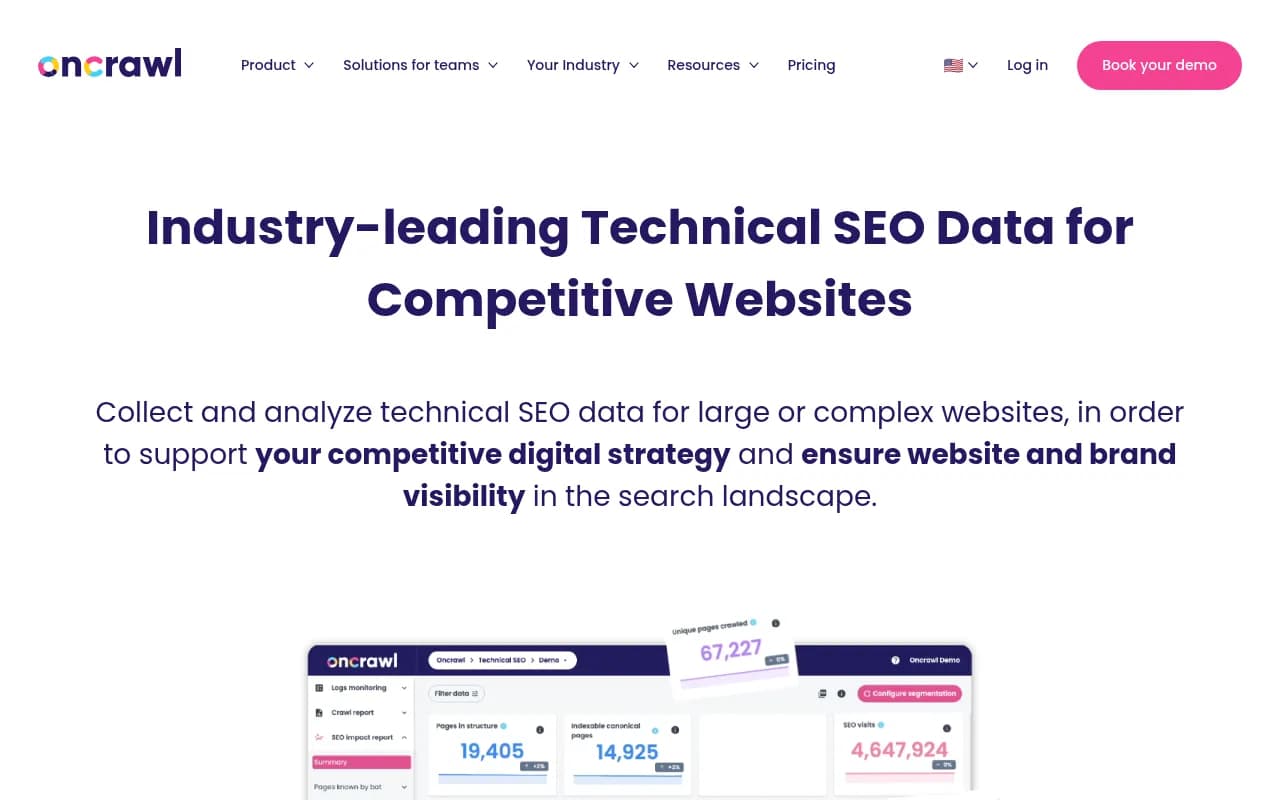
OnCrawl is an enterprise-grade technical SEO platform designed for large, complex websites. Used by brands like L'Oréal, Ticketmaster, and Harrods, it combines website crawling, log file analysis, and AI bot monitoring to help SEO teams understand how search engines and AI agents explore their sites
Key Takeaways:
• Built for scale: OnCrawl is designed specifically for large, complex websites (e-commerce, job boards, media sites) where most crawlers struggle with performance and data volume • AI bot monitoring: One of the first platforms to track and analyze how LLM crawlers (OpenAI, Claude, Mistral, Perplexity) interact with your site -- critical for understanding your AI search visibility • Cross-analysis power: Blends crawl data, log files, GSC, and analytics to connect technical SEO metrics to actual business outcomes and traffic patterns • Best for: Enterprise SEO teams, large agencies managing complex client sites, and technical SEO specialists who need deep data analysis capabilities • Limitations: Premium pricing puts it out of reach for small businesses; steeper learning curve than simpler crawlers like Screaming Frog
OnCrawl is an enterprise technical SEO platform built for websites where scale and complexity matter. While tools like Screaming Frog or Sitebulb work well for small to mid-sized sites, OnCrawl was designed from the ground up to handle the technical challenges that come with analyzing websites that have millions of URLs, complex site architectures, and massive log files. It's the platform behind the SEO strategies of major brands including L'Oréal, Ticketmaster, Harrods, HelloFresh, and Skyscanner -- companies where a single technical SEO mistake can cost millions in lost traffic.
What sets OnCrawl apart is its focus on data reconciliation and cross-analysis. Most SEO crawlers show you what's on your site. OnCrawl shows you what's on your site, how search engines actually crawl it (via log file analysis), how users interact with it (via analytics integration), and increasingly, how AI bots are reading it. This multi-dimensional view is what makes it possible to move beyond "here's a list of broken links" to "here's why this section of your site isn't generating revenue and exactly what to fix."
Core Technical SEO Capabilities
OnCrawl's foundation is its website crawler, which can handle crawls of millions of URLs without choking. Unlike desktop crawlers that run on your local machine, OnCrawl runs in the cloud with distributed crawling infrastructure. You can crawl an entire e-commerce site with 5 million product pages, analyze the results, segment the data by category or template type, and identify patterns that would be invisible in a smaller sample. The crawler respects robots.txt, handles JavaScript rendering, follows redirects, and captures detailed technical data on every URL: status codes, response times, page size, internal linking structure, meta tags, structured data, canonical tags, hreflang implementation, and more.
The segmentation system is where OnCrawl's power becomes clear. Instead of looking at your entire site as one blob of data, you can create custom segments based on URL patterns, page templates, content types, traffic levels, or any combination of technical metrics. For example, segment "product pages with high traffic but slow load times" or "blog posts published in 2024 with thin content." Each segment can be analyzed independently, compared against others, and tracked over time. This is essential for large sites where aggregate metrics hide critical problems in specific sections.
Log File Analysis and Crawl Budget Optimization
OnCrawl's SEO Log Analyzer ingests your server log files and shows you exactly how Googlebot (and other crawlers) actually behave on your site. You see which pages Google crawls most frequently, which sections it ignores, how crawl budget is distributed across your site architecture, and where crawlers encounter errors or get stuck in crawl traps. This is not theoretical -- it's real data showing what search engines actually do, not what you think they should do.
Combining log analysis with crawl data reveals powerful insights. You might discover that Google is wasting 40% of its crawl budget on low-value filter pages that shouldn't be indexed, or that your most important product pages are only crawled once a month because they're buried too deep in your site structure. OnCrawl quantifies these problems with specific numbers and visualizations, making it possible to prove ROI when you fix them. For enterprise sites where crawl budget directly impacts how quickly new content gets indexed and ranked, this capability alone justifies the investment.
AI Bot Monitoring: The New Frontier
In 2025-2026, OnCrawl added AI bot monitoring to track how LLM crawlers interact with your site. Bots from OpenAI (GPTBot), Anthropic (ClaudeBot), Mistral, Perplexity, and other AI companies are now crawling the web to train models and power AI search experiences. OnCrawl detects these bots in your log files, shows you which pages they're accessing, how frequently they visit, and whether they're respecting your robots.txt rules.
This matters because AI search is reshaping how people find information. If ChatGPT, Perplexity, or Google's AI Overviews can't access or understand your content, you're invisible in AI-powered search results. OnCrawl's AI bot monitoring gives you visibility into this new layer of search behavior. You can see if AI bots are crawling your site at all, whether they're hitting the right pages, and how their behavior differs from traditional search engine crawlers. For brands investing in AI search visibility (often tracked with platforms like Promptwatch), understanding how AI bots crawl your site is the technical foundation.
Oncrawl Lenses: Guided Analysis for Specific SEO Challenges
Oncrawl Lenses are pre-built analytical views that focus on specific SEO problems. Instead of staring at raw data tables, Lenses guide you through the analysis process with relevant metrics, visualizations, and recommendations tailored to common technical SEO challenges. Think of them as expert-designed dashboards that answer specific questions: "Why is my crawl budget being wasted?" "Which pages have indexability issues?" "Where are my performance bottlenecks?"
Each Lens combines multiple data sources (crawl data, logs, GSC, analytics) and applies filters and segmentation automatically. This makes it faster to diagnose problems and easier to communicate findings to stakeholders who don't live in technical SEO data every day. For agencies managing multiple clients, Lenses provide a consistent analytical framework across different sites.
Content Lens: AI-Powered Content Quality Analysis
Content Lens is OnCrawl's AI-powered content evaluation tool. It analyzes the actual quality of your content -- not just word count or keyword density, but whether the content is genuinely useful, well-structured, and likely to satisfy user intent. Content Lens provides specific, actionable suggestions for improving individual pages: add more depth on this topic, improve readability, strengthen the introduction, add supporting data, etc.
This is particularly valuable for large content sites (media publishers, blogs, knowledge bases) where manually reviewing thousands of articles is impossible. Content Lens helps you prioritize which pages to update based on their current quality, traffic potential, and how much improvement they need. It's not a content generation tool -- it's a diagnostic tool that tells you what's wrong and what to fix.
Data Integration and Cross-Analysis
OnCrawl integrates with Google Search Console to pull in search performance data (impressions, clicks, CTR, average position), Google Analytics for user behavior metrics (sessions, bounce rate, conversions), and can ingest custom data sources via API. The power comes from blending these datasets together. You can analyze "pages with technical errors that also have high impressions but low CTR" or "slow-loading pages that generate revenue but have declining traffic." This cross-analysis makes it possible to prioritize technical SEO work based on actual business impact, not just technical severity.
All data is stored permanently in OnCrawl's cloud infrastructure, so you can compare crawls over time, establish before/after scenarios when you make changes, and track long-term trends. You can export data in CSV, JSON, or PDF formats, or access it via API to build custom dashboards or integrate with other tools in your SEO stack.
Visualization and Reporting
OnCrawl's visualizations are designed for technical SEO specialists, not executives. You get detailed charts, graphs, and data tables that show relationships between metrics, distribution patterns, and trends over time. The platform includes a Data Explorer that lets you create custom queries and visualizations by selecting dimensions and metrics, applying filters, and choosing chart types. This is powerful for exploratory analysis when you're trying to understand a complex problem.
For reporting to stakeholders, OnCrawl offers PDF exports and scheduled reports. However, the platform is not primarily a reporting tool -- it's an analysis tool. If you need polished executive dashboards, you'll likely export data to Google Data Studio or another BI tool.
Who Is OnCrawl For?
OnCrawl is built for enterprise SEO teams managing large, complex websites where technical SEO directly impacts revenue. This includes:
E-commerce sites with 100K+ products: Where crawl budget optimization, faceted navigation management, and product page performance directly affect sales. OnCrawl helps you ensure Google can efficiently crawl and index your entire catalog, identify which product categories have technical issues, and optimize site architecture for maximum visibility.
Media publishers and content sites: Where you're managing thousands or millions of articles, need to understand how Google crawls different content sections, and want to identify which older articles are worth updating vs. pruning. Content Lens is particularly valuable here.
Job boards and classified ad sites: Where you have massive URL counts from user-generated content, complex filtering systems, and need to prevent crawl budget waste on low-value pages while ensuring high-value listings get crawled frequently.
Large agencies managing complex client sites: Where you need a consistent technical SEO platform across multiple clients, can justify the cost by spreading it across your client base, and need the depth of data to prove ROI on technical SEO projects.
Technical SEO specialists and consultants: Who need deep data analysis capabilities, are comfortable with complex tools, and are solving problems that simpler crawlers can't handle.
OnCrawl is not for small businesses, local SEO, or simple websites under 10,000 pages. The learning curve is steep, the pricing is premium, and the feature set is overkill for basic technical SEO needs. If you're running a small business website or a simple blog, Screaming Frog or Sitebulb will serve you better at a fraction of the cost.
Integrations and Ecosystem
OnCrawl integrates with Google Search Console (automatic data sync), Google Analytics (traffic and behavior data), and offers a REST API for custom integrations. You can export data to Google Data Studio (now Looker Studio) for custom dashboards, or use the API to feed OnCrawl data into your own tools and workflows. The platform also supports scheduled crawls that run automatically, so you can monitor your site continuously without manual intervention.
There's no browser extension or mobile app -- OnCrawl is a web-based platform accessed through your browser. All crawling and analysis happens in the cloud.
Pricing and Value
OnCrawl pricing starts at approximately $69/month for the entry-level plan, which includes 100,000 URLs to crawl per month, 1 project (domain), unlimited users, and core features like crawl comparison, custom segmentation, and CSV/JSON/PDF exports. This plan includes online support but not dedicated account management.
Mid-tier and enterprise plans scale up in crawl capacity (millions of URLs per month), number of projects, and add features like log file analysis, API access, and priority support. Enterprise pricing is custom and typically involves annual contracts with dedicated customer success management.
Compared to competitors, OnCrawl is premium-priced. Screaming Frog is £149/year (~$185/year). Sitebulb is $35-$135/month. DeepCrawl (now Lumar) is in a similar enterprise price range to OnCrawl. The value proposition is clear: if you're managing a site where a 5% improvement in crawl efficiency translates to millions in additional revenue, OnCrawl pays for itself quickly. If you're managing a small site where technical SEO is a minor concern, it's expensive overkill.
OnCrawl offers a free trial (typically 14 days) so you can test the platform on your own site before committing.
Strengths
Handles massive scale: OnCrawl can crawl and analyze sites with millions of URLs without performance degradation. This is rare among SEO crawlers and essential for enterprise use cases.
Log file analysis depth: The SEO Log Analyzer provides insights into actual search engine behavior that you simply can't get from crawling alone. Understanding how Google allocates crawl budget is critical for large sites.
AI bot monitoring: OnCrawl is ahead of the curve in tracking how LLM crawlers interact with websites. As AI search grows, this capability becomes increasingly valuable.
Segmentation and cross-analysis: The ability to slice data by custom segments and blend multiple data sources (crawl, logs, GSC, analytics) makes it possible to answer complex questions and prioritize work based on business impact.
Permanent data storage: Unlike tools that only keep recent crawl data, OnCrawl stores everything, so you can analyze trends over months or years and prove the impact of technical SEO changes.
Limitations
Steep learning curve: OnCrawl is a complex tool with a lot of features. It takes time to learn how to use it effectively, and the interface is not as intuitive as simpler crawlers like Sitebulb. This is a tool for technical SEO specialists, not generalists.
Premium pricing: The cost puts OnCrawl out of reach for small businesses, freelancers, and agencies with small clients. You need to be managing sites where the ROI justifies the investment.
Reporting is not the focus: While OnCrawl has reporting capabilities, it's primarily an analysis tool. If you need polished, executive-friendly reports, you'll likely need to export data to another platform. Competitors like Sitebulb have better built-in reporting.
No desktop version: OnCrawl is cloud-only. If you prefer desktop tools or need to crawl sites that aren't publicly accessible, you'll need a different solution (though OnCrawl does support crawling staging environments via IP whitelisting).
Bottom Line
OnCrawl is the technical SEO platform for enterprise websites where scale, complexity, and data depth matter. If you're managing a site with hundreds of thousands or millions of URLs, need to optimize crawl budget, want to understand how AI bots are interacting with your content, and require the ability to blend multiple data sources for strategic decision-making, OnCrawl is one of the best tools available. It's used by major brands for a reason: it solves problems that simpler tools can't handle.
However, it's not for everyone. The learning curve is real, the pricing is premium, and the feature set is overkill for small sites. If you're running a local business website or a simple blog, stick with Screaming Frog or Sitebulb. But if you're an enterprise SEO team or agency managing complex client sites, OnCrawl is worth the investment.
Best use case in one sentence: Enterprise SEO teams managing large, complex websites (e-commerce, media, job boards) who need deep technical analysis, log file insights, and AI bot monitoring to optimize crawl efficiency and prove ROI on technical SEO projects.
Tags:
Similar and alternative tools to OnCrawl