Pictory Review 2026
AI tool that automatically summarizes long-form content into short videos, converting articles and scripts into engaging video content for marketing.
Key Takeaways:
- Automated video creation from multiple inputs: Turn scripts, blog posts, URLs, audio files, presentations, or simple prompts into finished videos with AI-selected visuals, captions, and voiceovers
- No video editing experience required: Browser-based editor with drag-and-drop simplicity, automated scene generation, and one-click enhancements like filler word removal and silence cutting
- Best for content marketers and educators: Ideal for teams producing social media content, training videos, product demos, and repurposed blog content at scale
- Limitations: Less control than professional editing software, AI-selected visuals may need manual refinement, and avatar features are still in development
- Pricing: Starts at $19/month (Starter), $29/month (Professional), with annual discounts up to 24% and a free trial available
Pictory is an AI video generator that eliminates the traditional barriers to video production. Instead of cameras, timelines, and steep learning curves, you provide the raw material (a script, article, presentation, or even just a prompt) and Pictory assembles a complete video with visuals, voiceovers, captions, and music. The platform is used by over 20,000 companies including Pearson, Coursera, Royal Canin, and Kajabi, and has earned strong reviews on G2, Capterra, and Feefo for its speed and ease of use.
Founded as a solution for marketers and content creators drowning in video production bottlenecks, Pictory targets anyone who needs to produce video content consistently but lacks the time, budget, or technical skills for traditional editing. The platform is entirely browser-based, requires no downloads, and is designed for non-technical users who want professional results without the grind.
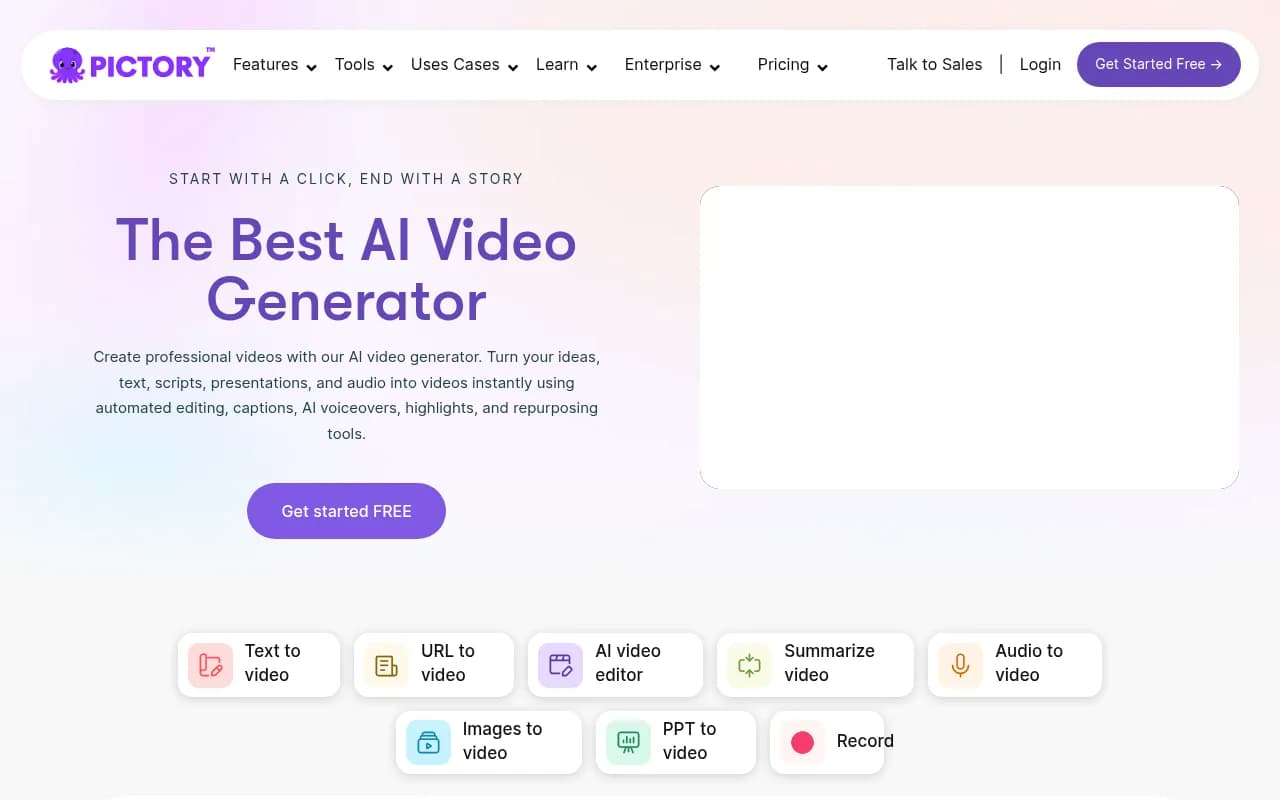
Text to Video Generator: Paste a script, article, or blog post and Pictory automatically segments it into scenes, estimates timing, and matches each scene with relevant stock footage or AI-generated visuals. The system analyzes your text to identify key messages and builds a narrative structure before you even touch the editor. You can refine the script in a built-in editor, and the platform updates the video in real time. This is the core workflow for most users, especially marketers repurposing written content into social videos or explainer clips.
URL to Video: Drop in any webpage URL and Pictory scrapes the text and images, then converts them into a video. This is particularly useful for turning blog posts, product pages, or news articles into shareable video content without copying and pasting. The Chrome extension makes this even faster, letting you generate videos directly from your browser while reading any webpage.
AI Video Editor: Upload an existing video and edit it by editing the transcript. Pictory transcribes the video automatically, and you can delete words, sentences, or entire sections from the text to remove them from the video. The platform also offers one-click tools to remove filler words (um, uh, like), cut silences, and add captions. This is a standout feature for podcasters, YouTubers, and anyone cleaning up raw recordings without learning complex editing software.
Summarize Video: Take a long video (webinar, interview, presentation) and let Pictory extract the key moments into a short highlight reel. The AI identifies the most engaging or important segments based on speech patterns and content density. This is ideal for creating teaser clips, social media snippets, or executive summaries from longer content.
Audio to Video: Upload a podcast episode, voiceover, or audio recording and Pictory adds visuals, captions, and branding to turn it into a video. This is a fast way to create video podcasts or repurpose audio content for YouTube and social platforms without filming anything.
Image to Video: Upload a set of images or use AI Studio to generate new images from text prompts, then turn them into a video with transitions, text overlays, and music. This is useful for product showcases, real estate tours, or any scenario where you have still images but need motion.
PPT to Video: Convert PowerPoint presentations into videos with synchronized slides, voiceovers, and branding. The platform imports your slides and lets you add narration (AI-generated or uploaded), captions, and music. This is popular with educators, trainers, and sales teams turning pitch decks into shareable videos.
Screen Recorder: Capture your screen, webcam, or both, then let Pictory automatically clean up the recording by removing silences and filler words. The recorder is built into the platform, so you can record, edit, and export without switching tools.
AI Studio: Generate custom images and video clips from text prompts using AI. If stock footage doesn't match your vision, you can describe what you need and AI Studio creates it. This is a newer feature that expands creative possibilities beyond stock libraries, especially for abstract concepts or niche visuals.
AI Script Generator: Describe your video idea in a few sentences and Pictory generates a full script. This is useful for overcoming writer's block or quickly drafting outlines for explainer videos, ads, or tutorials.
AI Voices (ElevenLabs Integration): Choose from realistic AI voiceovers in multiple languages and accents. The voices are generated by ElevenLabs, known for high-quality text-to-speech, and can be applied to any scene. You can also upload your own voiceover if you prefer.
Brand Kit: Upload your logo, brand colors, and fonts, then apply them consistently across all videos. This ensures every output matches your visual identity without manual adjustments. You can also save custom templates for recurring video types (social posts, ads, training modules).
Captions and Subtitles: Pictory automatically generates captions with customizable styles, fonts, and animations. You can choose from preset caption themes or design your own. Captions are editable and can be exported as SRT files for use on other platforms.
Multi-Platform Export: Export videos in horizontal (16:9), vertical (9:16), or square (1:1) aspect ratios optimized for YouTube, TikTok, Instagram, LinkedIn, and Facebook. The platform adjusts scene layouts automatically based on the selected format.
Integrations: Pictory connects with Zapier and Make for workflow automation, allowing you to trigger video creation from other apps, send completed videos to cloud storage, or post them directly to social media. The platform also offers an API for developers who want to embed video generation into their own products.
AI Avatars (Coming Soon): Pictory is developing AI avatars that will appear as digital presenters inside videos, reading scripts with realistic gestures and expressions. This will enable fully automated talking-head videos without filming.
Who Is It For:
Pictory is built for content marketers, social media managers, educators, and small business owners who need to produce video content regularly but lack video production resources. It's particularly strong for teams repurposing written content (blog posts, articles, scripts) into video, creating training materials, or generating social media clips at scale.
Marketing teams at SaaS companies, agencies, and e-commerce brands use Pictory to turn product announcements, case studies, and blog posts into video ads and explainer content. Educators and corporate trainers use it to convert lesson plans, presentations, and documentation into video tutorials. YouTubers and podcasters use the AI editor to clean up recordings and create highlight reels without learning Premiere or Final Cut.
The platform is ideal for solo creators and small teams (1-10 people) who need speed and simplicity over advanced editing control. It's less suited for professional video editors who need frame-by-frame precision, complex motion graphics, or multi-track audio mixing. If you're producing cinematic content or highly stylized videos, traditional editing software will give you more control. But if you're producing 5-20 videos per month for social media, training, or marketing and want to eliminate 80% of the manual work, Pictory is a strong fit.
Integrations & Ecosystem:
Pictory integrates with Zapier and Make, enabling automated workflows like generating videos from new blog posts, sending completed videos to Google Drive or Dropbox, or posting them directly to YouTube or social media. The Chrome extension lets you create videos from any webpage without leaving your browser. The platform also offers an API for developers who want to embed video generation into their own applications or automate large-scale video production.
Pictory partners with stock media providers (Storyblocks, Pexels, Pixabay) for visuals and ElevenLabs for AI voiceovers. Videos can be exported as MP4 files or shared via direct links. The platform supports multi-language captions and voiceovers, making it viable for global teams.
Pricing & Value:
Pictory offers three main pricing tiers:
- Starter: $19/month (billed annually) or $23/month (billed monthly). Includes 30 videos per month, 10 minutes per video, 10GB storage, and access to core features like text-to-video, captions, and AI voices.
- Professional: $29/month (billed annually) or $35/month (billed monthly). Includes 60 videos per month, 20 minutes per video, 100GB storage, and additional features like brand kits, API access, and priority support.
- Enterprise: Custom pricing for teams needing higher limits, dedicated onboarding, and API integration.
All plans include a free trial (no credit card required). Annual plans save up to 24% compared to monthly billing. The Starter plan is competitive for solo creators, while the Professional plan is better for agencies and teams producing content at scale. Compared to hiring a video editor or using traditional software, Pictory's pricing is low, especially for users who value speed over creative control.
The main limitation is the video and storage caps, which can be restrictive for high-volume users. Enterprise pricing is available for teams needing custom limits.
Strengths & Limitations:
Strengths:
- Speed: Turn a blog post or script into a finished video in under 10 minutes
- No learning curve: Intuitive interface that non-technical users can master in one session
- Automated editing: One-click tools for removing filler words, silences, and adding captions save hours of manual work
- Repurposing power: Excellent for turning existing content (articles, presentations, audio) into video without starting from scratch
- Multi-platform export: Automatically formats videos for different social platforms
Limitations:
- Limited creative control: Less flexibility than professional editing software for custom animations, transitions, or effects
- AI-selected visuals can be generic: Stock footage matches are sometimes off-topic and require manual replacement
- Avatar feature not yet available: Promised AI presenters are still in development
- Storage caps: Starter and Professional plans have storage limits that may require frequent exports or upgrades
Bottom Line:
Pictory is the best choice for marketers, educators, and content creators who need to produce professional videos quickly without video editing expertise. If you're repurposing blog posts, cleaning up podcast recordings, or creating social media content at scale, Pictory eliminates the bottleneck. It's not a replacement for professional editing software, but for 80% of business video needs, it's faster, cheaper, and easier than any alternative. Best use case in one sentence: turning written content into video for social media and marketing without filming or complex editing.
Tags:
Similar and alternative tools to Pictory