Key takeaways
- A spreadsheet is a fine place to start tracking prompts for AI search visibility, as long as you design the columns like a database from day one.
- Keep two tabs at minimum: one for prompts (the things you track) and one for runs (what happened each time you checked). Mixing them is the number one reason spreadsheets become unmigratable.
- Log the engine, model, date, whether search was triggered, cited domains, brand position and competitors for every run. Model updates shift behaviour, so without these fields your history is not comparable.
- Separate organic, brand-specific and competitor comparison prompts. Promptwatch Data shows they cite very different numbers of domains.
- Plan the exit before you start: stable IDs, one value per cell, ISO dates, and a CSV export that matches what tools expect on import.
Why start with a spreadsheet at all
I have a soft spot for spreadsheets. They cost nothing, everyone on the team can open one, and they force you to decide what you actually care about before a vendor decides for you. If you have 20 to 50 prompts and no budget approved yet, a sheet is the right move.
The trouble is what happens at month three. You have 400 rows, three people have invented their own date formats, one column is called "Notes" and holds six different kinds of information, and nobody can tell whether ChatGPT's answer from February came from the same model as the one from May. Migrating that into a tool means cleaning it by hand, and most teams just abandon the history.
So the goal here is narrow: build a sheet that behaves like a tiny database. Then moving to a tool is an import, not an archaeology project.
If you want a sense of what dedicated tracking looks like before you commit, the directory at bestgeosoftware.com lists GEO platforms side by side.
What you are actually tracking
Be clear about this first, because it is easy to confuse with other kinds of prompt tracking.
The research material for this topic includes plenty about prompt management for developers: Jinja templates, version control, saved prompts in Copilot, prompt libraries for project managers. That is a different job. It is about the prompts you send to a model to get work done.
This guide is about the prompts your customers type into ChatGPT, Gemini, Perplexity and Google AI Overviews, and whether your brand shows up in the answer. You are watching the output, not authoring the input. Tools like PromptLayer, Humanloop and Langfuse manage the first kind. GEO and AI visibility tools handle the second.
The borrowed lesson from prompt management is still useful: give every prompt an ID, version your changes, and never overwrite history.
The two-tab structure that survives migration
This is the core idea. Build two tabs that map to two database tables.
Tab 1: prompts
One row per tracked prompt. This is your master list. It changes slowly.
| Column | Example | Why it matters |
|---|---|---|
| prompt_id | P-0042 | Stable key. Never reuse or renumber. |
| prompt_text | best project management software for agencies | The exact string you run. |
| prompt_type | organic | organic, brand_specific, or competitor_comparison |
| intent | commercial | informational, commercial, transactional, navigational, branded |
| topic | project management | Group prompts for roll-ups later |
| persona | agency owner | Optional, but tools support personas |
| country | US | ISO country code |
| language | en | ISO language code |
| city_or_region | Leave blank unless local matters | |
| status | active | active, paused, retired |
| created_date | 2026-11-21 | ISO 8601 |
| owner | maria | Who maintains it |
A few rules I would insist on. Never edit prompt_text in place. If you want to reword a prompt, retire the old ID and create a new one, because the new wording is a new test. Keep country and language fixed per prompt. Dedicated tools do the same: a monitor's language and location are fixed once created, so markets never mix.
Tab 2: runs
One row per prompt, per engine, per check. This tab grows fast. It is append-only.
| Column | Example | Notes |
|---|---|---|
| run_id | R-001873 | Stable key |
| prompt_id | P-0042 | Foreign key to the prompts tab |
| run_date | 2026-11-21 | ISO 8601, date only is fine |
| engine | ChatGPT | ChatGPT, Gemini, Perplexity, AI Overviews, AI Mode, Copilot, Claude |
| model_version | GPT-5 (as shown in UI) | Whatever the interface reports |
| search_triggered | yes | yes or no |
| brand_mentioned | yes | yes or no |
| brand_position | 3 | Order among brands named. Blank if not mentioned |
| brands_mentioned | Acme; Beta; Gamma | Semicolon-separated, consistent spelling |
| cited_domains | acme.com; g2.com; reddit.com | Semicolon-separated |
| own_domain_cited | yes | yes or no |
| sentiment | positive | positive, neutral, negative |
| fanout_queries | Optional, see below | |
| response_url_or_file | link to saved screenshot | Evidence |
| notes | Free text, and only free text |
The discipline is that each cell holds one value, or a clearly delimited list. Never write "mentioned third, but only in the footer, and cited via G2" in a single cell. Split it across brand_position, own_domain_cited and notes.
Why these specific columns
Every column above earns its place from how AI engines actually behave. Here is the reasoning, grounded in data.
Date, engine and model
Answers drift. Retrieval and model updates change behaviour overnight. Promptwatch Data tracked an example in March 2026, when average citations per ChatGPT response dropped around the GPT-5.3 rollout. If your sheet only says "cited: yes" with no date and model, you cannot tell a real change in your visibility from a platform change. Log both.
Search triggered
Not every ChatGPT answer runs a web search. Promptwatch's average sources per response data counts only messages where search was triggered, and found ChatGPT citing around 5 sources in that dataset, Google AI Overviews around 10, and Perplexity almost exactly 10 every day. Responses without search aren't comparable with responses that have it, so keep a yes/no column and filter on it.
One caution: that older page and the newer unique-domains report below describe different things, so do not stitch them into one trend line. Treat each as its own snapshot.
Prompt type
This is the column I would fight to keep. In Promptwatch's report for Sep 28 to Oct 4, 2026, 47.6% of ChatGPT responses with citations cited 10 or more domains. But the split by prompt type is large:
| Prompt type | Share citing 10+ domains |
|---|---|
| Organic (no brand named) | 52.5% |
| Competitor comparison | 49.1% |
| Brand-specific | 21.3% |
Brand-specific prompts mostly land on around 5 domains, while organic ones sprawl. If you average them together, you learn nothing. Tag the type and analyse each group alone.
Many prompts, not one
Because answers cite so many sources and vary run to run, one prompt tells you very little. Promptwatch's advice from the same report is to measure across many organic prompts and to track where you appear and how you are described, not only whether you are cited. Build the sheet for volume: 50 prompts across a handful of topics beats five prompts checked obsessively.
Fanout queries
The prompt a user types is not what ChatGPT searches. Promptwatch's query fanout data measured about 2.15 searches per response in early December, about 1.84 by early March, and exactly 1.0 when fanouts returned in April, with average query length dropping from about 117 characters to about 53. The page's intro describes 3 to 8+ searches per prompt in general terms, which conflicts with those measured averages, so I would trust the measured numbers.
Capturing fanouts by hand is tedious, which is why the column is optional. If you can see them (a browser extension like the free GEO Inspector for ChatGPT shows them), paste them in as a semicolon-separated list.
Naming and formatting rules that make import painless
Import tools are picky. Follow these and most CSV uploads work first try.
- Use snake_case headers with no spaces or special characters.
- Dates in ISO 8601: 2026-11-21. Never "11/21/26" or "Nov 21".
- Booleans as yes/no or true/false, pick one and stick with it.
- Controlled vocabularies via data validation dropdowns for engine, prompt_type, intent, sentiment and status.
- One entity per cell, or a semicolon-delimited list. Never commas inside a cell that is also comma-delimited.
- Domains as bare hostnames: g2.com, not https://www.g2.com/products/x.
- Brand names spelled identically every time. Keep a third tab called brands with canonical names and aliases.
- No merged cells, no colored-cell-as-data, no blank header rows. If color carries meaning, add a column for it.
A third tab for brands
| brand_id | canonical_name | aliases | type |
|---|---|---|---|
| B-001 | Acme | Acme Inc; Acme HQ | own |
| B-002 | Beta | BetaSoft | competitor |
This feels like overkill until the first time "Acme" is also a common word in your category. Tools handle this with brand aliases and analysis instructions, and you will need the same logic in your sheet. Write the rule down in a README tab: what counts as a mention, what does not.
How to run checks consistently
A sheet only produces trustworthy data if the process is boring and repeatable.
- Run all prompts on the same day each week, from a clean session, logged out or in a fresh profile, with the same country.
- Run each prompt on every engine you care about. Do not skip Perplexity because it is annoying.
- Save a screenshot or a share link for every run. You will need it when someone asks "did it really say that?"
- Judge Copilot and other volatile engines on monthly trends. Promptwatch's average-sources data shows Copilot swinging from under 2 to nearly 17 citations and then settling low, so a single weekly snapshot misleads.
- Rotate who runs checks and you will get inconsistent brand_position values. Pick one person per engine.
Be realistic about the ceiling. 50 prompts across 4 engines, weekly, is 200 manual runs. At about two minutes each that is nearly seven hours a week. This is the practical limit of a spreadsheet, and it is the honest signal that you should migrate.
Roll-ups: the metrics to calculate in the sheet
Use a pivot table or a summary tab on top of the runs tab. Start with a few metrics that map to what tools report.
| Metric | Formula idea |
|---|---|
| Mention rate | brand_mentioned = yes divided by total runs, per engine and prompt_type |
| Share of voice | Your mentions divided by all brand mentions across runs |
| Average position | Mean of brand_position, ignoring blanks (lower is better) |
| Self-citation rate | own_domain_cited = yes divided by runs where search_triggered = yes |
| Top cited domains | Count of each domain across the cited_domains column |
A word on reading them together. Low share of voice points to a coverage problem. Late position points to prominence. Mentions without your own domain cited suggest a content or crawlability problem. That diagnostic logic is what you are really buying in a tool, but you can run a crude version in a pivot table. Promptwatch's academy explains Visibility Score and Share of Voice definitions if you want your sheet's math to match a tool's later.
Know when to graduate to a tool
Signs the sheet has done its job:
- You are spending more than a few hours a week on manual runs.
- You need daily or faster checks, multiple countries, or city-level targeting.
- Stakeholders want trend charts and PDF reports, not pivot tables.
- You need to know which of your pages AI crawlers actually read, or how much traffic AI sends. A spreadsheet cannot see either.
- You want content to follow from the findings, not just a report.
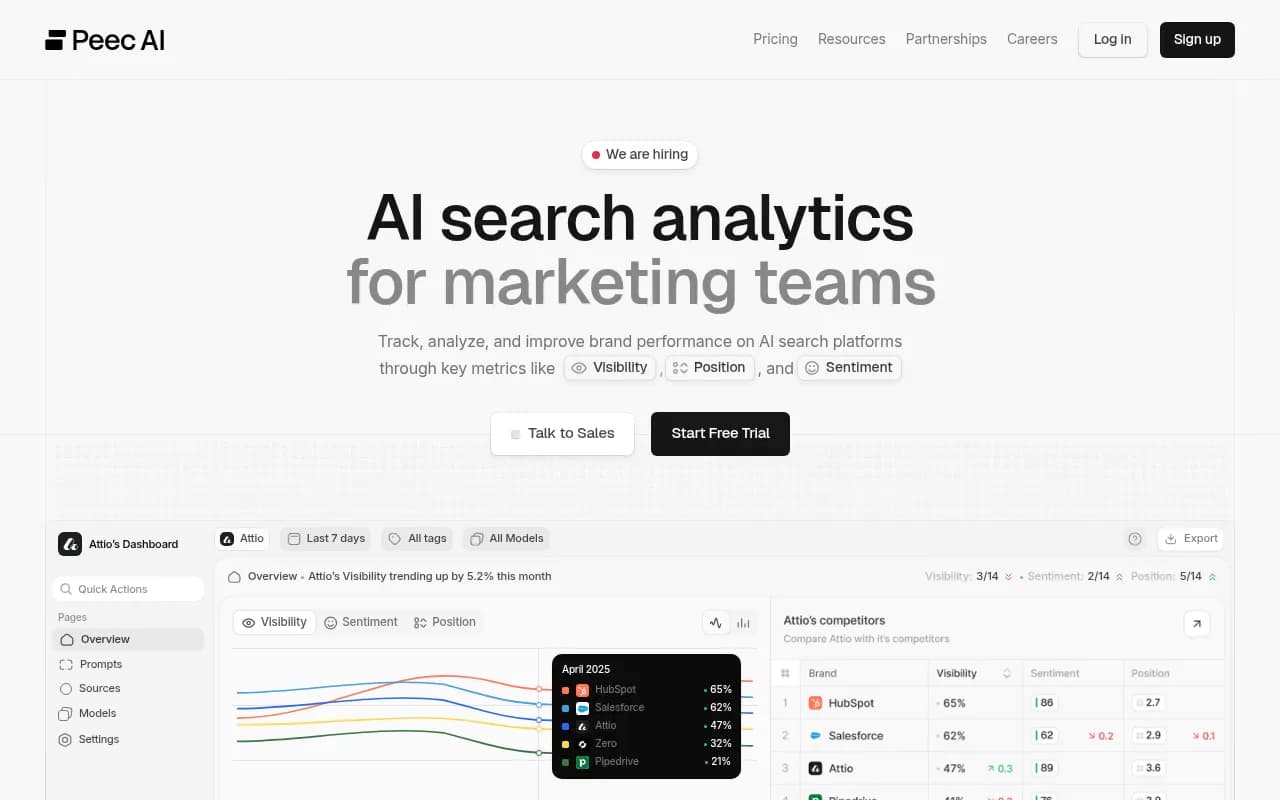
The tool field is crowded. Monitoring-first products include Otterly.AI, Peec AI, AthenaHQ and Rankshift. Some SEO suites have bolted on tracking too, such as Semrush and Ahrefs Brand Radar.
Otterly.AI


If you want something that goes past monitoring, Promptwatch tracks prompts across ChatGPT, Gemini, Perplexity, Google AI Overviews and others from their real interfaces, then adds crawler logs, visitor analytics, an Action Board and a Content Agent that writes and publishes the pages AI cites. The prompt-level fields in your sheet (type, intent, topic, persona, country, language) map directly onto how it organizes monitors. Plans start at $95 per month on Essential; confirm current pricing at promptwatch.com/pricing, and note there is a 7-day free trial.

For a wider view, the AI rank tracking directory compares trackers by category.
Quick comparison: sheet vs tool
| Need | Spreadsheet | Dedicated GEO platform |
|---|---|---|
| Cost | Free | From about $95 per month |
| Setup time | An afternoon | Minutes to a day |
| Collection | Manual, 2 minutes per run | Automated, daily or faster |
| Real-interface data across engines | Only if you do it by hand | Built in |
| Crawler logs and AI traffic | No | Yes, in fuller platforms |
| Content creation and publishing | No | Some platforms |
| Best for | Pilot with under 50 prompts | Ongoing programs |
The migration checklist
When the day comes, do this in order.
- Freeze the sheet. Duplicate it and stop editing the original. Treat it as an archive.
- Clean the prompts tab first. Retire dead prompts, confirm every prompt has type, topic, country and language.
- Export prompts to CSV. Check that dates are ISO, no cells contain stray line breaks, and headers match the import template.
- Import prompts, not runs. Most tools re-collect fresh data under their own methodology. Your hand-collected runs rarely import cleanly and were not gathered the same way anyway.
- Keep the runs tab as a baseline. Compare your manual mention rate for the last four weeks against the tool's first four weeks. Expect differences, especially if you were using logged-in sessions or API outputs, because user-facing answers can differ from API results.
- Map your brands tab to the tool's brand and competitor setup, including aliases.
- Rebuild your roll-ups as dashboards, then retire the pivot tables.
- Keep the README. The definitions of a mention and your prompt-type rules are institutional knowledge.
If your platform has an API or MCP server, you can script step 3 instead of pasting. That matters for agencies running dozens of client sheets.
Mistakes I see most often
Rewording a prompt but keeping the same ID, which silently breaks your trend line. Tracking only brand-specific prompts, which flatters you because those answers cite fewer domains and name you by definition. Recording "cited" without recording where in the source list. Letting three people type engine names three ways. And running one prompt once, seeing a good result, and calling it a strategy.
The spreadsheet is not the goal. A clean history is. Build the two tabs, lock the vocabularies, log the model and date, and your first tool import will be the easiest part of the project.
For more first-party numbers to benchmark your sheet against, browse Promptwatch Data.