Key takeaways
- Topic-level reporting answers a better question than prompt-level reporting: which subjects does AI associate with your brand, and which ones belong to competitors?
- Microsoft Clarity added a free Topic Insights feature in 2026 covering visibility, influence, competition and opportunities per topic. Promptwatch has its own Topic Insights inside 360 Insights, which joins crawls, citations and clicks.
- Content type and age matter as much as topic. Promptwatch Data shows product and landing pages earn about 39% of ChatGPT citations, while news decays fastest.
- Underdelivery usually falls into one of four buckets: no page, a weak page, a page AI can't read, or a page that gets read but never cited.
- Review topics monthly, fix the biggest gaps first, then check whether the fix changed crawls, citations and traffic.
What Topic Insights actually is
Most AI visibility reporting starts at the prompt. You track "best CRM for small businesses" and see whether your brand shows up. That works, but it gets noisy fast. Fifty prompts about the same subject produce fifty rows, and nobody wants to read fifty rows.
Topic Insights rolls those prompts up into subjects. Instead of asking "did we appear for this prompt," you ask "how are we doing on CRM pricing, CRM migration, CRM integrations?" A topic is a cluster of related questions, and the interesting number is how your visibility and your pages perform across the whole cluster.
Several tools now ship something under this name or close to it. Two matter most for this guide: the free feature inside Microsoft Clarity, and Promptwatch's Topic Insights, which sits inside its 360 Insights suite. They work from different data, so I'll cover both.
Topic Insights in Microsoft Clarity
Clarity announced Topic Insights in July 2026 as an extension of its Citations feature. Citations showed which grounding queries AI systems use when they retrieve and reference your content. That was useful, but it left an obvious follow-up: which topics help competitors get cited, and what should you write next?
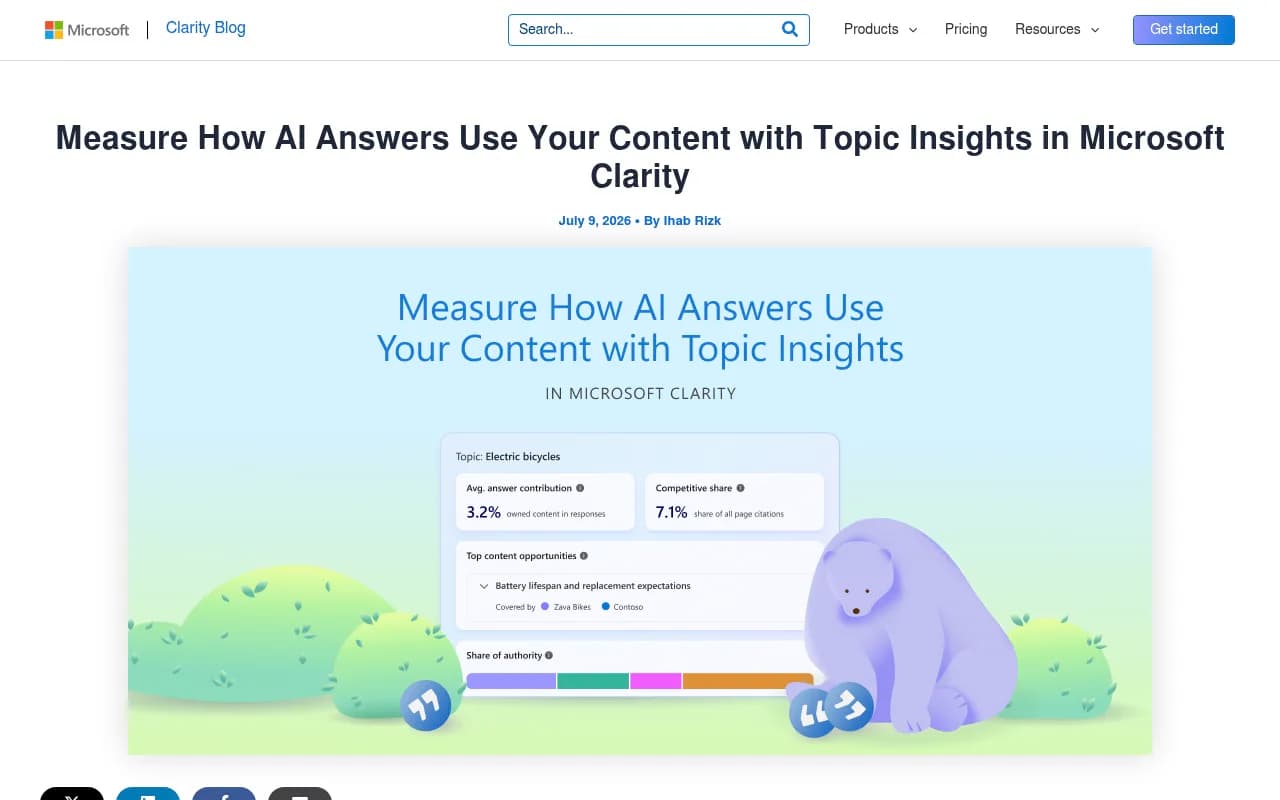
For each topic, Clarity reports four things:
- Your visibility: how often your domain is cited across AI responses, and your share of authority across all citations.
- Your influence: how much of an AI answer is supported by your content, which tells you whether you are a key contributor or a footnote.
- Your competition: which domains get cited alongside you, how often, and where they beat you.
- Your opportunities: specific gaps and prioritized actions to improve coverage, strengthen authority, or optimize existing content.
You can define your own topics, prompts and competitors, which matters. Auto-generated topics tend to drift toward generic categories, and you want the ones tied to products and questions that earn revenue.
The big selling point is price. Clarity says Topic Insights is available to everyone, unlike many AI visibility tools that lock this kind of analysis behind paid tiers. To find it, enable Citations, open the AI Visibility dashboard, then open Topic Insights. Clarity also claims AI-referred traffic converts at roughly 3x the rate of other channels, which is Microsoft's own study, so treat it as a directional figure and check your own numbers.
What Clarity's version is good at
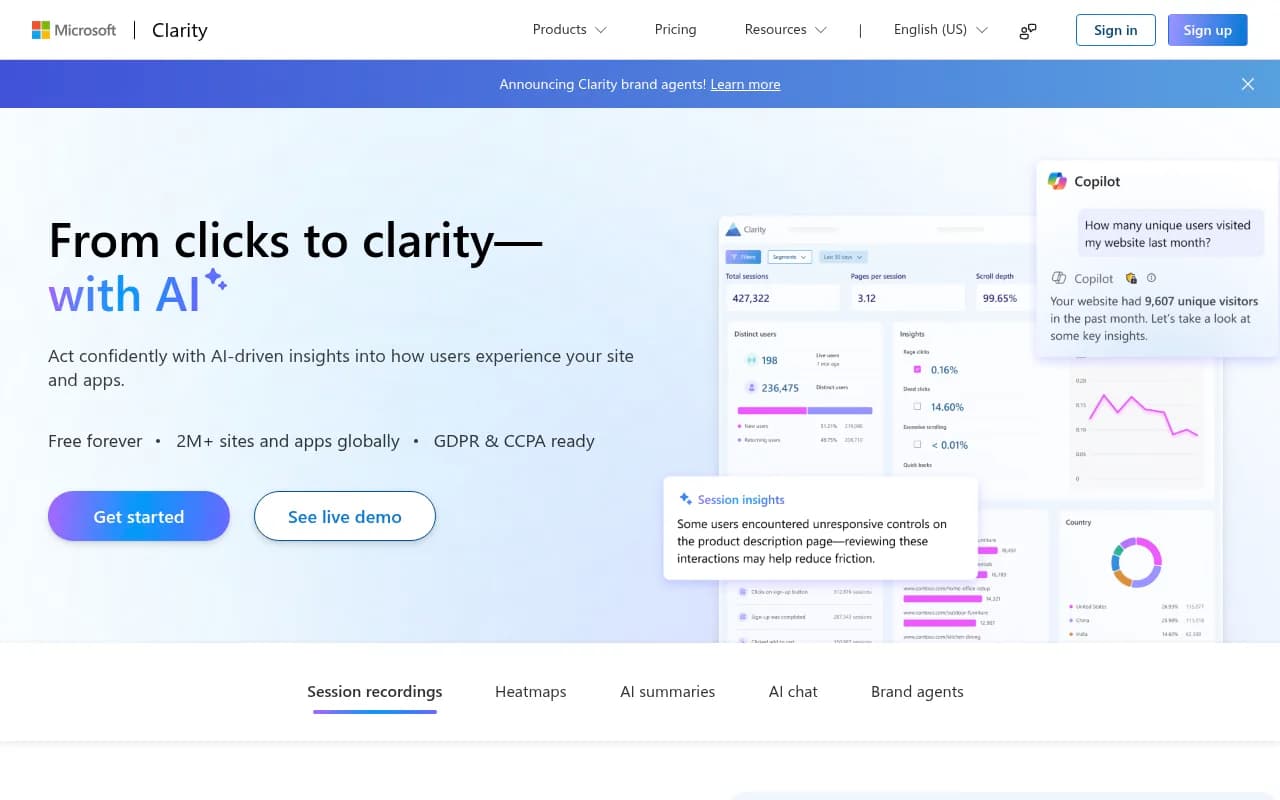
It is a solid starting point if you have no AI visibility tooling at all. You get topic-level citation share and a competitor view without paying anything. The limits are about scope. It is built around Microsoft's ecosystem and Clarity's own data, so it won't show you how ChatGPT, Perplexity, Gemini and AI Overviews each treat a topic, and it doesn't tie into crawler logs or content production.
Topic Insights in Promptwatch
Promptwatch approaches topics from a different angle. Its 360 Insights joins AI crawls, citations, clicks, and Google Search Console and Bing Webmaster data per page. Topic Insights is the view that rolls this up by subject: which topics earn AI activity, and where your pages underdeliver against them.
The practical difference is that you see activity, not just mentions. A topic can look fine on visibility and still be a problem if AI crawlers hit errors on the relevant pages, or if the pages get crawled constantly but never cited. Promptwatch shows the crawl-to-citation path per page, so you can tell those cases apart.
The questions it is good at answering:
- Which topics earn the most AI crawls and citation clicks?
- Which of my pages rank in Google and Bing but never get cited by AI?
- Where do competitors dominate a topic that I have no page for?
- Which topics are cited often but send no traffic?
From there, the Action Board turns gaps into a prioritized to-do list, and the Content Agent can draft and publish pages against the gaps. That closes the loop, which monitoring-only tools don't.
Clarity vs Promptwatch Topic Insights
| Microsoft Clarity | Promptwatch | |
|---|---|---|
| Cost | Free | Paid plans from $95/mo, free Explore tier for ChatGPT only |
| Topic metrics | Visibility, influence, competition, opportunities | Visibility, activity, crawls, citations, clicks per topic |
| Crawler data | No IP-verified logs | IP-verified AI crawler logs |
| Search data | Clarity data | Google Search Console and Bing joined per page |
| Content action | Recommendations | Action Board, content gap analysis, Content Agent with CMS publishing |
| Best for | Teams starting out | Teams that want to fix gaps and measure the fix |
Pricing changes, so confirm at promptwatch.com/pricing.
Reading topic data: what the content-type numbers say
A topic report tells you where you are weak. It doesn't tell you what kind of page fixes it. For that, look at what AI actually cites.
Promptwatch Data's ChatGPT citation share by content type (Sep 28 to Oct 4, 2026) found product pages earned 22.4% of classified citations and landing pages 16.8%, together about 39%. Listicles took 13.6%, documentation 7.5%, how-to guides 8.7%, comparisons 5.9% and news 5.7%.
Intent changes the picture:
- Commercial prompts like "best CRM for small businesses": product pages 26.0%, landing pages 20.6%, listicles 15.0%, comparisons 7.9%. Those four types are almost 70% of commercial citations.
- Informational prompts like "how does a CRM work": how-tos (10.7%), docs (8.5%) and articles (7.7%) all earn more than they do overall.
- Branded prompts like "is HubSpot good for startups": reviews reach 5.6%, more than 3x their overall share, and FAQ pages hit 4.8%.
So when a topic report says you underdeliver on a commercial topic, a new blog post probably isn't the answer. A clearer product page with pricing and target audience, or a spot in the roundups ChatGPT already cites, is more likely to move the number.
Why freshness differs by topic
Topics built on news age badly. Promptwatch Data's content half-life study tracked pages ChatGPT cited on July 6, 2026 for 90 days. After 30 days, ChatGPT still cited 78% of landing pages, 76% of docs and 72% of comparisons. News lost half its pages within 36 days, and almost a quarter of news pages were never cited again after day zero.
Product pages, reviews and how-tos each had about 55% still cited after 60 days, reaching half-life at 74 to 77 days. One caveat from the report: landing pages, docs and comparisons only cross 50% in the final week of the window, so their real half-life is likely near or beyond 90 days.
For topic planning this means you shouldn't judge all topics on the same clock. A topic carried by docs and landing pages is a long-term asset. A topic carried by news needs constant replenishment, and a drop there may just be decay.
Where pages underdeliver: four patterns
When I look at a topic where a brand has weak AI activity, it almost always falls into one of these.
1. No page exists
The prompts people ask have no matching page on your site. This is the simplest case and the most common. Content gap analysis maps your pages against the prompts AI answers and flags topics with no coverage. Fix: write the page, matched to the intent. A commercial question needs a comparison or product page, not an essay.
2. The page exists but is thin
You have a page, AI doesn't cite it, and competitors with more specific pages win. Thin usually means vague pricing, no specs, no named audience, or the same claims repeated across many pages. SEOProfy's AI Overviews research makes a similar point: pages with original insights that aren't repeated across dozens of other pages get picked. Fix: add facts only you have, such as data, pricing, specs and first-hand examples.
3. AI can't read the page
This one hides well. The page is good, but crawlers hit errors, JavaScript blocks content, or robots rules shut them out. In a topic view, it looks like a content problem when it is a technical one. Crawler logs and weekly site audits expose it. A free check such as Promptwatch's Agentic Readiness Check shows which AI crawlers can reach your site.
4. Read but never cited
Crawlers visit, the page gets fetched, and it still doesn't make the source list. Here the page is outclassed on the specific question. Compare it against the pages that do get cited for the topic, look at structure and directness of the answer, and refresh it. Content Refresh tools that show diffs against the current page are handy for this.
A monthly workflow
- Define 8 to 15 topics tied to revenue, not every topic you can think of. Include brand, category and competitor-comparison topics.
- Pull visibility, share and competitor overlap per topic. Rank topics by commercial value and gap size.
- For the top gaps, diagnose which of the four patterns applies. Crawl errors first, because they are cheap to fix.
- Pick the content type that matches the intent: product or landing pages for commercial topics, how-tos and docs for informational ones, reviews and an FAQ for branded ones.
- Publish or refresh, then watch crawls, citations and AI traffic on those pages for 30 to 60 days.
- Send underperformers back into the queue.
Step 5 is where most teams stop early. Without page-level tracking after publishing, you don't know whether the work did anything.
Other tools worth a look
Topic-style reporting is spreading across the category. Tools such as [tool:semrush], [tool:ahrefs-brand-radar] and [tool:profound] offer topic or share-of-voice views of their own. Semrush and Ahrefs are SEO suites adding AI tracking, so the AI-specific data tends to be shallower. [tool:otterly-ai] and [tool:peec-ai] are lighter prompt trackers. If you want to compare more options, the GEO software directory lists many of them.
| Tool type | Example | Topic view | Gap in practice |
|---|---|---|---|
| Free analytics | Microsoft Clarity | Yes, free | Limited to Clarity data and no crawler logs |
| SEO suite | Semrush, Ahrefs Brand Radar | Partial | Fixed prompt sets, shallow AI data |
| Prompt tracker | Otterly.AI, Peec AI | Basic | Little on crawlers, traffic or content creation |
| AI visibility platform | Promptwatch | Yes, with crawls, clicks and actions | Paid plans for full stack |
Common mistakes
- Tracking too many topics. If you can't act on a topic, drop it.
- Treating citation count as the goal. A topic with citations and zero traffic is a different problem from one with neither.
- Ignoring intent. Writing blog posts for topics where AI mostly cites product pages.
- Comparing news-driven and evergreen topics on the same trend line.
- Skipping the technical check and rewriting pages that crawlers never saw.
Bottom line
Topic Insights is worth using because it moves you from "are we mentioned" to "where is our content failing and what should we do about it." Start free with Clarity if you have nothing in place. If you need to see crawls, citations and traffic per page, and want the fix workflow in the same place, that is what Promptwatch's version is built for. Either way, pick a short list of revenue topics, find the biggest gap, and check the result a month later.
If you'd rather hand the strategy to specialists, 1001 SEO Media runs GEO and AI search programs for brands.