Gumloop Review 2026
No-code automation platform designed for building and automating SEO workflows and repetitive marketing tasks.
Key Takeaways:
- Visual automation builder with 130+ native integrations and AI-powered decision routing—no coding required
- Multi-model AI support (OpenAI, Claude, Gemini, Perplexity, Meta) with no per-model fees or add-ons
- Enterprise-grade features including SOC 2 compliance, VPC deployments, audit logging, and granular access controls
- Best for: Marketing teams, sales ops, agencies, and operations teams at companies from startups to enterprise (Instacart, Webflow, Shopify)
- Limitations: Steeper learning curve than simple Zapier-style tools; credit-based pricing can be hard to predict for complex workflows
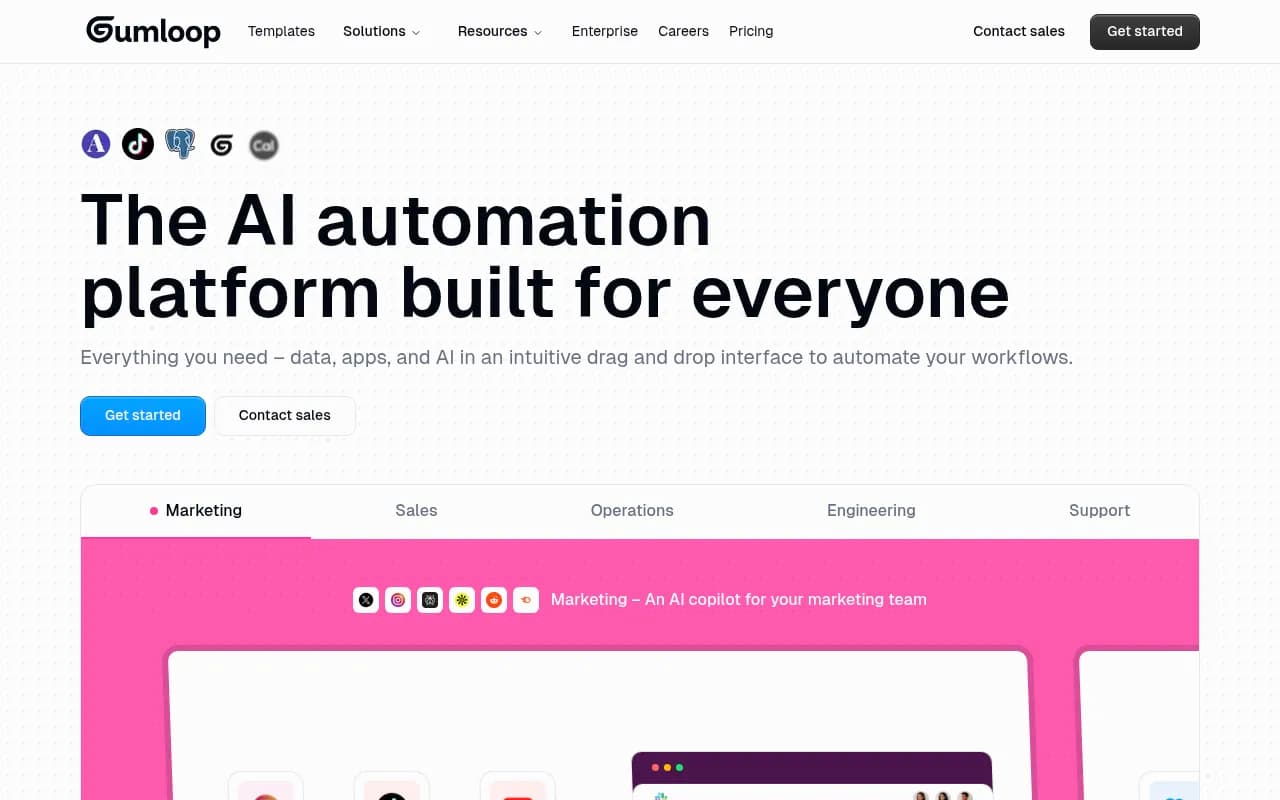
Gumloop is a no-code AI automation platform that lets anyone—marketers, salespeople, operations teams—build sophisticated workflows that connect apps, process data, and make AI-powered decisions. Launched in 2023 and backed by Y Combinator, Gumloop has quickly become a go-to tool for companies like Instacart, Webflow, and Shopify that need to automate complex, multi-step processes without writing code.
What sets Gumloop apart from traditional automation tools like Zapier or Make is its deep integration with AI models and its visual workflow builder designed specifically for AI-enhanced automations. Instead of simple if-this-then-that triggers, Gumloop lets you build workflows where AI makes decisions, routes tasks, extracts data, generates content, and categorizes information—all within a drag-and-drop interface.
The platform is built for teams that need more than basic automation but don't have engineering resources to build custom solutions. It's particularly strong for marketing teams running content operations, sales teams enriching leads, operations teams processing data at scale, and support teams triaging tickets.
Visual Workflow Builder with 130+ Native Integrations
Gumloop's core interface is a visual canvas where you drag and drop "nodes" to build workflows. Each node represents an action—read a Google Sheet, send a Slack message, ask AI to categorize data, scrape a website, update Salesforce. You connect nodes with lines to define the flow of data and logic.
The platform includes 130+ native integrations covering the full stack of business tools: Google Workspace (Sheets, Docs, Drive, Gmail, Calendar), Salesforce, HubSpot, Airtable, Notion, Slack, Microsoft Teams, Apollo, Semrush, Ahrefs, Instagram, YouTube, TikTok, LinkedIn, Reddit, Zendesk, Stripe, and more. Each integration is pre-built with specific actions (e.g. "Create Salesforce Contact", "Read Airtable Records", "Send Gmail") so you don't need to mess with API documentation.
What makes the builder powerful is how it handles data transformation and AI routing. You can use built-in nodes to parse JSON, extract table data, format text, loop through lists, and conditionally branch workflows. The AI Router node lets AI decide which path to take based on context—for example, routing high-priority support tickets to a manager while auto-responding to simple questions.
Multi-Model AI Support with No Per-Model Fees
Gumloop supports all major AI models in a single subscription: OpenAI (GPT-4, GPT-4o, o1, o3), Anthropic Claude (Sonnet, Opus), Google Gemini, Meta Llama, Perplexity, Microsoft Copilot, and DeepSeek. You can mix and match models within the same workflow—use GPT-4o for content generation, Claude for analysis, Perplexity for web research.
The AI nodes include:
- Ask AI: General-purpose LLM queries with custom prompts and structured output
- Web Research: AI-powered web scraping and research using Perplexity or custom search
- Extract Data: Pull structured data from unstructured text, PDFs, images
- Generate Text: Create articles, emails, social posts, reports with AI
- Generate Image: Create images with DALL-E or Stable Diffusion
- Categorizer: Classify data into categories using AI
- Table Extract: Pull tables from documents or web pages
- Route: Let AI decide which workflow path to take based on context
- MCP (Model Context Protocol): Connect to external tools and APIs that AI can call
Unlike competitors that charge per AI model or per token, Gumloop includes all models in your subscription. You pay for "credits" (execution time and compute), not per API call. This makes it easier to experiment with different models and build complex multi-model workflows without worrying about runaway costs.
Prompt-to-Workflow AI Builder
Gumloop's newest feature is a conversational AI that builds workflows from natural language prompts. You describe what you want to automate ("Monitor my Instagram comments, categorize them by urgency, and send a daily Slack summary"), and Gumloop generates a working workflow with the right nodes, connections, and AI prompts already configured.
This is a huge time-saver for non-technical users who know what they want to automate but don't want to spend hours dragging nodes around. The AI builder understands context about your connected apps and suggests relevant integrations. You can then refine the workflow visually or ask the AI to make changes.
Triggers and Scheduling
Gumloop workflows can run in three ways:
- Manual: Click a button to run on-demand
- Scheduled: Run on a cron schedule (every hour, daily at 9am, weekly on Mondays)
- Triggered: Automatically run when something happens in a connected app (new Salesforce contact, new Google Form submission, new email in Gmail, webhook received)
The trigger system supports webhooks, app-specific triggers (e.g. "New Airtable Record", "New HubSpot Deal"), and polling-based triggers for apps without native webhooks. You can also expose workflows as API endpoints that other systems can call.
Templates and Interfaces
Gumloop includes a template library with pre-built workflows for common use cases:
- Marketing: Social media sentiment analysis, content generation from YouTube transcripts, SEO keyword research automation, competitor monitoring
- Sales: Lead enrichment with Apollo + Perplexity, Salesforce book-of-business updates, automated outreach email drafting, meeting notes summarization
- Operations: Webhook data processing, database syncing, report generation, data validation
- Support: Zendesk ticket categorization, automated responses, weekly support insights reports
You can also create custom interfaces for your workflows—simple forms that let non-technical teammates trigger automations without seeing the underlying complexity. For example, a "Generate Blog Post" interface where someone enters a topic and gets back a drafted article, powered by a multi-step workflow that researches, outlines, writes, and formats.
Who Is Gumloop For?
Gumloop is built for teams that need sophisticated automation but lack engineering resources. The primary users are:
Marketing teams at SaaS companies and agencies (50-500 person companies) who need to automate content workflows, social media monitoring, SEO research, and reporting. These teams are running 10-50 workflows that connect tools like Semrush, Ahrefs, Google Analytics, social platforms, and content management systems. They need AI to generate content, analyze data, and make decisions—not just move data between apps.
Sales operations and RevOps teams at B2B companies who enrich leads, update CRMs, draft outreach emails, and generate account intelligence. They're connecting Salesforce/HubSpot with Apollo, LinkedIn, Perplexity, and internal databases. They need workflows that can research companies, score leads, and personalize outreach at scale.
Operations and finance teams at mid-market and enterprise companies who process data from multiple sources, generate reports, validate information, and sync systems. They're building workflows that replace manual spreadsheet work and custom scripts.
Digital agencies managing multiple clients who need to automate reporting, content production, and client communication. They use Gumloop's team features to build workflow templates they can replicate across clients.
Who should NOT use Gumloop: If you only need simple two-app automations ("When I get an email, add a row to a spreadsheet"), Zapier or Make are simpler and cheaper. If you're building customer-facing products or need sub-second response times, you need a proper backend with code. If your team has strong engineering resources, you might prefer building custom solutions with LangChain or n8n (open source).
Integrations and Ecosystem
Gumloop's 130+ native integrations cover:
- CRMs: Salesforce, HubSpot, Pipedrive
- Productivity: Google Workspace (Sheets, Docs, Drive, Gmail, Calendar, Meet), Microsoft 365 (Outlook, Teams, OneDrive), Notion, Airtable
- Communication: Slack, Microsoft Teams, Discord
- Marketing: Semrush, Ahrefs, Instagram, YouTube, TikTok, LinkedIn, Reddit, WordPress
- Sales: Apollo, LinkedIn Sales Navigator
- Support: Zendesk, Intercom
- Dev tools: GitHub, Linear, Jira
- Data: Amazon S3, PostgreSQL, MySQL, MongoDB (via custom nodes)
- AI: OpenAI, Anthropic, Google, Meta, Perplexity, Mistral, DeepSeek
For apps without native integrations, you can use HTTP Request nodes to call any REST API, or build custom nodes with JavaScript. Gumloop also supports MCP (Model Context Protocol), which lets AI models call external tools and APIs directly.
The platform has a REST API for triggering workflows, fetching results, and managing resources programmatically. There's also a Looker Studio connector for building custom dashboards with workflow data.
Pricing and Value
Gumloop uses credit-based pricing where credits represent compute time and AI usage:
- Free: $0/month, 2,000 credits/month, 1 seat, 1 active trigger, access to all integrations and AI models
- Solo: ~$50/month starting at 60,000 credits/month, 1 seat, unlimited triggers, priority support
- Team: ~$50/month per seat (pricing scales with credits), multiple seats, shared workflows, team permissions, audit logs
- Enterprise: Custom pricing, VPC deployment, dedicated support, custom integrations, SSO, advanced security
Credits are consumed based on workflow complexity, execution time, and AI model usage. Simple workflows (read a sheet, send an email) use ~10-50 credits. AI-heavy workflows (multiple LLM calls, web research, image generation) can use 500-2,000 credits per run. Gumloop provides a credit estimator in the builder so you can see costs before running.
Compared to competitors:
- vs Zapier: Zapier charges per "task" (each action in a workflow). For AI-heavy workflows, Gumloop is often cheaper because AI calls don't count as separate tasks. Zapier's AI features are also more limited.
- vs Make: Make has similar visual building but weaker AI integration and no built-in multi-model support. Pricing is comparable for simple workflows, but Gumloop is better for AI-first use cases.
- vs n8n: n8n is open source and self-hosted, so it's free if you run it yourself. But you need technical skills to set up and maintain. Gumloop's hosted platform with enterprise features is easier for teams.
- vs Relay.app: Relay is similar in concept but has fewer integrations and weaker AI routing. Gumloop's multi-model support and enterprise features are stronger.
The value proposition is strongest for teams running 20+ workflows per month that involve AI, data processing, or complex logic. At that scale, Gumloop's flat subscription beats per-task pricing from Zapier.
Strengths
- True multi-model AI support with no per-model fees—you can use GPT-4, Claude, Gemini, Perplexity in the same workflow without worrying about costs
- Visual builder that handles complexity—conditional logic, loops, data transformation, AI routing all work in the drag-and-drop interface
- 130+ native integrations covering the full business stack, not just the basics
- Enterprise-grade security and compliance—SOC 2, GDPR, VPC deployments, audit logging, granular permissions
- Prompt-to-workflow AI builder that generates working automations from natural language
- Strong for marketing and sales ops—integrations with Semrush, Ahrefs, Apollo, social platforms that competitors lack
Limitations
- Steeper learning curve than Zapier—the visual builder is powerful but takes time to master, especially for complex workflows with loops and conditionals
- Credit-based pricing can be unpredictable—hard to estimate costs for new workflows until you run them a few times
- No mobile app—you can trigger workflows via API or webhooks, but there's no native mobile interface for building or monitoring
- Limited real-time capabilities—workflows run on-demand or on schedules, not ideal for sub-second response times
Bottom Line
Gumloop is the best no-code automation platform for teams that need AI-powered workflows and don't have engineering resources to build custom solutions. It's particularly strong for marketing teams automating content and SEO workflows, sales teams enriching leads and updating CRMs, and operations teams processing data at scale. The visual builder handles complexity that Zapier can't, the multi-model AI support is unmatched, and the enterprise features make it viable for large companies. If you're running 20+ automations per month that involve AI, data processing, or complex logic, Gumloop will save you time and money compared to duct-taping together Zapier, ChatGPT, and custom scripts. Best use case in one sentence: Marketing and sales teams at 50-500 person companies who need to automate AI-powered workflows across 5-10 tools without writing code.
Tags:
Similar and alternative tools to Gumloop