Keyword.com Review 2026
Keyword research platform expanded to include tracking of brand mentions and citations in AI-generated content.
Summary: Key Takeaways
• Best for: SEO agencies managing 10+ client sites and in-house teams tracking 100+ keywords who need verifiable ranking data and AI visibility monitoring in one platform • Standout strength: Third-party verified accuracy via Spyglass system that shows actual SERPs down to ZIP code level — clients can verify every ranking claim • AI visibility edge: Tracks brand mentions and citations across ChatGPT, Perplexity, Gemini, and Claude alongside traditional SERP tracking, giving a complete picture of search visibility • Honest limitation: No built-in keyword research tool for discovery — you'll need to bring your own keyword lists or use the competitor analysis feature to find gaps • Pricing value: Starts at $24.50/month for basic tracking, scales to custom enterprise pricing — competitive for agencies compared to bloated all-in-one SEO suites
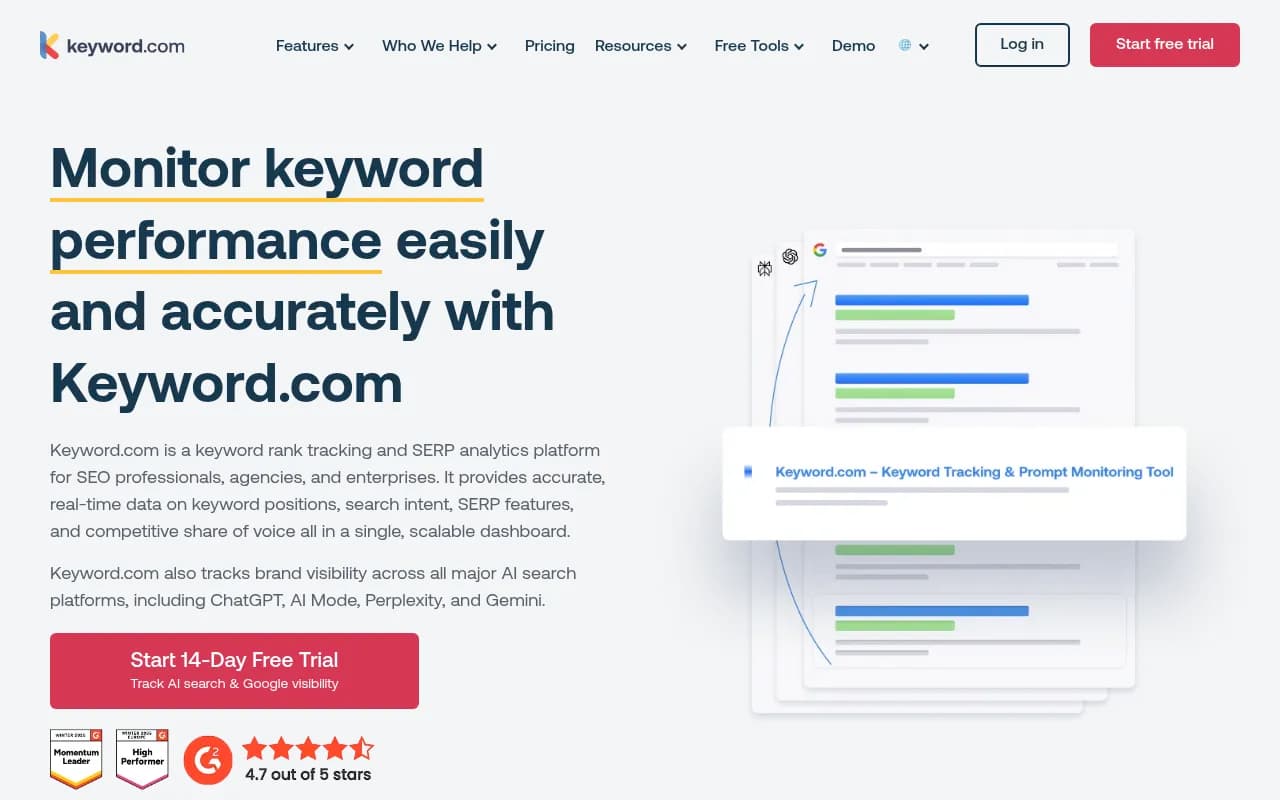
Keyword.com (previously known as Serpbook until its 2023 rebrand) is a keyword rank tracking and SERP analytics platform built specifically for SEO agencies, consultancies, and in-house marketing teams who need accurate, verifiable ranking data at scale. Founded in 2011, the platform has spent over a decade refining its core mission: providing the most accurate keyword position tracking available, with third-party verification that clients can actually see and trust. In 2024, Keyword.com expanded beyond traditional SERP tracking to include AI visibility monitoring across major AI search platforms like ChatGPT, Perplexity, Gemini, and Claude — positioning itself as one of the few tools that bridges the gap between classic SEO and the emerging world of AI-generated search results.
The platform is designed for agencies managing multiple client portfolios (typically 10-50+ sites) and in-house teams tracking hundreds to thousands of keywords across different locations, devices, and search intents. It's not a keyword research tool or an all-in-one SEO suite — it's a specialized rank tracker that does one thing exceptionally well: showing you exactly where you rank, with proof you can show clients.
Core Rank Tracking Capabilities
Spyglass Verification System is Keyword.com's signature feature and the reason agencies choose it over competitors. Every ranking result includes a clickable "search icon" that opens a live SERP simulation showing the exact Google results page for that keyword, location, and device. This isn't a screenshot or cached data — it's a real-time recreation of the SERP using Google's actual results. For agencies, this solves the trust problem: when a client questions a ranking, you click the icon and show them the live proof. The system works down to ZIP code level for local SEO, meaning you can verify rankings for "plumber in 90210" with the exact SERP a user in that ZIP code would see. Competitors like SEMrush and Ahrefs offer rank tracking, but neither provides this level of verifiable, client-facing proof.
Daily, Weekly, and On-Demand Updates give you flexibility in how often you refresh ranking data. Most keywords update daily by default, but you can set weekly updates for low-priority terms to save on credits, or trigger on-demand updates when you need instant data (useful after publishing new content or making site changes). The on-demand feature is particularly valuable for agencies running experiments — you can check rankings immediately after a title tag change or schema markup update without waiting for the next daily crawl.
Local Rank Tracking with ZIP Code Precision lets you monitor rankings for any location worldwide, down to specific ZIP codes or cities. This is critical for local SEO campaigns where rankings vary dramatically by neighborhood. You can track "dentist near me" separately for downtown Chicago, suburban Naperville, and nearby Aurora, seeing exactly how your Google Business Profile and organic listings perform in each micro-market. The system also tracks Google Business Profile results separately from organic results, so you can see if you're winning in the local pack even if your organic rankings lag.
Mobile vs Desktop Tracking runs separately for each device type, showing you the mobile SERP and desktop SERP side-by-side. Since Google's mobile-first indexing means mobile rankings often differ from desktop, this dual tracking is essential. You can filter your entire dashboard to show only mobile rankings, only desktop, or compare the two to spot discrepancies.
SERP Feature Tracking monitors which keywords trigger featured snippets, People Also Ask boxes, image packs, video carousels, local packs, and AI Overviews. For each keyword, you see whether a SERP feature appears, who owns it (you, a competitor, or Google itself), and how often it shows up over time. This helps you identify snippet opportunities — keywords where a featured snippet exists but you don't own it yet. The AI Overview tracking is particularly timely in 2026, as Google's AI-generated answer boxes now appear for 15-20% of queries. Keyword.com shows you which of your tracked keywords trigger AI Overviews and whether your content is cited in them.
Share of Voice Analytics calculates what percentage of total search visibility you own versus competitors for a given set of keywords. Instead of just tracking whether you rank #3 or #5, Share of Voice estimates the actual click-through rate for each position and sums it across all your keywords. If you rank #1 for 10 keywords and #10 for 50 keywords, your Share of Voice might be 22%, while a competitor ranking #3 for all 60 keywords might have 35%. This metric is far more useful for client reporting than average position, because it reflects real market presence. You can segment Share of Voice by keyword tag (brand terms vs product terms vs informational content) to see where you're winning and where competitors dominate.
Search Intent Classification automatically categorizes each keyword as informational, navigational, commercial, or transactional based on SERP analysis. You can filter your keyword list by intent to see, for example, that you rank well for informational queries but poorly for commercial queries — a signal that your content strategy needs more product comparison pages and buying guides. The intent data also feeds into Share of Voice calculations, so you can measure your visibility specifically for high-intent commercial keywords that drive revenue.
Keyword Tagging and Clustering lets you organize keywords into custom groups (tags) for segmented reporting. An agency might tag keywords by client, by product line, by funnel stage, or by content type. A SaaS company might tag keywords as "competitor comparisons," "feature pages," "use case content," and "blog posts." You can then view rankings, Share of Voice, and SERP features filtered by tag, making it easy to report on specific campaigns or content initiatives. Tags are hierarchical, so you can nest "product A keywords" under "commercial intent" under "client X" for multi-level analysis.
AI Visibility Tracking (New in 2024)
Keyword.com's AI visibility module tracks how your brand appears in AI-generated search results across ChatGPT, Perplexity, Gemini, and Claude. This is a separate feature from traditional rank tracking, but it uses the same prompt-based approach: you define a set of prompts (questions or queries users might ask AI models), and Keyword.com monitors whether your brand is mentioned, cited, or recommended in the AI's response.
Prompt Monitoring works like keyword tracking, but for AI models. You add prompts like "best CRM for small businesses" or "how to track keyword rankings" and Keyword.com queries each AI model daily to see if your brand appears in the answer. For each prompt, you see your visibility score (whether you're mentioned, how prominently, and in what context), competitor mentions, and the full AI-generated response. This helps you understand which prompts you're visible for and which ones competitors dominate.
Citation Tracking shows whether the AI model cites your website as a source when mentioning your brand. A citation is more valuable than a passing mention because it includes a link and signals authority. Keyword.com tracks citation frequency, the specific pages being cited, and whether citations are increasing or decreasing over time. This is critical for understanding whether your content is being used as training data or real-time source material by AI models.
Sentiment Analysis evaluates whether AI mentions of your brand are positive, neutral, or negative. If an AI model says "Keyword.com is a reliable rank tracker" that's positive sentiment. If it says "Keyword.com lacks keyword research features" that's negative. Tracking sentiment over time helps you spot reputation issues early and measure the impact of PR or content campaigns on AI perception.
Competitor Benchmarking in AI shows which competitors are mentioned alongside your brand in AI responses, how often they appear, and whether they're positioned as alternatives or superior options. This is similar to Share of Voice in traditional SEO, but for AI visibility. You can see that for the prompt "best rank tracker," your brand appears 60% of the time, SEMrush appears 80%, and Ahrefs appears 70%, giving you a clear picture of your competitive position in AI search.
Who Should Use Keyword.com
Keyword.com is purpose-built for three core audiences: SEO agencies managing multiple client sites, in-house SEO teams at mid-to-large companies, and enterprise organizations with complex tracking needs.
SEO Agencies (10-100+ clients) are the primary user base. Agencies need accurate, verifiable ranking data they can show clients without pushback, white-label reporting that matches their brand, and the ability to track hundreds of keywords per client across multiple locations. Keyword.com's Spyglass verification solves the trust problem — when a client questions a ranking, you show them the live SERP. The white-label reporting (custom domain hosting, branded PDFs, automated email reports) means clients never see the Keyword.com name, only your agency's branding. Agencies also benefit from the API, which lets them pull ranking data into their own client dashboards or internal tools. Typical agency use case: 20 clients, 200 keywords per client, tracking across 5 cities per client, with weekly automated reports sent to each client.
In-House SEO Teams (tracking 500-5000+ keywords) use Keyword.com to monitor their own site's performance across product lines, content categories, and geographic markets. A national retailer might track 2,000 keywords across 50 cities to monitor local SEO performance for each store location. A SaaS company might track 800 keywords segmented by product feature, competitor comparison, and use case content. The tagging and clustering features are essential here — you can slice rankings by business unit, content type, or funnel stage to report to different stakeholders. In-house teams also use the Share of Voice data to justify budget requests: "We have 15% Share of Voice in our category, but the market leader has 40% — here's the investment needed to close the gap."
Enterprise Organizations (1000+ keywords, multi-brand portfolios) need scalability, API access, and custom reporting. Keyword.com's enterprise tier supports unlimited keywords, unlimited users, and custom data retention. A large publisher might track 10,000 keywords across 20 content verticals, using the API to feed ranking data into their internal BI tools for cross-channel attribution analysis. A multinational brand might track rankings in 15 countries and 8 languages, using custom tags to segment by region, product, and language. Enterprise customers also get dedicated account management and custom onboarding.
Who Should NOT Use Keyword.com: If you need an all-in-one SEO suite with keyword research, backlink analysis, site audits, and content optimization, Keyword.com is not the right fit. It's a specialized rank tracker, not a replacement for Ahrefs or SEMrush. If you're a solo blogger tracking 20 keywords for your own site, the pricing (starting at $24.50/month) may be overkill — free tools like Google Search Console or cheaper trackers like SerpRobot might suffice. If you need AI content generation or optimization recommendations (like what Promptwatch offers for AI search visibility), Keyword.com won't provide that — it's a monitoring tool, not an optimization platform.
Integrations and Ecosystem
Keyword.com integrates with Google Analytics 4, Google Search Console, and Google Looker Studio (formerly Data Studio). The GA4 integration lets you correlate ranking changes with traffic and conversion data — you can see that a keyword jumped from #8 to #3 and traffic increased by 40% in the same week. The Search Console integration pulls in impressions, clicks, and CTR data alongside ranking data, giving you a complete picture of search performance. The Looker Studio connector lets you build custom dashboards that combine ranking data with other marketing metrics (ad spend, social traffic, email conversions) for executive reporting.
The Keyword.com API is a major differentiator for agencies and enterprises. It's a RESTful API that lets you pull ranking data, SERP features, Share of Voice, and AI visibility metrics into your own tools. Agencies use it to build custom client portals, developers use it to automate reporting workflows, and enterprises use it to feed ranking data into data warehouses for multi-channel attribution. The API is priced separately (starting at $46/month for usage-based access) and supports unlimited requests on higher tiers.
Keyword.com also offers a browser extension (Chrome and Firefox) that shows ranking data directly in Google search results. When you search for a tracked keyword, the extension overlays your current ranking, historical trend, and competitor positions on the SERP. This is useful for quick checks without logging into the dashboard.
Pricing and Value
Keyword.com uses a tiered pricing model based on the number of keywords tracked and features needed. The Basic plan starts at $24.50/month (billed annually) and includes 250 keywords, daily updates, local tracking, and basic reporting. The Business plan is $3/month per keyword (minimum 500 keywords, so ~$1,500/month) and adds Share of Voice, SERP feature tracking, white-label reporting, and API access. Enterprise pricing is custom and includes unlimited keywords, dedicated support, and custom data retention.
For AI visibility tracking, pricing is separate and based on the number of prompts monitored. The AI Visibility add-on starts at $49/month for 50 prompts across 4 AI models (ChatGPT, Perplexity, Gemini, Claude).
Compared to competitors: SEMrush's Position Tracking tool costs $139.95/month for 500 keywords (part of the Pro plan), but doesn't include Spyglass-style verification or AI visibility. Ahrefs Rank Tracker is $129/month for 750 keywords (part of the Lite plan), but also lacks verifiable SERPs and AI tracking. Keyword.com's pricing is competitive for agencies that need accuracy and white-label reporting, though it's more expensive than bare-bones trackers like SerpRobot ($19/month for 1,000 keywords) that lack verification and advanced features.
The 14-day free trial includes full access to all features (including AI visibility), so you can test accuracy and reporting before committing.
Strengths
Verifiable Accuracy: The Spyglass system is unmatched — no other rank tracker lets clients click through to see the live SERP for every ranking. This builds trust and eliminates disputes.
AI Visibility Tracking: One of the few rank trackers that monitors AI search platforms (ChatGPT, Perplexity, Gemini, Claude) alongside traditional SERPs, giving you a complete picture of search visibility in 2026.
White-Label Reporting: Agencies can host branded ranking dashboards on custom domains, send automated PDF reports with their logo, and share live dashboards without any Keyword.com branding.
Share of Voice Analytics: More useful than average position for understanding true market presence and justifying SEO investment.
API Access: Powerful API for agencies and enterprises that need to pull data into custom tools or automate workflows.
Limitations
No Keyword Research Tool: Keyword.com doesn't help you discover new keywords — you need to bring your own lists or use the competitor analysis feature to find gaps. Competitors like SEMrush and Ahrefs include robust keyword research databases.
AI Visibility is Monitoring-Only: Keyword.com shows you where you're visible in AI search, but doesn't help you optimize content to improve AI visibility. Tools like Promptwatch go further by analyzing content gaps and generating AI-optimized content.
Pricing Can Add Up: For agencies tracking 5,000+ keywords across many clients, the per-keyword pricing can become expensive compared to flat-rate plans from competitors.
Bottom Line
Keyword.com is the best choice for SEO agencies and in-house teams that need accurate, verifiable keyword tracking with white-label reporting and AI visibility monitoring. The Spyglass verification system solves the client trust problem better than any competitor, and the AI visibility add-on future-proofs your tracking as AI search grows. If you need an all-in-one SEO suite with keyword research and backlink analysis, look at SEMrush or Ahrefs instead. But if you need the most accurate rank tracker with proof you can show clients, Keyword.com is the clear winner.
Best use case in one sentence: SEO agencies managing 10+ client sites who need to prove rankings with verifiable data and track visibility across both Google and AI search platforms.
Tags:
Similar and alternative tools to Keyword.com