Statsig Review 2026
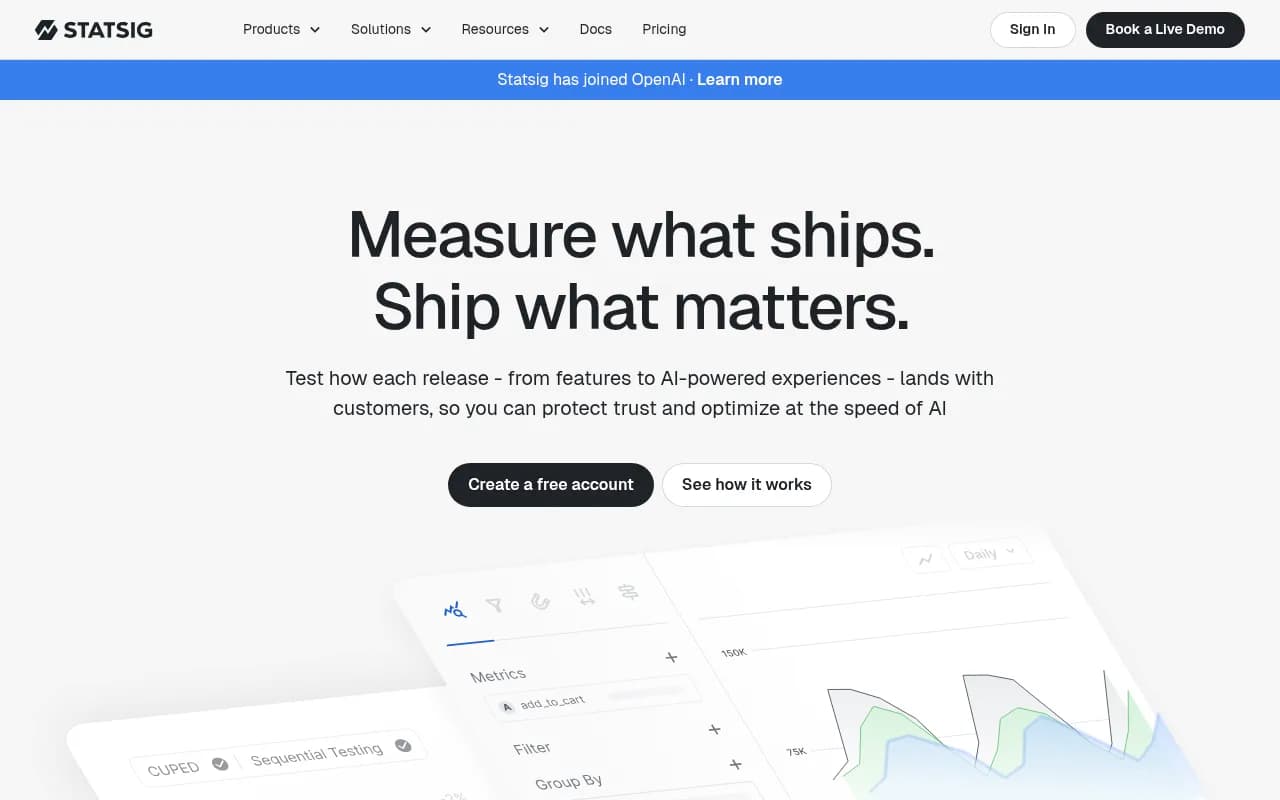
Statsig is an integrated product development platform used by OpenAI, Brex, and Notion to run experiments, manage feature releases, and analyze product data. Combines A/B testing, feature flags, product analytics, session replays, and a warehouse-native architecture in a single platform with generou
Summary
- Best for: Product teams, data scientists, and engineers at tech companies who want experimentation, feature flags, and analytics in one platform instead of juggling multiple tools
- Standout strength: Warehouse-native architecture that processes 1+ trillion events daily with <1ms latency, plus tight integration between flags, experiments, and analytics
- Notable acquisition: Joined OpenAI in 2024, validating its approach to product experimentation at scale
- Pricing edge: Free tier supports 1M events/month; Pro starts at $150/month vs competitors like Amplitude at $995+/month
- Limitation: Newer player compared to LaunchDarkly or Optimizely, so some enterprise features and integrations are still maturing
Statsig is a product development platform that consolidates experimentation, feature management, product analytics, session replays, and more into a single integrated system. Founded by ex-Facebook engineers who built Meta's experimentation infrastructure, Statsig brings enterprise-grade capabilities to companies of all sizes. The platform processes over 1 trillion events per day across 2.5 billion monthly experiment subjects, with customers ranging from OpenAI and Notion to early-stage startups.
The core insight behind Statsig: most companies cobble together separate tools for feature flags (LaunchDarkly), experimentation (Optimizely), and analytics (Amplitude), then struggle to connect the dots. Statsig unifies these workflows so you can ship a feature behind a flag, run an experiment to measure impact, analyze results with advanced statistics, watch session replays of user behavior, and iterate -- all without switching tools or stitching together data pipelines.
In 2024, Statsig was acquired by OpenAI, where it had been used extensively to experiment on ChatGPT features and optimize AI-powered experiences. The acquisition signals both Statsig's technical strength and the growing importance of rigorous experimentation for AI products.
Experimentation Platform
Statsig's experimentation engine is built for scale and statistical rigor. You can run A/B tests, multivariate tests, and complex multi-armed bandit experiments across web, mobile, and backend systems. The platform supports advanced statistical methods including CUPED (variance reduction), sequential testing (peek at results early without inflating false positives), and Bayesian analysis.
The stats engine automatically detects metric movements, flags suspicious results (like sample ratio mismatches), and provides confidence intervals with multiple testing corrections. You can set up guardrail metrics that alert you if an experiment negatively impacts core KPIs, and the platform will auto-stop experiments that cross safety thresholds.
Experiment setup is code-light: define your variants, select target metrics from your metric library, choose allocation percentages, and ship. The platform handles randomization, assignment persistence, and result computation. You can layer multiple experiments to test orthogonal hypotheses without interaction effects, and use holdout groups to measure long-term cumulative impact of your experimentation program.
Statsig's Pulse Results view shows metric movements across dozens of metrics simultaneously, with drill-downs by user segment, device type, geography, or any custom dimension. Session replays are linked directly to experiment variants, so you can watch how users in the treatment group actually behave vs control.
Feature Flags and Release Management
Statsig Feature Gates (their term for feature flags) go beyond simple on/off switches. Each flag can target users based on complex conditions: user attributes, geographic location, device type, app version, custom properties, or membership in dynamic segments. You can create percentage rollouts (show to 10% of users), staged rollouts (ramp from 5% to 100% over a week), or targeted rollouts (show only to beta users in the US on iOS).
Flags are evaluated server-side or client-side depending on your SDK choice, with <1ms post-initialization latency. The platform supports local evaluation for ultra-low-latency use cases and provides a CDN-backed edge network for global deployments. Flag changes propagate in seconds, and you can schedule flag updates or set up auto-rollback rules if metrics degrade.
Every flag is automatically an experiment if you want it to be. Just enable experiment mode, and Statsig will measure the impact of your feature on all your key metrics. This "every release is an experiment" philosophy helps teams build a culture of measurement without extra setup work.
The platform includes Dynamic Configs for parameterizing features (e.g. button colors, recommendation algorithm weights, timeout values) and Autotune for automatically optimizing config values based on metric performance. Layers let you run multiple experiments on the same surface without conflicts, and holdouts let you measure the cumulative impact of all experiments in a layer over time.
Product Analytics
Statsig's analytics suite includes funnels, retention curves, user flows, event segmentation, and a metrics explorer for ad-hoc analysis. The platform is built on a warehouse-native architecture, meaning your event data stays in your Snowflake, BigQuery, or Databricks warehouse. Statsig queries your warehouse directly instead of copying data into a proprietary system.
This approach has major advantages: no data duplication, no vendor lock-in, and the ability to join Statsig metrics with your other business data (CRM, billing, support tickets) using SQL. You can define metrics using SQL or a no-code builder, and those metrics are instantly available across experiments, dashboards, and alerts.
The Metrics Explorer lets you slice any metric by any dimension, compare time periods, and drill into user-level data. You can build custom dashboards with charts, tables, and metric cards, then share them with stakeholders or embed them in Notion/Confluence. The platform supports real-time metrics (updated every few minutes) and historical metrics (computed in batch).
Statsig also offers a standalone web analytics product (similar to Google Analytics) for tracking page views, sessions, and user journeys on websites. This is useful for marketing teams who want basic web analytics without setting up a full product analytics stack.
Session Replays
Session Replay captures user interactions (clicks, scrolls, form inputs, page navigations) and plays them back as a video-like recording. You can watch how users experience your app, identify friction points, and debug issues that are hard to reproduce.
Replays are automatically linked to feature flags and experiments, so you can filter to "show me replays of users in the treatment group who dropped off at step 3 of the funnel." This makes it easy to understand why an experiment moved a metric in a certain direction. You can also search replays by user ID, session properties, or events triggered during the session.
The replay SDK is privacy-focused: it masks sensitive data (passwords, credit card numbers, PII) by default and lets you configure additional masking rules. Replays are stored for 30 days on the Pro plan and longer on Enterprise.
Warehouse Native Architecture
Statsig's warehouse-native approach is a key differentiator. Instead of ingesting your events into Statsig's database, you send events to your own data warehouse (Snowflake, BigQuery, Databricks, Redshift). Statsig then queries your warehouse to compute experiment results, generate dashboards, and power analytics.
This means your data never leaves your infrastructure. You maintain full control, can audit queries, and avoid data duplication costs. It also means you can define metrics using the same SQL you use for other business reporting, and those metrics automatically work in Statsig.
For teams without a warehouse, Statsig offers a managed ingestion pipeline that stores events in Statsig's infrastructure. This is simpler to set up but less flexible than the warehouse-native option.
Integrations and Ecosystem
Statsig integrates with Slack (experiment result notifications, flag change alerts), Jira (link experiments to tickets), Datadog (send metric movements to Datadog monitors), Segment (ingest events from Segment), and GitHub (link feature flags to pull requests).
The platform offers SDKs for 20+ languages and frameworks: JavaScript, React, React Native, Node.js, Python, Ruby, Go, Java, Swift, Kotlin, PHP, .NET, Unity, Flutter, C++, Rust, Erlang, and more. SDKs support both client-side and server-side evaluation, with local caching and fallback logic for high availability.
Statsig provides a REST API for programmatic access to experiments, flags, metrics, and user data. You can use the API to build custom workflows, sync data to other tools, or automate experiment setup.
Who Is It For
Statsig is built for product-led tech companies that ship frequently and want to measure the impact of every release. The primary users are product managers, data scientists, and engineers at SaaS companies, consumer apps, marketplaces, and fintech platforms.
Small teams (10-50 people) use Statsig to get experimentation and feature flags without hiring a dedicated data team. The free tier supports 1 million events per month, which covers most early-stage startups. The no-code experiment setup and pre-built metric templates make it accessible to non-technical PMs.
Mid-size companies (50-500 people) use Statsig to scale their experimentation culture. Notion went from single-digit experiments per quarter to hundreds of experiments using Statsig. Ancestry increased experimentation velocity 9x (from 70 to 600+ annual experiments). These companies value the integrated platform approach -- they don't want to manage separate contracts with LaunchDarkly, Optimizely, and Amplitude.
Enterprises (500+ people) use Statsig for its infrastructure reliability and warehouse-native architecture. OpenAI runs hundreds of experiments across hundreds of millions of ChatGPT users. Brex consolidated their analytics and experimentation stack, achieving 50% time savings for data scientists and 20% cost savings. SoundCloud evaluated Optimizely, LaunchDarkly, Split, and Eppo before choosing Statsig for its end-to-end integration.
Statsig is particularly strong for companies with data warehouses (Snowflake, BigQuery, Databricks). The warehouse-native architecture lets data teams define metrics in SQL and maintain full control over their data. If you don't have a warehouse or don't want to manage one, Statsig's managed ingestion works fine but you lose some flexibility.
Statsig is less ideal for non-technical teams (marketing agencies, e-commerce stores) who want a plug-and-play solution with minimal setup. Tools like VWO or Google Optimize (RIP) are simpler for basic A/B testing. Statsig assumes you have engineers who can integrate SDKs and data scientists who understand statistical concepts like p-values and confidence intervals.
Pricing and Value
Statsig offers a generous free tier: 1 million events per month, unlimited feature flags, unlimited experiments, and unlimited team members. This covers most startups and side projects. The free tier includes core analytics, session replays (100 replays/month), and access to all SDKs.
The Pro plan starts at $150/month base fee plus usage-based pricing. At 1 million events, you pay around $200/month total. At 10 million events, you pay around $500/month. This scales linearly with event volume, with discounts at higher tiers.
For comparison, Amplitude's Growth plan starts at $995/month for similar event volumes. LaunchDarkly charges per seat and per monthly active user, which can get expensive fast. Optimizely's pricing is opaque but typically starts in the $50k+/year range for enterprise contracts.
Statsig's pricing is transparent and scales with usage, not seats. You can have unlimited team members on any plan. The Pro plan includes advanced features like CUPED, sequential testing, holdouts, and warehouse-native analytics.
Enterprise plans add SSO, custom contracts, dedicated support, SLAs, and advanced security features. Pricing is custom based on event volume and needs.
The value proposition is strong: you get 5+ products (experimentation, feature flags, analytics, session replays, web analytics) for the price of one or two point solutions. Brex reported 20% cost savings by consolidating tools. The integrated platform also saves engineering time -- no need to build data pipelines between your feature flag tool and your analytics tool.
Strengths
Integrated platform: Flags, experiments, and analytics in one tool means no data silos or integration headaches. You can ship a feature, measure its impact, and iterate without switching tools.
Warehouse-native architecture: Your data stays in your warehouse. You define metrics in SQL and maintain full control. This is a huge win for data teams who want flexibility and governance.
Statistical rigor: Advanced methods like CUPED, sequential testing, and Bayesian analysis are built-in. The stats engine automatically detects issues like sample ratio mismatches and provides guardrails to prevent bad decisions.
Infrastructure reliability: 99.99% uptime, <1ms latency, and 1+ trillion events processed daily. The platform is battle-tested at massive scale (OpenAI, Brex, Notion).
Generous free tier: 1 million events/month for free is more than most competitors offer. This makes Statsig accessible to startups and side projects.
Limitations
Newer player: Statsig launched in 2021, so it's less mature than LaunchDarkly (2014) or Optimizely (2010). Some enterprise features (advanced permissioning, audit logs, compliance certifications) are still catching up.
Warehouse-native complexity: If you don't have a data warehouse or don't want to manage one, the warehouse-native approach adds setup complexity. The managed ingestion option works but you lose some benefits.
Learning curve: The platform is powerful but not simple. Non-technical users may struggle with concepts like layers, holdouts, and CUPED. The UI is clean but dense with options.
Limited no-code experimentation: Unlike VWO or Google Optimize, Statsig doesn't offer a visual editor for creating experiments without code. You need to integrate SDKs and instrument events.
Bottom Line
Statsig is the best choice for product-led tech companies that want to consolidate experimentation, feature flags, and analytics into one platform. It's particularly strong for teams with data warehouses who value statistical rigor and infrastructure reliability. The free tier makes it accessible to startups, while the Pro plan offers enterprise-grade features at a fraction of the cost of competitors like Amplitude or Optimizely. If you're currently juggling LaunchDarkly for flags, Optimizely for experiments, and Amplitude for analytics, Statsig can replace all three and save you money while improving your workflow. Best use case: a Series A-C SaaS company with 20-200 employees that ships weekly and wants every release to be an experiment.
Tags:
Frequently asked questions
What is Statsig and what does it do?
Who uses Statsig?
How much does Statsig cost?
Does Statsig have a free plan?
What makes Statsig different from LaunchDarkly or Optimizely?
Who founded Statsig?
What happened with Statsig and OpenAI?
What is warehouse-native architecture in Statsig?
Is Statsig good for small startups or just enterprise companies?
What features does Statsig include?
Similar and alternative tools to Statsig