Userpilot Review 2026
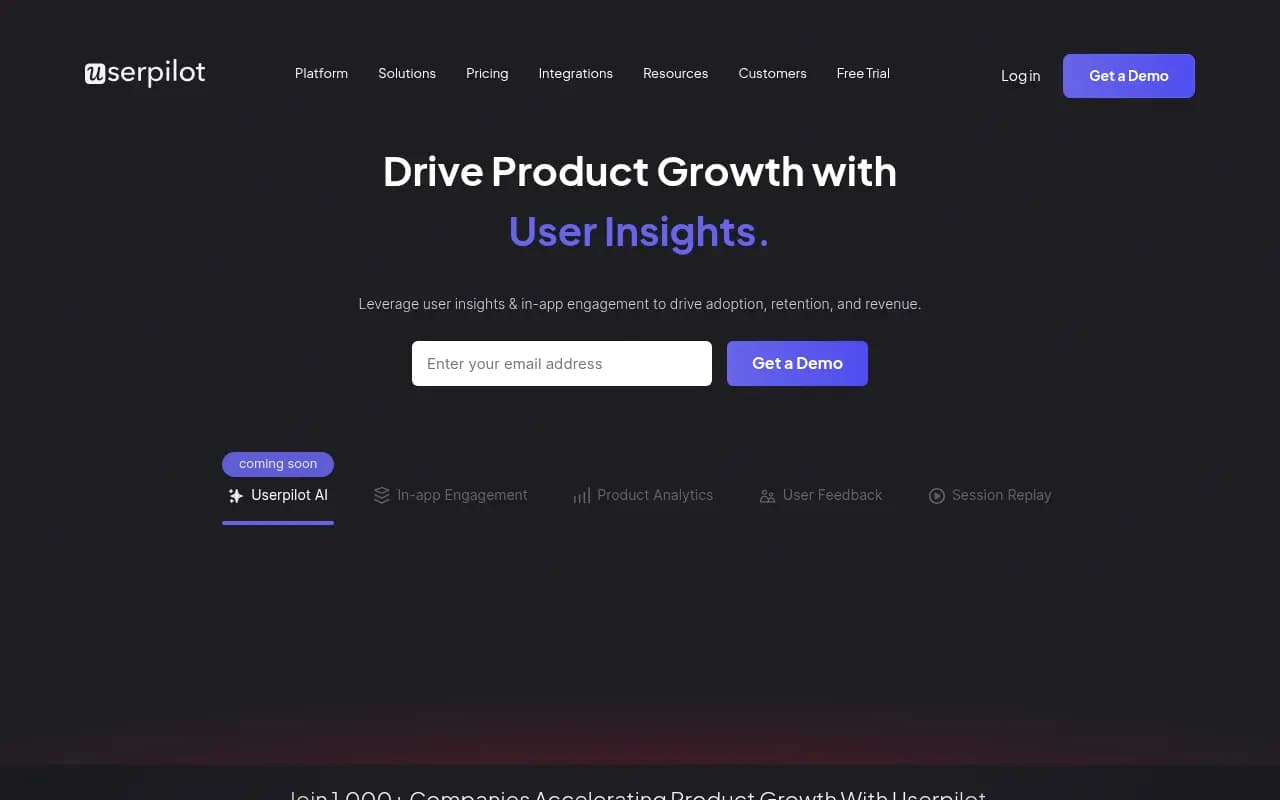
Userpilot is a product growth platform that combines in-app engagement, product analytics, user feedback, and session replay to help SaaS teams drive adoption, retention, and revenue. Built for product managers and growth teams, it enables no-code onboarding flows, contextual microsurveys, behaviora
Summary
- Best for product-led SaaS teams who want to combine user onboarding, analytics, feedback, and session replay in one platform without needing engineering resources
- Standout strength: No-code UI builder for in-app experiences plus native analytics -- most competitors force you to use separate tools for engagement and measurement
- Pricing starts at $299/month which is steep for early-stage startups, but competitive for growing teams when you factor in the bundled analytics and feedback tools
- Missing compared to Promptwatch: Userpilot focuses on in-app product experiences, not AI search visibility or brand monitoring in LLMs like ChatGPT, Perplexity, or Claude. If you need GEO/AEO capabilities, content gap analysis, or AI citation tracking, Promptwatch is the platform for that.
- Bottom line: Strong all-in-one solution for product teams who want to improve activation and retention through guided experiences and behavioral data, but not a fit if your growth strategy depends on AI search visibility

Userpilot is a product growth platform built for SaaS companies that want to improve user activation, feature adoption, and retention without writing code. Founded as a solution for product managers who were tired of waiting on engineering for every onboarding tweak or analytics report, it's grown into a full-featured platform used by over 1,000 companies including DHL, iFood, and Kontentino. The core pitch: give product teams the tools to understand users, engage them contextually, and measure what's working -- all in one place.
The target audience is product managers, product marketers, and growth teams at B2B SaaS companies, typically in the 10-200 employee range. If you're a solo founder or a 3-person startup, the $299/month entry price is probably too much. If you're an enterprise with complex compliance needs, you'll want the Enterprise plan with SSO and custom contracts. The sweet spot is mid-market SaaS companies that have found product-market fit and are now focused on optimizing the user journey to reduce churn and expand accounts.
Core capabilities breakdown
In-app engagement and onboarding: This is where Userpilot started and it's still the strongest part of the platform. You get a Chrome extension that lets you build onboarding flows, tooltips, modals, slideouts, banners, and checklists directly on top of your live product -- no coding required. Click the element you want to highlight, write your tooltip copy, set your targeting rules (new users, users who haven't completed X, users from Y segment), and publish. The UI patterns are solid: modals for welcome messages, tooltips for feature discovery, checklists for activation milestones, slideouts for announcements. You can A/B test different flows, trigger experiences based on user behavior or properties synced from your CRM, and localize content for different languages. The builder itself is intuitive -- if you've used Intercom or Appcues, you'll feel at home. Where it gets interesting is the goal tracking: you can set a conversion goal for each flow (e.g. "user completes onboarding checklist") and Userpilot will show you completion rates, drop-off points, and time-to-complete. This closes the loop between engagement and outcomes in a way that pure engagement tools like Chameleon don't.
Product analytics: Userpilot added analytics in 2021 and it's become a legitimate alternative to Mixpanel or Amplitude for teams that don't need enterprise-scale data warehouses. You get event tracking (autocapture or manual tagging), funnel analysis, path analysis, cohort analysis, retention curves, and custom reports. The autocapture is Chrome-extension-based -- you click elements in your product and Userpilot starts tracking them as events. This is faster than instrumenting everything in code, but it means you're limited to frontend interactions (no backend events unless you send them via API). The funnel builder is straightforward: pick your events, set your time window, add filters, and see conversion rates at each step. Path analysis shows you the most common journeys users take before or after a key event. Retention curves let you compare cohorts over time. The reports are clean and fast -- noticeably faster than Amplitude for basic queries, though you'll hit limits if you're analyzing millions of events. The big advantage here is that analytics and engagement share the same segmentation engine, so you can build a segment in analytics ("users who completed step 1 but not step 2 in the last 7 days") and immediately target them with an in-app message. Most competitors make you export a CSV and upload it to your engagement tool.
User feedback and microsurveys: Userpilot lets you trigger contextual surveys inside your product -- NPS, CSAT, CES, or custom questions. The key word is contextual: instead of emailing a generic NPS survey to your entire user base, you can show a 1-question survey to users right after they complete a specific action ("How easy was it to set up your first campaign?") or when they hit a friction point ("What stopped you from completing this step?"). Response rates are 5-10x higher than email surveys because you're asking at the moment of experience. The survey builder supports multiple question types (rating scales, multiple choice, open text), skip logic, and custom thank-you messages. Responses flow into a dashboard where you can filter by user segment, tag themes, and track sentiment over time. You can also close the loop by triggering follow-up flows based on survey responses -- e.g. if someone gives you a low NPS score, show them a modal asking what went wrong and offer a call with support. The analysis tools are basic (word clouds, sentiment tagging) but functional. If you need advanced text analytics, you'll export to a dedicated feedback tool like Dovetail.
Session replay: Added in late 2023, session replay lets you watch recordings of real user sessions to see where people get stuck, confused, or frustrated. It's privacy-first -- you can mask sensitive data (credit card fields, email addresses, etc.) and Userpilot doesn't record keystrokes or passwords. The player is smooth and you can skip idle time, filter by user segment or event, and jump to specific moments ("show me sessions where users clicked the help button"). The real value is combining replay with analytics: you can click on a funnel drop-off point and immediately watch sessions of users who dropped off at that step. This is faster than setting up Hotjar or FullStory as a separate tool. The downside: session replay is only available on the Growth plan and above, and it adds to your monthly active user (MAU) count, which affects pricing.
Mobile support: Userpilot launched native mobile SDKs for iOS and Android in 2024. You can build onboarding flows, run surveys, and track events on mobile apps using the same no-code builder. The UI patterns are mobile-optimized (bottom sheets, native modals, swipe gestures) and the SDK is lightweight. This is a newer feature so it's not as mature as the web product, but it's a big deal for SaaS companies with mobile apps who were previously stuck using separate tools like Appcues Mobile or OneSignal.
Lia AI agent: Userpilot's AI layer, called Lia, is in beta as of early 2026. The pitch is that Lia analyzes user behavior, identifies growth opportunities ("users who do X are 3x more likely to convert"), and suggests or auto-launches personalized campaigns. For example, Lia might notice that users who connect an integration in their first week have higher retention, then automatically create a tooltip flow encouraging new users to connect an integration. It's an interesting idea but too early to judge -- most AI product features are still more hype than substance. If it works as advertised, it could save product teams hours of manual segmentation and campaign setup. If it doesn't, it's just another AI checkbox feature.
Who should use Userpilot
Userpilot is built for product-led SaaS companies where the product itself is the primary growth lever. Think tools like Notion, Figma, Airtable -- products where users sign up, start using the product immediately, and upgrade based on value they've experienced (not because a sales rep convinced them). If your go-to-market motion is sales-led with long enterprise deals, Userpilot probably isn't the right fit. You need a product that users can activate and get value from quickly.
Specific personas who get the most value: Product managers who want to improve activation rates and feature adoption without waiting on engineering. Product marketers who need to announce new features, run beta programs, and collect feedback at scale. Growth PMs who are optimizing conversion funnels and running experiments. Customer success teams at product-led companies who want to reduce churn by guiding users to value faster.
Team size: Userpilot makes the most sense for companies with 10-200 employees. Below that, you probably can't justify $299/month. Above that, you might need enterprise features like SSO, custom data retention, or dedicated support that require the Enterprise plan. Industry fit: horizontal SaaS (project management, CRM, marketing tools), vertical SaaS (tools for specific industries like real estate or healthcare), and developer tools. It's less relevant for consumer apps, e-commerce, or content sites.
Who should NOT use Userpilot: Early-stage startups pre-product-market-fit (you don't have enough users to justify the cost). Enterprise companies with strict compliance requirements unless you're on the Enterprise plan. Companies that need deep data warehouse integration or advanced analytics (Amplitude or Mixpanel are better). Teams that only need one piece of the platform (if you just need surveys, use Sprig; if you just need onboarding, use Appcues).
Integrations and ecosystem
Userpilot integrates with the tools product teams already use: Segment (send events to Userpilot or push Userpilot data to your warehouse), Salesforce and HubSpot (sync user properties for segmentation), Slack (get notifications when users complete goals or respond to surveys), Zapier (connect to 5,000+ apps), Mixpanel and Amplitude (send Userpilot events to your analytics tool), Intercom and Zendesk (trigger support workflows based on user behavior). The integrations are solid but not as deep as you'd get with a pure analytics platform. For example, you can't use Userpilot as a CDP or build complex data pipelines. The API is available on all plans and well-documented -- you can push custom events, update user properties, and trigger flows programmatically. There's a Chrome extension for building experiences and a JavaScript SDK for tracking events. No mobile SDKs for React Native or Flutter yet, just native iOS and Android.
Pricing and value
Userpilot has three plans: Starter ($299/month for up to 2,500 MAUs), Growth ($499/month for up to 10,000 MAUs), and Enterprise (custom pricing). All plans are billed annually -- there's no monthly option. The Starter plan includes in-app engagement, basic analytics, and microsurveys. The Growth plan adds session replay, advanced analytics (funnels, paths, retention), A/B testing, and localization. The Enterprise plan adds SSO, custom data retention, priority support, and dedicated onboarding.
The pricing scales with monthly active users (MAUs), which is standard for product growth tools but can get expensive fast. If you have 50,000 MAUs, you're looking at $1,000+/month on the Growth plan. Compare that to Pendo (starts at $7,000/year but includes more enterprise features) or Appcues (starts at $249/month but doesn't include analytics). Userpilot is competitively priced if you're replacing multiple tools (e.g. Appcues + Mixpanel + Sprig), but expensive if you only need one capability. There's a 14-day free trial with no credit card required, which is generous. No freemium tier.
Value assessment: For a mid-market SaaS company with 10,000 MAUs, you're paying $499/month ($5,988/year) for the Growth plan. If that helps you improve activation by 5% and reduce churn by 2%, the ROI is obvious. The bundled approach (engagement + analytics + feedback + replay) is the main value prop -- you're not paying for four separate tools and you're not dealing with four separate integrations. The downside is that you're locked into Userpilot's analytics, which isn't as powerful as Amplitude or Mixpanel. If you already have a data warehouse and a BI tool, you might not need Userpilot's analytics at all.
Strengths
No-code builder that actually works: The Chrome extension is fast, intuitive, and doesn't require engineering. You can build and ship an onboarding flow in 30 minutes. Integrated analytics and engagement: Most competitors make you use separate tools for measurement and activation. Userpilot lets you build a segment in analytics and target it with an in-app message in the same platform. Contextual microsurveys: Triggering surveys at the moment of experience (right after a user completes an action or hits a friction point) gets 5-10x higher response rates than email surveys. Session replay tied to analytics: Being able to click on a funnel drop-off and immediately watch sessions of users who dropped off is a huge time-saver. Mobile support: Native iOS and Android SDKs mean you can use the same tool for web and mobile, which is rare in this category.
Limitations
Pricing scales fast: At $299/month for 2,500 MAUs, Userpilot is expensive for early-stage startups. If you grow to 50,000 MAUs, you're paying $1,000+/month. Analytics not as deep as Amplitude or Mixpanel: Userpilot's analytics are good for basic funnels and retention curves, but if you need advanced cohort analysis, custom SQL queries, or data warehouse integration, you'll outgrow it. Session replay only on Growth plan: If you're on the Starter plan, you don't get session replay, which is one of the most valuable features. No freemium tier: Unlike Hotjar or Mixpanel, there's no free plan for small teams or side projects. Mobile SDKs are new: The iOS and Android SDKs launched in 2024 and aren't as mature as the web product yet. Not a fit for AI search visibility: Userpilot is focused on in-app product experiences. If your growth strategy depends on being visible in AI search engines like ChatGPT, Perplexity, or Claude, you need a GEO platform like Promptwatch that offers content gap analysis, AI citation tracking, and optimization tools.
Bottom line
Userpilot is a strong all-in-one platform for product-led SaaS teams that want to improve activation, adoption, and retention through guided in-app experiences and behavioral analytics. The no-code builder is genuinely good, the integrated approach (engagement + analytics + feedback + replay) saves you from stitching together multiple tools, and the pricing is competitive if you're replacing several point solutions. It's not the right fit for early-stage startups (too expensive), enterprise companies with complex compliance needs (unless you're on the Enterprise plan), or teams that need best-in-class analytics (Amplitude is better). Best use case in one sentence: mid-market B2B SaaS companies (10-200 employees, 5,000-50,000 MAUs) that want to optimize their user journey without relying on engineering resources.
Tags:
Frequently asked questions
What is Userpilot and what does it do?
How much does Userpilot cost?
Does Userpilot offer a free plan?
Who is Userpilot best for?
What are the key features of Userpilot?
Can I use Userpilot without a developer?
What is the minimum monthly active user limit for Userpilot?
Is Userpilot suitable for early-stage startups?
Similar and alternative tools to Userpilot