Mailchimp Review 2026
Email marketing platform with AI-powered features for send time optimization, content recommendations, and predictive audience segmentation.
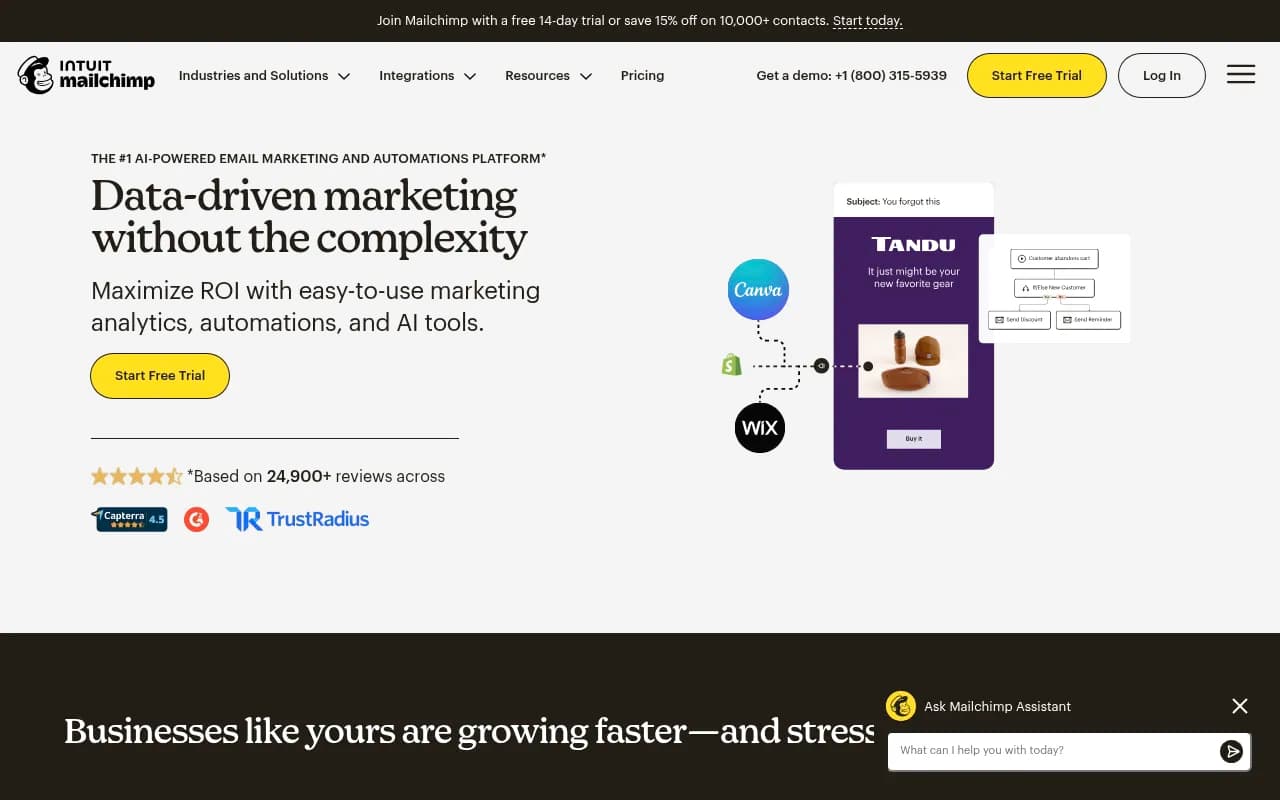
Key Takeaways:
- Best for: Small to mid-sized businesses, e-commerce stores, and agencies needing email + SMS marketing with AI optimization and deep integrations
- Standout strengths: Industry-leading deliverability (99.99%), 300+ native integrations including Shopify and Salesforce, proven ROI (up to 30x for e-commerce on Standard plan)
- AI capabilities: Predictive segmentation identifies high-value customers, generative AI writes email copy and subject lines, send time optimization boosts open rates
- Pricing: Free plan for up to 500 contacts, paid plans from $13/month (Essentials) to $350/month (Premium), with 14-day free trial on Standard
- Limitations: SMS requires separate credits and country restrictions, advanced features locked to higher tiers, pricing scales quickly with contact growth
Mailchimp has been the backbone of email marketing for small and mid-sized businesses since 2001. After being acquired by Intuit in 2021 for $12 billion, the platform has doubled down on AI-powered features and expanded beyond email into SMS, landing pages, social ads, and CRM functionality. Today, over 11 million users across 175 countries rely on Mailchimp to send billions of emails monthly, making it the most widely adopted marketing automation platform globally.
What sets Mailchimp apart in 2026 is its combination of accessibility and sophistication. A freelance consultant can start sending professional campaigns in minutes using the free plan, while a 50-person e-commerce team can leverage predictive analytics, custom automations, and multi-channel orchestration on the Premium tier. The platform has processed over 9.8 billion AI-generated emails since launching its generative AI tools, and customers report up to 97% higher click rates when combining email and SMS campaigns.
Email Campaign Builder with AI Content Generation Mailchimp's drag-and-drop email builder remains one of the most intuitive in the industry. You can start from scratch, use pre-built templates organized by industry and goal, or let AI generate a complete email based on a brief prompt. The AI assistant (called Intuit Assist) can write subject lines, body copy, and CTAs in your brand voice after analyzing previous campaigns. It's not just template filling—the AI considers your audience data, past performance, and campaign objective to suggest personalized content variations.
The builder includes dynamic content blocks that change based on subscriber data (showing different products to different segments in the same email), countdown timers for urgency, and product recommendation blocks that pull from your connected e-commerce store. You can also code custom templates in HTML if you need full control. Unlike some competitors that charge extra for custom coding, Mailchimp includes it on the Standard plan and above.
Predictive Segmentation and Audience Intelligence This is where Mailchimp's AI truly shines. The platform analyzes subscriber behavior—opens, clicks, purchase history, website activity—to automatically identify your most engaged contacts and those likely to churn. Predictive segmentation creates dynamic audience groups like "likely to purchase in next 30 days" or "at risk of unsubscribing" without manual rule-building.
You can layer traditional segments (demographics, tags, custom fields) with predictive segments for hyper-targeted campaigns. For example, send a win-back offer only to high-value customers showing declining engagement. The platform also calculates a Customer Lifetime Value score for each contact and surfaces your top 10% most valuable subscribers. This level of intelligence typically requires enterprise-grade tools like Salesforce Marketing Cloud—Mailchimp makes it accessible at $20/month.
Send Time Optimization and A/B Testing Mailchimp's Send Time Optimization uses machine learning to determine when each individual subscriber is most likely to open your email, then delivers messages at those personalized times. Instead of sending to your entire list at 10am, it might send to one segment at 7am, another at 2pm, and another at 8pm based on their historical behavior.
A/B testing (called "Multivariate Testing" on higher plans) lets you test up to 8 variations of subject lines, content, send times, or from names. The platform automatically sends the winning variant to the remaining audience. You can also run ongoing tests where Mailchimp continuously optimizes future sends based on accumulated learnings.
Marketing Automation and Customer Journeys The automation builder uses a visual flowchart interface to create multi-step journeys triggered by subscriber actions. Common workflows include welcome series for new subscribers, abandoned cart recovery for e-commerce, post-purchase follow-ups, re-engagement campaigns for inactive contacts, and birthday/anniversary emails.
Advanced automations (Standard plan and above) support branching logic, time delays, goal tracking, and integration triggers from connected apps. For example, you can trigger an email when someone reaches a spending threshold in Shopify, then branch the journey based on whether they open that email within 48 hours. Premium plan users get advanced branching with unlimited paths and the ability to pause journeys for individual contacts.
One limitation: Mailchimp's automation builder is less flexible than dedicated tools like ActiveCampaign or HubSpot. You can't easily move contacts between multiple automations or create complex if/then logic with many nested conditions. For straightforward e-commerce and nurture workflows, it's excellent. For enterprise-level lead scoring and multi-touch attribution, you'll hit walls.
SMS Marketing Integration Mailchimp added SMS in 2021 and has steadily improved it. You purchase SMS credits separately (pricing varies by country—roughly $0.01-0.03 per message in the US), then send standalone SMS campaigns or add SMS steps to email automations. The platform handles compliance automatically, managing opt-ins and STOP requests.
The real power is in coordinated email + SMS campaigns. You can set rules like "send SMS only if email wasn't opened within 24 hours" or "send SMS to high-value segments and email to everyone else." Mailchimp's data shows customers see up to 97% higher click rates using both channels versus email alone. However, SMS is only available in select countries (US, UK, Australia, and a few others), and you can only message contacts with phone numbers in your approved country.
Landing Pages and Signup Forms Mailchimp includes a landing page builder for creating standalone pages without a website—useful for product launches, event registrations, or lead magnets. Pages are mobile-responsive and can include forms, images, videos, countdown timers, and buy buttons connected to your e-commerce store. You get a Mailchimp-branded URL (yourname.mailchimpsites.com) or can use a custom domain.
Signup forms come in multiple formats: embedded forms for your website, popup forms (beta feature with limited availability), hosted signup pages, and QR codes for offline signups. Forms support custom fields, GDPR compliance checkboxes, and conditional logic to show/hide fields based on responses. The popup form builder includes targeting rules (show to new visitors only, trigger after 30 seconds, etc.) and exit-intent detection.
Integrations and Data Sync Mailchimp's 300+ native integrations are a major competitive advantage. Deep two-way syncs with Shopify, WooCommerce, BigCommerce, Magento, and Squarespace Commerce automatically import customers, products, and order data, enabling abandoned cart emails and product recommendations. Salesforce integration syncs leads and contacts bidirectionally. QuickBooks Online integration pulls invoice data for customer segmentation.
Other notable integrations: Canva for designing emails, Google Analytics for campaign tracking, Facebook and Instagram for social ads, Zapier for connecting 5,000+ additional apps, Typeform for survey data, and Eventbrite for event marketing. Most integrations are free, though some (like Salesforce) require paid plans on both sides.
The API is well-documented and widely used by developers. You can build custom integrations, sync data from internal systems, or trigger campaigns from your app. Rate limits are generous (10 requests per second on paid plans).
Reporting and Analytics Mailchimp provides detailed reports on opens, clicks, unsubscribes, bounces, and revenue attribution for e-commerce campaigns. The dashboard shows trends over time, compares campaigns, and highlights top-performing content. Click maps visualize which links in your email got the most engagement.
Advanced reports (Standard and Premium plans) include comparative reports (benchmark your performance against industry averages), funnel reports (track subscriber journey from signup to purchase), and ROI reports (calculate revenue per email sent). The platform also offers predictive analytics like forecasted open rates and churn risk scores.
One weakness: reporting is less customizable than enterprise platforms. You can't build fully custom dashboards or export raw data for analysis in BI tools without using the API. For most small businesses, the built-in reports are sufficient. Agencies managing multiple clients may want more flexibility.
Who Is Mailchimp For?
Mailchimp is ideal for e-commerce businesses with 500-50,000 customers who need email + SMS marketing with strong Shopify/WooCommerce integration. A Shopify store doing $50k-500k monthly revenue will find the Standard plan ($20-100/month depending on contacts) delivers excellent ROI through abandoned cart recovery, product recommendations, and customer win-back campaigns.
It's also excellent for service businesses, consultants, and agencies sending regular newsletters and nurture sequences. The free plan (500 contacts, 1,000 emails/month) is genuinely useful for solopreneurs and early-stage startups. The drag-and-drop builder and pre-built templates mean you don't need design or coding skills.
SaaS companies with complex lead scoring, B2B enterprises needing advanced CRM features, or agencies managing 50+ clients should look elsewhere. Mailchimp doesn't offer lead scoring, advanced sales pipeline management, or white-label options for agencies. ActiveCampaign, HubSpot, or Klaviyo are better fits for those use cases.
Non-profits and content creators (bloggers, podcasters, course creators) also thrive on Mailchimp. The platform offers a 15% discount for non-profits and handles large broadcast lists efficiently. If you're sending weekly newsletters to 10,000 subscribers, Mailchimp's deliverability and ease of use are hard to beat.
Pricing and Value
Mailchimp offers four plans:
Free Plan: Up to 500 contacts, 1,000 emails/month (max 500/day), basic templates, signup forms, and single-step automations. No phone/chat support. Good for testing or very small lists.
Essentials Plan: From $13/month for 500 contacts. Removes Mailchimp branding, adds A/B testing (3 variations), 24/7 email/chat support, and pre-built automation templates. Email send limit is 10x your contact count per month.
Standard Plan: From $20/month for 500 contacts. Adds predictive segmentation, send time optimization, custom-coded templates, advanced automations with branching, dynamic content, and personalized onboarding. Email send limit is 12x your contact count. This is the sweet spot for most businesses—Mailchimp reports customers see up to 30x ROI on this tier.
Premium Plan: From $350/month for 10,000 contacts. Adds advanced segmentation, multivariate testing (8 variations), comparative reporting, phone support, and unlimited seats. Best for larger teams needing collaboration features and priority support.
Pricing scales with contacts: 5,000 contacts costs $86/month (Standard) or $138/month (Premium). 10,000 contacts costs $138/month (Standard) or $350/month (Premium). SMS credits are purchased separately—$25 for 1,000 US credits, $50 for 2,500 credits.
Compared to competitors: Mailchimp is mid-priced. ConvertKit and MailerLite are cheaper for basic email. Klaviyo and ActiveCampaign are more expensive but offer deeper e-commerce and automation features. For the feature set and deliverability, Mailchimp offers solid value, especially on the Standard plan.
Watch out for overages: if you exceed your contact limit or monthly email sends, Mailchimp charges extra. Contacts are billed by highest count during the month, even if you delete them. This can surprise users who import large lists then clean them.
Strengths
Industry-leading deliverability: 99.99% transactional email delivery rate and strong inbox placement for marketing emails. Mailchimp's sender reputation and ISP relationships are top-tier.
Ease of use: The interface is intuitive enough for non-technical users but powerful enough for marketers. Onboarding is smooth, and the template library is extensive.
Integration ecosystem: 300+ native integrations cover most use cases. The Shopify and WooCommerce integrations are particularly robust, syncing data in real-time.
AI features at accessible price points: Predictive segmentation and send time optimization on the $20/month plan is remarkable. Most competitors charge $100+ for similar AI.
Proven ROI: Mailchimp's scale means they have real data—customers report up to 30x ROI, 97% higher click rates with email + SMS, and measurable revenue attribution.
Limitations
Automation complexity: The automation builder is less flexible than ActiveCampaign or HubSpot. Complex multi-path journeys with advanced logic are difficult to build.
SMS limitations: Only available in select countries, requires separate credits, and lacks advanced SMS features like two-way conversations or SMS-triggered automations beyond basic workflows.
Pricing scales quickly: Once you exceed 10,000 contacts, costs jump significantly. A 25,000-contact list costs $200/month (Standard) or $500/month (Premium). Competitors like MailerLite or Brevo are cheaper at that scale.
Limited CRM features: Mailchimp has basic contact management but lacks true CRM functionality like deal pipelines, task management, or sales automation. It's a marketing tool, not a sales tool.
Bottom Line
Mailchimp remains the best all-around email marketing platform for small to mid-sized businesses in 2026, especially those running e-commerce stores or sending regular newsletters. The combination of ease of use, AI-powered features, deep integrations, and proven deliverability makes it a safe bet for most use cases. The Standard plan at $20/month offers exceptional value—you get predictive segmentation, send time optimization, and advanced automations that would cost $100+ on other platforms.
However, it's not for everyone. SaaS companies needing complex lead scoring, B2B enterprises wanting advanced CRM features, or agencies managing many clients should explore ActiveCampaign, HubSpot, or Klaviyo. And if you're on a tight budget with a large list (20,000+ contacts), MailerLite or Brevo offer similar core features at lower prices.
Best use case in one sentence: E-commerce stores with 1,000-20,000 customers who want to automate abandoned cart recovery, send personalized product recommendations, and combine email + SMS marketing without hiring a developer.
Tags:
Similar and alternative tools to Mailchimp